7 Tips for Managing Zigbee Devices in Your Multi-Protocol Smart Home
Discover how to simplify firmware updates across Zigbee and other smart home protocols.
 By Jeffrey Kuhn
Updated August 28, 2026
By Jeffrey Kuhn
Updated August 28, 2026
Building a smart home with devices from multiple brands offers flexibility and cost savings, but managing firmware updates across different platforms can become tedious quickly. When your setup includes Zigbee, Z-Wave, and Matter devices all running their own software versions, keeping everything current requires jumping between separate apps and manufacturers’ portals. This fragmented approach wastes time and creates confusion about which devices need attention.
The good news is that modern smart home hubs like Homey now simplify this process by bringing all your device updates into one unified interface. Understanding how to leverage Zigbee within a consolidated ecosystem will help you maintain a more secure, reliable, and feature-rich smart home. Here are practical strategies for managing your Zigbee network effectively.
1. Choose a Hub That Supports Multiple Protocols
Your first decision should be selecting a central hub capable of handling Zigbee alongside other protocols. A hub that consolidates Matter, Zigbee, and Z-Wave support means you can manage all your devices from a single app rather than bouncing between different manufacturer platforms. This unified approach simplifies firmware updates, improves device communication, and gives you a bird’s-eye view of your entire smart home ecosystem. Look for hubs that clearly advertise their multi-protocol capabilities and have proven track records with the devices you plan to purchase.
2. Understand Zigbee’s Role in Your Network
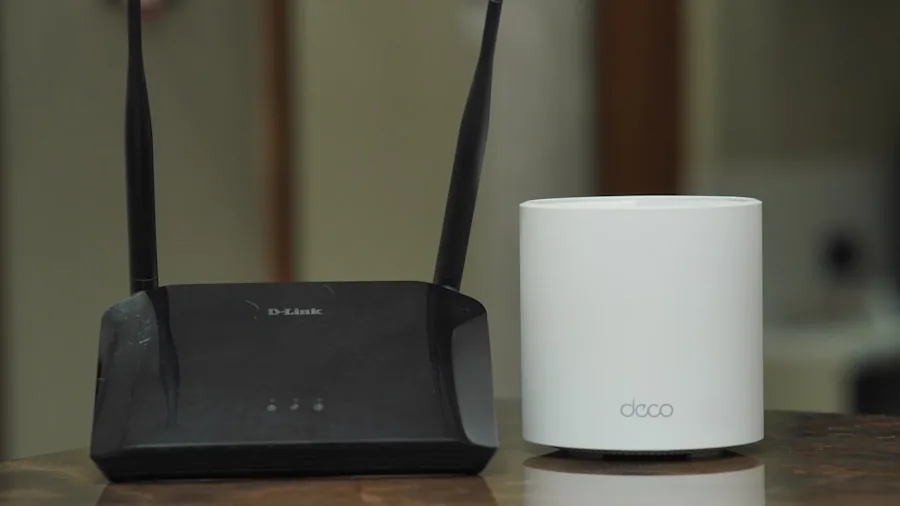
Zigbee is a wireless standard designed specifically for low-power smart home devices. It excels at creating reliable mesh networks where devices communicate through each other to extend range and stability. Unlike WiFi-dependent products that drain batteries quickly, Zigbee devices typically run for months or years on standard batteries. When selecting which devices to connect via Zigbee versus other protocols, prioritize battery-powered items like door sensors, motion detectors, and remote controls for this efficient standard.
3. Automate Your Firmware Update Process
Modern hubs eliminate the need to manually check each device’s settings for updates. Instead of visiting individual manufacturer apps, you can now access all pending updates from a single settings menu. Look for hubs that display a list of available updates for your connected devices automatically. This convenience factor becomes especially valuable as your smart home grows; managing updates for dozens of devices manually would be impractical. Set aside time monthly to review available updates and install them to maintain security patches and access new features.
4. Verify Manufacturer Support for Over-the-Air Updates
Not every Zigbee device manufacturer has enabled over-the-air updates through consolidation platforms yet. Before purchasing devices, verify that your preferred brands support firmware updates through your chosen hub. Popular brands including IKEA, Aeotec, Zooz, frient, and ThirdReality have already integrated this capability. As adoption spreads, more manufacturers continue joining this ecosystem. Checking compatibility ensures you won’t be stuck manually updating devices through outdated interfaces or disconnecting them from your network to apply patches.
5. Organize Your Device Updates Strategically
When multiple device updates become available, don’t necessarily rush to install all of them simultaneously. Stagger updates across a few days to ensure each one completes successfully before moving to the next. This staged approach helps you identify if any particular update causes connectivity issues. If a device malfunctions after an update, you’ll quickly know which firmware change caused the problem. Document which devices you update and when, creating a simple log that helps troubleshoot any subsequent issues.
6. Keep Your Hub Firmware Current Too
Your central hub itself requires regular firmware updates just like any connected device. These updates often include security improvements, compatibility enhancements for new devices, and performance optimizations. Access your hub’s system updates separately from device updates, but maintain the same disciplined approach of reviewing and installing them regularly. A current hub firmware ensures your entire Zigbee network operates at peak efficiency and security.
7. Combine Zigbee with Budget-Friendly Smart Devices
Zigbee’s efficiency makes it ideal for affordable smart home expansion. You can add numerous Zigbee-compatible devices without paying premium prices, and the best smart locks for every home and budget often include Zigbee connectivity as an option. Battery-powered Zigbee sensors and controllers cost less than their WiFi counterparts while delivering superior reliability. Building your foundation with cost-effective Zigbee devices allows you to expand gradually while maintaining a responsive, secure network.
Managing a multi-protocol smart home no longer requires technical expertise or constant app switching. By selecting the right hub, understanding Zigbee’s strengths, and staying organized with updates, you create a smart home that simply works. The consolidation of update management into unified platforms represents significant progress toward the seamless smart home experience consumers deserve.
About the author
Jeffrey covers smart displays and home hubs for REMOVU, weighing control, features, and value as the center of a connected home. He helps readers build routines that actually simplify daily life.