How to Understand Android Pulse on Your Phone and Why You Shouldn’t Remove It
Wondering about that Android Pulse app on your phone? Here's what it does and why you shouldn't delete it.
 By Tara Russell
Updated August 24, 2026
By Tara Russell
Updated August 24, 2026

What Is Android Pulse?
If you recently noticed an app called “Android Pulse” on your Android device, you’re not alone. Many users have spotted this unfamiliar application in their app drawers and wondered where it came from. The good news is that it’s legitimate, and it belongs there. Android Pulse is a background monitoring system developed by Google that works quietly on your device to track resource usage and system performance.
The app functions as a resource monitor, analyzing how applications and system processes consume your phone’s computing power. Rather than being a traditional app you interact with directly, Android Pulse operates behind the scenes to identify any processes or applications that are consuming excessive amounts of your device’s resources. This includes monitoring CPU usage, GPU performance, battery drain, and other critical system metrics.
Understanding How Android Pulse Works
According to Google’s official description, Android Pulse “facilitates rule distribution for anomaly detection in critical system resource consumption by the Android operating system and installed applications.” In simpler terms, the app acts as a vigilant observer, constantly scanning your phone for any apps or processes that are behaving unusually or consuming more resources than they should.
Think of Android Pulse as your device’s built-in health monitor. It watches for red flags such as applications draining your battery faster than normal, processes consuming excessive CPU power, or system-level issues that might slow down your phone’s overall performance. When it detects these resource hogs, it collects data about them. Whether Google uses this information to automatically fix problems on your device or simply gathers it to improve future Android updates remains unclear, but either way, the system is working to enhance your phone’s stability.
Why This App Appeared on Your Phone
You might be confused about how Android Pulse ended up on your device without your knowledge. The explanation is straightforward: you didn’t actually download it yourself. Instead, Google pushed the app through the Play Store as a system-level update. Within just three days of its public listing, the application reached over 10 million downloads, though APKMirror records suggest the underlying system component existed as early as March. The Play Store listing itself became visible only recently, which is why so many users suddenly noticed it.
This rollout method is common for Google system apps. The company uses the Play Store to distribute critical system components and security updates to Android devices, allowing updates to reach users independently of major operating system releases. This means you can receive important system monitoring tools like Android Pulse without waiting for a full Android version update.
Should You Delete or Disable Android Pulse?
The short answer is no, and in fact, you probably can’t. Android Pulse is a core system component, not a traditional removable application. Most users will find that the “uninstall” button is grayed out or unavailable for this app. You might be able to force stop or temporarily disable it through your device settings, but doing so could compromise your phone’s ability to monitor and manage resource consumption effectively.
Keeping Android Pulse enabled is actually beneficial for your device. The app is designed to identify and report on resource hogs that negatively affect your phone’s performance. Since Google engineered this monitoring tool specifically for system stability, it’s unlikely to become a resource drain itself. The developers clearly understood the irony of creating a resource-monitoring app that consumes excessive resources, so rest assured that Android Pulse is optimized to run efficiently in the background.
Managing Your Phone’s Performance Beyond Android Pulse
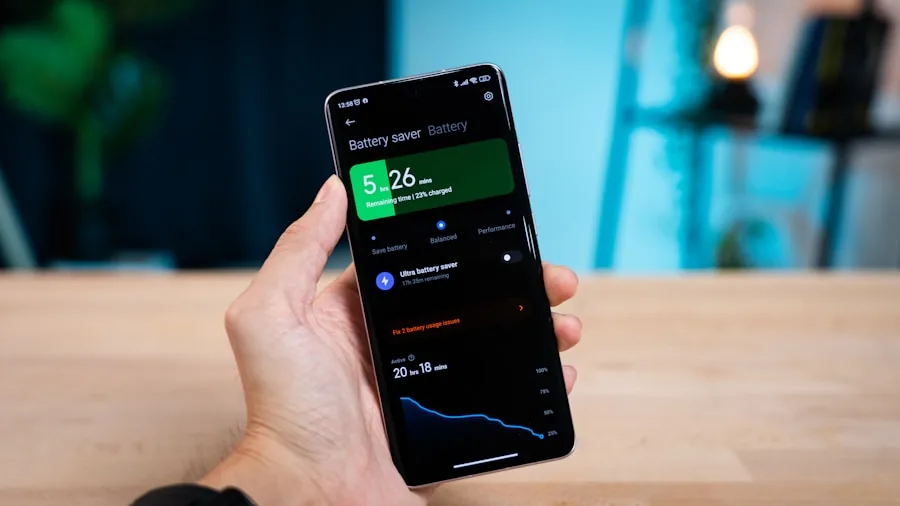
While Android Pulse monitors system health, you can take additional steps to maintain optimal phone performance. Review your installed applications regularly and uninstall apps you no longer use. Many users accumulate applications over time that consume memory and processing power silently in the background. Periodically auditing your app library helps reduce unnecessary strain on your device.
You might also want to evaluate your device’s app permissions and background activity settings. Some apps configured for Zoom calls and similar functions can consume significant resources when running continuously. Adjust notifications, location access, and background refresh settings for apps that don’t genuinely need them. This proactive approach complements the passive monitoring that Android Pulse provides.
Additionally, consider updating your applications through the Play Store regularly. App updates often include performance improvements and bug fixes that reduce resource consumption. Keeping your operating system updated ensures you’re benefiting from the latest system optimizations that Google develops to address common performance issues.
The Bottom Line
Android Pulse is a legitimate, beneficial system component that Google has deployed to improve device stability and performance across the Android ecosystem. Its sudden appearance in your app drawer doesn’t indicate a problem or security concern. Instead, it represents Google’s commitment to maintaining your device’s health by identifying and tracking applications or processes that consume excessive resources. Leave it enabled, trust that it’s working silently to optimize your experience, and focus your efforts on the performance management practices within your control.
About the author
Tara writes about monitors for REMOVU, balancing resolution, panel quality, and size for work and creative use. She helps readers match a display to the way they actually work.