How to Fix Underwhelming Sound from Premium Headphones
Your expensive headphones aren't broken, they're just not configured right. Here's how to fix that.
 By Nevaeh Ross
Updated October 16, 2026
By Nevaeh Ross
Updated October 16, 2026
You’ve invested in high-end headphones, but when you finally put them on, the audio feels flat and disappointing. This is a frustratingly common experience, and the good news is that your hardware probably isn’t the problem. In most cases, the issue stems from device settings, equalization configuration, or active processing features that are holding back your audio quality. With a few practical adjustments, you can unlock the full potential of your investment.
Check Your Physical Fit and Seal First
Before diving into software adjustments, evaluate whether your headphones are sitting properly. Over-ear models need to create a tight seal against your head, while earbuds require the correct tip size for your ears. When the seal isn’t complete, bass frequencies leak out, leaving your music sounding thin and lifeless.
Start by trying different earbud tip sizes if you’re using in-ear models. For over-ear headphones, adjust the headband to ensure the ear cups press firmly and evenly against your ears. A proper seal can make a dramatic difference in how full and rich your audio sounds. This step costs nothing and takes just a minute, so always begin here before making any changes to your device or app settings.
Use Your Headphone App’s Equalizer for Precision Adjustments
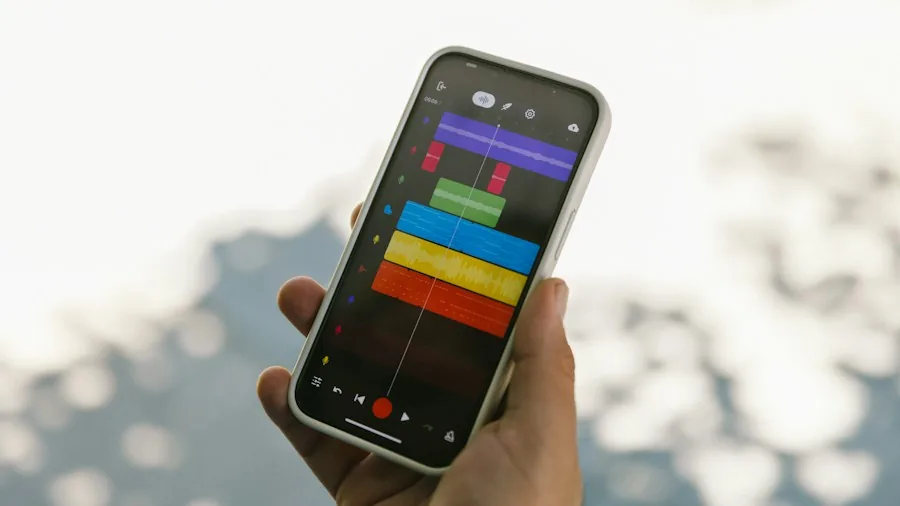
Most premium headphone brands include a companion app such as Sony Sound Connect or Sennheiser Smart Control. These apps typically feature an Equalizer section that displays a row of frequency sliders. This tool lets you reshape the sound to match your preferences without damaging your hardware.
When adjusting the EQ, resist the urge to push sliders all the way to their maximum values. Extreme boosts overload the audio driver and introduce digital distortion that muddles the fine details of your music. Instead, make small, gradual adjustments. Rather than heavily boosting one slider, try slightly reducing others to achieve better balance. Think of it as fine-tuning rather than aggressive modification. This approach preserves audio clarity while still allowing you to enhance the frequencies you care about most.
Address iPhone and Advanced Bluetooth Compatibility Issues
If you’re using premium Android-designed headphones with an iPhone, you may not be hearing them at their best. High-end models use advanced Bluetooth technology capable of streaming audio at nearly triple the data rate of standard wireless formats. Unfortunately, iPhones don’t support these premium codecs, forcing them to compress wireless playback down to a standard format. This bottleneck significantly limits audio quality.
To experience true high-fidelity sound, connect your headphones using a physical cable. Check your specific model’s compatibility first: some support direct digital audio over USB-C, while others work with a standard 3.5mm cable and adapter. While this isn’t convenient for everyday commuting, consider using the cable connection at home during focused listening sessions and keeping wireless for convenience during travel.
Additionally, visit your streaming app’s settings and ensure you’re using the highest available audio quality option. For Apple Music, navigate to Settings, Music, and Audio Quality, then select Lossless. This guarantees your phone sends the best possible source file to your headphones.
Disable Active Noise Cancellation in Quiet Spaces
Active Noise Cancellation, or ANC, uses external microphones and digital signal processing to eliminate ambient noise. While this technology is invaluable during noisy commutes, the processing involved can subtly compress certain audio frequencies and narrow your soundstage in quiet environments.
To evaluate whether ANC is degrading your listening experience, open your headphone app and access the Sound Control menu. Switch ANC to off and listen to familiar tracks in a quiet room. You may notice your music sounds more open and detailed without the active processing layer. In peaceful settings, disabling ANC can reveal the full character of your headphones that the processing was masking. This awareness helps you decide when ANC is truly necessary and when turning it off delivers superior sound.
Verify Your Audio Source Quality
Your headphones can only sound as good as the content being fed to them. Low-bitrate or heavily compressed audio files will sound underwhelming regardless of your equipment. Consider evaluating wireless earbuds designed for better audio performance or upgrading to lossless streaming services that deliver higher-quality source material.
Most mainstream music streaming platforms offer tiered quality options. Select the highest available setting in your app’s preferences. The difference between standard and lossless or high-resolution audio becomes immediately apparent when you have quality headphones and the right source material working together.
Take Time to Acclimate to Your Headphones
Sometimes the solution involves simple patience. Premium headphones often have a different sound signature than consumer models. Your ears may need a few hours of listening to acclimate to the new audio character. What sounds unusual initially often becomes your preferred sound as your brain adjusts to the heightened detail and clarity.
By systematically addressing physical fit, equalizer settings, platform compatibility, and noise cancellation preferences, you’ll likely discover that your high-end headphones were capable of delivering impressive audio all along. The investment you made was sound; it just needed the right configuration to shine.
About the author
Nevaeh is REMOVU's over-ear headphone writer, judging sound, comfort, and value across wireless and wired models. She helps readers find a spacious, long-wear pair for home or travel.