7 Tips for Building Your First PC: Expert Advice for DIY Beginners
Expert advice for assembling your PC without costly mistakes. Learn what beginners need to know before buying parts.
 By Ava Herrera
Updated August 14, 2026
By Ava Herrera
Updated August 14, 2026
Building your own PC might feel intimidating at first, but it’s easier than you think when you follow the right guidance. Whether you’re creating a gaming rig or a workstation for creative projects, understanding the fundamentals helps you avoid costly mistakes and build a machine that lasts for years. Here are seven practical tips to set you up for success on your PC building journey.
1. Design Your Build Around Future Upgrades
One of the biggest advantages of building your own computer is the ability to upgrade individual components without replacing the entire system. Choose your motherboard, power supply, and case with longevity in mind. A quality case can house multiple generations of hardware, so invest in one that will accommodate future upgrades.
You don’t need the most expensive graphics card available right now. Mid-range GPUs handle professional creative work and gaming with excellent performance. The real benefit comes from selecting components that let you swap out your graphics card, processor, or storage in the future without starting from scratch.
2. Identify Your Real Computing Needs

Before selecting parts, define what you actually want your PC to do. Will you play specific games? Run 3D animation software? Stream video content? Different applications place different demands on your system. For instance, some creative software relies more heavily on processor cores, while gaming prioritizes graphics performance.
Document the demands of your target applications and build accordingly. This prevents bottlenecks where one component limits another, ensuring your machine performs smoothly for the work that matters most to you.
3. Manage Cables as You Go
Messy cables create two problems: poor airflow and difficulty troubleshooting later. Rather than waiting until the end to organize wiring, route cables carefully as you install each component. Use cable ties or clips to secure them away from your fans and airflow paths. This approach keeps your system cooler and makes future maintenance much simpler.
Proper cable management might not seem critical initially, but it directly affects system performance and longevity. A well-organized build runs cooler and stays more reliable over time.
4. Research Component Compatibility
Before purchasing anything, verify that all your selected parts work together. Check that your power supply has enough wattage for your components, your motherboard supports your processor socket, and your case accommodates your cooling solution. Compatibility issues can derail your entire project before you even unbox anything.
Spend time reading specifications and user reviews. Many online communities specialize in helping builders confirm whether their part choices make sense. This research saves money and frustration down the road.
5. Take Breaks When Frustration Sets In
You’ll likely encounter moments where something doesn’t work as expected. Maybe a power connector doesn’t seem to fit properly, or your PC won’t turn on even though you’ve checked everything twice. In these moments, resist the urge to force components or panic.
Walk away, take a breath, and approach the problem with fresh eyes. Most building difficulties stem from small oversights like unseated RAM modules or disconnected power headers. Patience and methodical troubleshooting beat rushed fixes every time. Consider looking at professional wireless earbuds for communication if you plan to seek online help during the building process.
6. Don’t Overlook Cooling Solutions
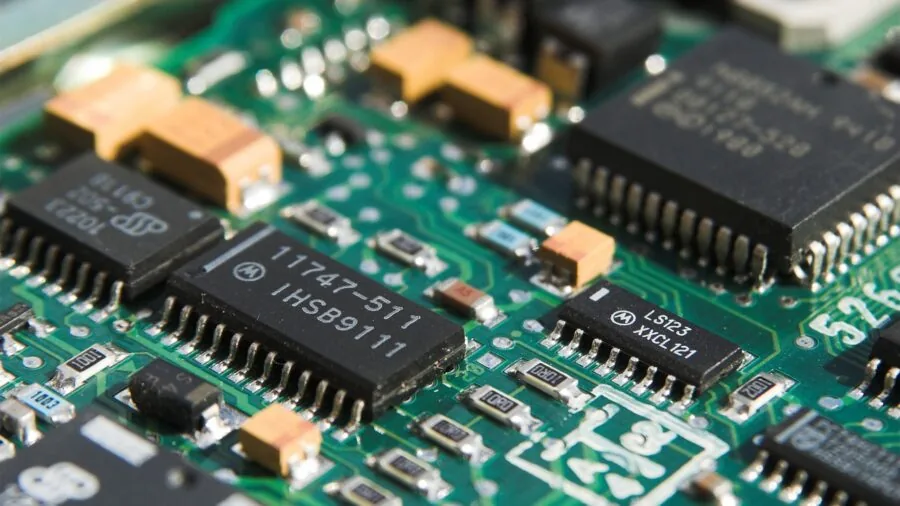
Adequate cooling keeps your components safe and running at peak performance. Your choice of CPU cooler and case fans matters more than many beginners realize. Calculate the heat output of your selected processor and graphics card, then choose cooling solutions rated for that thermal load.
Larger fans at lower speeds tend to run quieter and move air more efficiently than smaller fans spinning faster. Invest in quality cooling from the start rather than upgrading later due to thermal throttling issues.
7. Plan for Realistic Power Requirements
Your power supply capacity should exceed your peak system power draw by at least 20 percent. Don’t assume a high wattage rating means better performance, though. An 850-watt supply serves most gaming and creative builds perfectly well. Over-sizing leads to unnecessary expenses without real-world benefits.
Research your specific components’ power consumption and add up the total. Many online calculators help estimate this. A properly sized power supply runs more efficiently and lasts longer than an oversized unit operating at minimal load.
Building your own PC rewards careful planning and patient execution. By following these principles, you’ll create a system that performs reliably and remains upgradeable for years. Start with quality research, take your time during assembly, and don’t hesitate to seek community help if you hit a snag. Your investment in knowledge upfront pays dividends throughout your PC’s lifespan. Like finding the right wireless earbuds for your device, choosing PC components tailored to your needs makes all the difference.
About the author
Ava is REMOVU's laptop writer, balancing speed, battery life, and build quality against price across the whole range. She helps readers find the sweet spot as each new chip shifts what a dollar buys.