The 11 Best Cable Modems for Spectrum
Switching to your own modem cuts Spectrum's rental fee immediately. We researched certified DOCSIS 3.0 and 3.1 options from ARRIS, NETGEAR, Hitron, and Motorola to find the most reliable picks.
 By Teresa Price
Updated July 26, 2026
By Teresa Price
Updated July 26, 2026
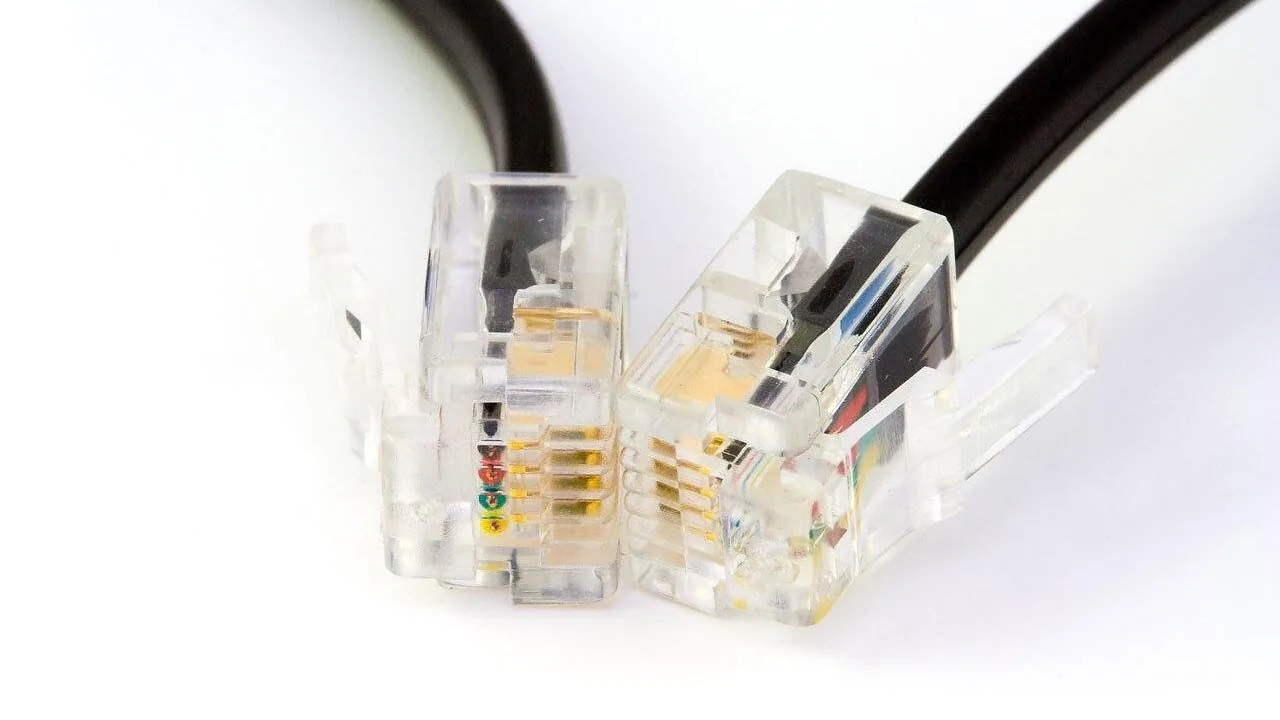
Owning your cable modem instead of renting one from Spectrum can save you a meaningful amount of money every year, and it puts you in control of your home network hardware.
The challenge is that not every modem on the market is approved for Spectrum’s network, and the wrong choice can leave you with slower speeds, dropped connections, or outright incompatibility.
Whether you are on a gigabit plan or a more modest tier, pairing your plan with the right modem makes a real difference in day-to-day reliability.
To help you cut through the noise, the REMOVU team researched the current modem landscape using published specifications, expert review consensus, and verified buyer feedback from confirmed Spectrum subscribers.
We assessed compatibility, DOCSIS standard support, multi-gig readiness, and long-term value across a range of budgets. Scroll down to see our top picks for the best cable modems for Spectrum right now.
| Award | Product | REMOVU Score About REMOVU ScoreThe REMOVU Score is our own rating from 0 to 10, based on performance, design and build, ease of use, and value. It reflects independent research and is never influenced by manufacturers, retailers, or affiliate commissions. Learn more › | Price | |
|---|---|---|---|---|
 NETGEAR CM1000 DOCSIS 3.1 Cable Modem, 1Gbps
|
7.8/10 | Buy | ||
| Best Budget |
 ARRIS SB8200 DOCSIS 3.1 Cable Modem
|
8.4/10 | Buy | |
| Best Premium |
 Netgear Nighthawk CAX30 WiFi 6 Modem Router Combo
|
8.2/10 | Buy | |
| Best Overall |
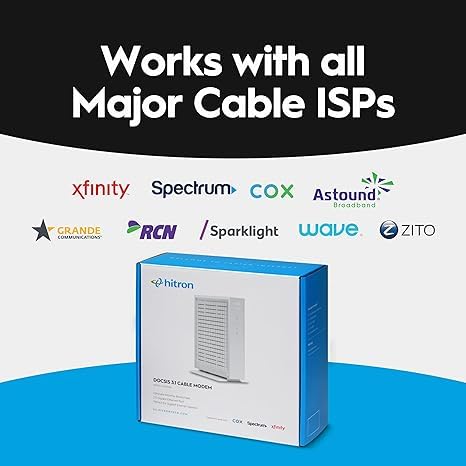 Hitron CODA56 DOCSIS 3.1 Cable Modem, 2.5 Gbps
|
8.9/10 | Buy | |
 NETGEAR Nighthawk CM2500 DOCSIS 3.1 Cable Modem
|
7.8/10 | Buy | ||
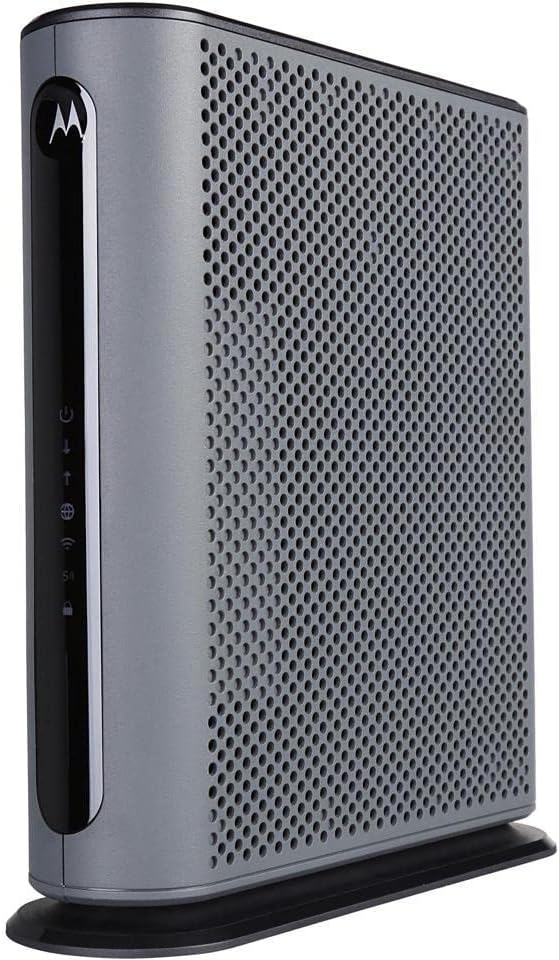 Motorola MG7550 16x4 Cable Modem WiFi Router Combo
|
6.8/10 | Buy | ||
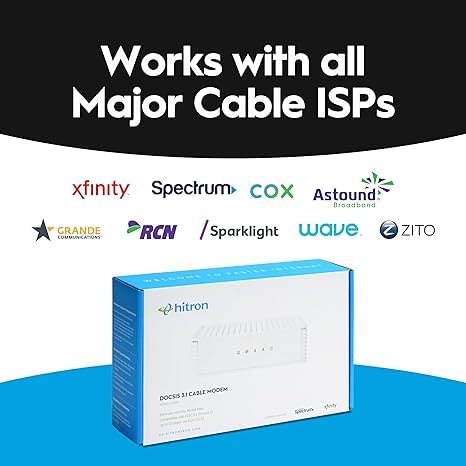 Hitron CODA DOCSIS 3.1 Cable Modem, 1 Gbps
|
7.5/10 | Buy | ||
| Best Value |
 NETGEAR CM700 Cable Modem (32x8 DOCSIS 3.0)
|
7.3/10 | Buy | |
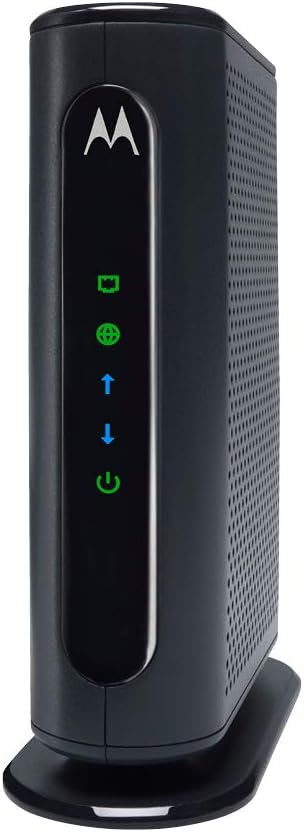 Motorola MB7420 16x4 Cable Modem, 686 Mbps DOCSIS 3.0
|
7.2/10 | Buy | ||
 NETGEAR CM1100 Cable Modem, DOCSIS 3.1, Up to 1Gbps
|
6.8/10 | Buy | ||
|
NETGEAR CM700 DOCSIS 3.0 Cable Modem
|
6.4/10 | Buy |
NETGEAR CM1000 DOCSIS 3.1 Cable Modem, 1Gbps
A DOCSIS 3.1 cable modem built for gigabit internet plans, certified with Xfinity, Spectrum, and Cox. Works with any Wi-Fi router and supports speeds up to 1 Gbps, though performance depends heavily on your ISP service tier and network setup.
Pros
- DOCSIS 3.1 future-proofs your setup and maintains backward compatibility with DOCSIS 3.0
- Certified compatibility with major cable providers (Xfinity, Spectrum, Cox, Optimum)
- Single Gigabit Ethernet port delivers consistent speeds without ISP-supplied modem bottlenecks
- Works with any Wi-Fi router, giving you flexibility to choose your own wireless system
- 5-minute setup with straightforward activation process
Cons
- Runs notably warm during operation, raising thermal management concerns for some users
- Front-facing LED indicators are difficult to view from certain angles
- Some ISPs (especially Xfinity for gigabit plans) may require technician installation or refuse to activate third-party modems, negating the cost savings
- Not compatible with Verizon, AT&T, CenturyLink, DSL, or voice services
ARRIS SB8200 DOCSIS 3.1 Cable Modem
A DOCSIS 3.1 cable modem delivering up to 2 Gbps speeds with two Gigabit Ethernet ports, designed to eliminate monthly rental fees when you own your equipment. Setup is straightforward, but you'll need a separate Wi-Fi router for home networking.
Pros
- Reliable connection and rock-solid performance when properly configured, with users reporting steady speeds and minimal disconnects
- Significantly faster than DOCSIS 3.0 modems, enabling gigabit-class internet speeds for compatible plans
- Easy activation process through provider apps, typically completed in under 15 minutes
- Strong Arris customer support with immediate phone access and fast replacement authorization if needed
- Future-proofed for higher-speed cable plans with multi-gig DOCSIS 3.1 support
Cons
- Sensitive to signal quality and line errors, requiring proper ISP infrastructure to avoid resets and connection drops
- Requires a separate Wi-Fi router for wireless coverage, adding to total equipment cost
- White plastic design received aesthetic criticism compared to previous black models
Netgear Nighthawk CAX30 WiFi 6 Modem Router Combo
A 2-in-1 modem and router that combines DOCSIS 3.1 technology with WiFi 6 to deliver stable speeds up to 1 Gbps across 2,000 sq. ft. Most users praise its easy setup, strong signal coverage, and reliable performance for streaming and gaming, though a few report early hardware failures and note that customer service responsiveness varies.
Pros
- Setup is straightforward and typically takes under 30 minutes with included instructions
- Consistent performance for 4K streaming, gaming, and heavy concurrent device use reported by verified buyers
- Superior WiFi range compared to previous-generation routers, reaching rooms that previously needed extenders
- Works with major ISPs including Xfinity, Spectrum, and Cox
- Sleek compact design with clear LED indicators for connection status
Cons
- Some isolated reports of hardware failure within weeks of purchase, with mixed customer service experiences during troubleshooting
- Not compatible with Verizon, AT&T, CenturyLink, DSL providers, or bundled voice services
- Limited to 1 Gbps modem speed, whereas higher-tier models like CAX80 support up to 2 Gbps
Hitron CODA56 DOCSIS 3.1 Cable Modem, 2.5 Gbps
A modem-only device built for cable internet users seeking faster speeds without monthly rental fees. Delivers solid DOCSIS 3.1 performance for Xfinity, Spectrum, and Cox subscribers, though it requires a separate WiFi router and straightforward setup.
Pros
- Supports up to 2.5 Gbps with single 2.5 Gbps Ethernet port, future-proofs your connection
- Certified with major cable providers (Xfinity, Spectrum, Cox) with proven reliability across verified owner reviews
- Eliminates monthly modem rental fees, potentially saving $168+ annually
- Simple plug-and-play setup requiring minimal configuration steps
- Backward compatible with DOCSIS 3.0 networks with low-latency performance for gaming and streaming
Cons
- Modem-only design requires purchase of a separate WiFi router to get wireless connectivity
- Only works with cable internet (DOCSIS) - incompatible with fiber, DSL, satellite, or fixed wireless services
- Refurbished Amazon Renewed model shows occasional quality control concerns per reviews, though most units perform reliably after setup
NETGEAR Nighthawk CM2500 DOCSIS 3.1 Cable Modem
Mid/high-split DOCSIS 3.1 modem engineered for today's faster cable speeds, delivering up to 2Gbps downloads and 1Gbps uploads with dual gigabit ports. Works across major US providers like Xfinity, Spectrum, and Cox, though it functions as a modem only without routing capabilities.
Pros
- Solid stability and reliability per long-term user reports, with consistent performance for gaming, streaming, and video conferencing
- Easy provisioning process when activating with compatible ISPs
- Future-proofs your connection for years with support for high-speed plans up to 2Gbps
- Compact design that integrates well with existing router setups
Cons
- Only two ethernet ports, limiting direct device connections if link aggregation isn't used
- Non-voice compatible, making it unsuitable for customers who bundle voice services
- Some users report secondary ports may require router setup for multiple device connectivity rather than functioning as independent modem ports
- Limited to US markets only
Motorola MG7550 16x4 Cable Modem WiFi Router Combo
This 16x4 DOCSIS 3.0 modem-router combo delivers up to 686 Mbps and AC1900 dual-band WiFi with Power Boost for extended range, certified by Comcast Xfinity, Cox, and Charter Spectrum. It's a practical choice for cable internet users looking to eliminate monthly rental fees while consolidating hardware into a single unit.
Pros
- Eliminates modem rental fees, potentially saving $150+ annually depending on provider
- AC1900 WiFi with Power Boost and dual-band (2.4 GHz and 5 GHz) reaches multiple rooms effectively
- Easy installation requiring only coax and power connections, plus phone app activation
- DFS support reduces WiFi interference from neighboring networks
- Four Gigabit Ethernet ports for wired devices and solid 4.3-star rating from 7,251 verified reviews
Cons
- Not compatible with fiber, DSL, or satellite services (Verizon, AT&T, CenturyLink), limiting audience
- Some users report ISP provisioning can change admin credentials, restricting personal configuration access
- Recommended for speeds up to 375 Mbps, not suitable for higher-tier cable plans exceeding 600 Mbps
Hitron CODA DOCSIS 3.1 Cable Modem, 1 Gbps
A DOCSIS 3.1 cable modem certified for major ISPs like Xfinity, Spectrum, and Cox, offering up to 1 Gbps speeds with two Gigabit Ethernet ports. Designed to replace rental equipment and eliminate monthly fees, though it requires a separate WiFi router and works only with cable broadband services.
Pros
- ISP certification covers most major cable providers, reducing compatibility risk
- Two Gigabit Ethernet ports enable fast wired speeds to routers, gaming consoles, and streaming devices
- Straightforward setup requiring only coax, power, and Ethernet connections
- Works with both DOCSIS 3.1 and DOCSIS 3.0 networks for flexibility
- Amazon Renewed option provides cost savings on a certified refurbished unit
Cons
- Does not include built-in WiFi router, requiring separate purchase for wireless connectivity
- Incompatible with DSL, fiber, fixed wireless, satellite, and voice-bundled services
- No user reviews available yet to verify real-world performance claims
- Limited warranty details provided (refers to manufacturer website)
NETGEAR CM700 Cable Modem (32x8 DOCSIS 3.0)
A standalone cable modem designed for speeds up to 800 Mbps on major providers like Xfinity, Spectrum, and Cox. It eliminates monthly rental fees and pairs well with any third-party WiFi router, though real-world performance may fall short of the advertised 1.4 Gbps specification.
Pros
- Works with all major cable providers (Xfinity, Spectrum, Cox) and eliminates monthly modem rental fees
- 32x8 channel bonding and DOCSIS 3.0 technology support future-proof speed upgrades
- Single Gigabit Ethernet port works with any WiFi router, giving full flexibility over wireless equipment
- Easy 5-minute setup with phone activation available if online activation is unavailable
- Runs cooler than ISP-provided modems thanks to better ventilation design
Cons
- Real-world download speeds often cap below advertised 1.4 Gbps; verified users report 720 Mbps on 600 Mbps plans and degraded performance on gigabit plans
- Takes 2-3 minutes to boot and connect (longer than some competitors), which matters during power outages or resets
- Uses Intel Puma chipset which some users report causes buffer bloat and erratic speed drops under heavy load
Motorola MB7420 16x4 Cable Modem, 686 Mbps DOCSIS 3.0
A modem-only device certified for major cable providers like Comcast, Cox, and Spectrum, delivering up to 686 Mbps download speeds without built-in WiFi. Best for users seeking to eliminate monthly rental fees and pair the modem with their own router.
Pros
- Pays for itself within 9 to 12 months by eliminating monthly rental charges (typically $10-15 per month)
- Fast setup: connects with just power, coax, and ethernet cables, activation takes 10-20 minutes on average
- 16 downstream and 4 upstream channels provide stable performance during peak usage times
- Compatible with most major cable providers and works with any WiFi router featuring an ethernet WAN port
- Compact design and 2-year manufacturer warranty with USA-based technical support
Cons
- Not compatible with fiber optic services like Verizon and AT&T, or DSL and satellite providers
- Some units report a chemical odor when heated, though this appears to be rare based on review distribution
- Slightly higher power consumption and heat output compared to older 8x4 models, though justified by performance gains
NETGEAR CM1100 Cable Modem, DOCSIS 3.1, Up to 1Gbps
A straightforward cable modem built for gigabit internet plans that eliminates ISP rental fees and pairs with any WiFi router. Verified buyers report stable speeds and easy setup, though reliability issues appear in some edge cases.
Pros
- Delivers stable gigabit speeds and outperforms ISP-provided modems according to multiple verified reviews
- Easy self-activation process; users report minimal or no need for cable provider support
- Two Gigabit Ethernet ports allow wired connections to multiple devices without external switch
- Significant long-term cost savings compared to monthly modem rental fees
- 4.4-star rating across 1,356 reviews reflects solid real-world performance for 1Gbps service tiers
Cons
- Not compatible with fiber (Verizon Fios, AT&T), DSL, or bundled voice service providers
- Some users report occasional stability issues requiring device restarts; effectiveness depends on ISP line quality and local network conditions
- Limited to 1Gbps speeds; higher-tier models (CM1200, CM2000) required for multi-gig plans
NETGEAR CM700 DOCSIS 3.0 Cable Modem
A budget-friendly cable modem supporting speeds up to 800 Mbps across major providers like Xfinity, Spectrum, and Cox. Rated 4.4/5 by over 6,400 users, it's praised for simple setup and solid performance, though compatibility varies by ISP and some units have reported hardware issues.
Pros
- Eliminates monthly modem rental fees, saving up to $168 per year
- 32x8 channel bonding with DOCSIS 3.0 delivers reliable speeds up to 800 Mbps
- Compact design and straightforward 5-minute setup with just coax, power, and ethernet cables
- Works with any Wi-Fi router, giving you flexibility to choose your own wireless solution
- Certified for all major cable providers including Xfinity, Spectrum, and Cox
Cons
- Not compatible with DSL, fiber (Verizon, AT&T, CenturyLink), or bundled voice services on some carriers
- Some users report PUMA 6 chipset concerns causing latency issues, though severity varies by hardware revision
- Single Gigabit Ethernet port limits direct connections; requires a router for multiple wired devices
Cable Modems for Spectrum Buying Guide
Choosing the right modem for Spectrum is not just about picking the most expensive box on the shelf. Spectrum certifies specific models, enforces DOCSIS version requirements tied to your speed tier, and periodically updates its approved device list.
The criteria below will help you match a modem to your actual plan and future-proof your purchase as much as possible.
If you are also thinking about the rest of your home network, our Wi-Fi routers category covers the pairing side of the equation.
Spectrum Compatibility and Certification

The single most important step before buying any modem is verifying it appears on Spectrum’s official approved device list.
Spectrum maintains a public compatibility database, and a modem that works flawlessly on Xfinity or Cox may simply refuse to authenticate on Spectrum’s network.
Every product in our list has confirmed Spectrum certification at the time of research, but it is always worth a quick double-check on Spectrum’s support portal before purchasing, since the list is updated periodically.
Beyond basic compatibility, Spectrum ties certain features to its plan tiers. DOCSIS 3.0 modems are certified for plans up to a few hundred megabits per second, while Spectrum’s gigabit and multi-gig tiers require DOCSIS 3.1 hardware.
Buying a DOCSIS 3.1 modem even if you are on a mid-tier plan today is a sensible hedge, because it ensures you will not need to replace the hardware if you upgrade your plan later.
DOCSIS Version: 3.0 vs. 3.1

DOCSIS 3.0 modems use channel bonding to aggregate bandwidth, typically topping out around 686 Mbps in real-world downstream throughput. They are a fine match for Spectrum’s entry-level and mid-range plans and are generally priced in the budget-to-mid-range segment.
If your household’s primary activities are streaming, video calls, and casual gaming, a DOCSIS 3.0 unit can serve you well for several years.
DOCSIS 3.1 is the current gold standard for cable modems. It uses OFDM (Orthogonal Frequency Division Multiplexing) channels to deliver multi-gigabit potential and significantly better upstream efficiency. If you subscribe to Spectrum’s 1 Gbps plan or anticipate upgrading, DOCSIS 3.1 is non-negotiable.
The newer DOCSIS 3.1 modems also tend to handle congestion better during peak hours, which translates to more consistent speeds even on lower-tier plans.
For households that also rely on networked storage, pairing a capable modem with a robust NAS device can further elevate your local network experience.
Channel Count and Plan Speed Matching
For DOCSIS 3.0 modems, the channel count (expressed as downstream x upstream, such as 16×4 or 32×8) determines how much bandwidth the modem can bond at once.
A 16×4 configuration is adequate for plans up to around 300 Mbps, while a 32×8 configuration gives you headroom for higher-tier DOCSIS 3.0 plans.
Mismatching a low-channel modem with a fast plan is one of the most common reasons users see speeds well below what they are paying for.
DOCSIS 3.1 modems largely sidestep this concern because OFDM channels carry far more data than individual DOCSIS 3.0 channels. That said, the number and quality of Ethernet ports on the modem matters just as much.
If you are on a multi-gig plan, a modem with only a single 1 Gbps Ethernet port becomes a bottleneck regardless of how fast the DOCSIS 3.1 upstream can deliver. Look for 2.5 Gbps ports on any modem marketed for plans above 1 Gbps.
Standalone Modem vs. Modem Router Combo

A standalone modem gives you flexibility to pair it with any router you choose, which is the preferred approach for users who want to customize their Wi-Fi coverage, run a mesh Wi-Fi system, or manage advanced network settings independently.
If your router ever needs replacing, you only swap one device. This separation also tends to produce better performance at the high end, since dedicated hardware can focus on its specific job.
Modem router combos (sometimes called gateways) simplify setup and reduce cable clutter, making them a practical choice for renters, smaller apartments, or anyone who finds separate devices unnecessarily complex.
The trade-off is less flexibility: if the Wi-Fi radio becomes outdated before the modem side does, you are replacing the whole unit.
Combos that integrate Wi-Fi 6 are a meaningful step up from older AC-era units and are worth prioritizing if you go the all-in-one route.
Ethernet Port Configuration

Most standalone modems ship with a single Gigabit Ethernet port, which is perfectly adequate for plans up to 1 Gbps. When that Ethernet port connects to a capable router, the router handles distribution across your devices.
However, some DOCSIS 3.1 modems now include two Gigabit ports or a single 2.5 Gbps port, which allows you to use link aggregation or pass true multi-gig speeds to a compatible router without a bottleneck at the modem itself.
If you are building a network that supports fast wired connections for a gaming PC, a workstation, or a network switch feeding multiple wired devices, the Ethernet port spec on your modem deserves close attention.
Paying more for a modem with 2.5 Gbps output makes sense if the rest of your gear can take advantage of it.
Long-Term Value and Rental Savings

Spectrum charges a monthly equipment rental fee for its supplied modem or gateway. Buying your own modem means that fee disappears, and the hardware typically pays for itself within the first year or two depending on which model you choose.
Budget and mid-range modems reach breakeven faster, while premium multi-gig units take a bit longer but still represent solid value over a three-to-five-year ownership horizon.
It is also worth considering how long a modem is likely to remain useful. DOCSIS 3.0 hardware is mature technology, and while it will continue to work on current Spectrum plans, the industry’s momentum is firmly behind DOCSIS 3.1.
Investing in DOCSIS 3.1 now means you are less likely to need a mid-cycle replacement as Spectrum expands its higher-tier offerings.
Think of it the same way you might think about buying a quality SSD for your laptop: the upfront cost is higher, but the longevity justifies it.
Why You Should Trust Us
REMOVU is an independent review publication.
Every product in this roundup was evaluated using a consistent, multi-source research framework: we analyzed published specifications, cross-referenced expert review consensus from credible technical sources, and incorporated verified buyer feedback from confirmed purchasers, including Spectrum subscribers who reported real-world compatibility and performance outcomes.
We do not conduct our own product trials; our evaluations are grounded in research, published data, expert review consensus, and verified buyer feedback.
Each modem is assigned a REMOVU Score on a scale of 0 to 10, reflecting a weighted assessment of compatibility, performance relative to price, build quality signals, long-term reliability data, and the breadth of verified positive and negative user experiences.
Products are ranked by REMOVU Score, not by profit margin or promotional arrangement.
REMOVU may earn a commission if you purchase through a link in this article, but that affiliate relationship has no bearing on which products appear, how they are ranked, or what score they receive.
Our only obligation is to the reader.
Final Thoughts
The right cable modem for Spectrum depends heavily on your current plan tier, your appetite for future-proofing, and whether you want a standalone unit or an all-in-one gateway.
The products in this list span a wide range of use cases, from reliable DOCSIS 3.0 workhorses for modest plans to cutting-edge multi-gig hardware for power users. Here is how our top picks break down by role:
- Best Overall: Hitron CODA56 Multi-Gigabit DOCSIS 3.1 Modem earns the top REMOVU Score in this roundup thanks to its 2.5 Gbps Ethernet output, multi-gig downstream capability, and broad certification across Spectrum, Xfinity, and Cox. It is the strongest all-around choice for users who want to max out a high-tier Spectrum plan without compromise.
- Best for Most People: ARRIS SURFboard SB8200 is the go-to recommendation for Spectrum subscribers on gigabit plans who want a proven DOCSIS 3.1 modem at a mid-range price. Its strong expert consensus and high volume of positive verified buyer reports make it the safest, most well-rounded pick for the majority of households.
- Best All-in-One Gateway: NETGEAR Nighthawk Modem Router Combo CAX30 combines DOCSIS 3.1 with Wi-Fi 6 in a single unit. It earns a strong REMOVU Score in the combo category and suits users who want modern wireless performance without managing two separate devices.
- Best for Future-Proofing on a Mid Budget: NETGEAR Nighthawk CM2500 supports plans up to 2 Gbps with mid/high-split upstream capability, a specification that positions it well for Spectrum’s evolving network infrastructure. It shares its REMOVU Score with the NETGEAR CM1000 but targets a different use case.
- Best Budget Entry Point: Hitron CODA DOCSIS 3.1 Modem (Renewed) brings DOCSIS 3.1 certification to a more accessible price point. For subscribers who want to move beyond DOCSIS 3.0 without spending heavily, it offers a credible, Spectrum-certified option backed by solid buyer feedback.
Whichever model you choose, buying your own modem instead of renting Spectrum’s equipment is almost always the smarter long-term financial decision. Pair your new modem with a capable router or mesh Wi-Fi system to get the most from your plan.
For a broader look at networking gear and storage solutions, our Networking and Storage hub is a good starting point.
Frequently Asked Questions
Which DOCSIS version do I need for Spectrum’s gigabit plan?
You need a DOCSIS 3.1 modem for Spectrum’s 1 Gbps plan. DOCSIS 3.0 hardware is limited to a few hundred megabits per second in downstream throughput and will not unlock the full speed of a gigabit subscription.
DOCSIS 3.1 also handles upstream traffic more efficiently, which matters for video calls, cloud uploads, and online gaming.
Do I need to call Spectrum when I switch to my own modem?
Yes. After connecting your new modem, you will need to contact Spectrum (by phone or online chat) to provision the device on your account.
You will typically need the modem’s MAC address and model number, both of which are printed on the label on the bottom of the unit.
The process usually takes only a few minutes once a representative activates the device on their end.
Can I use any DOCSIS 3.1 modem with Spectrum?
No. Spectrum certifies specific models, and a modem must appear on their approved device list to work correctly on their network.
Even well-regarded DOCSIS 3.1 modems from reputable brands may be absent from Spectrum’s list if they have not been submitted for certification. Always verify Spectrum compatibility before purchasing, using the official Spectrum device compatibility page.
Is a modem router combo a good idea for Spectrum?
It depends on your priorities. A combo unit simplifies setup and reduces the number of devices on your desk, which appeals to users who want a clean, low-maintenance setup.
However, a standalone modem paired with a dedicated router or a quality Wi-Fi router generally gives you more flexibility, better coverage options, and independent upgrade paths for each component. Power users and larger homes typically benefit from the standalone approach.
How long will a cable modem typically last before needing replacement?
A well-built cable modem can reliably serve a household for four to seven years under normal operating conditions.
The more common reason for replacement is not hardware failure but rather a change in plan tier that demands a higher DOCSIS standard, or a provider phasing out support for older equipment.
Buying DOCSIS 3.1 hardware today gives you the longest realistic runway before an upgrade is necessary.
What is the difference between a cable modem and a Wi-Fi router?
A cable modem translates the signal from Spectrum’s coaxial cable infrastructure into an Ethernet signal your devices can use. A Wi-Fi router takes that Ethernet signal and distributes it wirelessly throughout your home.
They are separate functions, though combo units handle both in a single box. If you already own a capable router or plan to run a mesh system, a standalone modem is typically the better purchase.
You can explore mesh Wi-Fi systems to find a pairing that suits your home’s layout and coverage needs.
About the author
Teresa covers smart locks for REMOVU, prioritizing security, reliability, and value alongside keyless convenience. She helps readers upgrade their door without compromising safety.