The 5 Best Gaming Headsets Under $50
Great audio and a clear mic don't require a big spend. These picks deliver real gaming performance at budget prices, covering wired, wireless, and multi-platform setups.
 By Gordon Matthews
Updated July 26, 2026
By Gordon Matthews
Updated July 26, 2026

Finding a solid gaming headset without spending a fortune is more achievable than ever, but the budget segment is also flooded with options that look great on paper and disappoint in practice.
Whether you’re jumping into competitive shooters, grinding through RPGs, or chatting with your squad late at night, the right headset under fifty dollars can genuinely hold its own against pricier alternatives, provided you know what to look for.
For a broader look at the full market, our gaming headsets for every platform and budget covers options across all price points.
To build this list, the REMOVU team researched specifications, analyzed expert review consensus from across the audio and gaming communities, and weighed verified buyer feedback to find the picks that consistently over-deliver at this price.
Every product here carries a REMOVU Score reflecting that synthesis. Read on to see our top picks for the best gaming headsets under fifty dollars right now.
| Award | Product | REMOVU Score About REMOVU ScoreThe REMOVU Score is our own rating from 0 to 10, based on performance, design and build, ease of use, and value. It reflects independent research and is never influenced by manufacturers, retailers, or affiliate commissions. Learn more › | Price | |
|---|---|---|---|---|
| Best Value |
 Razer BlackShark V2 X Gaming Headset
|
7.3/10 | Buy | |
| Best Overall |
 Razer Kraken V3 X Wired Gaming Headset
|
7.5/10 | Buy | |
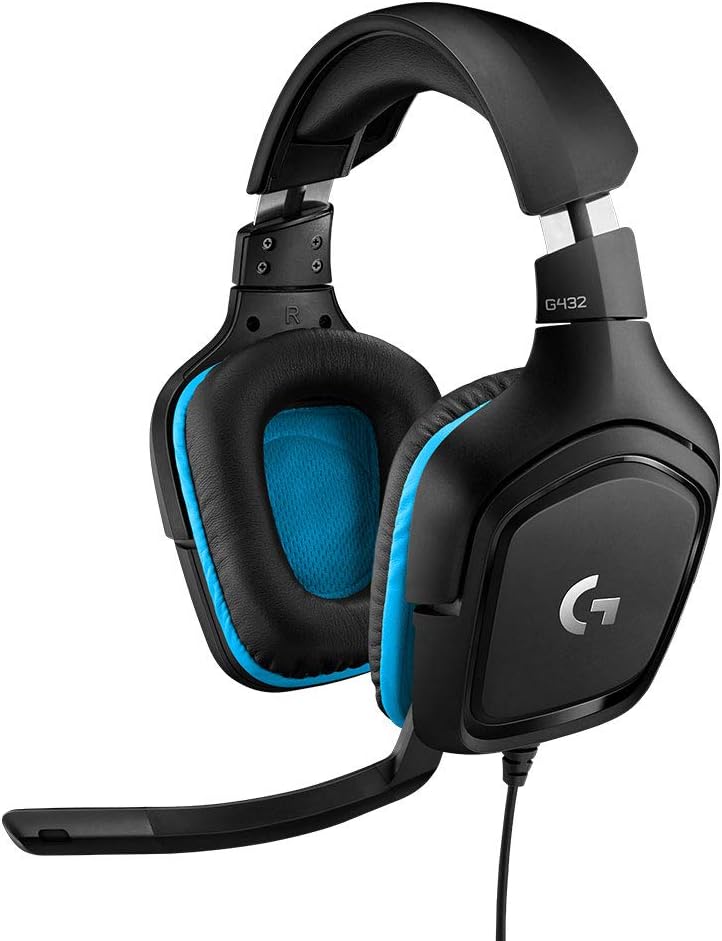 Logitech G432 Wired Gaming Headset
|
7.1/10 | Buy | ||
 AOC 2.4GHz Wireless Gaming Headset
|
7.1/10 | Buy | ||
| Best Budget |
 FIFINE AmpliGame H9 Gaming Headset
|
6.4/10 | Buy |
Razer BlackShark V2 X Gaming Headset
The Razer BlackShark V2 X delivers competitive gaming audio at an accessible price point, featuring TriForce 50mm drivers for balanced sound and a cardioid mic that prioritizes voice clarity. Best suited for PC and console gamers seeking reliable performance without premium pricing.
Pros
- Balanced audio signature with TriForce driver technology delivers clarity across all frequency ranges
- Excellent microphone quality with cardioid pickup pattern minimizes background noise for team communication
- Lightweight and comfortable design reduces fatigue during competitive tournaments and long gaming marathons
- Works seamlessly across multiple platforms via standard 3.5mm connection
- Strong value proposition at under $40 with proven Razer engineering
Cons
- 7.1 surround sound limited to Windows 10 64-bit, reducing immersion on Mac and console platforms
- Passive noise cancellation, while effective, does not match active noise cancellation found in premium models
- 3.5mm jack connection may require separate adapter for some Xbox One setups
Razer Kraken V3 X Wired Gaming Headset
A lightweight USB gaming headset with TriForce 40mm drivers and 7.1 surround sound, the Kraken V3 X prioritizes comfort for extended play sessions. Best for PC gamers seeking affordable audio with RGB customization and clear voice communication.
Pros
- Exceptionally lightweight at 285g, designed for extended wear without discomfort
- TriForce driver technology produces noticeably brighter highs and more powerful lows than standard drivers
- HyperClear mic significantly reduces background noise for clearer team communication
- Hybrid ear cushions balance breathability with comfort for long sessions
- Razer Chroma RGB integration adds visual customization without compromising audio quality
Cons
- USB-only connectivity limits use to Windows PCs and PS4, with no Xbox or Mac support
- 7.1 Surround Sound requires Windows 10 64-bit and cannot be upgraded to THX Spatial Audio
- Wired design restricts mobility compared to wireless alternatives
Logitech G432 Wired Gaming Headset
The Logitech G432 delivers immersive 7.1 surround sound through DTS Headphone:X 2.0 and 50mm drivers at an affordable price point. Best suited for competitive gamers and console players seeking positional audio awareness without breaking the bank.
Pros
- Superior positional audio helps identify enemy locations and in-game directional cues
- Exceptional compatibility across multiple gaming platforms and devices
- Lightweight and comfortable design with rotating ear cups for hours of gameplay
- Clear microphone communication with convenient flip-to-mute functionality
- Strong value for money with professional-grade surround sound features
Cons
- DTS Headphone:X 2.0 surround sound requires Logitech G HUB software installation
- Wired connection limits mobility compared to wireless alternatives
- No RGB lighting or programmable buttons found on competing models at similar price points
AOC 2.4GHz Wireless Gaming Headset
The AOC wireless gaming headset delivers low-latency 2.4GHz audio with 7.1 surround sound and a 45-hour battery, making it a solid choice for PS5, PS4, and PC gamers on a budget. The noise-canceling mic and multi-platform connectivity are useful, though PS5 Bluetooth support is limited to the USB dongle.
Pros
- Exceptional battery life at 45 hours eliminates frequent charging and supports marathon gaming sessions
- Zero-latency 2.4GHz wireless technology ensures audio stays perfectly synced with on-screen action in competitive games
- Detachable omni-directional noise-canceling mic provides clear squad communication in noisy environments
- Versatile multi-platform support via USB dongle, Bluetooth, and 3.5mm cable covers most gaming consoles and devices
- Comfortable memory-protein ear cushions accommodate eyeglass wearers and support 8+ hours of continuous use
Cons
- PS5 and PS4 require the USB dongle for wireless audio; standard Bluetooth audio is not supported on PlayStation consoles
- Xbox compatibility limited to wired 3.5mm connection only; wireless mode does not work with Xbox Series X/S
- Nintendo Switch wireless voice chat functionality is restricted by console limitations and varies by game
FIFINE AmpliGame H9 Gaming Headset
The FIFINE H9 is a budget-friendly wired gaming headset with 7.1 surround sound, dual connectivity (USB and 3.5mm), and a detachable mic, making it a solid choice for console and PC gamers on a tight budget. Its lightweight design and USB control box offer good value, though audio quality is typical for the price point.
Pros
- Exceptional platform compatibility across all major gaming devices with simple plug-and-play setup
- 7.1 surround sound provides genuine competitive edge in FPS and tactical games for locating enemies
- Lightweight construction and ventilated ear pads enable comfortable 8+ hour gaming sessions
- Intuitive USB control box eliminates need for software and keeps you focused on gameplay
- Clear microphone quality ensures seamless team communication in multiplayer raids and competitive matches
Cons
- Audio quality is solid but not premium, with typical consumer-grade driver performance at this price
- Wired design limits mobility compared to wireless alternatives, though the 10-foot cable is generous
- 7.1 surround sound is virtual processing rather than true multi-driver surround, standard for the category
Gaming Headsets Under $50 Buying Guide
The budget gaming headset space rewards buyers who focus on a handful of high-impact specs rather than chasing every feature on the box. Marketing language like “7.1 surround” and “HD audio” can mean very different things across brands.
The sections below break down what actually matters when you’re comparing options at this price range, so you can match a headset to your setup and play style rather than just your budget.
Driver Size and Audio Quality
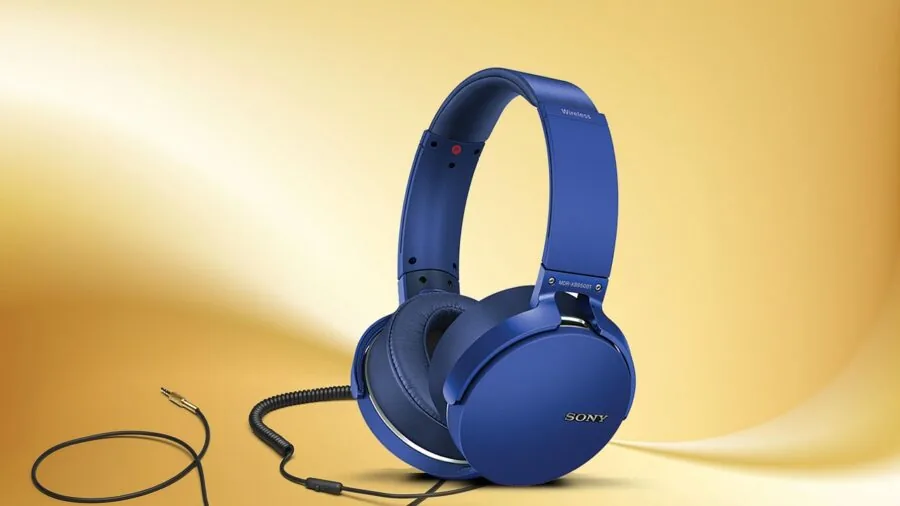
The driver is the speaker element inside each ear cup, and its size directly influences how much low-end energy and spatial detail a headset can reproduce. At this price tier, you’ll encounter drivers ranging from 40 mm to 50 mm.
Larger drivers, such as the 50 mm units found in the Logitech G432 and the FIFINE AmpliGame H9, tend to deliver more expansive soundstage and better bass extension, which matters for games with heavy environmental audio like open-world titles or battle royales.
That said, driver size alone doesn’t tell the whole story. Tuning, ear cup acoustics, and pad material all shape the final sound.
Razer’s 40 mm TriForce drivers in the Kraken V3 X, for instance, are engineered with separate zones for highs, mids, and lows, which compensates for the smaller diameter.
Look for flat or gently V-shaped frequency response if you want sound that works well across both gaming and music listening.
Virtual surround sound (commonly labeled 7.1) is a software-based feature that can enhance positional awareness in games. It’s worth enabling on compatible titles, but don’t let its absence or presence be a dealbreaker.
Strong stereo imaging from a well-tuned driver often outperforms poorly implemented virtual surround. If positional audio is your priority in competitive play, also consider pairing your headset with a dedicated DAC or headphone amp down the line.
Microphone Performance

Clear voice communication is arguably just as important as audio playback in a gaming headset, especially for team-based multiplayer. At this price point, you’ll find two main mic configurations: integrated boom mics and detachable boom mics.
Boom mics mounted on a flexible arm sit closer to your mouth, which typically yields better pickup and noise rejection compared to inline mics or mics embedded in the headband.
Cardioid polar patterns, like the HyperClear Cardioid mic on the Razer Kraken V3 X, focus pickup directly in front of the capsule and reject ambient noise from the sides and rear.
This matters a lot if you game in a noisy environment or share a room. Detachable mics, as seen on the FIFINE H9, add versatility since you can remove the mic when using the headset for music or travel.
If you regularly stream alongside gaming, our guide to gaming headsets for streaming explores picks with broadcast-quality mics at various budgets.
The flip-to-mute mechanism on the Logitech G432 is a practical convenience worth highlighting. Rather than fumbling for a button mid-game, a quick flip silences the mic instantly.
Check whether a headset’s mute control is physical and tactile, or buried in software, since that distinction affects real-world usability during sessions.
Connectivity: Wired vs. Wireless
Most headsets in this price range are wired, which keeps latency near zero and eliminates battery anxiety. Both USB and 3.5 mm jack connections are common.
A USB connection enables digital audio processing and virtual surround features on PC, while a 3.5 mm jack offers universal compatibility across PCs, consoles, and mobile devices without any driver installation.
The Logitech G432 supports both, giving you flexibility depending on the session.
Wireless at this budget is rare but not impossible. The AOC 2.4 GHz wireless headset on this list is a notable exception, offering low-latency 2.4 GHz connectivity alongside Bluetooth, a long battery life, and compatibility across PS5, PS4, PC, and Nintendo Switch.
The tradeoff is that wireless headsets in this range typically use smaller drivers and lighter builds to hit the price target.
If wireless connectivity is your non-negotiable, our wireless gaming headsets roundup covers the full spectrum of battery life, codec support, and build quality. Nintendo Switch players specifically should also browse gaming headsets for Nintendo Switch for compatibility-verified picks.
Dual connectivity options, like the USB plus 3.5 mm on the FIFINE H9, are increasingly common even in budget models.
This is a genuine feature, not a gimmick, since it lets you plug into a PC via USB for software-controlled 7.1 audio while switching to the analog jack for console use without buying a separate headset.
Comfort and Build Quality

Comfort matters more over time than almost any other spec. A headset you can wear for a two-hour session without hotspots or heat buildup is worth prioritizing over one with marginally better audio that clamps too hard.
At this price, expect lightweight plastic frames rather than metal-reinforced headbands, but that’s not necessarily a problem since lighter builds often mean less clamp force.
Look for memory foam or breathable fabric ear pads over cheap leatherette, which tends to trap heat during long sessions.
Ear cup depth and width also affect long-term wear. Over-ear designs that fully enclose your ears are more isolating and comfortable for most users than on-ear designs where the pad presses directly on the ear.
If you wear glasses, check whether a headset has a relief channel or flexible enough cushioning to accommodate the frames without creating pressure points.
Verified buyer feedback consistently flags this as a pain point in budget models with stiff, shallow cups.
Cord length and cable management are practical considerations often overlooked in reviews. A PC gamer sitting at a desk needs at least 1.5 m of cable, and ideally 2 m or more.
Console gamers using a controller may need less, but a tangle-resistant braided cable is a real quality-of-life upgrade at any length. Check the cable spec in the product listing before buying, since this rarely makes marketing headlines.
Platform Compatibility

Not every gaming headset works equally well on every platform.
A headset marketed as “for PC” may require driver software to unlock its full feature set, while the same headset via 3.5 mm jack on a PS5 or Xbox will function as basic stereo audio.
The Razer BlackShark V2 X is a strong example of a headset that performs reliably across platforms via its 3.5 mm connection, no software required for core functionality.
Xbox users should pay attention to whether a headset uses a standard 3.5 mm jack compatible with Xbox controllers, or requires USB which Xbox does not natively support for audio over its USB port.
Our dedicated guide to gaming headsets for Xbox clarifies compatibility in more detail. PS5 players can also find console-specific picks in our PS5 gaming headsets guide.
If you game across multiple platforms, prioritize headsets with both USB and 3.5 mm support, or a dedicated USB audio controller box, like the one bundled with the FIFINE H9.
This kind of hardware flexibility is uncommon at budget prices and can save you from needing separate headsets for different systems.
RGB Lighting and Software Features

RGB lighting on a headset is entirely cosmetic, but it matters to plenty of buyers building a themed setup. The Razer Kraken V3 X supports Chroma RGB via Razer Synapse software, which integrates with other Razer peripherals for synchronized lighting.
If you’re already in the Razer ecosystem, this is a genuine convenience; otherwise, it adds software overhead without affecting audio performance.
Software equalizers, mic monitoring, and surround sound toggles are available on USB headsets from Razer and Logitech through their respective apps. These can meaningfully shape sound to your preference, but they require a PC and installation.
If you hate ecosystem software or game primarily on console, these features are irrelevant, and you’d be better served by a plug-and-play analog headset.
Also keep in mind that RGB lighting draws power, which shortens battery life on wireless models, so it’s worth disabling it if endurance matters to you.
Why You Should Trust Us
REMOVU is an independent review publication with no brand affiliations or manufacturer relationships that influence our recommendations.
Every product on this list was evaluated using our structured research methodology: we analyze published specifications, aggregate expert review consensus from across the audio and gaming press, and weigh verified buyer feedback from confirmed purchasers.
We do not conduct our own product trials; our evaluations are grounded in research, published data, expert review consensus, and verified buyer feedback.
Each product receives a REMOVU Score on a scale of 0 to 10, calculated against a consistent set of criteria applied equally across every model we assess.
This score reflects a composite view of audio performance, build quality, microphone quality, comfort, value, and platform versatility, not just spec-sheet numbers. Our rankings are determined by these scores, not by commercial relationships.
REMOVU may earn a commission if you purchase through links in this article. That affiliate relationship has no bearing on which products we include, how we score them, or where they rank.
We do not sell products, handle orders, or provide after-sales support. Our only job is to help you make a better buying decision. For a wider view of our audio coverage, browse our audio and headphones hub.
Final Thoughts
The budget gaming headset market has matured significantly, and the picks on this list prove that meaningful audio quality and reliable mic performance are accessible without a premium price tag. Here’s how our top picks break down by strength and use case:
- Best Overall: Razer BlackShark V2 X Gaming Headset earns the top REMOVU Score in this group thanks to its consistently praised audio tuning, comfortable fit, and reliable cross-platform compatibility via 3.5 mm, all without requiring any software to function at a high level.
- Best for PC Gamers Who Want Ecosystem Features: Razer Kraken V3 X offers TriForce driver engineering, Chroma RGB integration, and a cardioid mic that verified buyers praise for clarity, making it the strongest pick for Razer Synapse users building out a PC setup.
- Best for Versatile Connectivity: Logitech G432 stands out for its dual USB and 3.5 mm support, large 50 mm drivers, and a flip-to-mute mechanism that holds up well for long sessions, particularly on PC where DTS Headphone:X 2.0 processing can be enabled.
- Best Wireless Pick: AOC 2.4 GHz Wireless Gaming Headset is the rare wireless option at this price with genuine low-latency 2.4 GHz connectivity, a strong battery rating, and broad platform support including PS5, PS4, PC, and Nintendo Switch.
- Best Budget Entry Point: FIFINE AmpliGame H9 delivers dual USB and 3.5 mm connectivity, a detachable boom mic, and 50 mm drivers at a notably accessible price, making it a practical first gaming headset for anyone setting up a new station on a tight budget.
If your needs expand beyond the budget tier, our gaming headsets with mic for every setup covers options with more advanced microphone hardware across a wider price range.
Whichever direction you go, the picks above represent the strongest combination of performance and value currently available in this category.
Frequently Asked Questions
Are gaming headsets under fifty dollars actually good enough for competitive play?
Yes, for the vast majority of players. Budget headsets from established brands like Razer and Logitech use driver and tuning technology that trickles down from their premium lines.
Positional audio in competitive shooters depends more on soundstage width and imaging than raw driver quality, and well-tuned 40 mm or 50 mm drivers in this price range can deliver both.
Where you’ll feel the gap versus more expensive models is in build durability and mic quality over long-term use rather than in moment-to-moment gaming performance.
What’s the difference between 7.1 virtual surround and stereo in a gaming headset?
Stereo is a two-channel format delivering distinct left and right audio, which is how the vast majority of headphones work physically.
Virtual 7.1 surround is a software processing technique that simulates the perception of sounds coming from multiple directions, front, rear, and above, by applying head-related transfer function algorithms to the stereo signal. In practice, the effectiveness varies widely by software implementation.
Some games support it well and it genuinely helps with directional cues; in others, it adds muddiness. Most experienced players toggle it on per-game rather than leaving it permanently enabled.
Can I use a PC gaming headset on PS5 or Xbox?
In most cases, yes, if the headset has a 3.5 mm analog connection. Both PS5 DualSense controllers and Xbox controllers include a 3.5 mm jack, so any headset with that connection works immediately for stereo audio and mic input.
USB-only headsets are more limited; PS5 supports USB audio natively, but Xbox does not route game audio through USB in the same way.
If you switch between platforms frequently, prioritize headsets with dual connectivity like those from Logitech and FIFINE on this list, and cross-reference with our Xbox gaming headsets guide for confirmed compatibility details.
Is wireless worth it at this budget, or should I stick with wired?
Wired headsets are generally the safer choice at this price since they eliminate latency, require no charging, and allow manufacturers to invest the full budget into drivers and build quality rather than radio hardware.
That said, the AOC wireless option on this list punches above its weight for casual and cross-platform users who prioritize cable-free freedom.
If wireless is a priority and you want more options with longer battery life and stronger codec support, our wireless gaming headsets guide covers the full range of what’s available at higher budgets.
Does RGB lighting affect headset audio quality?
No, RGB lighting has no direct effect on audio performance. It draws a small amount of additional power, which is irrelevant on wired headsets but can marginally reduce battery life on wireless models if left active.
The value of RGB is purely aesthetic, and whether it’s worth having depends entirely on whether you’re building a themed desk setup.
If you’re choosing between two otherwise equal headsets and one has RGB at the same price, it’s a free bonus; just don’t let it be a deciding factor over more meaningful specs like driver quality or mic clarity.
How do gaming headsets differ from regular over-ear headphones for this use case?
Gaming headsets are purpose-built for communication alongside audio, which means they integrate a boom microphone in a position optimized for voice pickup, include inline or on-cup controls for volume and mute, and often apply sound tuning that emphasizes footsteps and environmental cues over flat music reproduction.
Regular over-ear headphones typically offer higher audio fidelity and better build quality at the same price, but you’d need a separate microphone for voice chat.
For gaming specifically, the all-in-one convenience of a purpose-built headset usually wins unless you’re already invested in a standalone mic setup.
About the author
Gordon is REMOVU's printer and scanner writer, comparing print quality, running costs, and value for home and office. He helps readers weigh ink against laser over the long haul.