The 8 Best Webcams for Streaming
Great streaming starts with a great webcam. We researched the top options across resolution, sensor quality, autofocus, and audio to help you find the right camera for your setup and budget.
 By Phyllis Holmes
Updated July 26, 2026
By Phyllis Holmes
Updated July 26, 2026

Streaming has never been more competitive, and your webcam is often the first thing viewers notice.
Whether you’re going live on Twitch, hosting a professional video call, or building a content creation setup from scratch, a great webcam can mean the difference between looking polished and looking like an afterthought.
The market has expanded dramatically, with options ranging from budget-friendly plug-and-play models to AI-powered PTZ cameras that track your every move across a room.
This guide cuts through the noise by pulling together specifications, expert review consensus, and verified buyer feedback to surface the streaming webcams that actually deliver on their promises.
Our picks span a range of use cases and budgets, from reliable workhorses for new streamers to high-end 4K rigs for creators who demand the sharpest image quality.
Read on for our top picks, followed by a detailed buying guide to help you match the right camera to your setup.
| Award | Product | REMOVU Score About REMOVU ScoreThe REMOVU Score is our own rating from 0 to 10, based on performance, design and build, ease of use, and value. It reflects independent research and is never influenced by manufacturers, retailers, or affiliate commissions. Learn more › | Price | |
|---|---|---|---|---|
| Best Budget |
 EMEET C960 4K Webcam
|
8.4/10 | Buy | |
| Best Value |
 Logitech C920x HD 1080p/30fps Webcam
|
8.5/10 | Buy | |
 Logitech C922 Pro Stream 1080P Webcam
|
7.8/10 | Buy | ||
 Insta360 Link 2 4K PTZ Webcam with AI Tracking
|
8.3/10 | Buy | ||
| Best Premium |
 Insta360 Link 2C Pro 4K Webcam
|
8.5/10 | Buy | |
 Logitech C922x HD Pro 1080p Webcam
|
7.2/10 | Buy | ||
 EMEET NOVA 4K Webcam, 73° FOV, Dual Mics
|
7.1/10 | Buy | ||
| Best Overall |
 Insta360 Link 2 Pro 4K PTZ Webcam
|
8.6/10 | Buy |
EMEET C960 4K Webcam
A genuine 4K webcam built for professionals who need clarity in video calls. The PDAF autofocus and auto light correction handle variable meeting conditions, while dual mics and plug-and-play setup make it straightforward to deploy across Zoom, Teams, and other platforms. Best suited for remote workers and educators prioritizing image quality over budget constraints.
Pros
- True 4K resolution without upscaling, delivering noticeably sharper visuals than 1080p alternatives
- PDAF autofocus and auto light correction adapt reliably to different lighting and movement scenarios
- Dual omnidirectional microphones capture clear audio for conference calls and remote teaching
- USB plug-and-play with no drivers or cloud dependencies, plus privacy cover included
- Wide platform compatibility spanning Windows, macOS, Android TV, and Linux with EMEETLINK software for custom adjustments
Cons
- Defaults to 1080p output, requiring manual switching to 4K via software or third-party apps like OBS
- Requires designating the webcam as default microphone in system settings for optimal mic performance
- 73-degree FOV is narrower than some competitors, limiting background context in framed shots
Logitech C920x HD 1080p/30fps Webcam
A straightforward Full HD webcam built for video calls and content creation. The C920x delivers crisp 1080p video with dual microphones for clear stereo audio, plus automatic light correction to handle dim environments. Best suited for professionals who need reliable video conferencing without paying for premium features.
Pros
- Full HD 1080p recording at 30fps with sharp five-element glass lens and autofocus
- Dual omni-directional microphones capture natural stereo audio from both sides
- RightLight 2 automatic light correction adjusts to low-light and harsh lighting conditions
- Includes 3-month XSplit VCam license for background removal, replacement, and blur effects
- Wide 78-degree field of view, compatible with Windows, Mac, Chrome OS, and Android
Cons
- Limited to 1080p/30fps output, no 4K or higher frame rate options for advanced streaming
- No privacy shutter included, requiring manual lens cover or software solutions
- RightLight 2 is older technology compared to newer models with RightLight 3+ or 5 with HDR
Logitech C922 Pro Stream 1080P Webcam
A streaming-focused webcam that delivers 1080P clarity with solid low-light adjustment and a built-in stereo mic. Best suited for content creators and professionals who need reliable HD video for streaming or conferencing without breaking the bank.
Pros
- 1080P resolution provides sharp, professional-quality video for streaming and recording
- Superior low-light performance automatically adjusts in dim or backlit environments
- Built-in stereo microphone captures clear audio without requiring separate equipment
- Wide OS compatibility covers Windows, Mac, Android, and Chrome OS plus major calling apps
- Strong user satisfaction with 4.5-star rating from 693 verified reviews
Cons
- Renewed unit means it's refurbished, not brand new, which may affect long-term reliability
- No advanced features like auto-focus or pan-tilt capabilities mentioned
- Limited details on field of view and mounting options in available specifications
Insta360 Link 2 4K PTZ Webcam with AI Tracking
A 4K PTZ webcam built around physical tracking and AI features rather than raw image processing. Delivers sharp, well-focused video with gesture controls and specialized modes that appeal to streamers and remote workers, though microphone quality trails dedicated USB mics and some software features remain limited.
Pros
- Excellent video quality with automatic framing and AI tracking that actually works reliably
- Quick setup and straightforward software, with 24/7 technical support available
- Natural bokeh effect and low-light performance deliver near-professional output for video calls and streaming
- Compact, motorized design with built-in privacy features beats a physical lens cap
Cons
- Microphone quality is functional but not exceptional, separate USB mic recommended for audio-critical work
- Not compatible with Windows Hello facial recognition or ARM-based Windows systems
- Link Controller software lacks photo-capture functionality, requiring workarounds for still images
Insta360 Link 2C Pro 4K Webcam
A 1/1.3-inch sensor webcam delivering sharp 4K video with standout low-light performance and dual directional microphones, paired with useful smart features like auto framing and gesture control. Best suited for streamers and remote workers who prioritize image quality over budget constraints.
Pros
- Excellent low-light performance and 4K clarity with large 1/1.3" sensor
- Dual directional microphones with AI noise canceling for clearer voice isolation
- Fast, reliable autofocus and smooth auto framing that adapts to movement
- Magnetic mount enables quick repositioning and flexible desk setup
- Intuitive software with practical features like natural bokeh, gesture control, and Stream Deck integration
Cons
- Color accuracy can shift to red/magenta under mixed lighting, requiring manual adjustment
- Not compatible with Windows Hello face recognition or ARM-based Windows systems
- Premium pricing at MSRP, though discounts improve value proposition
Logitech C922x HD Pro 1080p Webcam
A solid mid-range webcam built for streamers and video conferencing, delivering crisp Full HD visuals at 1080p/30fps or 720p/60fps. The dual omni-directional mics and auto light correction adapt well to varied environments, while the included 3-month XSplit VCam license adds value for background customization. Best suited for content creators and professionals seeking reliable video quality without premium pricing.
Pros
- Strong 4.6-star rating from over 17,000 verified buyers, indicating consistent real-world reliability
- Dual omni-directional mics capture clear audio during calls and streams across major platforms like Zoom, Teams, and Twitch
- Auto light correction and autofocus deliver sharp, well-lit video even in suboptimal lighting conditions
- Plug-and-play USB-A connection with no software required for basic functionality
- Includes 3-month XSplit VCam license for background removal, replacement, and blur effects
Cons
- No privacy shutter, requiring external lens covers for added security-conscious users
- 1080p capped at 30fps, limiting smoothness compared to higher-end models offering 60fps at full resolution
- 78-degree field of view is fixed, less flexible than competitors offering multiple FOV options
EMEET NOVA 4K Webcam, 73° FOV, Dual Mics
A 4K webcam built for video conferencing and streaming, the NOVA delivers sharp visuals at 30FPS with PDAF autofocus and dual omnidirectional microphones that pick up voices up to 8 feet away. Its plug-and-play USB 2.0 connection, privacy cover, and broad software compatibility make it practical for remote workers and content creators who prioritize video clarity without setup hassle.
Pros
- 4K resolution with PDAF autofocus ensures sharp, detailed video across a wide focus range (7.9-118 inches)
- Dual built-in microphones capture clear audio in typical office environments, rated for up to 8 feet
- Universal compatibility: works with Zoom, Teams, Google Meet, and Windows 10/11, macOS 10.14+, Android TV 7.0+
- Physical privacy cover and no WiFi/Bluetooth dependency eliminate wireless interception risks
- Flexible mounting with 360° horizontal rotation, 15° vertical tilt, and standard tripod thread for custom positioning
Cons
- Defaults to 1080P, users must manually switch to 4K via software (PotPlayer, OBS, or built-in settings), adding a setup step
- Fixed 73° field of view and no facial tracking or autofocus toggle limit customization for specific use cases
- Requires USB 2.0 Type-A port; USB-C or newer USB standards may not work, restricting compatibility with modern devices
Insta360 Link 2 Pro 4K PTZ Webcam
A premium PTZ webcam built for creators and professionals who need sharp 4K video with intelligent framing. The large 1/1.3" sensor and dual directional mics handle low-light scenes and noisy environments well, while AI tracking keeps you centered during streams or calls. Physical pan-tilt capability and Stream Deck integration make it a solid choice for content creators juggling multiple platforms.
Pros
- Large 1/1.3" sensor delivers clean 4K video and strong low-light performance
- Dual directional microphones with AI noise canceling isolate voice effectively in busy spaces
- AI tracking physically follows movement, keeping subjects framed without software tricks
- Directional pickup mode and natural bokeh add professional polish to streams and meetings
- Stream Deck integration and gesture control streamline multi-camera workflows
Cons
- Not compatible with ARM-based Windows systems or Windows Hello Face Recognition
- Premium pricing reflects flagship status, may exceed needs for casual users
- Requires USB-C connection and dedicated Link Controller software for full feature access
Best Webcams for Streaming Buying Guide
Choosing a streaming webcam is more nuanced than simply picking the highest resolution on the shelf.
The right camera depends on your lighting conditions, your streaming software, how much space you have, and the overall aesthetic you want your stream to project. Use the criteria below as a framework before committing to any model.
Resolution and Frame Rate
Resolution tells you the raw detail a webcam can capture, but frame rate determines how smooth that footage looks in motion. For most streaming platforms, 1080p at 30fps is the practical floor for a professional-looking stream.
However, 1080p at 60fps makes a noticeable difference if you move around a lot, use expressive hand gestures, or stream fast-paced content.
4K webcams are increasingly common and genuinely useful if you plan to crop or reframe your footage in post, or if you want headroom for future platform upgrades.
Keep in mind that most streaming platforms still encode at 1080p or lower, so 4K’s biggest advantage is often the improved detail when downscaled, not the raw pixel count itself.
If your internet connection or streaming PC is a limiting factor, prioritize frame rate over resolution. A smooth 720p/60fps stream often reads better on screen than a choppy 1080p/30fps one.
Pairing your webcam with a capable streaming or gaming desktop ensures your system can handle high-bitrate output without dropped frames.
Sensor Size and Low-Light Performance
Sensor size is one of the most underrated specs in a webcam.
A physically larger sensor captures more light per pixel, which translates directly to better image quality in dim rooms, evening streams, or setups with only a monitor glow for illumination.
Premium webcams from Insta360, for example, use 1/1.3-inch sensors that are meaningfully larger than the typical budget webcam sensor.
Auto light correction algorithms can compensate for some shortfalls, and they have improved significantly in recent years. EMEET’s models, for instance, include automatic light correction that works reasonably well in mixed lighting.
That said, software processing cannot fully replace a good sensor, and if you stream in a poorly lit room, a larger sensor will always give you a cleaner image with less noise.
If upgrading your lighting is an option, a quality ring light for creators can dramatically improve even a mid-range webcam’s output. The combination of better hardware lighting and a capable sensor yields the most consistent results across different times of day.
Autofocus System
For streamers who move around, gesture toward the camera, or work at a desk where distance to the lens changes, autofocus matters far more than most buyers anticipate.
Phase Detection Autofocus (PDAF), which is found on several EMEET models in this roundup, is faster and more accurate than contrast-based autofocus, keeping your face sharp even during quick movements.
AI-driven autofocus, as seen on Insta360’s PTZ lineup, goes a step further by coupling focus with subject tracking. The camera physically moves to keep you centered in the frame even as you walk across the room.
This is especially useful for standing desks, cooking streams, or any format where your position changes frequently during a session.
If you primarily sit stationary at a desk, a fixed-focus or basic autofocus webcam will serve you well without the added cost of a tracking system. Save your budget for resolution and sensor quality in that scenario.
Built-In Microphone Quality
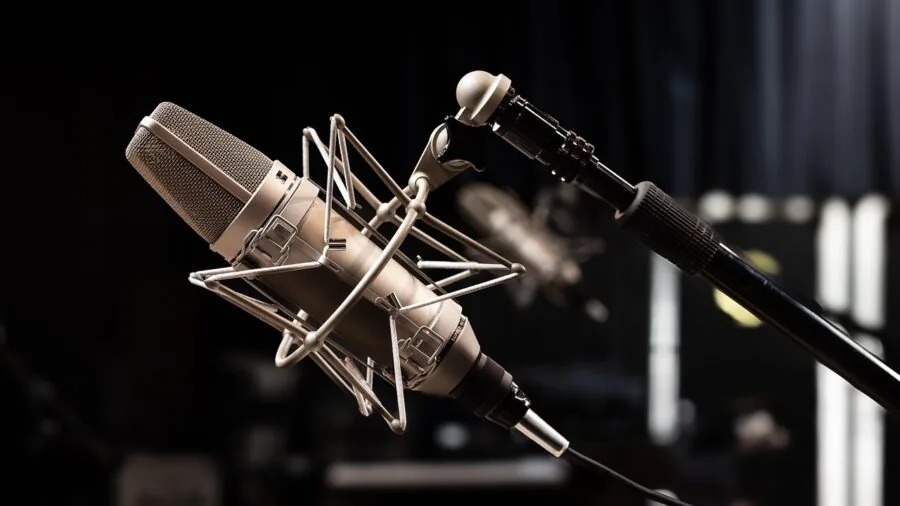
Most streamers eventually upgrade to a dedicated microphone, but a webcam’s built-in mics matter more than you might expect when starting out or when traveling with a compact setup.
Look for omnidirectional or directional noise-canceling mics rather than a single basic capsule. Dual-microphone arrays, which are standard on current EMEET and Insta360 models, do a better job isolating your voice from keyboard clicks, room echo, and background noise.
AI noise-canceling, available on the Insta360 Link 2 and its siblings, processes audio in real time to suppress ambient sound. This is a meaningful differentiator for streamers in noisy environments or shared spaces.
If you share your space with others, directional mics pointed toward the speaker significantly cut down on pickup of off-axis noise.
For anyone serious about audio quality beyond what any webcam mic can offer, pairing your setup with a quality USB microphone is the single biggest upgrade you can make to your stream’s perceived production value.
Field of View and Mounting Flexibility
Field of view (FOV) determines how much of the scene the camera captures. A narrower FOV (around 65 to 73 degrees) keeps the background tightly framed and flatters facial proportions with less distortion.
A wider FOV (90 degrees or more) suits setups where you want to show your full workspace or include more of the room in your stream.
PTZ (pan, tilt, zoom) webcams like the Insta360 Link 2 Pro offer motorized repositioning, which eliminates the need to physically adjust the camera between scenes.
These cameras can zoom in for a tight talking-head shot or pull back to reveal a full setup, all within the same session. That flexibility is especially valuable for streamers who alternate between close-up and wide compositions.
Standard webcams mount on a monitor bezel or tripod. If you want to move the camera off the desk entirely, a compact camera tripod gives you far more placement options and can improve your shooting angle for a more flattering perspective.
Software Ecosystem and Platform Compatibility
Platform compatibility is rarely a concern with modern USB webcams, which work natively with OBS, Streamlabs, XSplit, Zoom, Teams, and most major streaming tools right out of the box. Where differences emerge is in proprietary software.
Insta360’s Link Controller app, for instance, allows granular control over tracking modes, zoom levels, and gesture commands. EMEET’s companion software similarly offers lighting and image adjustments beyond what OBS exposes by default.
Support for external integrations like Stream Deck, which is available on the Insta360 Link 2C Pro and Link 2 Pro, lets you switch camera modes during a live stream without touching the camera.
This kind of hardware integration is a genuine quality-of-life improvement for streamers running complex multi-scene setups and is worth factoring in if you already own or plan to buy a Stream Deck.
USB-A connectivity remains the universal standard, but verify that your laptop or desktop has an available port before purchasing. Streamers using newer ultrabooks with limited ports may also want to consider a docking station to consolidate their peripheral connections cleanly.
Why You Should Trust Us
REMOVU is an independent review publication.
Every product in this roundup is evaluated using a consistent, structured methodology: we analyze published specifications, synthesize consensus from expert reviewers across the industry, and cross-reference verified buyer feedback to identify real-world strengths and weaknesses.
Each model is assigned a REMOVU Score on a scale of 0 to 10, reflecting how well it performs across the criteria most relevant to its category.
We do not conduct our own product trials; our evaluations are grounded in research, published data, expert review consensus, and verified buyer feedback.
This approach lets us assess a broader range of products with greater consistency than any single reviewer’s subjective experience could provide, and it means our scores reflect the aggregate evidence rather than any one reviewer’s opinion.
REMOVU may earn a commission when you purchase through links on this page. That affiliate relationship has no influence on which products we include, how we rank them, or the scores we assign.
Our recommendations are determined entirely by research quality and REMOVU Score outcomes, not by commission rates. We disclose this relationship in the interest of full transparency.
Final Thoughts
The webcam market in 2026 offers genuinely strong options at every price point. Whether you want reliable 1080p performance for everyday streaming or a flagship 4K PTZ camera that tracks you around the room, this roundup covers the field.
Below are our editorial picks, each earning a specific distinction based on REMOVU Score and category fit.
- Best Overall: Insta360 Link 2 Pro earns the top REMOVU Score in this roundup by combining a large 1/1.3-inch sensor, AI subject tracking, HDR video, directional noise-canceling mics, and Stream Deck support into one polished PTZ package that genuinely earns its premium positioning.
- Best Value for Money: Logitech C920x HD Pro remains one of the most consistently recommended webcams in any budget conversation, earning a strong REMOVU Score for its reliable 1080p image, wide software compatibility, and proven longevity in a crowded field.
- Best Budget 4K Pick: EMEET C960 punches above its price class with a 4K UHD CMOS sensor, PDAF autofocus, dual omnidirectional mics, and a privacy cover, earning the highest REMOVU Score among the sub-$100 options in this roundup.
- Best for AI Tracking: Insta360 Link 2 brings motorized PTZ movement, gesture control, and a capable HDR sensor to streamers who move around their space, with a REMOVU Score that reflects its strong real-world performance in dynamic shooting scenarios.
- Best Renewed Pick: Logitech C922 Pro Stream (Renewed) offers the full 1080p/30fps and 720p/60fps capability of a proven streaming workhorse at a significantly lower outlay, making it a smart entry point for streamers who want brand-name reliability without paying full retail.
No single webcam is right for every streamer. Your best pick depends on how much you move during streams, how dim your room gets, whether built-in audio matters, and how much you want to invest in the setup overall.
Use the buying guide above to match your priorities to the right model, and revisit your choice if your streaming environment changes significantly.
Frequently Asked Questions
Do I really need a 4K webcam for streaming?
Not necessarily. Most platforms still cap live streams at 1080p, so a 4K webcam’s advantage is primarily about image quality when downscaled rather than raw resolution viewers can see.
That said, 4K webcams tend to have larger sensors and better low-light performance than entry-level 1080p models, so the upgrade often brings real-world benefits even if viewers never see native 4K.
If your budget is limited, a high-quality 1080p/60fps webcam will serve most streamers better than a low-end 4K model with a small sensor and poor autofocus.
Is a PTZ webcam worth the extra cost for home streaming?
A PTZ (pan, tilt, zoom) webcam is worth considering if you frequently move during your streams, switch between tight and wide compositions, or want to reframe shots without physically touching the camera.
For streamers who sit at a fixed desk, a standard webcam will almost always be more cost-effective.
The Insta360 Link 2 and Link 2 Pro both demonstrate that AI tracking has matured enough to be genuinely useful in real-world use cases rather than just a marketing feature. If your content format requires it, the investment pays off in production quality and workflow convenience.
Can a webcam replace a dedicated camera for streaming?
For most streamers, yes. Modern webcams in the premium tier, particularly the Insta360 Link 2 Pro and the EMEET C960, deliver image quality that rivals entry-level mirrorless cameras for talking-head streaming.
You lose the option of interchangeable lenses and the shallow depth of field that a large sensor camera provides, but you gain simplicity, direct USB connectivity, and no need for a capture card.
If you already own a camera and want to explore using it as a webcam, a capture card is the bridge between the two worlds. But for anyone starting fresh, a high-end webcam is the simpler, more reliable solution.
How important is the built-in microphone on a streaming webcam?
It depends on your stage of setup. Built-in mics have improved significantly, and dual-array noise-canceling microphones found on models like the Insta360 Link 2 Pro and EMEET C960 are genuinely usable for streams and calls.
They are a reasonable starting point if you want a simple all-in-one solution.
However, audio quality is one of the most common complaints viewers have about streams, and a dedicated USB microphone will produce noticeably cleaner, more professional-sounding audio than any webcam mic.
If your stream quality matters to you, treating audio as a separate upgrade is always worthwhile.
Does webcam placement affect stream quality?
Significantly, yes. Camera angle, distance to the subject, and background all affect how professional a stream looks. Eye-level placement is almost universally more flattering than a low angle looking up from a desk.
A compact tripod or monitor arm mount gives you much more control over positioning than a bezel clip alone.
Lighting placement matters just as much as camera angle. Positioning a key light in front of you rather than behind you prevents silhouetting and reduces the work your webcam’s auto-correction algorithms have to do.
A good setup is a combination of the right camera, the right position, and quality light working together.
Are Logitech webcams still competitive in 2026?
Yes, particularly in the mid-range. The Logitech C920x and C922 Pro remain strong performers for 1080p streaming thanks to broad software compatibility, reliable autofocus, and a track record validated by millions of users.
They lack the large sensors and AI features of Insta360’s premium lineup, but they deliver consistent, predictable results at a lower price point.
For buyers who prioritize plug-and-play simplicity and want a webcam that works flawlessly with every platform without any configuration, the Logitech lineup remains one of the safest choices on the market.
Their continued presence across monitor and peripheral setups of all kinds speaks to their enduring reliability.
About the author
Phyllis writes about security cameras for REMOVU, comparing video quality, smart alerts, and fair storage costs. She helps readers pick indoor and outdoor cameras they can rely on.