The 12 Best CPUs for Streaming
Streaming demands more from your processor than gaming alone. This guide covers top CPUs, prebuilt towers, and capture hardware to match every broadcaster's workflow and budget.
 By Dustin Ford
Updated July 26, 2026
By Dustin Ford
Updated July 26, 2026
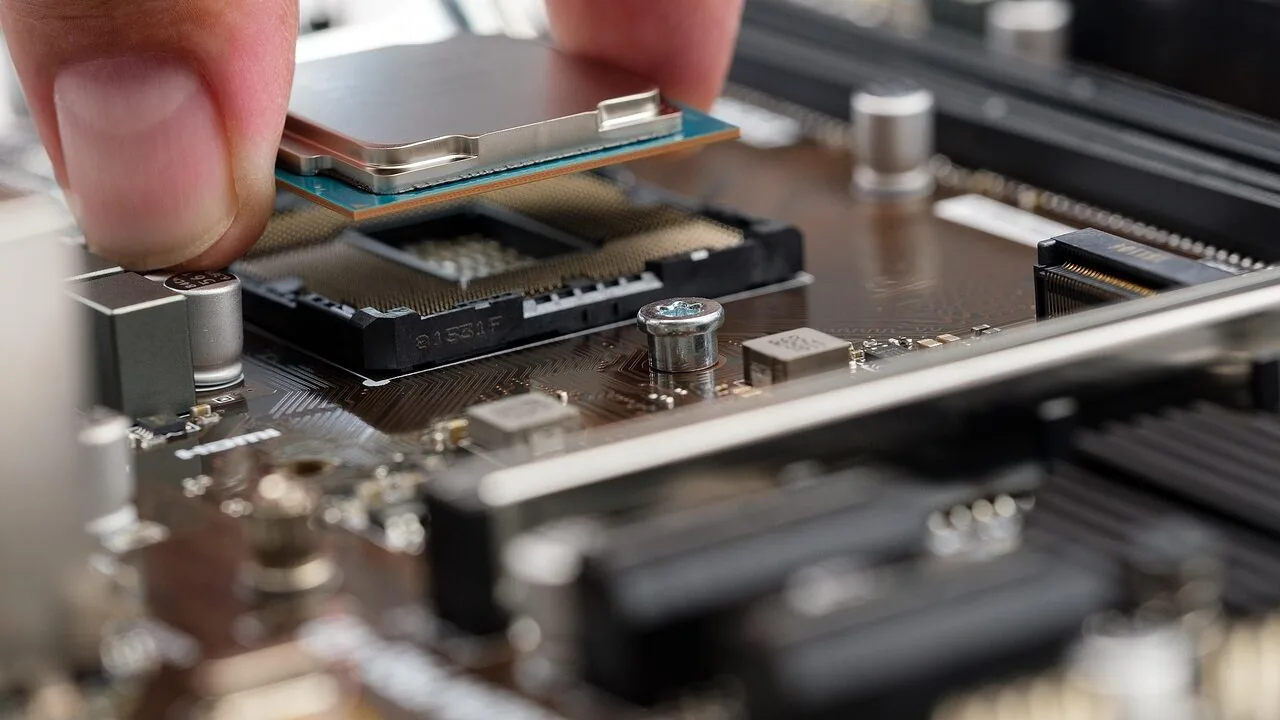
Choosing the right processor is one of the most consequential decisions a streamer can make.
Whether you’re broadcasting live gameplay, recording video essays, or running a multi-scene production setup, your CPU determines how smoothly encoding, capture, and game logic coexist without dropping frames or throttling quality.
A weak processor forces you to choose between stream quality and game performance; a well-matched one lets you do both without compromise.
The market now spans bare processors, prebuilt gaming towers, capture cards, and even Android-based media boxes, so understanding which product category actually solves your problem is step one.
This guide covers the best CPUs for streaming across multiple form factors and budgets, drawing on manufacturer specifications, expert review consensus, and verified buyer feedback to surface picks that deliver real-world streaming performance.
Our research spans everything from high-core-count desktop processors to prebuilt towers that pair capable CPUs with dedicated GPUs and capture hardware that offloads encoding work from your main chip entirely.
Read on for our top picks, then dig into the buying guide below to find the right match for your setup.

AMD Ryzen 9 9900X 12-Core Processor
Built on AMD's latest Zen 5 architecture, this 12-core processor targets gamers and content creators who demand sustained high performance. The 5.6 GHz boost and unlocked multiplier appeal to enthusiasts willing to optimize their setup, though you'll need to source a cooler separately.
Pros
- Strong gaming performance with 100+ FPS capability in popular titles
- 12 cores and 24 threads handle multithreaded workloads efficiently
- 5.6 GHz max boost and unlocked design for overclocking flexibility
- 76 MB cache and DDR5-5600 support for modern platforms
- AM5 socket with PCIe 5.0 compatibility on compatible boards
Cons
- No cooler included, requiring additional purchase and installation
- Overclocking benefits depend heavily on motherboard quality and user expertise
- Premium positioning may not justify cost for users with lighter workloads

STORMCRAFT Falcon RTX 5070 Gaming Desktop
A California-built gaming tower pairing the AMD Ryzen 7 7800X3D with RTX 5070 12GB for competitive 1440p performance and content creation. Comes fully assembled with 32GB DDR5, 360mm liquid cooling, and Wi-Fi 6E, plus includes keyboard and mouse. Best suited for esports enthusiasts and streamers who want a high-performance system ready to use out of the box.
Pros
- Strong CPU-GPU pairing delivers 200+ FPS at 1440p on competitive titles per manufacturer claims
- Comprehensive warranty coverage: 3-year labor, 2-year parts, lifetime technical support
- Hand-built and stress-reviewed in California with U.S.-based customer support
- Includes peripherals (keyboard and mouse) plus Wi-Fi 6E and Bluetooth 5.2
- Adequate power headroom with 850W Gold PSU for future upgrades
Cons
- 1TB SSD storage is modest for modern game libraries and content creation workflows
- Limited USB connectivity on motherboard (only 1 USB-A and 1 USB-C) compared to competitors in the lineup
- Premium pricing tier with only 5 verified reviews available for independent assessment
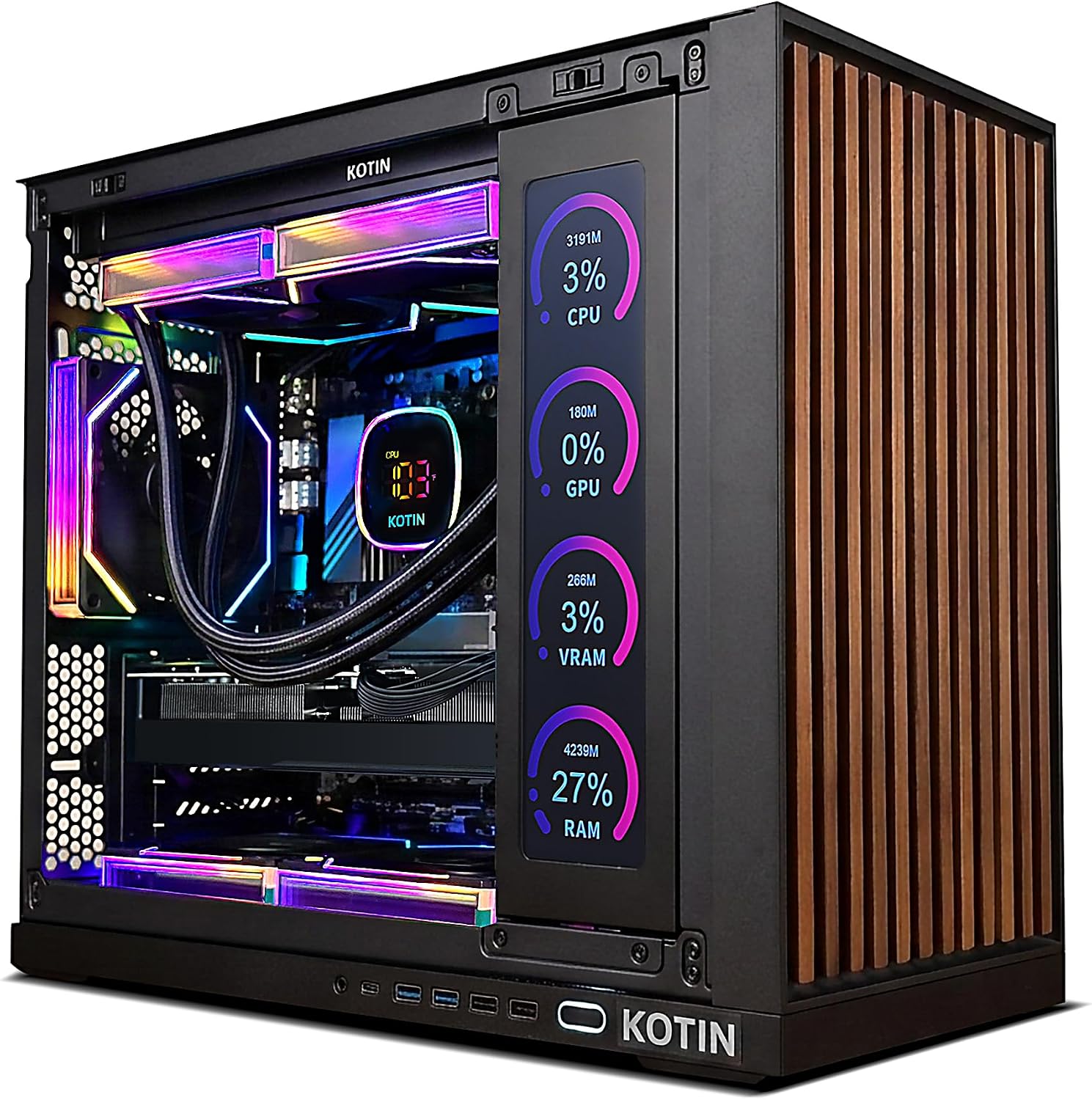
KOTIN RTX 5070 Gaming PC with Built-in Display
This prebuilt desktop pairs an RTX 5070 and Ryzen 7 9700X to handle 1440p and 4K gaming without assembly hassle. The standout feature is an integrated 11.3-inch smart display that monitors system temps and performance in real-time, making it visually distinctive. Best for gamers and creators who want a plug-and-play rig with premium cooling and WiFi 7 connectivity.
Pros
- Strong GPU and CPU combo delivers solid 1440p and 4K gaming performance
- Integrated smart display adds functional aesthetics and live system monitoring
- 360mm liquid cooling and 850W Gold PSU support sustained performance and future upgrades
- Fully assembled, reviewed, and ships with Windows 11 pre-installed
- Lifetime free technical support and one-year warranty included
Cons
- 1TB SSD may require expansion for large game libraries and content creation projects
- Smart display is a niche feature that adds cost and may not appeal to all buyers
- No detailed information on case design, noise levels, or thermals under sustained loads
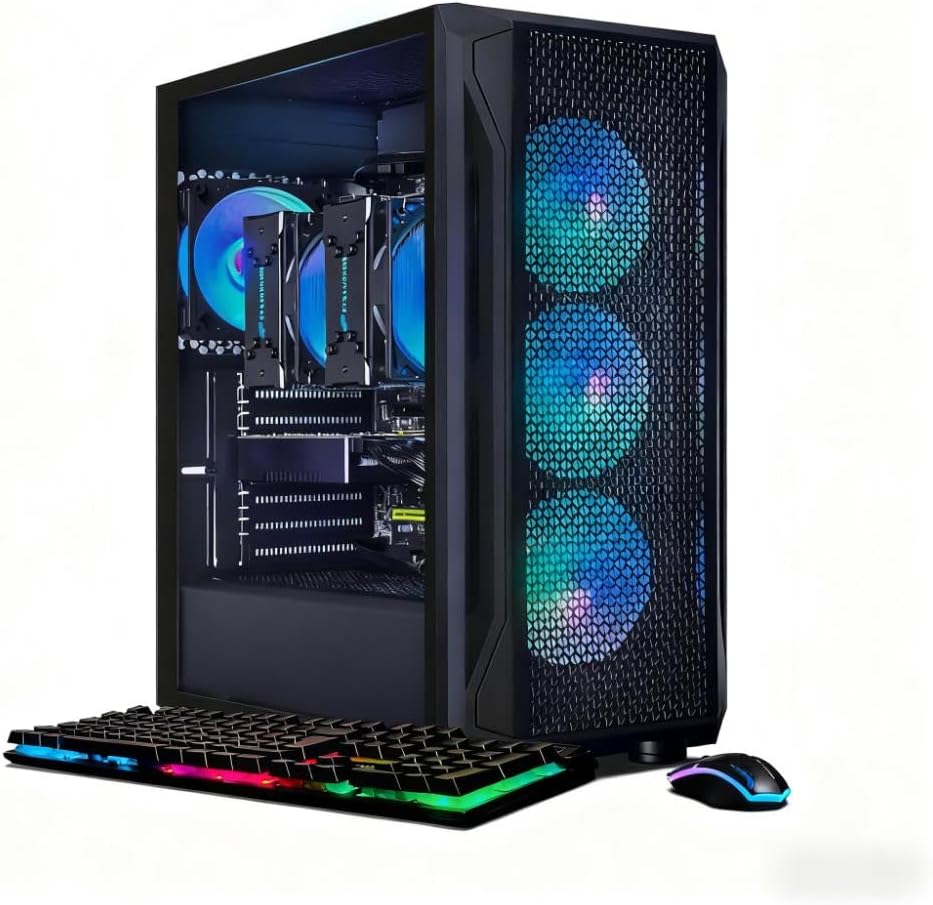
STGAubron Dual Xeon E5 Gaming PC with RX 580 8GB
This desktop pairs dual Xeon E5 processors with an RX 580 8GB GPU and 16GB DDR4 RAM for streaming, video editing, and gaming workloads. The 512GB SSD and Windows 11 Pro cover productivity basics, while quad RGB fans and WiFi 6 connectivity round out the build. Best suited for creators and gamers on a budget who prioritize CPU power over cutting-edge graphics performance.
Pros
- Dual-core Xeon E5 processors up to 3.7GHz provide strong multi-threaded performance for streaming and video editing
- RX 580 8GB GDDR5 GPU handles popular titles at 60+ FPS and supports 4K video decoding
- Includes Windows 11 Pro, RGB peripherals, and 1-year parts/labor warranty with lifetime tech support
- WiFi 6 and Bluetooth 5.0 connectivity for modern networking
- Quad ARGB cooling fans with 2.7mmH20 pressure for active thermal management
Cons
- 512GB SSD is modest for content creators storing large project files; larger variants exist in product line
- Xeon E5 architecture is older generation, limiting single-threaded performance versus current-gen Intel/AMD chips
- No reviews available to verify real-world performance claims or user satisfaction

KOTIN Ryzen 5 9600X RTX 5060 Ti Gaming PC
A mid-range prebuilt designed for 1080p and 1440p gaming, this KOTIN system pairs a Ryzen 5 9600X with an RTX 5060 Ti and arrives fully assembled with Windows 11 ready to use. The digital CPU cooler display and WiFi 7 connectivity add modern conveniences, though the 16GB RAM may feel limiting for heavy multitasking or future-proofing.
Pros
- Plug-and-play setup with professional US assembly and pre-installed Windows 11 Home
- Solid 1440p gaming performance across AAA titles and esports games with DLSS 4 support
- Expandable architecture: supports up to 256GB DDR5 RAM and three M.2 SSD slots for upgrades
- Modern connectivity with WiFi 7, Bluetooth 5.4, and 650W 80+ Gold PSU for stability
- Clean build aesthetic with ARGB fans, tempered glass panel, and real-time CPU temperature display
Cons
- 16GB DDR5 RAM is entry-level for content creation or heavy multitasking workloads
- RTX 5060 Ti limits 4K gaming potential; best suited to 1440p and below
- Cooling via 120mm air cooler may struggle during sustained high-load scenarios compared to larger tower solutions

Magewell USB Capture HDMI Gen 2 (32060)
A compact HDMI-to-USB capture device built for content creators and streamers who need reliable 1080p60 recording without breaking the CPU. FPGA processing handles video scaling and color conversion on-device, keeping your system responsive, while plug-and-play USB 3.1 compatibility works across Windows, macOS, Linux, and Chrome OS.
Pros
- FPGA-based processing offloads video tasks to the device, reducing CPU overhead during capture
- Supports HDMI input up to 2048x1080 60fps 4:4:4 with flexible output scaling
- Plug-and-play setup on multiple operating systems with backward USB 2.0 compatibility
- Compact, durable design rated for 24/7 operation with thermal protection and 3-year warranty
- Utility software provides granular control over EDID, resolution, frame rates, and diagnostics
Cons
- Maxes out at 1080p60 capture, not suitable for 4K workflows (step up to Gen 2 Plus or higher models for 4K support)
- No loop-through HDMI output, so you cannot monitor the source on a second display simultaneously
- Audio limited to embedded HDMI only; no analog audio inputs or outputs on this base model
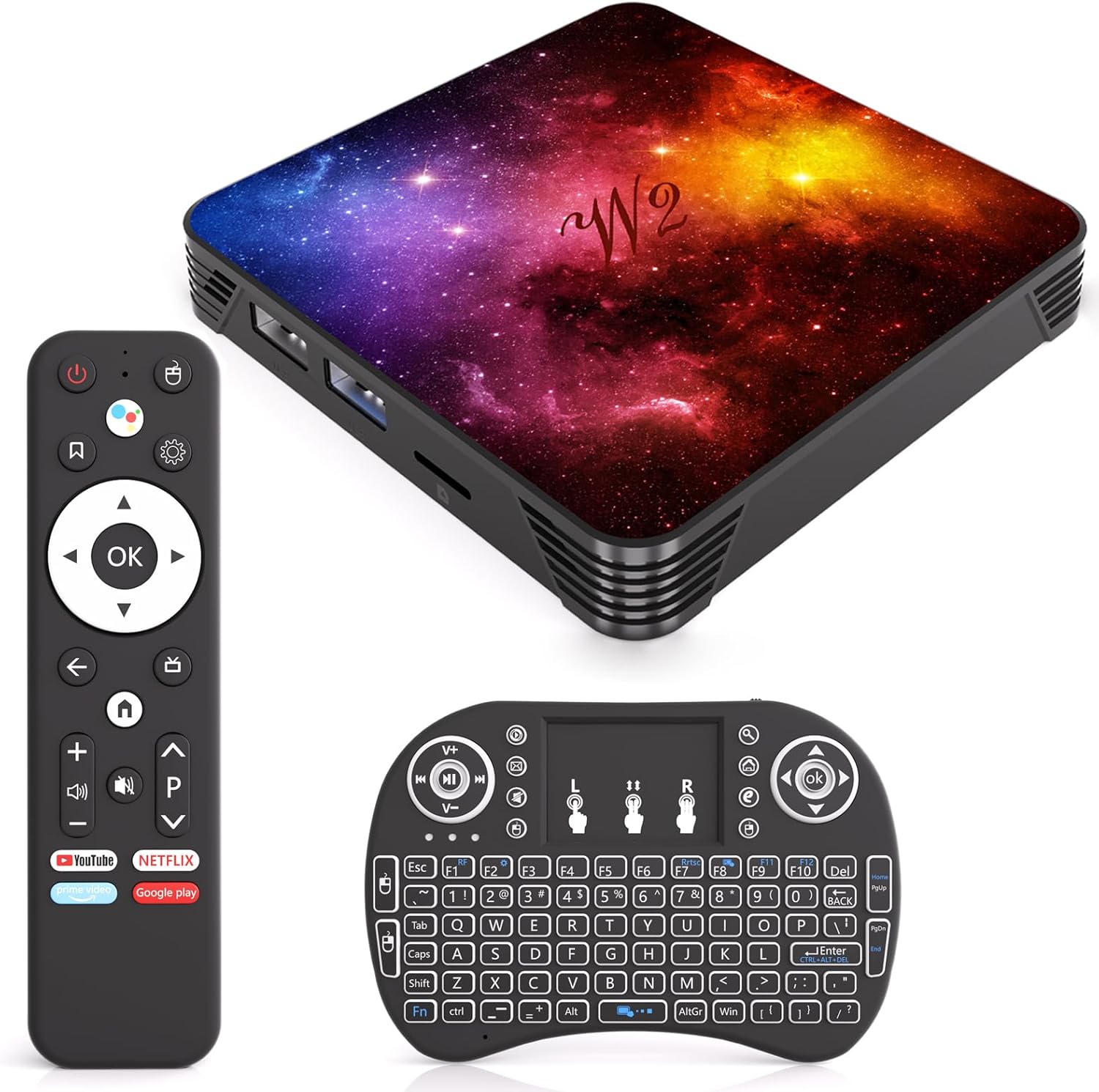
RINGREAT Android 14.0 TV Box with 4GB RAM and 128GB Storage
This Android 14.0 streaming box brings 8K support and dual-band WiFi to older TV setups, bundled with a mini keyboard and complete accessories for immediate use. Solid mid-range option for cord-cutters seeking smooth multitasking and expandable storage without premium pricing.
Pros
- Android 14.0 with quad-core processor handles multitasking and app switching without noticeable lag
- 8K UHD support with H.265 decoding for future-proofed video playback
- Dual-band WiFi (2.4G/5G) and Bluetooth 4.2 enable flexible wireless connectivity
- Includes mini keyboard, remote, HDMI cable, and power adapter for plug-and-play setup
- 128GB storage with USB 2.0 expansion port accommodates sizable app and media libraries
Cons
- Bluetooth version 4.2 is dated compared to current 5.0+ standards on newer devices
- Limited to USB 2.0 speeds for external storage transfers, not USB 3.0
- Only 4 verified reviews available, limiting confidence in real-world reliability data
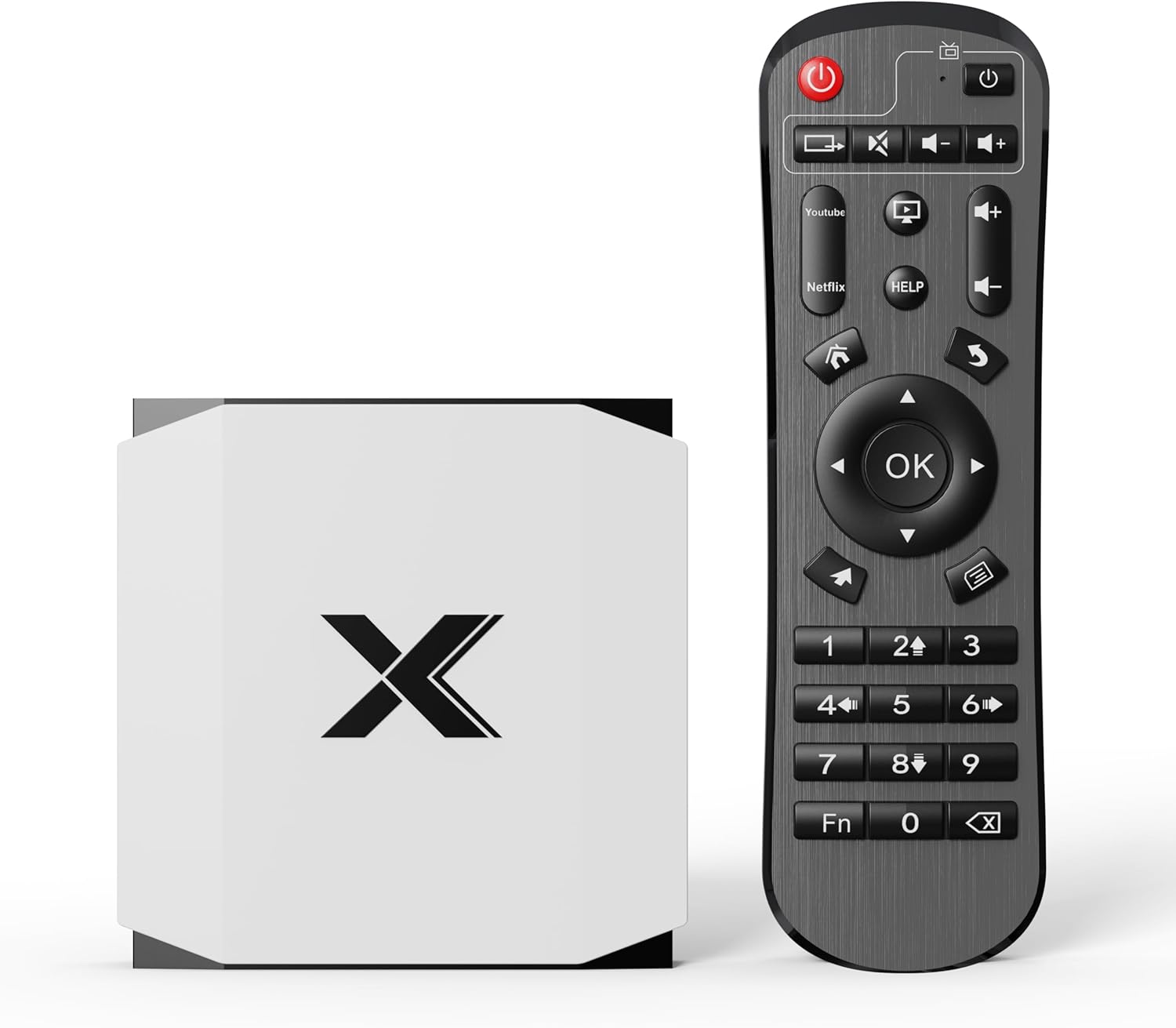
RINGREAT 4GB/32GB Android TV Box 4K
Budget-friendly streaming box with quad-core processing and dual-band WiFi 6 for stable 4K playback. The 4GB RAM and 32GB storage handle everyday apps and media without lag, making it practical for living rooms and bedrooms seeking no-frills entertainment.
Pros
- Dual-band WiFi 6 and Bluetooth 5.0 provide reliable wireless connectivity
- 4GB RAM and 32GB expandable storage sufficient for multiple apps and streaming services
- Quad-Core CPU with G31 MP2 GPU handles 4K@60Hz video decoding smoothly
- Compact design with full ports (HDMI 2.0, USB 2.0) for easy installation
Cons
- Limited RAM (4GB) may impact performance with heavy multitasking or demanding apps
- 32GB base storage fills quickly with 4K content and multiple applications
- Modest review count (12 reviews) and 4-star rating suggest limited long-term user feedback

Ugoos AM9 4K Android TV Box with Wi-Fi 6
The AM9 is a mid-range Android streaming box built around Amlogic's latest S905X5 processor, delivering 4K HDR playback with support for modern codecs like AV1 and H.266. It combines solid connectivity (Wi-Fi 6, Bluetooth 5.2, Gigabit Ethernet) with expandable storage via microSD, making it a capable choice for cord-cutters who want reliable performance without premium pricing.
Pros
- 6nm Amlogic S905X5 processor with Mali-G310 GPU ensures smooth UI navigation and video decoding across popular streaming apps
- 4K HDR with HDMI 2.0 eARC, ALLM, and VRR support for gaming and immersive content playback
- Wi-Fi 6 dual-band (up to 1201 Mbps) plus Gigabit Ethernet eliminates buffering for reliable streaming
- 64GB storage plus microSD expansion slot (up to 512GB) provides ample room for apps and media
- Android 14 with full Google Play Store access and APK side-loading for app flexibility
Cons
- 4GB RAM is adequate but not generous for heavy multitasking or demanding games compared to higher-tier boxes
- HDMI 2.0 limits 4K support to 60fps; does not include HDMI 2.1 for 8K or higher frame rates
- Rating of 4 stars from 48 reviews suggests mixed user experiences, with potential durability or software concerns not fully detailed in specs

AVerMedia Live Gamer HD (C985) PCIe Capture Card
An internal PCIe capture card built for PC gamers who want to record and stream 1080p gameplay without tanking frame rates. The dedicated H.264 hardware encoder handles compression independently, freeing up your CPU so you can keep your focus on the game itself. Works with consoles via HDMI pass-through and integrates with Twitch, YouTube, and OBS out of the box.
Pros
- Hardware H.264 encoder significantly reduces CPU load compared to software encoding
- HDMI pass-through enables zero-delay console and PC capture simultaneously
- Includes RECentral software with built-in voice commentary and TimeShift retroactive recording
- Direct streaming to major platforms (Twitch, YouTube, Ustream) without third-party setup
- Hot Button for one-touch recording start, even mid-gameplay
Cons
- Requires PCIe slot installation, limiting portability and compatibility to desktop PCs only
- Max capture resolution capped at 1080p30, lower than some newer competitors
- 3.9-star rating from 333 reviews suggests mixed user experience with potential driver or software stability concerns

ADDCOLOR R69PLUS Android 14 TV Box with 4GB RAM
A budget-friendly streaming box running Android 14 with dual-band WiFi 6 and 8K video support. The R69PLUS suits cord-cutters wanting a straightforward media player, though its mid-range processor and modest RAM mean it won't handle demanding apps or gaming smoothly.
Pros
- Latest Android 14.0 OS ensures compatibility with current apps and streaming services
- Dual WiFi bands (2.4G/5.8G) and Bluetooth 5.0 provide flexible connectivity options
- Supports up to 8K resolution output for future-proofing on compatible displays
- Includes dual USB ports (USB 2.0 and USB 3.0) for peripheral connections
- 32GB storage offers reasonable space for app installations without constant management
Cons
- 4GB RAM is entry-level, leading to potential slowdowns when multitasking or running heavier applications
- Allwinner H728 chipset is mid-tier, not optimized for gaming or intensive processing tasks
- 3.8-star rating from 189 reviews suggests mixed reliability and user satisfaction compared to premium competitors
- Limited to 10/100M Ethernet, lacking gigabit connectivity for wired network performance

Sidiwen Android 12.0 TV Box with H618 and 6K Support
This budget streaming box runs Android 12.0 on an Allwinner H618 processor with 4GB RAM and 64GB storage, offering dual-band WiFi 6 and 6K H.265 decoding for basic media playback. It's a solid entry-level option for cord-cutters who want access to Android apps and streaming services without premium features, though real-world performance depends heavily on your network and app optimization.
Pros
- Dual-band WiFi 6 (2.4G/5G) and Bluetooth 5.0 provide flexible connectivity options
- Android 12.0 OS with access to thousands of apps, games, and streaming services
- Supports multiple media formats including H.265, 3D playback, and up to 6K output
- Includes essential accessories (remote, HDMI cable, power adapter) out of the box
- 100M Ethernet port for wired connection stability
Cons
- 3.7-star rating from 23 reviews suggests mixed user experiences with potential stability or software issues
- H618 processor is entry-level; may struggle with demanding apps or heavy multitasking
- Limited to USB 2.0 ports, which slows file transfers compared to USB 3.0 alternatives
Best CPUs for Streaming Buying Guide
Streaming places unique demands on a processor that differ from everyday computing or even standard gaming.
You need enough cores and threads to handle game logic, encoding, audio processing, and chat/overlay software simultaneously, without the CPU becoming a bottleneck that tanks frame rates or introduces stream stutter.
The sections below break down the criteria that matter most so you can match a product to your actual workflow rather than chasing specs you won’t use.
Core Count and Thread Performance
Live streaming is inherently multi-threaded. At any given moment your system may be running a game engine, a software encoder like x264 or x265, a capture tool, a browser for chat, and a music app.
A processor with more physical cores distributes these tasks without forcing each thread to share a single execution unit, which is why streamers consistently report that moving from a quad-core chip to an eight-core or twelve-core chip produces a measurable drop in dropped frames even before touching any other setting.
For casual streaming at lower resolutions, six to eight cores is a comfortable floor. Serious broadcasters pushing 1080p60 or 1440p with software encoding, scene transitions, and real-time effects will benefit from twelve or more cores.
Processors in the AMD Ryzen 9 family, for example, are consistently recommended by the enthusiast community precisely because their high core counts leave headroom for both the game and the encoder simultaneously.
It is also worth considering whether you pair the CPU with a dedicated graphics card that supports hardware encoding via NVENC or AMD’s AMF.
Hardware encoding shifts the encoding workload from the CPU to the GPU, which can free up significant processor headroom. This is a particularly attractive path for systems where the CPU is already taxed by a demanding game title.
Encoding Method: Software vs. Hardware

Software encoding (x264, x265) produces the highest stream quality at any given bitrate but consumes substantial CPU resources.
Hardware encoding uses a dedicated encoder block on the GPU and is far lighter on the processor, though historically at a small quality-per-bit tradeoff.
Modern GPU encoders have closed this gap dramatically, and for most broadcasters the practical difference at typical streaming bitrates is negligible.
A third option is a dedicated capture card with onboard H.264 hardware encoding, such as the AVerMedia Live Gamer HD in our list.
These cards handle encoding independently of both CPU and GPU, which is particularly valuable in dual-PC streaming setups where the capture PC does not need a high-end processor of its own.
Understanding which encoding path you plan to use should directly inform your CPU budget: if you’re leaning on GPU hardware encoding, you may not need to spend as much on the processor.
Prebuilt towers that pair a capable CPU with an RTX-series or RDNA GPU effectively give you both software and hardware encoding options out of the box.
If your primary concern is gaming performance alongside streaming, look at options that balance CPU and GPU specifications rather than maximising either in isolation.
Our roundup of gaming PCs under $2000 covers several prebuilt configurations worth considering alongside the bare CPU options here.
Clock Speed and Single-Thread Responsiveness
While core count governs multi-threaded workloads, single-threaded clock speed still matters for the game engine itself. Most game engines are not fully parallelised; they depend heavily on one or two fast threads for the main game loop.
A processor that boosts to 5 GHz or higher on its fastest cores will typically deliver smoother in-game frame rates than one with more cores running at lower clocks, all else being equal.
This is why AMD’s 3D V-Cache processors have attracted so much attention from the gaming and streaming community.
The extra cache reduces memory latency in game workloads, which translates to higher and more consistent frame rates even when the CPU is simultaneously handling stream encoding.
Expert consensus across multiple hardware publications consistently highlights these chips as a strong choice when gaming frame rate is the primary concern and encoding is handled by the GPU.
Thermal Design and Cooling Requirements

Streaming sessions can run for hours, and sustained workloads expose thermal limits that short benchmarks miss entirely.
A processor that boosts to peak clocks for a few minutes but throttles under sustained load will produce inconsistent encode performance, which manifests as bitrate fluctuations and dropped frames during long streams.
Thermal design power ratings are a useful starting point, but real-world streaming workloads often sit between idle and full load, so a processor that sustains its boost clocks under mixed load is more valuable than raw peak figures.
Cooling matters accordingly. High-TDP processors benefit from a quality air cooler or a 240mm or 360mm AIO liquid cooler.
Several of the prebuilt systems in our list include 360mm AIO cooling precisely to keep high-core-count processors at sustained boost clocks during extended sessions.
If you’re building your own system around a bare processor, budget for appropriate cooling from the start. A look at CPU coolers can help you match cooling capacity to your chosen chip’s TDP.
Prebuilt towers that ship with integrated cooling remove this variable, and verified buyers of systems like the STORMCRAFT Falcon and KOTIN configurations frequently cite sustained performance during multi-hour streams as a key reason for their positive ratings.
Thermal management is not a glamorous spec, but it may be the most practically important one for long-session broadcasters.
Platform and Memory Support

The CPU you choose locks you into a platform: socket type, chipset compatibility, and supported memory standard.
Modern streaming and gaming workloads benefit from fast memory, particularly DDR5 at higher frequencies, because it reduces the latency between the CPU and system memory that game engines and encoding pipelines both access constantly.
Pairing a capable processor with slow or insufficient RAM can create a bottleneck that no amount of CPU headroom will solve.
For dedicated streaming and gaming builds, 32 GB of DDR5 is increasingly the recommended configuration, especially if you run a capture tool, streaming software, a browser with multiple tabs, and a game simultaneously.
16 GB remains workable for more modest setups, but memory pressure under full streaming loads can cause stutters that degrade both the viewer experience and your in-game performance.
For a deeper look at memory options across platforms, our RAM buying guide walks through DDR4 versus DDR5 tradeoffs in detail.
Motherboard selection follows from CPU choice and directly affects upgrade paths, I/O options, and long-term platform longevity.
Choosing a processor on a newer platform with active chipset support gives you more headroom for future upgrades without replacing the entire system. Our motherboards category covers compatibility considerations across current Intel and AMD platforms.
Prebuilt Towers vs. Bare Processors vs. Capture Cards

This roundup deliberately spans multiple product categories because the best streaming setup for you depends heavily on where you’re starting from.
If you already own a capable gaming PC, a dedicated capture card that offloads encoding to its own hardware may deliver more improvement per dollar than a CPU upgrade.
If you’re starting from scratch and want a ready-to-stream system, a prebuilt tower with a matched CPU, GPU, and cooling solution eliminates the complexity of component selection entirely.
Bare processors make the most sense when upgrading an existing build on a compatible platform, or when building a custom system where you want precise control over every component.
The tradeoff is time, research, and the need to source and assemble compatible parts.
If you’re going the custom-build route, it’s worth cross-referencing with our desktop computers guide to understand what a well-balanced finished system looks like before committing to individual parts.
Android TV boxes appear in this list because some streamers use them for playback and low-overhead restreaming scenarios rather than as primary capture and encode machines.
They are not substitutes for a proper streaming PC, but for viewers who want to consume stream content on a television, or for simple relay configurations, they offer a low-cost, low-power option.
The Magewell USB Capture HDMI, by contrast, is a professional-grade capture and conversion device aimed at production environments where signal reliability and compatibility are non-negotiable.
Understanding which category of product actually fits your use case is more valuable than any single specification comparison.
Why You Should Trust Us
REMOVU is an independent review platform with no manufacturer relationships that influence our rankings.
Every product in this guide has been evaluated using our structured research methodology: we analyze published specifications, assess expert review consensus drawn from across the hardware and streaming communities, incorporate verified buyer feedback from confirmed purchasers, and reference published performance data from credible sources.
Each product receives a REMOVU Score on a 0 to 10 scale, applied consistently across every item in a category so that scores are directly comparable.
We do not conduct our own product trials; our evaluations are grounded in research, published data, expert review consensus, and verified buyer feedback.
This approach allows us to cover a broader range of products across more categories than any single review outlet with a physical lab could manage, while maintaining rigorous, consistent scoring criteria.
Our editorial independence means no vendor can pay to improve their score or ranking position.
REMOVU may earn a commission if you purchase through links in this article. That affiliate relationship has no bearing on our scores, rankings, or product selection.
We include a product because our research indicates it serves readers well, not because of commercial arrangements. If you have questions about our methodology, our PC components hub explains how we evaluate hardware categories in more detail.
Final Thoughts
After evaluating every product in this guide against our consistent scoring criteria, a few clear leaders emerge across different streamer profiles. Below are our top awards based on REMOVU Score and category-specific strengths.
- Best Overall: AMD Ryzen 9 9900X earns the top REMOVU Score in this guide thanks to its twelve-core, twenty-four-thread architecture, high sustained boost clocks, and broad compatibility with current-generation platforms. It is the strongest bare-processor choice for streamers who want to handle demanding x264 software encoding alongside modern game titles without compromise.
- Best Prebuilt for Streaming and Gaming: STORMCRAFT Falcon pairs the AMD Ryzen 7 7800X3D with an RTX 5070, 32 GB of DDR5, and a 360mm AIO cooler in a configuration that expert consensus consistently identifies as an elite streaming-and-gaming combination. Its REMOVU Score reflects strong verified buyer satisfaction and a platform that handles both GPU hardware encoding and software encoding with headroom to spare.
- Best Prebuilt for 4K and 1440p Output: KOTIN Prebuilt with RTX 5070 and Ryzen 7 9700X delivers a high REMOVU Score driven by its pairing of a current-generation CPU with an RTX 5070 12 GB GPU, 32 GB of DDR5, and an 11.3-inch smart display cooler. Verified buyers highlight its out-of-box readiness for 1440p and 4K streaming workflows.
- Best Budget-Friendly Prebuilt Tower: STGAubron Gaming PC with Dual Xeon E5 offers a workable multi-core foundation for mid-tier streaming at an accessible price point. Its REMOVU Score reflects its value positioning rather than raw performance, and it suits streamers upgrading from single-core or low-thread-count systems who are not yet ready to invest in a top-tier platform.
- Best Dedicated Capture Hardware: AVerMedia Live Gamer HD stands out as the capture card pick for streamers who want to offload H.264 encoding from their CPU entirely. Its PCIe installation and onboard hardware encoding reduce CPU overhead in dual-PC and single-PC capture scenarios alike, and it remains a consistently recommended choice in enthusiast capture card discussions.
Whether you’re selecting a bare processor to upgrade an existing build, shopping for a ready-to-stream tower, or adding dedicated capture hardware to reduce CPU load, the picks in this guide cover the full spectrum of streaming hardware needs.
Pairing the right CPU or system with appropriate fast storage, a reliable power supply, and quality streaming peripherals will give you the most stable, consistent broadcast experience.
For audio, a quality microphone matters as much to your audience as image quality; our guide to microphones for gaming and streaming covers the best options across every budget.
Frequently Asked Questions
How Many CPU Cores Do I Need for Streaming?
For casual streaming at 720p or 1080p using GPU hardware encoding, six to eight cores is sufficient for most setups.
If you rely on software encoding (x264 or x265) for maximum quality, or if you run additional applications alongside your game and stream, eight to twelve cores provides noticeably more headroom.
High-core-count processors in the Ryzen 9 family are the consistent recommendation from the streaming community for demanding production workflows.
Keep in mind that core count is not the only variable. A processor with fewer but faster cores can outperform a higher-core-count chip in game frame rates while still keeping up with encoding.
Matching your core count to your encoding method and game workload, rather than chasing the highest number available, is the more practical approach.
Is a Dedicated Capture Card Worth It for Streaming?
A capture card adds value in specific scenarios. In a dual-PC setup, a capture card on the secondary system handles encoding without requiring a high-end processor in that machine.
In a single-PC setup, a card with onboard hardware encoding like the AVerMedia Live Gamer HD reduces CPU overhead compared to purely software-based capture pipelines.
For console streamers, a capture card is essentially mandatory since it’s the only way to route console output through a PC for streaming.
If you’re already using a GPU with a modern hardware encoder and streaming at typical bitrates, a dedicated capture card may not produce a dramatic quality improvement in a single-PC setup.
The benefit is more pronounced when CPU headroom is limited or when capturing from an external source like a camera or console.
Can I Stream with a Prebuilt PC, or Do I Need a Custom Build?
Prebuilt systems from reputable builders have become increasingly competitive for streaming and gaming workloads. Many now ship with components that enthusiast custom builders would select independently, including high-frequency DDR5 memory, NVMe storage, and liquid cooling.
The main tradeoff with a prebuilt is reduced flexibility for future upgrades and sometimes higher cost per component compared to a carefully sourced custom build.
For streamers who want to get up and running quickly without researching platform compatibility, a prebuilt tower is a practical choice.
Builders like STORMCRAFT and KOTIN offer configurations in this guide that carry strong REMOVU Scores precisely because their component balance and verified buyer satisfaction are well-documented.
If you want a broader look at prebuilt options across the price spectrum, our gaming PCs under $2000 guide is a useful companion resource.
What Role Does RAM Play in Streaming Performance?
Memory capacity and speed both matter for streaming. Running a game, encoding software, a browser with chat open, and audio tools simultaneously can push memory usage well above 16 GB during demanding sessions.
Insufficient RAM forces the system to page data to storage, which introduces latency that shows up as frame drops and encode instability rather than a simple slowdown.
Memory speed interacts with CPU performance as well, particularly on AMD platforms where the memory controller and infinity fabric are frequency-linked.
Running DDR5 at its rated XMP or EXPO profile rather than at default JEDEC speeds can produce measurable improvements in both gaming frame rates and sustained encode throughput.
Pairing a capable CPU with slow or incorrectly configured memory is one of the most common and easily avoided bottlenecks in streaming builds.
Are Android TV Boxes Useful for Streaming Content Creation?
Android TV boxes like those from RINGREAT, ADDCOLOR, Ugoos, and Sidiwen in this guide are designed primarily for media playback and app-based content consumption rather than for live streaming production.
They excel at playing back 4K content, running streaming apps on a television, and handling light restreaming or playback tasks.
They are not suitable as primary encoding machines for live game broadcasting, where sustained CPU and GPU performance and low-latency capture pipelines are essential.
Where they do add value in a streaming context is as secondary display or monitoring devices, or for viewers watching streams on a television without a smart TV built in.
If your goal is to produce live streamed content, prioritize a proper desktop processor or prebuilt system. If you’re setting up a viewing or light-relay scenario, an Android box is a cost-effective and energy-efficient option.
For content creators who also care about how their streams look on the viewer’s end, pairing a streaming setup with quality gaming headsets and a reliable microphone rounds out the production experience meaningfully.
About the author
Dustin covers Chromebooks for REMOVU, weighing speed, battery life, and build quality for students and cloud-first users. He points readers to affordable machines that stay snappy for everyday browsing and schoolwork.