The 9 Best Prebuilt Gaming PCs
Prebuilt gaming desktops have never been this capable. We researched nine towers across every price tier to find the ones worth buying for 1080p, 1440p, and 4K gaming in 2026.
 By Lisa Nelson
Updated July 26, 2026
By Lisa Nelson
Updated July 26, 2026
Building or buying a gaming PC has never been more complicated, yet the prebuilt market has quietly become the smarter choice for most people.
Component shortages, driver compatibility headaches, and the sheer time cost of sourcing individual parts have pushed even experienced builders toward prebuilt towers.
The good news: brands like KOTIN, Skytech, STORMCRAFT, and CyberPowerPC now ship rigs with genuinely enthusiast-grade silicon, current-generation GPUs, and respectable cooling out of the box, at prices that are increasingly hard to argue with.
Pairing one of these with a solid 4K display or a pair of gaming headsets for PC can get your setup ready in an afternoon rather than a weekend.
This guide cuts through the marketing noise. REMOVU researched nine prebuilt gaming desktops by synthesizing published specifications, expert review consensus from across the enthusiast community, and verified buyer feedback from confirmed purchasers.
Every machine on this list was assessed against consistent performance, value, and build-quality criteria before receiving a REMOVU Score on our 0 to 10 scale.
Whether you want the absolute fastest 1440p rig money can buy or a capable entry-level tower that won’t break the bank, the picks below are ordered to help you decide fast.
| Award | Product | REMOVU Score About REMOVU ScoreThe REMOVU Score is our own rating from 0 to 10, based on performance, design and build, ease of use, and value. It reflects independent research and is never influenced by manufacturers, retailers, or affiliate commissions. Learn more › | Price | |
|---|---|---|---|---|
| Best Premium |
 STORMCRAFT Falcon RTX 5070 Gaming Desktop
|
8.8/10 | Buy | |
 Skytech Archangel 5 Ryzen 7 9700X Gaming PC
|
8.5/10 | Buy | ||
| Best Value |
 CyberPowerPC Gamer Xtreme i7-14700F RTX 5060 Ti
|
8.3/10 | Buy | |
 KOTIN Ryzen 7 9700X RTX 5060 Ti 1440p Gaming PC
|
7.6/10 | Buy | ||
 KOTIN Ryzen 7 7800X3D RTX 5060 Ti Gaming PC
|
7.4/10 | Buy | ||
| Best Budget |
 Skytech Storm Gaming PC with Ryzen 5 5500 and RTX 5060 Ti
|
7.2/10 | Buy | |
 YAWYORE Ryzen 7 5700X RTX 5060 Gaming PC
|
6.8/10 | Buy | ||
 ZYNEEX Ryzen 5 5500 RTX 3050 Gaming Tower
|
6.2/10 | Buy | ||
| Best Overall |
 KOTIN Ryzen 5 9600X RTX 5060 Gaming PC
|
9.7/10 | Buy |
STORMCRAFT Falcon RTX 5070 Gaming Desktop
A California-built gaming tower pairing the AMD Ryzen 7 7800X3D with RTX 5070 12GB for competitive 1440p performance and content creation. Comes fully assembled with 32GB DDR5, 360mm liquid cooling, and Wi-Fi 6E, plus includes keyboard and mouse. Best suited for esports enthusiasts and streamers who want a high-performance system ready to use out of the box.
Pros
- Strong CPU-GPU pairing delivers 200+ FPS at 1440p on competitive titles per manufacturer claims
- Comprehensive warranty coverage: 3-year labor, 2-year parts, lifetime technical support
- Hand-built and stress-reviewed in California with U.S.-based customer support
- Includes peripherals (keyboard and mouse) plus Wi-Fi 6E and Bluetooth 5.2
- Adequate power headroom with 850W Gold PSU for future upgrades
Cons
- 1TB SSD storage is modest for modern game libraries and content creation workflows
- Limited USB connectivity on motherboard (only 1 USB-A and 1 USB-C) compared to competitors in the lineup
- Premium pricing tier with only 5 verified reviews available for independent assessment
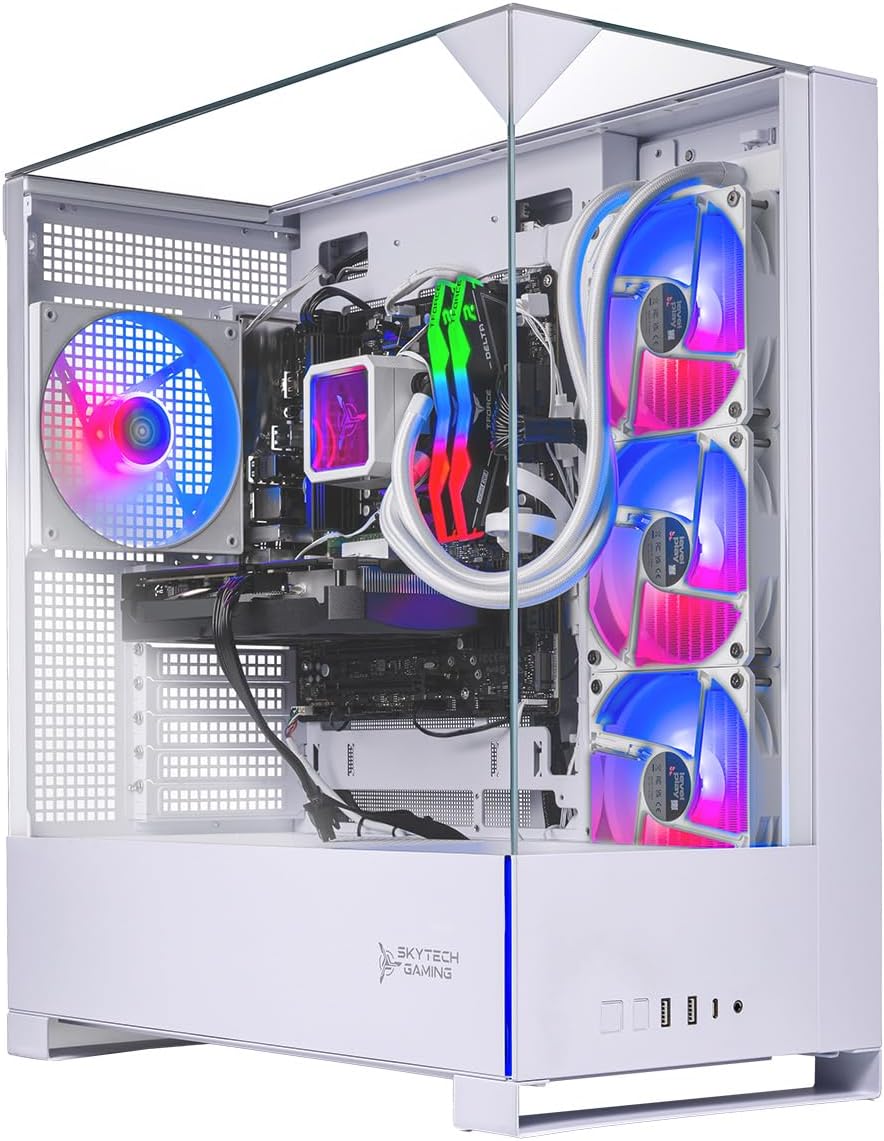
Skytech Archangel 5 Ryzen 7 9700X Gaming PC
A mid-to-high-end gaming desktop built around AMD's latest Ryzen 7 9700X and RX 9070 GPU, designed to handle demanding titles at 1440p with 60+ FPS. The system pairs solid core specs with a 360mm AIO cooler and DDR5 RAM, assembled in the USA with a one-year warranty. Best suited for gamers seeking strong performance without custom-build complexity.
Pros
- Latest-gen AMD processor and graphics architecture for modern game optimization
- Robust cooling setup with 360mm AIO liquid cooler and ARGB fans to prevent thermal throttling
- Fast Gen4 NVMe SSD and 32GB DDR5 RAM support high-speed gaming and content creation
- Fully assembled in USA with pre-installed Windows 11 and drivers, plug-and-play ready
- Standard ATX case design allows straightforward future upgrades without proprietary constraints
Cons
- Only 1TB storage out of the box, requiring additional SSD investment for larger game libraries
- Component brands and specific models may vary during manufacturing, limiting exact hardware predictability
- Limited review data available (1 review on file) makes long-term reliability harder to assess independently
CyberPowerPC Gamer Xtreme i7-14700F RTX 5060 Ti
A mid-range gaming desktop built around Intel's 14th-gen Core i7 and RTX 5060 Ti, designed for 1440p gaming and content creation without breaking the bank. The 16GB DDR5 RAM and fast NVMe storage keep performance snappy, while built-in WiFi 6 and Bluetooth eliminate cable clutter. Best suited for gamers who want solid frame rates at high settings without premium pricing.
Pros
- Intel Core i7-14700F delivers strong multi-threaded performance for gaming and streaming simultaneously
- RTX 5060 Ti handles 1440p gaming at high-to-ultra settings with good frame consistency
- 16GB DDR5 RAM and 1TB PCIe 4.0 SSD provide responsive everyday performance
- WiFi 6 and Bluetooth 5.3 built-in, eliminating need for separate adapters
- Includes keyboard, mouse, and lifetime tech support; 1-year parts and labor warranty
Cons
- RTX 5060 Ti is entry-level for 4K gaming and demanding AAA titles at maximum settings
- 16GB RAM is adequate but some content creators may want 32GB for heavy multitasking
- Limited upgrade documentation in base specs, potential for proprietary power supply constraints
KOTIN Ryzen 7 9700X RTX 5060 Ti 1440p Gaming PC
A mid-range prebuilt designed for smooth 1440p gaming and esports, featuring AMD's latest Ryzen 7 9700X paired with an RTX 5060 Ti. The standout feature is the integrated 11.3-inch smart display showing real-time system metrics, backed by 360mm liquid cooling and WiFi 7. Ships fully assembled from a US facility with Windows 11 ready to go.
Pros
- Solid 1440p performance with DLSS 4 Multi Frame Generation support for modern AAA titles
- Built-in 11.3-inch secondary display eliminates need for separate monitoring software
- 360mm liquid cooler with pump-head temperature display keeps thermals visible and managed
- DDR5 6000MHz RAM and PCIe 4.0 SSD with clear upgrade path (up to 256GB RAM, 3 M.2 slots)
- Assembled and reviewed in USA with 1-year parts/labor warranty plus lifetime US support
Cons
- RTX 5060 Ti limits sustained frame rates above 1440p, making 4K gaming not a primary strength
- 16GB DDR5 is baseline for modern gaming; content creators may want 32GB out of the box
- 650W PSU leaves moderate headroom for future GPU upgrades beyond mid-range cards
KOTIN Ryzen 7 7800X3D RTX 5060 Ti Gaming PC
A plug-and-play gaming desktop built around AMD's high-cache 7800X3D processor and RTX 5060 Ti, assembled and reviewed in the USA with Windows 11 pre-installed. The 11.3-inch smart display and liquid cooling add visual appeal, while 32GB DDR5 and 1TB SSD handle 1440p gaming and streaming without setup hassle. Best suited for gamers who want a capable mid-range system ready to use immediately.
Pros
- Fully assembled in USA with Windows 11 pre-installed, no DIY build required
- 11.3-inch smart display shows real-time CPU/GPU temps and system metrics with ARGB lighting
- 240mm liquid cooler with display head keeps Ryzen 7 7800X3D stable under sustained loads
- 32GB DDR5 and 1TB NVMe SSD cover most 1440p gaming and content creation needs
- Supports future upgrades with 4 DDR5 DIMM slots and 3 M.2 slots for expandability
Cons
- RTX 5060 Ti is entry-level for 4K gaming, limited to 1440p high-refresh or 1080p esports for demanding titles
- 650W PSU leaves limited headroom for significant future GPU upgrades beyond RTX 5070
- No user reviews available yet to verify real-world thermals and longevity claims
Skytech Storm Gaming PC with Ryzen 5 5500 and RTX 5060 Ti
A mid-range gaming desktop built with brand-name components and assembled in the USA. The Storm handles modern AAA titles at 1080p Ultra settings with 60+ FPS performance, backed by straightforward support and a one-year warranty. Best suited for budget-conscious gamers seeking a plug-and-play experience without proprietary lock-in.
Pros
- Strong 1080p gaming performance across current AAA titles at Ultra settings
- Standard ATX components allow straightforward future upgrades
- Includes Windows 11, keyboard, mouse, and pre-installed drivers for immediate use
- US-based assembly and live customer support with free lifetime technical assistance
- 1TB NVMe SSD provides notably faster load times than traditional hard drives
Cons
- RTX 5060 Ti is entry-level for demanding 1440p or 4K gaming
- Component brands may vary by market availability, limiting exact hardware predictability
- Only one year of parts and labor warranty coverage
YAWYORE Ryzen 7 5700X RTX 5060 Gaming PC
Mid-range gaming tower built around AMD's solid 8-core processor and Nvidia's latest RTX 5060 GPU. Arrives with 32GB RAM and 1TB SSD for smooth 1080p-1440p gaming, plus built-in WiFi and Bluetooth for hassle-free connectivity. Best suited for players balancing performance and budget without demanding ultra-high refresh rates.
Pros
- Strong multi-threaded CPU (Ryzen 7 5700X) handles gaming and productivity workloads simultaneously
- RTX 5060 supports DLSS 4 frame generation and ray tracing for modern game visuals
- Generous 32GB DDR4 RAM and 1TB NVMe SSD reduce upgrade pressure out of the box
- Built-in WiFi and Bluetooth eliminate need for separate adapters
- 650W 80+ Bronze PSU provides adequate power headroom for the components
Cons
- No user reviews available yet, limiting real-world performance feedback
- RTX 5060 is entry-level for demanding titles at high settings and refresh rates
- MSI B550M-A PRO is a budget motherboard with limited overclocking potential
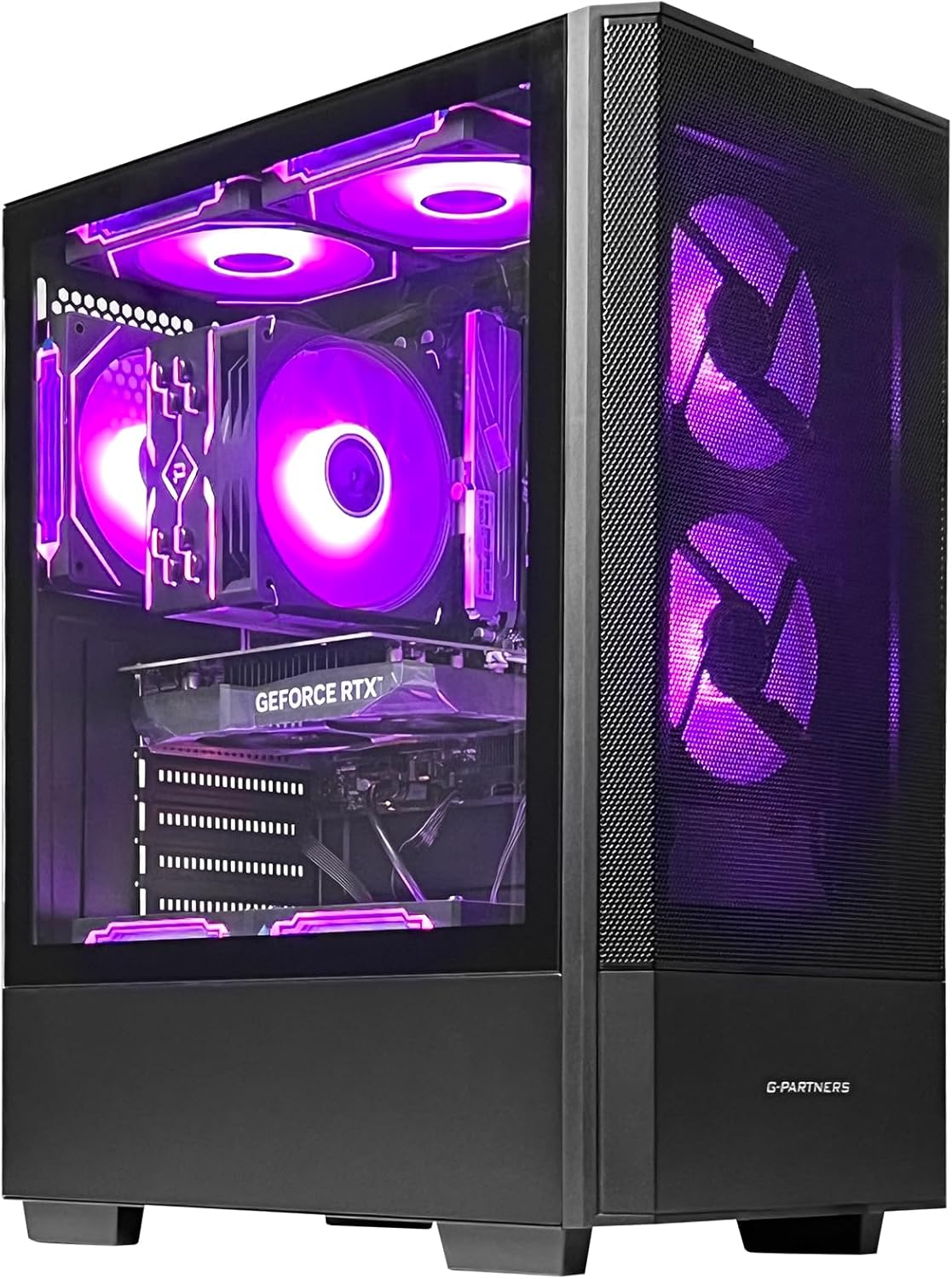
ZYNEEX Ryzen 5 5500 RTX 3050 Gaming Tower
A budget-friendly gaming desktop built around a solid 6-core Ryzen 5 5500 and GTX 3050 6GB, designed for 1080p gaming and light content creation. The 16GB DDR4 RAM and 1TB NVMe SSD provide enough breathing room for multitasking, while the ARGB cooling setup keeps thermals in check during extended sessions. Best suited for entry-level gamers and streamers on a tight budget.
Pros
- Ryzen 5 5500 delivers stable multithreaded performance for gaming and streaming without bottlenecking the RTX 3050
- RTX 3050 handles 1080p gaming at solid frame rates and supports creative workflows like light video editing
- Fast NVMe SSD and 16GB RAM combo eliminates traditional HDD slowness and supports smooth multitasking
- Built-in Wi-Fi and multiple ports (HDMI, DisplayPort, DVI, USB) offer flexible connectivity options
- Customizable ARGB lighting and efficient quad-copper-pipe cooler provide both aesthetics and thermal stability
Cons
- RTX 3050 is entry-level and won't handle high refresh rate or max-detail 1440p gaming without compromise
- No reviews listed yet, so real-world reliability and customer experience remain unverified
- 550W 80+ Bronze PSU leaves minimal headroom for future GPU or CPU upgrades
KOTIN Ryzen 5 9600X RTX 5060 Gaming PC
A mid-range prebuilt designed for 1080p to 1440p gaming, this KOTIN system pairs a Ryzen 5 9600X with an RTX 5060 8GB and arrives fully assembled with Windows 11. It's built for players who want plug-and-play convenience without the GPU installation hassle, supported by verified cooling performance and upgrade pathways for future expansion.
Pros
- Ships fully assembled and reviewed in the USA with Windows 11 pre-installed, requiring only peripherals to start gaming
- Digital display air cooler and 5 ARGB fans provide real-time cooling feedback and effective heat management during extended sessions
- DDR5 6000MHz memory and PCIe 4.0 SSD enable fast boot times and game loading; supports up to 256GB RAM and 3 M.2 slots for future upgrades
- 650W 80 PLUS Gold PSU balances efficiency with stable power delivery for the current config and modest upgrade room
- WiFi 7, Bluetooth 5.4, and USB 3.2 Gen connectivity cover modern networking and peripheral needs
Cons
- RTX 5060 8GB limits sustained high-refresh 1440p in demanding AAA titles without DLSS; not suitable for 4K gaming
- 16GB DDR5 is adequate for gaming but tight for heavy content creation or streaming multitasking without upgrade
- Compact case design (15.59 x 8.49 x 12.36 inches) may constrain future GPU upgrades beyond the RTX 5070 range
Best Prebuilt Gaming PCs Buying Guide
Choosing a prebuilt gaming desktop is a fundamentally different exercise from picking laptop components or shopping for gaming laptops.
A tower sits on your desk for years, and the decisions baked into it at the factory, GPU tier, CPU socket, PSU headroom, cooling capacity, and upgrade path, will shape your experience long after the unboxing dopamine wears off.
The sections below walk through every criterion that actually matters.
GPU Tier and Target Resolution

The graphics card is the single biggest determinant of in-game frame rates, and it should anchor your purchasing decision before anything else.
At a broad level, an RTX 3050 or RX 6600-class GPU is adequate for 1080p gaming at medium-to-high settings; an RTX 5060 Ti or RX 9070-class card opens up comfortable 1440p gaming at high or ultra settings; and anything with an RTX 5070 or above is positioned for 4K or high-refresh 1440p with ray tracing enabled.
VRAM capacity matters increasingly in 2026 as modern titles routinely load 8 GB of texture data.
Cards with 8 GB VRAM handle most current games comfortably, but if you plan to keep your rig for three or more years, erring toward 12 GB or 16 GB future-proofs your investment.
Several machines in our list carry RTX 5060 Ti 8 GB or RX 9070 16 GB options; the latter is particularly generous for longevity.
DLSS 4, FSR 4, and frame-generation technologies are also worth factoring in. NVIDIA’s latest Ada and Blackwell architectures support multi-frame generation, which can meaningfully raise playable frame rates in supported titles. If you pair your tower with a high-refresh-rate monitor, these features compound the performance advantage significantly.
CPU and Platform Generation

A mismatched CPU is one of the most common ways a prebuilt can disappoint. In gaming workloads, single-core boost speed and cache size matter more than raw core count.
AMD’s Ryzen 7 7800X3D remains a standout for gaming specifically because of its stacked 3D V-Cache design, which reduces CPU-bottlenecking in cache-hungry titles.
Intel’s Core i7-14700F is a strong all-rounder for simultaneous gaming and streaming, thanks to its high thread count at a competitive price point.
Platform generation also determines your upgrade ceiling. A system on an AM5 socket supports DDR5 and can theoretically receive future Ryzen generations, whereas an AM4 system, while still capable, is at the end of its upgrade road.
If longevity is a priority, AM5 boards paired with current-gen Ryzen 7000 or 9000 processors give you more room to grow.
Before committing, check whether the prebuilt’s motherboard has an M.2 slot open for a second SSD and spare RAM slots for future expansion.
RAM: Capacity, Speed, and Type
Gaming in 2026 is comfortably a 16 GB DDR4 or DDR5 minimum, though 32 GB gives meaningful headroom for streaming, content creation, or running a browser with dozens of tabs alongside your game session.
DDR5 at 6000 MHz is the current sweet spot for AMD Ryzen 7000 and 9000 series platforms, offering a noticeable latency advantage over slower kits.
Several prebuilts in our list include 32 GB DDR5 at 6000 MHz, which is a genuine value-add that would cost extra if you were configuring a custom build.
For a deeper look at what memory speeds actually mean for gaming, our coverage of 32 GB RAM kits breaks down the tradeoffs in detail.
One thing to verify before purchasing: whether the RAM runs at its advertised XMP or EXPO profile by default, or whether you need to enable it in the BIOS.
Some prebuilts ship with fast RAM that runs at a lower JEDEC speed out of the box, leaving performance on the table. Reputable brands will note this in their setup documentation.
Storage Configuration and Expandability

A 1 TB NVMe SSD is the baseline worth expecting at any price point in this category.
The generation of the SSD matters too: PCIe Gen 4 drives offer sequential read speeds roughly twice that of Gen 3, which translates to faster game load times and snappier Windows responsiveness.
PCIe Gen 5 drives exist but are largely overkill for gaming at this stage.
What you do want to confirm is whether the prebuilt’s motherboard provides additional M.2 slots and SATA ports, since modern game libraries balloon quickly and you may want to add storage within a year.
Some brands are transparent about which M.2 slots are populated and which are free; others are not. Checking user teardown photos and verified buyer reviews before purchasing is one of the most practical steps you can take.
Buyers who discover a single-slot board after the fact are effectively locked into a slower 2.5-inch SSD expansion path.
Power Supply Unit Quality and Headroom

The PSU is the component most often compromised in budget prebuilts, and a weak or unrated unit is a genuine reliability risk.
Look for 80 Plus Gold certification at minimum, which indicates reasonable electrical efficiency and signals that the unit passed a standardized evaluation.
Wattage headroom matters too: an RTX 5070 and Ryzen 7 pairing can spike well above 400 W under load, so a 650 W Gold unit is workable but a 750 W or 850 W unit gives you room to overclock or upgrade the GPU down the line without swapping the PSU.
Several machines in our list carry 750 W or 850 W Gold or better PSUs, which we view favorably.
The STORMCRAFT Falcon, for instance, ships with an 850 W unit paired with a B850 chipset board, which is a notably thoughtful build for future upgrades.
Avoid any prebuilt that does not clearly state its PSU wattage and certification tier, as this is a red flag for component sourcing practices.
Cooling, Airflow, and Noise

Thermals directly affect sustained performance. A CPU that throttles under load because of poor cooling will not deliver the frame rates its spec sheet implies.
Prebuilts in this guide range from air-cooled solutions with ARGB fans to 360 mm all-in-one liquid coolers.
AIO liquid cooling is generally preferred for high-TDP processors like the Ryzen 7 7800X3D or Core i7-14700F, as it keeps sustained clocks higher and acoustics lower under extended gaming sessions.
Case airflow is the overlooked half of this equation. Positive pressure configurations with mesh front panels move more air than solid-panel cases with restricted intake.
ARGB fans are cosmetically appealing but contribute nothing to cooling on their own; what matters is fan size, static pressure rating, and whether the case layout allows for efficient front-to-back or bottom-to-top airflow.
Verified buyer feedback is particularly useful here, as real-world idle and load temperatures are rarely published by manufacturers.
If you later add peripherals like a headset with a good mic for streaming, keeping the rig cool and quiet becomes even more valuable during long sessions.
Why You Should Trust Us
REMOVU is an independent review platform. We do not sell hardware, fulfill orders, or provide manufacturer support.
Every product in this guide was scored using the REMOVU Score system, a 0 to 10 scale applied consistently across specifications analysis, expert review consensus from the enthusiast and professional press, and verified buyer feedback from confirmed purchasers.
We do not conduct our own product trials; our evaluations are grounded in research, published data, expert review consensus, and verified buyer feedback.
Our scoring weights GPU and CPU tier most heavily, followed by storage configuration, PSU quality, cooling solution, and overall value within the competitive prebuilt market. Products are ranked by REMOVU Score, and that ranking is determined solely by merit.
REMOVU may earn a commission when you purchase through a link on this page, but affiliate relationships have no influence on scores, rankings, or which products appear in our guides.
If a product scores poorly, it does not make this list, regardless of commercial considerations.
Final Thoughts
The prebuilt gaming desktop market has matured considerably. At virtually every price tier represented in this guide, you get a complete, warrantied, Windows-ready machine with current-generation silicon, which is a genuinely compelling proposition for anyone who values their time.
Here is how the top picks break down by use case and standout quality, each tied to its REMOVU Score.
- Best Overall: KOTIN Prebuilt Gaming PC with Ryzen 5 9600X and RTX 5060 8GB earns the top REMOVU Score in this roundup by delivering a current-generation AMD CPU, RTX 5060 graphics, WiFi 7, an 80 Plus Gold PSU, and a distinctive digital-display cooler in a competitively priced package assembled in the USA. It represents the best overall combination of platform modernity, build quality, and value in the group.
- Best for Enthusiast 1440p and 4K: STORMCRAFT Falcon with RTX 5070 and Ryzen 7 7800X3D pairs one of AMD’s most gaming-optimized CPUs with a capable RTX 5070 12 GB GPU, DDR5 6000 MHz memory, a 360 mm AIO, and an 850 W PSU, making it the most future-proof pick in the list for demanding resolutions and ray tracing workloads.
- Best for High-Refresh 1440p on a Tighter Budget: Skytech Archangel 5 with Ryzen 7 9700X and RX 9070 stands out for its 16 GB VRAM AMD GPU, 32 GB DDR5 at 6000 MHz, and a 360 mm ARGB AIO. The RX 9070’s large VRAM buffer gives it a longevity edge over competing builds at a similar price point.
- Best Mid-Range Pick: CyberPowerPC Gamer Xtreme with Core i7-14700F and RTX 5060 Ti is a reliable, well-known name in prebuilt gaming with strong CPU multi-thread performance for streamers who game and create simultaneously, backed by CyberPowerPC’s established warranty program.
- Best Budget Entry Point: ZYNEEX Prebuilt Desktop with Ryzen 5 5500 and RTX 3050 is the most accessible option for first-time PC gamers or those upgrading from a console, offering a complete 1080p-capable tower with NVMe storage, WiFi, and ARGB cooling at the lowest price point in this guide.
Whichever tier fits your budget, complement the rig with a quality gaming headset and consider your display carefully. A desktop PC at this caliber deserves a monitor that can keep up with its frame-rate output.
If you are still weighing whether a desktop or portable machine suits your lifestyle better, our guide to gaming laptops under a grand offers a useful counterpoint.
Frequently Asked Questions
Are prebuilt gaming PCs worth buying in 2026?
For most buyers, yes. The price gap between prebuilts and equivalent custom builds has narrowed significantly, and prebuilts come with a single warranty covering the whole system rather than separate warranties per component.
If your time is valuable and you want to game within hours of delivery, a well-specced prebuilt from a reputable brand makes a lot of practical sense.
The machines on this list represent the current tier of prebuilts that meet or beat comparable custom configurations at their respective price points.
Can I upgrade a prebuilt gaming PC after purchase?
Generally yes, though it varies by brand and case design. Most tower prebuilts use standard ATX or Micro-ATX components, meaning RAM, storage, and GPU upgrades are straightforward. PSU swaps are common when moving to a higher-tier GPU.
The main limitation is case size: some prebuilts use proprietary small-form-factor cases that restrict which coolers or GPU lengths fit. Before buying, confirm the case has spare M.2 slots, RAM slots, and PCIe clearance for your anticipated upgrade path.
Brands that publish internal photos and detailed specifications make this research far easier.
What GPU tier do I need for 1440p gaming?
An RTX 5060 Ti 8 GB or AMD RX 9070 16 GB is the current minimum for a comfortable 1440p high-settings experience in demanding titles.
If you want to run 1440p at very high refresh rates above 144 Hz with ray tracing, moving up to an RTX 5070 or above is advisable.
The RX 9070’s 16 GB VRAM buffer is a notable advantage over 8 GB cards for texture-heavy open-world games and for longevity over a three-to-five year ownership window.
Several picks in this guide hit the 1440p sweet spot at varying price points, so the right choice depends on your refresh rate target and how long you plan to keep the machine.
Is DDR5 RAM worth it in a prebuilt gaming PC?
Yes, particularly on AMD Ryzen 7000 and 9000 series platforms, where DDR5 at 6000 MHz is the optimized operating point for the memory controller.
On those platforms, DDR5 offers lower latency and higher bandwidth than DDR4, which produces measurable gains in CPU-limited gaming scenarios.
For Intel 13th and 14th generation platforms, the DDR4 versus DDR5 delta is smaller in practice, though DDR5 still future-proofs the platform.
When comparing prebuilts, prefer those that specify the RAM speed alongside capacity, since 32 GB of DDR5 at 4800 MHz and 32 GB at 6000 MHz are meaningfully different configurations.
Our analysis of DDR5 RAM kits covers these tradeoffs in more depth if you want to dig further.
How important is WiFi version in a gaming desktop?
For competitive online gaming, a wired Ethernet connection is always preferable due to lower and more consistent latency.
However, if running a cable is impractical, WiFi 6E or WiFi 7 support makes a meaningful difference over older WiFi 5 adapters in congested wireless environments.
WiFi 7 in particular supports the 6 GHz band and multi-link operation, delivering near-wired latency and throughput in optimal conditions.
Some picks in this guide include WiFi 7 as standard, which is a meaningful long-term advantage as routers supporting the standard become more common.
What should I pair with a new prebuilt gaming PC?
A capable display is the most important companion purchase. Matching a high-tier GPU to a 60 Hz monitor wastes the card’s frame-rate potential; aim for at least a 144 Hz 1440p panel.
A quality gaming headset with a microphone rounds out the setup for multiplayer and streaming. If you stream or record content, a USB microphone offers a meaningful audio quality step up over integrated headset mics.
For streamers who also appear on camera, ring lights and a stable lighting setup are worth considering as the next peripheral investment.
About the author
Lisa is REMOVU's smart thermostat writer, weighing energy savings, features, and system compatibility. She helps readers add comfort and remote control while trimming their bills.