The 10 Best Chromebooks Under $300
Shopping for a capable laptop on a tight budget? These Chromebooks under $300 offer strong battery life, fast boot times, and enough performance for school, work, and everyday browsing.
 By Beverly Morrison
Updated July 26, 2026
By Beverly Morrison
Updated July 26, 2026
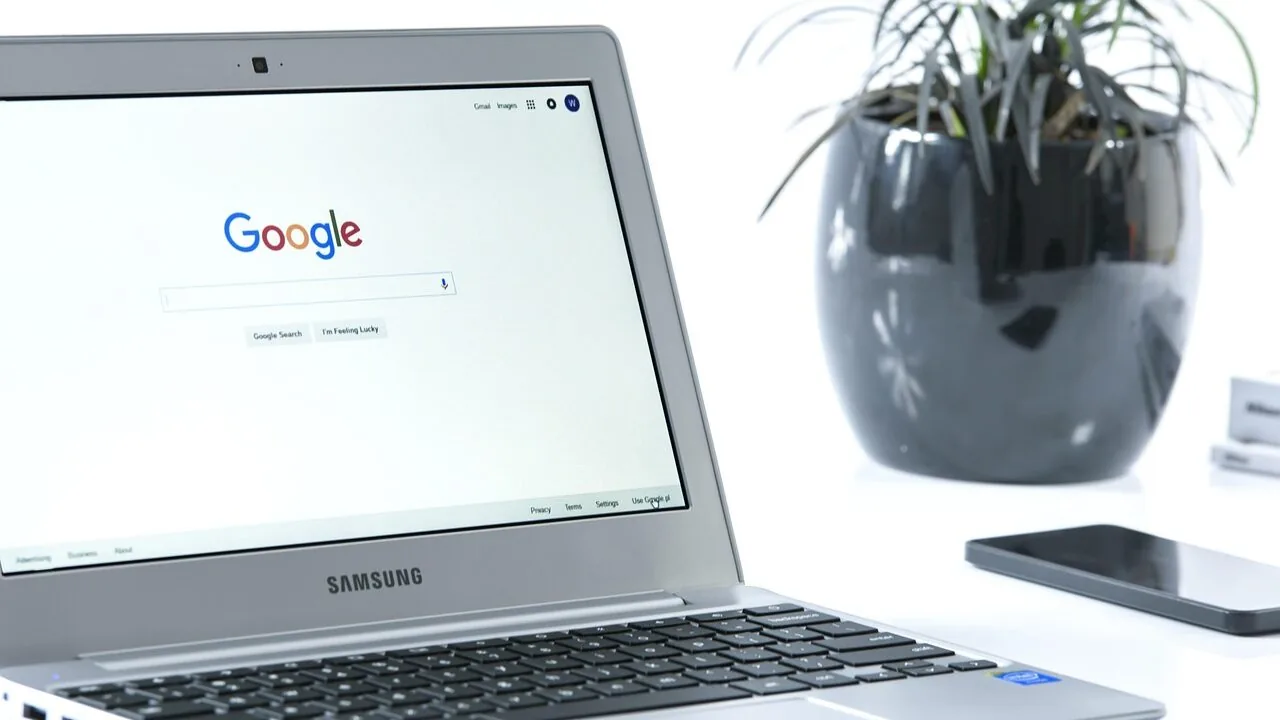
Finding a capable laptop without breaking the bank has never been easier, and Chromebooks sit at the center of that value conversation.
These Chrome OS machines excel at everyday tasks like web browsing, video calls, streaming, and light productivity, all while offering fast boot times, automatic security updates, and genuinely impressive battery life.
For students, remote workers, and anyone who lives inside a browser, a well-chosen Chromebook under a modest budget can outperform a far more expensive Windows machine in the tasks that actually matter day to day.
This guide covers the best Chromebooks under $300 available right now, drawing on published specifications, expert review consensus, and verified buyer feedback to identify the models that deliver the most value in this price range.
Whether you need a large-screen machine for productivity, a compact daily driver for class, or just a reliable secondary laptop for the household, the picks below represent the strongest options across every use case.
Read on for our top recommendations, followed by a detailed buying guide to help you match the right Chromebook to your specific needs.
For a broader look at Chromebooks for every kind of user, we have a separate roundup covering the full market.
| Award | Product | REMOVU Score About REMOVU ScoreThe REMOVU Score is our own rating from 0 to 10, based on performance, design and build, ease of use, and value. It reflects independent research and is never influenced by manufacturers, retailers, or affiliate commissions. Learn more › | Price | |
|---|---|---|---|---|
| Best Overall |
 Lenovo IdeaPad 3i Chromebook 15.6
|
8.3/10 | Buy | |
| Best Premium |
 Lenovo Chromebook 14 FHD Touchscreen MediaTek
|
8.1/10 | Buy | |
 Gateway Chromebook 314 14" FHD Intel Celeron
|
7.4/10 | Buy | ||
| Best Value |
 HP Chromebook 14 Intel Celeron N4120
|
7.3/10 | Buy | |
 Samsung Galaxy Chromebook Go 14 inch
|
7.2/10 | Buy | ||
| Best Budget |
 Acer Chromebook 315 15.6 Inch
|
7.8/10 | Buy | |
 Acer Chromebook 15.6 FHD with Numeric Keypad
|
7.0/10 | Buy | ||
 Acer Chromebook 315 15.6-inch HD Laptop
|
7.2/10 | Buy | ||
 Acer Chromebook 315 15.6" HD Budget Laptop
|
6.8/10 | Buy | ||
 Acer Chromebook 315 15.6-Inch HD Laptop
|
7.1/10 | Buy |
Lenovo IdeaPad 3i Chromebook 15.6
The Lenovo IdeaPad 3i is a budget-friendly 15.6-inch Chromebook with an Intel Celeron processor, 8GB RAM, and all-day battery life, making it ideal for students, remote workers, and everyday browsing. Strong 4.3-star rating reflects solid value for the price, though performance is modest for demanding tasks.
Pros
- Excellent all-day battery life keeps you productive without constant charging
- Large 15.6-inch FHD display provides ample screen real estate for work and entertainment
- Lightweight and portable design makes it easy to carry between locations
- Reliable performance for web browsing, email, and cloud-based applications
- Built-in security features offer peace of mind for personal and professional use
Cons
- Intel Celeron N4500 processor limits performance for resource-intensive applications
- 64GB storage may require cloud integration for users with large local file collections
- Chrome OS dependency means limited compatibility with traditional desktop software
Lenovo Chromebook 14 FHD Touchscreen MediaTek
This 14-inch Chromebook pairs a MediaTek Kompanio 520 processor with a touchscreen display, targeting students and remote workers who rely on Chrome OS apps and cloud services. The combination of WiFi 6 connectivity, 4GB RAM, and lightweight design suits everyday browsing and productivity tasks, though performance expectations should align with the budget-tier processor.
Pros
- 14-inch FHD touchscreen with IPS wide viewing angles and integrated 720p webcam with privacy shutter, ready for online classes and video calls
- MediaTek Kompanio 520 octa-core processor designed for extended battery life and reliable performance in everyday activities
- Lightweight at 2.86 lb with slim 0.73-inch profile, making it portable for students and mobile users
- WiFi 6 (11ax) and Bluetooth 5.1 for modern connectivity
- Chrome OS provides built-in security, automatic updates, and cloud backup integration
Cons
- 4GB RAM and 64GB eMMC storage are modest for power users or those running memory-intensive applications simultaneously
- MediaTek processor is entry-level, limiting performance compared to Intel or AMD alternatives in competing Chromebooks
- Single USB-A and USB-C port combination may require adapters for users with multiple peripherals
Gateway Chromebook 314 14" FHD Intel Celeron
A lightweight everyday Chromebook designed for users who prioritize portability and Google ecosystem integration. The 14-inch anti-glare display and Intel Celeron processor handle basic productivity tasks, web browsing, and media streaming without breaking the bank. Best suited for students, casual users, and those seeking a simple, low-maintenance laptop.
Pros
- Lightweight at 3.31 pounds with solid build quality for daily portability
- 14-inch Full HD anti-glare ComfyView display reduces eye strain during extended use
- Fast startup under 10 seconds with automatic background updates and built-in security via Titan C2 chip
- Generous connectivity including USB Type-C with DisplayPort, USB 3.2, microSD reader, and 10.5-hour battery life
- Access to Google Play apps, Microsoft 365, and 3-month free trial of Google AI Pro with 5TB storage
Cons
- Intel Celeron N4500 dual-core processor and 4GB RAM limit multitasking and performance for demanding applications
- 64GB eMMC storage fills quickly with large files, though expandable via microSD card
- Chrome OS ecosystem restricts traditional desktop software compatibility compared to Windows or macOS
HP Chromebook 14 Intel Celeron N4120
This 14-inch Chromebook pairs a lightweight design with all-day battery life, making it practical for students and remote workers who prioritize portability. The HD display handles everyday tasks and streaming, while Chrome OS keeps things simple and secure. It's built for productivity on a budget, though performance is modest for demanding applications.
Pros
- Exceptional battery life up to 14 hours with fast charging to 50% in 45 minutes
- Lightweight and portable design suitable for travel and daily commuting
- Anti-glare HD display works well in various lighting conditions
- Chrome OS offers automatic updates and built-in security without maintenance
- Affordable option for web-based work, streaming, and Google Workspace tasks
Cons
- Intel Celeron N4120 processor is entry-level, limiting performance for heavy multitasking or intensive applications
- 4 GB RAM and 64 GB eMMC storage are modest by current standards and may feel restrictive over time
- HD resolution (1366 x 768) is lower than modern standards for a 14-inch screen
Samsung Galaxy Chromebook Go 14 inch
A lightweight, affordable Chromebook built for students and everyday users who need reliable performance without breaking the bank. Its 12-hour battery, fast WiFi, and durable construction make it a solid choice for schoolwork and web-based tasks, though the modest processor and storage limit heavy multitasking.
Pros
- Exceptional value at under $230 for a durable student laptop
- All-day battery eliminates constant outlet hunting during classes
- Slim, lightweight design reduces backpack burden
- Military-tough construction handles accidental drops
- Fast WiFi and ChromeOS provide snappy web performance
Cons
- Intel Celeron N4500 processor limits heavy multitasking and demanding applications
- 64GB storage fills quickly with large files or offline content
- 4GB RAM may struggle with many open browser tabs
Acer Chromebook 315 15.6 Inch
A budget-friendly 15.6-inch Chromebook powered by Intel Celeron N4500 with Wi-Fi 6 and up to 10 hours of battery life, ideal for students and everyday users who need reliable web browsing and Google Workspace productivity without breaking the bank.
Pros
- Large 15.6-inch Full HD IPS display offers comfortable viewing for extended work sessions
- Wi-Fi 6 AX201 provides significantly faster wireless speeds than older standards
- Up to 10 hours of battery life supports a full day of use without charging
- Chrome OS boots in seconds and stays fast without slowdowns over time
- Dual USB-C ports with 10 Gbps speeds and DisplayPort support for versatile connectivity
Cons
- Intel Celeron N4500 dual-core processor limits performance for heavy multitasking or demanding applications
- 4GB RAM may feel restrictive when running many browser tabs or Android apps simultaneously
- 64GB storage fills quickly without relying heavily on cloud backup
Acer Chromebook 15.6 FHD with Numeric Keypad
This 15.6-inch Chromebook targets students and everyday users seeking a lightweight, affordable laptop for online classes and productivity. The full-size keyboard with numeric keypad sets it apart in its class, while ChromeOS ensures fast performance and built-in security without the overhead of Windows or macOS.
Pros
- Large 15.6-inch FHD display provides ample workspace for multitasking and online learning
- Full-size keyboard with dedicated numeric keypad offers desktop-like typing comfort for data entry and spreadsheet work
- ChromeOS delivers fast boot times, seamless Google Workspace integration, and straightforward security
- Extended battery life up to 10 hours supports full school days without frequent charging
- Lightweight at 3.53 lbs and compact design make it portable for students between classes
Cons
- Intel Celeron N4500 processor and 4GB RAM limit performance for heavy multitasking or resource-intensive applications
- 64GB eMMC storage is modest and may fill quickly with local files, though ChromeOS relies primarily on cloud storage
- Single USB-C port limits simultaneous peripheral connections without additional hubs or adapters
Acer Chromebook 315 15.6-inch HD Laptop
A budget-friendly Chromebook built for everyday web browsing, document work, and light media consumption. The 15.6-inch display and 12.5-hour battery make it practical for students and office workers who live in Google's ecosystem. Performance is modest but sufficient for Chrome OS workflows.
Pros
- Long battery life at 12.5 hours supports full workdays without charging
- Large 15.6-inch HD display with anti-glare coating reduces eye strain in bright environments
- Lightweight design (3.59 lbs) and thin profile (0.8 inches) make it portable
- Dual USB-C 3.1 and dual USB-A 3.1 ports offer flexible connectivity
- Integrated numeric keypad appeals to users handling spreadsheets and data entry
Cons
- Intel Celeron N4020 dual-core processor and 4GB RAM limit multitasking performance with heavy browser tabs or resource-intensive apps
- 64GB eMMC storage fills quickly; limited for users needing offline file storage beyond cloud solutions
- 1366 x 768 resolution on 15.6 inches results in lower pixel density than modern standards
Acer Chromebook 315 15.6" HD Budget Laptop
A lightweight Chrome OS machine built for everyday browsing, document work, and media consumption. The 15.6-inch display and all-day battery make it a solid choice for students and remote workers who prioritize portability and simplicity over raw performance. Comes with a protective sleeve, adding practical value.
Pros
- Large 15.6-inch HD display for comfortable viewing without excessive bulk
- Extended battery life supports full workdays of typical use
- Chrome OS ecosystem keeps the system fast and secure with minimal maintenance
- Dual speakers and HD webcam suitable for video calls and media
- Includes protective sleeve for transport protection
Cons
- Intel Celeron N4000 processor limits multitasking and demanding applications
- 4GB RAM and 32GB storage are modest, requiring reliance on cloud services for files
- 1366 x 768 resolution is basic by current standards, affecting text clarity on larger screen
Acer Chromebook 315 15.6-Inch HD Laptop
A lightweight 15.6-inch Chromebook built for everyday web browsing and Google Workspace tasks. The Intel Celeron N4000 processor handles multitasking smoothly, while the 12.5-hour battery life and thin design make it a genuine road warrior. Best suited for students and remote workers who live in the Google ecosystem.
Pros
- Exceptional battery life up to 12.5 hours on a single charge
- Large 15.6-inch HD display with anti-glare coating and narrow bezels for comfortable viewing
- Fast 802.11ac Wi-Fi with 2x2 MU-MIMO for stable connectivity
- Four USB ports total (two USB-C with DisplayPort, two USB 3.1 Gen 1) plus integrated numeric keypad
- Quick 8-second boot time and automatic security updates built into Chrome OS
Cons
- 4GB RAM and 64GB storage are modest by modern standards, limiting offline capability and multitasking with heavy applications
- Intel Celeron N4000 is entry-level, so performance drops noticeably with demanding workloads or many browser tabs
- Limited to Chrome OS ecosystem, so Windows or macOS software and advanced offline tools are not available
Chromebooks Under $300 Buying Guide
Budget Chromebooks vary more than their price tags suggest. The difference between a frustrating experience and a genuinely capable daily driver often comes down to a handful of key specifications.
This buying guide walks through the criteria that matter most when shopping in this segment, so you can filter the list above to the model that fits your workflow.
Processor and Everyday Performance

The processor is the single biggest factor separating a snappy Chromebook from a sluggish one. In this price range, you will encounter Intel Celeron N4000, N4020, N4120, and N4500 chips, along with options like the MediaTek Kompanio 520.
The N4500 and N4120 are meaningfully faster than the older N4000 and N4020 for multitasking with multiple browser tabs, running Android apps from the Google Play Store, and handling video calls without dropped frames.
If you plan to run more than six or eight tabs simultaneously, or if you want to use Android apps alongside your browser, prioritize a model with the N4500 or a comparable chip.
For lighter use such as note-taking, streaming, and basic email, even the N4020 is adequate. Most of the picks in our list use the N4500, which strikes the best balance of efficiency and performance for this budget category.
RAM: 4 GB vs. 8 GB

Chrome OS is relatively lean compared to Windows, but it is not immune to memory pressure.
With 4 GB of RAM, you can comfortably run several tabs and basic apps, but heavy multitaskers, students working with research tabs open, and anyone running Android apps alongside web tools will notice slowdowns. With 8 GB, those bottlenecks largely disappear.
Within this price range, 8 GB options do exist, and they are worth the modest premium if your workflow involves juggling many tasks at once. Verified buyer feedback consistently highlights RAM as the spec people wish they had upgraded after purchase.
Since RAM is soldered on most Chromebooks and cannot be upgraded later, getting it right at the point of purchase matters more than on a traditional laptop.
If you are buying for a student, our Chromebooks for students guide goes deeper on RAM and storage recommendations by grade level and workload type.
Display: Size, Resolution, and Panel Quality
Chromebooks in this segment come in 14-inch and 15.6-inch form factors, with display resolutions ranging from 1366 x 768 (HD) to 1920 x 1080 (Full HD). The difference is clearly visible on a larger screen.
On a 15.6-inch panel, HD resolution produces noticeably soft text and images, which can cause eye fatigue during extended use. Full HD on the same screen size is sharp enough for comfortable all-day work and media consumption.
Panel type also matters. IPS panels offer wider viewing angles and better color accuracy than TN alternatives, which is valuable if you frequently work from the side or share your screen with someone.
A few models in our list specifically feature Full HD IPS displays, which represent a meaningful upgrade over basic HD TN screens at a similar price.
If you spend hours in front of your laptop daily, the display is worth prioritizing over incremental processor gains.
Storage and Expandability

Most Chromebooks in this price range ship with 32 GB or 64 GB of eMMC storage.
Because Chrome OS itself is compact and most files are stored in Google Drive, 32 GB can feel adequate for casual users, but it becomes constrained quickly if you download offline content, install a significant number of Android apps, or work with media files.
64 GB is the comfortable baseline for most buyers.
eMMC storage is slower than the NVMe SSDs found in premium laptops, but it is fast enough for Chrome OS, which is designed to rely heavily on cloud storage.
Nearly all Chromebooks include a microSD card slot, which allows you to add affordable external storage for offline media or large file archives without paying for a higher-capacity internal drive.
If expandability matters to you, check whether the model you are considering includes a microSD slot before purchasing.
Battery Life and Portability

One of the most compelling advantages of Chromebooks is battery endurance. Chrome OS is highly optimized, and most models in this price range are rated for 10 to 12 hours of real-world use, with some reaching higher under light workloads.
This makes them genuinely portable in a way that comparable Windows laptops at the same price often are not.
For students and commuters, battery life is often the deciding factor. Verified buyer feedback on the models in our list frequently highlights all-day battery performance as a top satisfaction driver.
Keep in mind that manufacturer battery claims are based on light workloads; expect around 20 to 30 percent less under heavier use with brightness turned up and multiple apps running.
Even with that discount applied, most of these Chromebooks will last a full school or work day on a single charge.
If portability is your primary concern, also consider weight. The 14-inch models in this group are noticeably lighter than the 15.6-inch options, which matters if you carry your laptop in a bag every day.
Connectivity: Wi-Fi, USB, and Ports

At this price point, most Chromebooks include USB Type-A and USB-C ports. USB-C is particularly useful because it supports charging, data transfer, and display output over a single cable, which is convenient for connecting to external monitors or docking setups.
Wi-Fi 6 support is available on select models in our list and delivers faster wireless speeds and better performance in congested network environments compared to older Wi-Fi 5 standards.
Bluetooth is standard across all the models here, enabling connection to wireless accessories including headphones and mice.
If you work in an office or classroom and need to connect frequently to peripherals, pay attention to the number and placement of ports.
A model with both USB-C and at least one USB-A port gives you the most flexibility without needing adapters.
For a broader view of how convertible laptops handle port layouts and touchscreen flexibility, that guide covers the 2-in-1 form factor across all price ranges.
Why You Should Trust Us
REMOVU is an independent review publication. We do not sell the products we cover, and we are not affiliated with any retailer or manufacturer.
Every Chromebook in this guide was assessed using a consistent set of criteria: published specifications, expert review consensus drawn from multiple authoritative sources, and verified buyer feedback from confirmed purchasers.
We do not conduct our own product trials; our evaluations are grounded in research, published data, expert review consensus, and verified buyer feedback.
Each product in our list receives a REMOVU Score on a 0 to 10 scale, reflecting how well it performs across the criteria that matter most for its category and price tier.
Those criteria include processor capability, RAM adequacy, display quality, battery endurance, port selection, build quality, and overall value relative to competing models.
The REMOVU Score is calculated consistently across every product we evaluate, so scores are directly comparable within and across categories.
REMOVU may earn a commission if you purchase a product through a link in this article. That affiliate relationship has no influence on our rankings, scores, or product selections. Products are ranked on merit, not on commission rates.
If a product does not meet our quality threshold, it does not appear in our recommendations regardless of commercial relationships.
Final Thoughts
The budget Chromebook market is genuinely strong in 2026, with options from Lenovo, Acer, Samsung, and HP offering capable everyday performance at accessible price points.
If you are overwhelmed by the choices, the danh hiệu breakdowns below make it easy to match a specific pick to your primary use case.
Our top-rated models in this group are drawn from the Lenovo, Acer, and Samsung lineups, which between them cover the widest range of priorities from performance to screen size to portability.
For families shopping for younger users, our dedicated Chromebooks for kids guide covers durability-focused models with additional parental oversight features.
- Best Overall: Lenovo IdeaPad 3i Chromebook 15.6″ earns the top REMOVU Score in this group thanks to its combination of 8 GB RAM, Full HD display, and reliable Celeron N4500 performance, making it the most well-rounded option for users who want genuine multitasking headroom without upgrading to a higher price tier.
- Best Lightweight Pick: Lenovo Flagship Chromebook 14″ Touchscreen stands out with its 8-core MediaTek Kompanio 520 processor, touchscreen display, and slim form factor, earning a strong REMOVU Score for buyers who want modern connectivity including Wi-Fi 6 and a responsive touchscreen in a compact package.
- Best Display for the Price: Acer Chromebook 315 with Full HD IPS delivers one of the sharpest and most color-accurate panels in this price range, with its Full HD IPS screen earning it one of the higher REMOVU Scores among the Acer options here, making it a strong choice for users who spend long hours reading or watching video.
- Best Mid-Range Value: Acer Gateway Chromebook 314 combines a Full HD display with the N4500 processor and a compact 14-inch footprint at a competitive price, earning a solid REMOVU Score for buyers who want full-resolution performance in a lighter, more portable chassis.
- Best for Students on a Tight Budget: HP Chromebook 14 offers a well-balanced feature set including 64 GB storage, a slim design, and dependable battery life, with its REMOVU Score reflecting strong value for students who need a reliable note-taking and research machine without paying for premium extras.
Across all these picks, the core message is consistent: prioritize RAM and display resolution over raw processor speed when comparing models at similar price points, since those two factors have the greatest day-to-day impact.
A Chromebook with 8 GB RAM and a Full HD display will feel more capable in two years than a cheaper alternative that compromises on both.
For anyone considering a step up to a more versatile form factor, our guide to 2-in-1 laptops covers convertible options that add touchscreen and tablet flexibility.
Frequently Asked Questions
Are Chromebooks worth buying for everyday use?
Yes, for most everyday tasks. Chromebooks excel at web browsing, video streaming, email, document editing via Google Workspace, and video calls.
They boot in seconds, receive automatic security updates, and deliver strong battery life at prices significantly below comparable Windows laptops.
If your workflow is browser-centric and you use cloud storage rather than local applications, a Chromebook can handle everything you need without the maintenance overhead of a full PC.
Where they fall short is in running Windows-native software, professional creative applications, or local gaming. If those are priorities, a traditional laptop in a slightly higher budget tier is likely a better fit.
How long do Chromebooks last before they stop receiving updates?
Google guarantees Chrome OS updates for each model for a set period, known as the Auto Update Expiration (AUE) date. For most current models, this is around eight to ten years from the original release date.
After that date, the device continues to work but no longer receives security or feature updates.
When shopping, it is worth checking Google’s official AUE list for the specific model you are considering to ensure you are getting several more years of supported use ahead of you.
Can Chromebooks run Android apps?
Most modern Chromebooks support Android apps through the Google Play Store, which significantly expands the available software library beyond web applications. This includes productivity apps, communication tools, games, and streaming services. Performance of Android apps varies by model.
Chromebooks with more RAM and a faster processor handle Android apps more smoothly, which is one reason the 8 GB models in our list are worth the premium for users who plan to use the Play Store regularly.
Is 4 GB of RAM enough for a Chromebook in 2026?
It depends on how you use the machine. For light users who keep fewer than six browser tabs open and stick to basic web apps, 4 GB RAM works adequately.
For students managing research with many tabs open, users running Android apps alongside the browser, or anyone who notices their current laptop slowing down under moderate multitasking load, 4 GB will feel limiting within a year or two of purchase.
Verified buyer feedback across the models in our list consistently shows that users who chose 8 GB report higher satisfaction over time.
If budget allows, the step up to 8 GB is one of the most impactful upgrades you can make in this price range.
What is the difference between a 14-inch and a 15.6-inch Chromebook?
The main trade-offs are portability versus screen real estate. The 14-inch models in our list are lighter and easier to carry in a bag, making them a better fit for students and commuters.
The 15.6-inch models offer more comfortable viewing for extended work sessions, spreadsheet editing, or media consumption, and many include a numeric keypad that power users appreciate.
Both sizes are well-represented in our picks, and the right choice comes down primarily to how often you carry the device versus how much time you spend at a desk.
Do Chromebooks work without an internet connection?
Yes, with some limitations. Google Docs, Sheets, and Slides all support offline editing when enabled in advance. Gmail offers an offline mode for reading and composing emails. Streaming services like Netflix and YouTube allow offline downloads through their Android apps.
That said, Chromebooks are designed to work best with a reliable internet connection, and a significant portion of their software ecosystem depends on cloud connectivity.
For environments with frequent offline use, it is worth enabling offline sync for your most important apps before you need them.
About the author
Beverly covers robot vacuums and mops for REMOVU, weighing cleaning power, smart mapping, and low-fuss maintenance. She helps readers find a model that earns its keep.