The 8 Best Convertible Laptops
Flexible hinges, touch displays, and capable processors make convertible laptops genuinely useful for students, professionals, and creatives alike. Here are the top picks across every budget.
 By Paul Syverson
Updated July 26, 2026
By Paul Syverson
Updated July 26, 2026
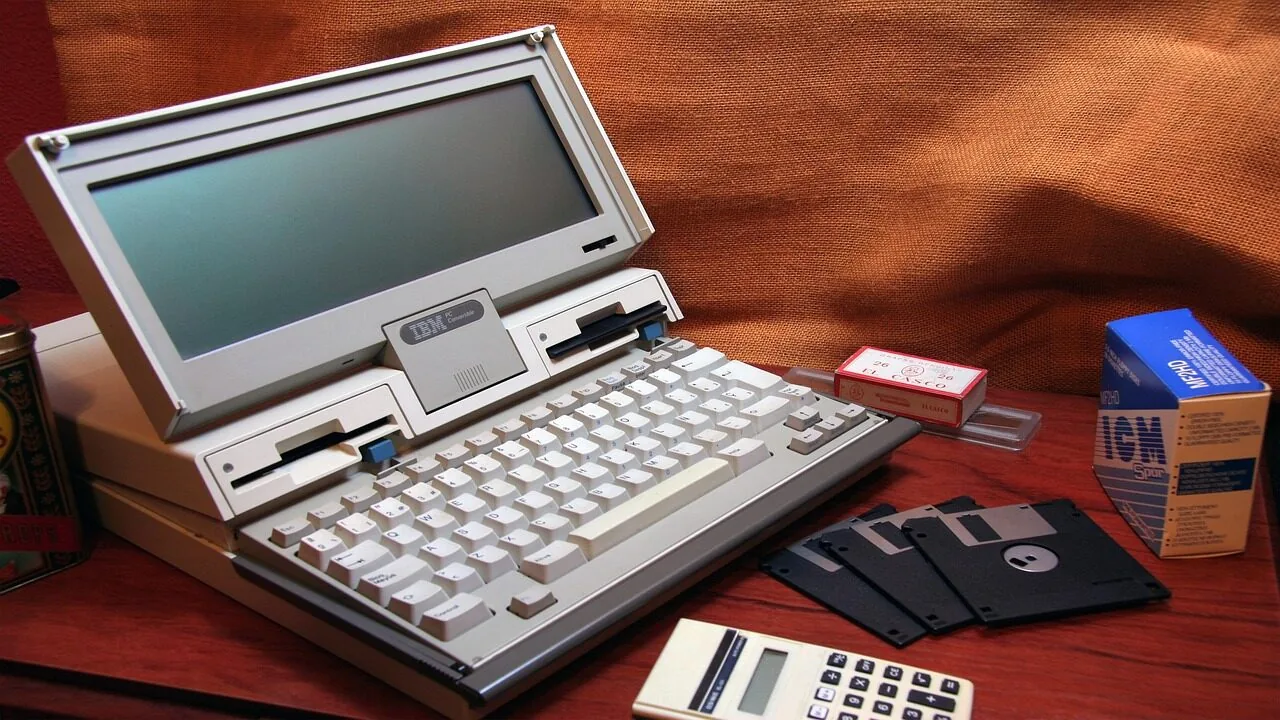
Convertible laptops have matured into genuinely versatile machines that handle everything from all-day note-taking and creative work to business presentations and casual entertainment.
Whether you fold the display back into tent mode, flip it flat for drawing, or prop it up as a tablet, a well-chosen 2-in-1 removes the need to carry both a laptop and a separate tablet.
The category spans a wide range, from budget-friendly Chromebooks to high-performance Windows machines powered by the latest Intel and AMD processors, which makes narrowing down the right pick harder than it looks.
To help you cut through the noise, our editorial team at REMOVU researched specifications, analyzed expert review consensus across the industry, and weighed verified buyer feedback for every model in this list.
We looked at form-factor flexibility, display quality, processing power, battery endurance, and value across both Chromebooks and full Windows convertibles. Scroll down to see our top picks, ranked from highest to lowest REMOVU Score.
| Award | Product | REMOVU Score About REMOVU ScoreThe REMOVU Score is our own rating from 0 to 10, based on performance, design and build, ease of use, and value. It reflects independent research and is never influenced by manufacturers, retailers, or affiliate commissions. Learn more › | Price | |
|---|---|---|---|---|
| Best Overall |
 Lenovo Flex IdeaPad 5i 16" 2-in-1 Touch
|
8.9/10 | Buy | |
| Best Premium |
 Lenovo IdeaPad 5i 16 2-in-1 Touchscreen
|
8.5/10 | Buy | |
 Dell Latitude 3340 2-in-1, i5, 16GB, 512GB
|
8.3/10 | Buy | ||
| Best Value |
 Dell Inspiron 14 2-in-1 14" FHD Touchscreen
|
8.1/10 | Buy | |
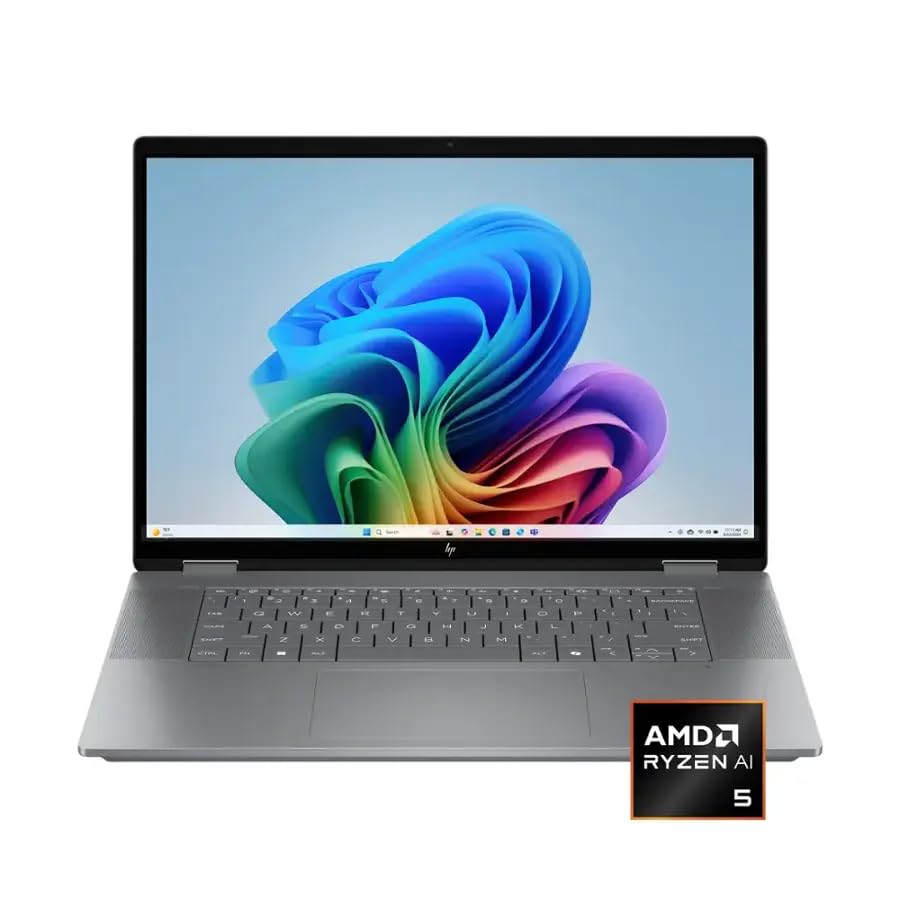 HP OmniBook X Flip 16 2-in-1 Ryzen AI 5
|
7.6/10 | Buy | ||
 Dell Inspiron 15 10-Core i5 Touchscreen Laptop
|
6.8/10 | Buy | ||
| Best Budget |
 ASUS Chromebook Flip CX1 14" 2-in-1 Convertible
|
7.2/10 | Buy | |
 HP 14 2-in-1 Chromebook 14in FHD Intel
|
6.2/10 | Buy |
Lenovo Flex IdeaPad 5i 16" 2-in-1 Touch
A versatile 16-inch 2-in-1 convertible built for professionals and creative workers who need flexibility without compromise. The Intel Core Ultra 7 processor handles demanding multitasking smoothly, while the touchscreen and included stylus pen make it natural for note-taking and design work. The 32GB RAM and 2TB total storage (SSD plus docking station) provide substantial capacity for resource-intensive applications.
Pros
- Large 16-inch WUXGA touchscreen with 2-in-1 flexibility for multiple work modes
- 32GB LPDDR5X RAM ensures smooth multitasking and handling resource-intensive tasks
- Intel Core Ultra 7 255U with AI acceleration optimizes performance across productivity and creative workflows
- Comprehensive bundle includes Lenovo Digital Pen 2, 7-in-1 docking station with 1TB storage, and accessories
- Windows 11 Pro and backlit keyboard support professional work environments
Cons
- Intel Graphics limits performance for demanding 3D rendering or high-end gaming beyond light creative work
- Storage split between 1TB SSD and 1TB docking station may require dock connectivity for accessing full capacity
- Single 5-star review provides limited user feedback on real-world durability and long-term performance
Lenovo IdeaPad 5i 16 2-in-1 Touchscreen
The Lenovo IdeaPad 5i 16" is a versatile 2-in-1 convertible with a large touchscreen, Intel Core Ultra 7 processor, and 32GB RAM, making it ideal for professionals and students who need flexibility between laptop and tablet modes. The included digital pen and robust specs deliver solid performance for productivity and light creative work.
Pros
- Flexible 2-in-1 design with 360-degree hinge adapts to any work style or preference
- Large 16-inch touchscreen with 1920x1200 resolution offers excellent workspace for multitasking
- Intel Core Ultra 7 processor and 32GB RAM deliver strong performance for professional applications
- Digital pen included, eliminating the need for separate purchase
- Fast 1TB SSD storage enables quick application launches and file transfers
Cons
- Limited to integrated Intel graphics, not suitable for demanding gaming or 3D rendering
- Single review rating limits user feedback data for informed decision-making
- 57WH battery may require midday charging during heavy workloads
Dell Latitude 3340 2-in-1, i5, 16GB, 512GB
The Dell Latitude 3340 is a business-focused 2-in-1 convertible with a 13.3-inch touchscreen, Intel i5 processor, and 16GB DDR5 RAM that delivers reliable performance for hybrid work and office tasks. It excels at versatility and connectivity, though the base storage and modest graphics limit heavy multimedia work.
Pros
- Genuine 2-in-1 flexibility with x360 hinge supporting four distinct usage modes
- Business-grade security features including IR webcam, camera shutter, and Windows 11 Pro
- Lightweight and portable design ideal for remote workers and frequent travelers
- Excellent connectivity with USB-C, dual USB-A, HDMI, and Wi-Fi 6E for seamless integration
- Backlit keyboard and improved clickpad enhance typing comfort and productivity
Cons
- 512GB storage may require external drives for users with large file libraries or media collections
- Intel Iris Xe graphics are adequate for business tasks but insufficient for gaming or video editing
- Base configuration lacks the 32GB RAM and larger storage options available in higher-tier models
Dell Inspiron 14 2-in-1 14" FHD Touchscreen
This convertible laptop combines Intel's 10-core Core 7 processor with DDR5 RAM and a 360-degree hinge for flexible work and creative modes. Built for students, remote workers, and professionals who need reliable multitasking performance in a lightweight, portable form factor. Windows 11 Pro and integrated Copilot support everyday productivity tasks without breaking the bank.
Pros
- 10-core Intel Core 7 150U processor with speeds up to 5.4GHz handles multitasking, video calls, and document editing smoothly
- 16GB DDR5 RAM and 512GB SSD deliver fast app launches and system responsiveness
- 360-degree convertible hinge switches between laptop, tent, stand, and tablet modes for flexible use
- 14-inch FHD touchscreen with 300 nits brightness and 16:10 aspect ratio provides good visibility and extra vertical workspace
- Wi-Fi 6E, Bluetooth, multiple USB ports, HDMI, and Full HD webcam cover connectivity needs for remote work and video conferencing
- Lightweight design at 3.77 lbs makes it genuinely portable for daily commutes
Cons
- 54Wh battery capacity is modest for all-day use without charging during heavy workloads
- Integrated Intel graphics handle everyday tasks but won't support serious photo or video editing
- No discrete GPU limits creative professional workflows beyond light content creation
HP OmniBook X Flip 16 2-in-1 Ryzen AI 5
This 16-inch convertible laptop combines a flexible 2-in-1 design with AMD's latest Ryzen AI 5 processor and Copilot+ PC capabilities for productivity and creative work. The 2K touchscreen, 21-hour battery life, and premium build in recycled metal make it a solid choice for professionals who value versatility and AI-assisted features.
Pros
- Flexible 2-in-1 flip design with 16-inch 2K touchscreen viewable at multiple angles
- Strong battery life up to 21 hours supports all-day mobile work
- AMD Ryzen AI 5 with 50 TOPS NPU enables on-device AI features via Copilot+ PC
- Comprehensive ports including Thunderbolt 4, HDMI 2.1, and dual USB-A for connectivity
- Lightweight at 4.43 lbs with sleek design using recycled metal construction
Cons
- 512GB storage is modest for creative professionals; SSD upgrades not mentioned as user-serviceable
- 16GB RAM is baseline for AI workloads; no option for higher capacity noted in specs
- Screen brightness at 400 nits is adequate but not exceptional for outdoor use
Dell Inspiron 15 10-Core i5 Touchscreen Laptop
A practical 15.6-inch touchscreen laptop built for students and remote workers who need reliable everyday performance without breaking the bank. The 10-core Intel i5 processor handles multitasking smoothly, while the 256GB SSD plus 500GB external drive combo gives you flexibility for storage. Windows 11 Pro and bundled lifetime Microsoft Office make it ready for both academics and professional work out of the box.
Pros
- 10-core Intel i5-1334U processor delivers solid multitasking and light creative work performance
- Responsive 15.6-inch FHD touchscreen with IPS panel offers good viewing angles and intuitive navigation
- Generous bundle includes wireless mouse, docking station hub, external drive, and lifetime Microsoft Office
- Windows 11 Pro with built-in security features suitable for students and small business use
- Lightweight at 3.66 lbs with up to 9-hour battery life for portable productivity
Cons
- Storage split between 256GB SSD and external drive means you'll need to manage which files go where for optimal speed
- USB Type-C port limited to data transfer only, no power delivery for charging via USB-C
- No dedicated graphics card, so performance caps out for demanding video editing or modern gaming
ASUS Chromebook Flip CX1 14" 2-in-1 Convertible
A lightweight 2-in-1 Chromebook designed for students and mobile workers who need flexibility without bulk. The 360-degree hinge, 11-hour battery, and four work modes make it adaptable for different tasks, while ChromeOS keeps things simple and secure. Best suited for those committed to Google's ecosystem.
Pros
- 360-degree convertible design with four practical work modes for varied productivity styles
- Impressive 11-hour battery life for all-day use without frequent charging
- Lightweight at 3.59 lbs with MIL-STD 810H durability for portability and reliability
- 14-inch FHD touchscreen with NanoEdge bezels for immersive viewing and interaction
- Solid connectivity including Wi-Fi 6, dual USB-C, and microSD card reader
Cons
- Intel Celeron N4500 processor handles multitasking adequately but lacks power for demanding applications
- 128GB eMMC storage is modest for users who store large files locally, though ChromeOS relies on cloud storage
- ChromeOS ecosystem limits offline functionality and Microsoft Office compatibility compared to Windows or macOS
HP 14 2-in-1 Chromebook 14in FHD Intel
A budget-friendly 2-in-1 Chromebook with a 14-inch FHD touchscreen and Intel N100 processor, ideal for students and light users seeking affordability and versatility. The renewed condition and included warranty make it a solid value option for everyday computing tasks.
Pros
- Versatile 2-in-1 design with 360-degree hinge eliminates need for separate tablet
- Excellent value at renewed pricing with full warranty protection included
- Google Assistant integration streamlines workflow with voice commands
- Fast 6th-gen WiFi and Bluetooth 5 ensure strong connectivity
- Access to Google Play Store expands functionality beyond traditional Chrome OS apps
Cons
- 4GB RAM and 64GB storage are modest by modern standards; may feel limiting for power users
- Intel N100 processor handles everyday tasks but lacks power for demanding applications
- Renewed condition means cosmetic wear or previous use, though warranty mitigates risk
Convertible Laptops Buying Guide
Choosing a convertible laptop is not quite the same as buying a traditional clamshell.
You are paying for the mechanical hinge, the touch layer, and often a stylus ecosystem on top of the baseline computing hardware, so understanding what actually matters in each area helps you avoid overspending where it counts least for your workflow.
The guide below walks through the criteria our team weighted most heavily when scoring these picks.
If you are still deciding between a 2-in-1 and a standard notebook, our broader look at 2-in-1 laptops for every kind of user covers that comparison in depth.
Hinge Design and Form-Factor Flexibility

Not all convertibles rotate the same way. The most common design is the 360-degree rotating hinge that lets the display fold all the way back, converting the laptop into a thick tablet or a tent.
A smaller number of models use a detachable keyboard instead, which produces a lighter tablet but tends to sacrifice rigidity when typing on a lap.
For most buyers the 360-degree hinge is the safer pick because the keyboard is always attached and the machine functions normally as a laptop without any extra steps.
Hinge quality is worth scrutinizing closely. A loose hinge wobbles when you touch the screen in laptop mode, which is annoying during meetings or while inking notes.
A stiff hinge that requires two hands to open is equally frustrating on a daily commute.
Look for reviews that specifically mention hinge tension and stability over time, since a hinge that feels solid at unboxing can loosen noticeably after several months of heavy rotation.
Screen size plays directly into portability. Models in the 13 to 14 inch range are easiest to use as tablets and fit in most backpacks, while 15 to 16 inch convertibles prioritize screen real estate at the cost of tablet ergonomics.
If you plan to use the device primarily in laptop mode and only occasionally fold it back for drawing or watching video, the larger size is a reasonable trade-off.
Display Quality and Touch Responsiveness

Because you will be tapping, swiping, and potentially inking directly on the screen, display quality matters more in a convertible than in a comparable clamshell. Resolution and panel type are the first two checkboxes.
IPS-type panels remain the most common, offering accurate colors, wide viewing angles, and good brightness at realistic prices.
You will also encounter OLED panels in premium tiers, which deliver deeper blacks and punchier colors but can introduce glossy reflections and long-term burn-in risk if you display static content for extended periods.
Touch responsiveness is often overlooked in spec sheets.
A display rated for ten simultaneous touch points is table stakes; what differentiates good implementations is latency, palm rejection accuracy, and how the screen behaves when you rest your hand on it while writing.
Verified buyer feedback consistently highlights poor palm rejection as one of the most frustrating day-to-day friction points in budget convertibles, so it is worth reading recent owner reviews before committing.
Brightness matters especially for tent and tablet modes, where you are more likely to be sitting away from a controlled desk environment. A panel that reaches at least 300 nits covers most indoor scenarios.
If you frequently work near windows or outdoors, prioritize panels rated at 400 nits or higher. Anti-glare coatings help, but keep in mind they can soften image sharpness slightly compared to glossy alternatives.
Processor and RAM for Your Workload
Processor choice in convertibles usually comes down to efficiency versus raw performance. Ultra-low-voltage chips from Intel and AMD dominate this category because they generate less heat in thin chassis and extend battery life.
Intel Core Ultra processors and AMD Ryzen AI series are the current generation to look for if you want AI-accelerated features and strong sustained performance.
Both outperform older U-series chips by a meaningful margin for tasks like video calls, document editing, light photo work, and browser-heavy workflows.
RAM configuration significantly affects multitasking comfort.
Sixteen gigabytes is the realistic floor for Windows 11 if you keep several browser tabs open alongside productivity apps; models configured with only 8 GB can feel sluggish when switching between a video call and a slide deck.
For buyers who run more demanding software or keep dozens of tabs open as a habit, 32 GB gives considerable headroom.
Because most convertibles solder RAM to the motherboard, the configuration you buy is the one you keep, so it pays to buy more than you think you need today.
Chromebooks operate differently. ChromeOS is far lighter than Windows, so a Celeron or low-end Intel processor paired with 8 GB of RAM can deliver a snappy experience for web-based work, Google Workspace, and media consumption.
If your workflow lives inside a browser, a Chromebook convertible at a fraction of the price of a Windows machine is a genuinely practical choice. Our roundup of 2-in-1 laptops under 1000 includes options from both platforms at accessible price points.
Storage and Expandability

SSD speed and capacity both matter, but capacity gets underestimated most often.
Budget Chromebooks frequently ship with 64 GB of eMMC storage, which is enough if you primarily work in the cloud but becomes restrictive the moment you start downloading apps, offline maps, or media files.
Windows convertibles generally offer 256 GB as an entry point, though 512 GB is far more comfortable for most users and 1 TB is the sweet spot for anyone who stores large files locally.
SSD type matters for performance. eMMC storage, common in budget Chromebooks, is slower than NVMe SSDs found in mid-range and premium Windows models.
The practical difference shows up during large file transfers, app installs, and OS updates rather than everyday browsing, so whether it matters to you depends on how you use the machine.
If you plan to do any video editing or large file management, prioritize an NVMe SSD and at least 512 GB of capacity.
Battery Life and Charging

Battery life claims from manufacturers are almost always measured under light load, so real-world endurance tends to fall noticeably shorter than advertised.
Expert review consensus is the most reliable proxy here, since reviewers typically run standardized workloads that reflect more realistic usage.
For a convertible you intend to carry through a full workday without hunting for a plug, look for models where independent reviewers consistently report eight hours or more at moderate brightness.
Charging speed is a practical consideration that spec sheets often bury. USB-C Power Delivery support is increasingly standard, which means you can charge from a laptop power bank or a shared USB-C charger rather than carrying a proprietary brick.
Some models support fast charging that tops up 50 percent of the battery in around 30 minutes, which is useful when you have a short break between meetings.
Check whether the included charger supports fast charging or whether that requires an aftermarket purchase.
Stylus Support and Pen Ecosystem

One of the primary reasons buyers choose a convertible over a standard laptop is stylus support for note-taking, sketching, or annotation. Not all active styluses are equal.
Higher pressure levels (4,096 levels is a common benchmark in this class) produce smoother, more natural-feeling lines, while tilt recognition matters for shading in creative applications.
Latency between pen tip and on-screen mark is the single most important variable for handwriting feel; even a small lag makes writing feel disconnected.
Some convertibles include a pen in the box; others sell it separately at a meaningful additional cost. Models that garage the stylus inside the chassis ensure it is always charged and within reach, while loose styluses are easy to misplace.
If pen input is central to your use case, prioritize models where the pen is bundled and check whether it requires battery replacement or charges via USB.
Why You Should Trust Us
REMOVU is an independent review publication. We have no financial relationship with any manufacturer whose products appear in this list, and our editorial team operates separately from any commercial partnerships.
Every product in this roundup was evaluated and scored using a consistent methodology: we assess specifications, weigh expert review consensus drawn from published sources across the industry, analyze verified buyer feedback from confirmed purchasers, and incorporate publicly available benchmark data where applicable.
Each model receives a REMOVU Score on a scale of 0 to 10, reflecting its overall merit relative to the category.
We do not conduct our own product trials; our evaluations are grounded in research, published data, expert review consensus, and verified buyer feedback.
REMOVU participates in affiliate programs, which means we may earn a commission if you purchase through a link on this page. That relationship does not influence which products we recommend, how we rank them, or what scores they receive.
Our picks are determined entirely by the quality of our evaluation, not by commission rates. We update our research periodically to reflect new releases and price changes, so the rankings you see reflect our current assessment of the category.
Final Thoughts
The convertible laptop market in 2026 offers genuinely strong options at every budget level, from capable Chromebooks for cloud-centric workflows to fully loaded Windows machines built around the latest Intel Core Ultra and AMD Ryzen AI processors.
After evaluating all eight models in this roundup against consistent criteria, here are the standout picks by use case.
- Best Overall: Lenovo Flex IdeaPad 5i 2-in-1 16″. This model earned the highest REMOVU Score in the group. The combination of an Intel Core Ultra 7 processor, 32 GB of LPDDR5X RAM, generous storage, a bundled stylus pen, and a large WUXGA touch display makes it the most complete convertible in the roundup for users who want high performance with genuine versatility.
- Best for Power Users Who Want Portability: Lenovo IdeaPad 5i 16″ 2-in-1. A very close runner-up with 32 GB of RAM, a Core Ultra 7, and an included digital pen. The slightly narrower storage footprint keeps it marginally behind the top pick, but it remains an excellent choice for demanding multitaskers who want a laptop that doubles as a capable creative canvas.
- Best for Business Professionals: Dell 2-in-1 Latitude 13.3″ Touchscreen. Built around Intel Core i5 with 16 GB of DDR5 RAM and a 512 GB SSD, this model earns its place with a 1080p IR webcam for Windows Hello, a backlit keyboard, and business-grade durability. Verified buyers highlight the display quality and strong battery performance as consistent strengths.
- Best for Everyday Versatility at a Mid-Range Price: Dell Inspiron 14 2-in-1. Intel Core 7 processing with ten cores, 16 GB of DDR5 RAM, and a 512 GB SSD in a compact 14-inch form factor. The fingerprint reader, backlit keyboard, Copilot key, and Windows 11 Pro make it a polished daily driver that adapts easily between modes.
- Best Budget Chromebook Convertible: ASUS Chromebook Flip CX1. For users whose work lives in a browser, this 360-degree convertible delivers a 14-inch FHD NanoEdge touchscreen, 8 GB of RAM, and 128 GB of eMMC storage under ChromeOS. It is a practical, low-friction pick for students and light users who do not need Windows.
Whatever your budget or use case, the models above cover the most important needs in the convertible category. Browse the full laptops category on REMOVU if you want to compare convertibles against traditional notebooks side by side.
Frequently Asked Questions
What is the difference between a convertible laptop and a regular 2-in-1?
The terms are often used interchangeably, but “convertible” typically refers to a laptop with a 360-degree hinge that folds into tent, stand, or tablet mode while keeping the keyboard attached.
A “2-in-1” can also describe detachable designs where the keyboard separates entirely from the display. Most models in this roundup are 360-degree convertibles, which offer a more consistent typing experience and are generally more durable day-to-day.
Is a convertible laptop good for students?
Yes, convertibles are well-suited to student use.
The ability to fold the screen back for handwritten notes, use the device as a tablet for reading PDFs, and flip into tent mode for watching lecture recordings adds genuine utility compared to a standard laptop.
Students on tighter budgets who primarily use web apps and Google Workspace may find a Chromebook convertible delivers excellent value, while those studying design, engineering, or media production should prioritize a Windows model with a capable processor and enough RAM for demanding software.
How important is the stylus for a convertible laptop?
That depends almost entirely on your workflow. If you take handwritten notes, annotate documents, sketch ideas, or do any digital art, a high-quality active stylus with low latency is one of the most important factors in your buying decision.
If you primarily type and only occasionally use touch to scroll or tap, the stylus is a nice bonus but not worth paying a significant premium for.
Check whether the pen ships in the box or costs extra, and look for at least 4,096 levels of pressure sensitivity for a natural writing feel.
Should I choose ChromeOS or Windows for a convertible laptop?
ChromeOS is lighter, boots faster, and requires less maintenance than Windows, making it a strong choice for users who work primarily in a browser, rely on Google Workspace, or want a low-fuss device.
Windows gives you access to a much broader software library including professional creative tools, local business applications, and games, and it is the right choice if you need to run software that is not available on the web.
If you are comparing both platforms at similar price points, the practical question is: how much of your work can realistically move into a browser tab?
How much RAM do I need in a convertible laptop in 2026?
For Windows convertibles, 16 GB is the comfortable baseline for everyday multitasking.
Users who run video calls, editing software, or many browser tabs simultaneously will notice the difference with 32 GB, which also provides more headroom as software demands grow over the life of the machine.
Because most convertibles have soldered RAM that cannot be upgraded later, it is worth buying more than you currently need.
For ChromeOS, 8 GB is generally sufficient given the OS’s lighter memory footprint, though 16 GB is preferable if you keep many tabs open or use Android apps heavily.
Can I use a convertible laptop for video editing?
Light to moderate video editing is feasible on a capable Windows convertible with a current-generation processor and at least 16 GB of RAM, though for serious production work you will want to prioritize a model with 32 GB and a fast NVMe SSD.
The integrated graphics in most convertibles handle basic timelines, color grading, and export at 1080p reasonably well.
For 4K workflows with heavy effects, a dedicated GPU is a significant advantage, and that typically pushes you toward a gaming laptop rather than a thin-and-light convertible.
See our dedicated coverage of laptops for video editing if that is your primary use case.
About the author

Paul Syverson writes reviews and buying guides for REMOVU.