7 Tips for Maximizing Fast Charging Battery Life and Speed
Maximize charging speed and battery longevity with these seven practical strategies for everyday use.
 By Adrian Rogers
Updated October 1, 2026
By Adrian Rogers
Updated October 1, 2026
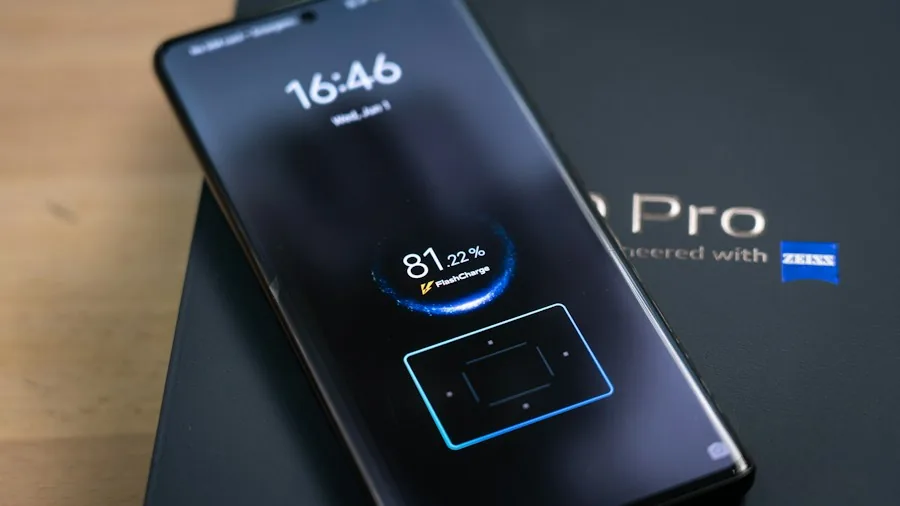
Fast charging technology has become a standard feature on modern smartphones, but many users don’t fully understand how to get the most from it. Whether you’re dealing with 80W wired charging, wireless fast charging, or older devices with more modest power delivery, understanding the fundamentals can help you keep your battery healthy while charging efficiently. Here are seven practical tips to optimize your fast charging experience and extend your device’s overall battery lifespan.
1. Choose the Right Charger and Cable for Your Device
Not all chargers deliver the same power output, and using the wrong one can slow down your charging speed or damage your battery over time. Each phone has a maximum charging wattage it can safely accept, ranging from 25W on some models to 80W or higher on flagship devices. Always verify your phone’s specifications and purchase chargers rated for that exact wattage. Using a charger with lower wattage than your device supports will result in slower charging times, while exceeding the recommended power can generate excess heat and degrade your battery faster. The best approach is to use the charger included with your device or purchase a certified third-party option from a reputable manufacturer.
2. Monitor Temperature During Charging Sessions
Heat is the enemy of battery longevity. When your phone charges quickly, it naturally generates more heat than standard charging. Keep your device in a cool environment while charging and remove any thick case that might trap heat. If your phone becomes uncomfortably warm to the touch, stop charging and let it cool down. Many modern smartphones include thermal management features that automatically slow charging speed if the battery gets too hot, so don’t be surprised if you notice a temporary dip in charging speed on warm days or in direct sunlight. Ambient temperature significantly affects how efficiently your battery can absorb charge.
3. Avoid Charging to 100 Percent Regularly
Repeatedly charging your battery to full capacity puts stress on the cells and shortens overall lifespan. If you have the option, aim to keep your battery between 20 and 80 percent for daily use. Many phones now offer charging limit settings that automatically stop charging at 80 percent, which can extend battery health considerably over months and years. Reserve full charges for situations where you absolutely need maximum capacity, such as before a long trip or important event. This practice is especially valuable for people who use fast charging daily, since the combination of rapid power delivery and full-capacity cycles accelerates wear.
4. Use Airplane Mode or Low Power Mode While Charging
Enabling Airplane Mode or your phone’s battery saver mode reduces background activity and allows the device to dedicate more resources to charging rather than running apps and services. This tactic is particularly effective for fast charging because it minimizes the heat generated by simultaneous charging and processing. Additionally, closing unnecessary apps before you charge can reduce CPU load and help the battery accept charge more efficiently. If you’re in a rush and need the fastest possible charge, disabling network connectivity temporarily provides noticeable results.
5. Invest in Portable Charging Solutions for On-the-Go Needs
While fast home charging is essential, having backup power sources ensures you’re never stranded. Power banks with fast charging support let you top up your phone anywhere, and portable power stations provide extended capacity for extended outings. For outdoor adventures, solar chargers offer eco-friendly backup power when grid access isn’t available. These solutions reduce pressure on your primary battery by providing alternative charging routes throughout the day.
6. Update Your Device Regularly

Manufacturers frequently release software updates that optimize charging algorithms and battery management. These updates can improve charging speed, thermal efficiency, and overall battery longevity. Check your phone’s settings regularly for pending updates and install them as soon as possible. Updated firmware often includes refined power delivery profiles tailored to your specific device model, which directly impacts how efficiently fast charging works.
3. Plan Charging Around Your Daily Schedule
Rather than plugging in whenever your battery hits a certain level, charge strategically during downtime. Charge your phone during meals, while working at a desk, or during other stationary activities rather than constantly topping up throughout the day. This approach reduces the total charging cycles your battery endures and keeps you from relying on rapid charging for emergency top-ups. Fewer charge events, even at fast speeds, means better long-term battery health compared to frequent small charges at any speed.
Fast charging is a convenient feature that makes modern mobile devices more practical for busy lifestyles. By following these practical tips, you can maximize both the speed of your charging sessions and the overall lifespan of your battery. The key is understanding that fast charging is a tool to use strategically rather than relying on it exclusively every single day. Combine multiple approaches, stay aware of your battery’s temperature, and your device will maintain strong performance for years to come.
About the author
Adrian writes about power banks for REMOVU, balancing capacity, charging speed, and pocketability for phones and laptops. He helps readers stay topped up without carrying a brick.