5 Reasons to Monitor Your Hard Drive Health Before It Fails
See why standard health checks miss critical wear patterns that predict drive failure.
 By Jim Harvey
Updated September 6, 2026
By Jim Harvey
Updated September 6, 2026
A hard drive can seem perfectly fine according to standard diagnostics, yet still be heading toward failure. The challenge for most users is knowing when a drive is genuinely healthy versus when it’s simply not showing obvious errors yet. This distinction becomes critical when you plan to store important data on an older or heavily-used drive.
Reason 1: Standard Health Checks Miss Critical Wear Patterns
Most built-in disk utilities and quick SMART diagnostics report a simple pass or fail verdict. While these tools can catch catastrophic failures, they often overlook the intermediate warning signs that indicate a drive is aging. A drive might report no reallocated sectors, no pending errors, and no logged failures, yet still be accumulating stress from years of use.
The key issue is that manufacturers design their error reporting to flag immediate failure risks, not long-term wear. A drive’s normalized SMART values can hide the raw data underneath. For example, a load cycle count showing as 60 in normalized form might actually represent over 400,000 raw cycles. That context matters enormously when deciding whether a drive is suitable for new responsibilities like building a media library or storing backup files.
Reason 2: Age and Power-On Hours Reveal True Usage Patterns
A 10-year-old drive that has accumulated 11,000 power-on hours has lived a full life, regardless of what the health badge says. Manufacturers typically rate mechanical drives for around five years of service or 20,000 power-on hours under normal conditions. These figures aren’t countdown timers, but they do provide realistic context for how much life remains.
Relying only on current SMART status ignores the accumulated wear that affects reliability during intensive operations. When you move a drive from light duty (like running a TV interface) to heavy duty (like storing hundreds of gigabytes of media), the historical wear becomes relevant. A drive might handle minimal operations fine while struggling under sustained read-write workloads.
Reason 3: Temperature Trends Indicate Stress Under Real Workloads
A single temperature reading doesn’t tell you much. However, tracking how a drive’s temperature responds to sustained use reveals whether it’s beginning to strain. A drive running at 39 degrees during idle time might climb to 46 degrees during a large file transfer. That’s within normal operating range, but it shows the drive is working harder than it used to.
Historical temperature data helps you understand whether the drive is thermally stable during the kinds of tasks you actually plan to perform. Network-attached storage devices and monitoring solutions can track these trends over weeks or months, showing patterns that a single check cannot reveal. Rising temperatures over time suggest internal friction or declining cooling efficiency.
Reason 4: Mechanical Symptoms Often Precede Electrical Failures
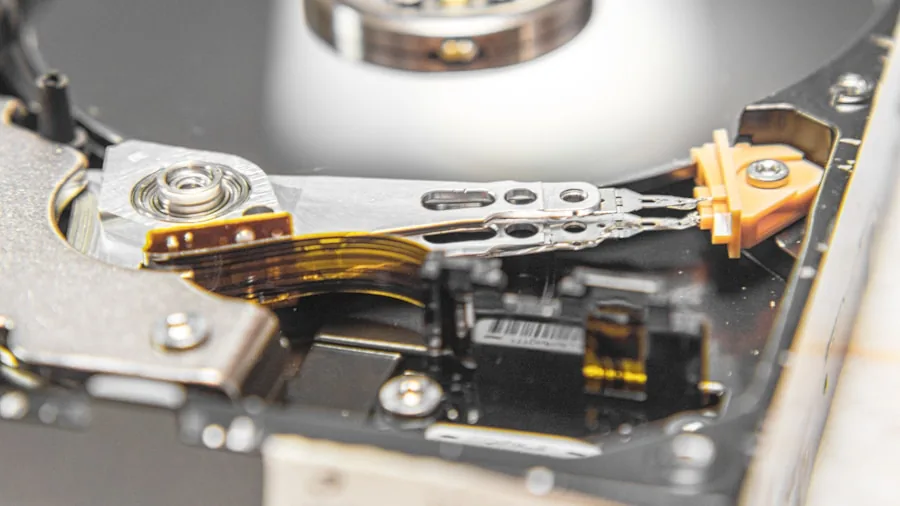
Unusual sounds from a hard drive can indicate real problems even when every diagnostic tool reports green. Clicking, grinding, or excessive chirping during disk operations suggests mechanical wear that hasn’t yet progressed to data corruption. The frustrating reality is that SMART systems monitor electrical and logical errors, not the mechanical degradation happening inside the drive.
You might need to go beyond software diagnostics and trust what your ears tell you. A drive that sounds wrong during sustained write operations might not yet be failing, but it’s signaling that intensive use could push it past a tipping point. This is especially important before committing significant data to an older drive.
Reason 5: Understanding Context Prevents Costly Data Loss
The difference between a drive that’s “not currently failing” and a drive that’s “genuinely reliable for your needs” is huge. A 13-year-old mechanical drive can continue running a Linux box or media center without issue. However, storing hundreds of gigabytes of irreplaceable media on it introduces risk that no amount of passing diagnostics can eliminate.
Monitoring tools that display historical trends, temperature graphs, and manufacturer load-cycle specifications give you the context to make informed decisions. Instead of simply trusting a health badge, you can see the accumulated hours, understand how close the drive is to manufacturer-specified limits, and determine whether continued use aligns with your actual risk tolerance. Network infrastructure and storage solutions should match your willingness to accept drive failure.
A drive passing all checks doesn’t mean it’s suitable for new storage responsibilities. By monitoring health trends and understanding wear patterns, you make replacement decisions based on data rather than false confidence. This approach prevents the frustration of rebuilding data libraries and gives you confidence in the reliability of your storage system.
About the author
Jim covers internal hard drives for REMOVU, comparing capacity, reliability, and value for mass storage and NAS builds. He helps readers store more for less without sacrificing dependability.