The 8 Best Home Printers
Ink costs matter more than the sticker price. Our research covers Canon, Epson, HP, and Brother models to help you find the home printer that fits how you actually print.
 By Clyde Spencer
Updated July 26, 2026
By Clyde Spencer
Updated July 26, 2026
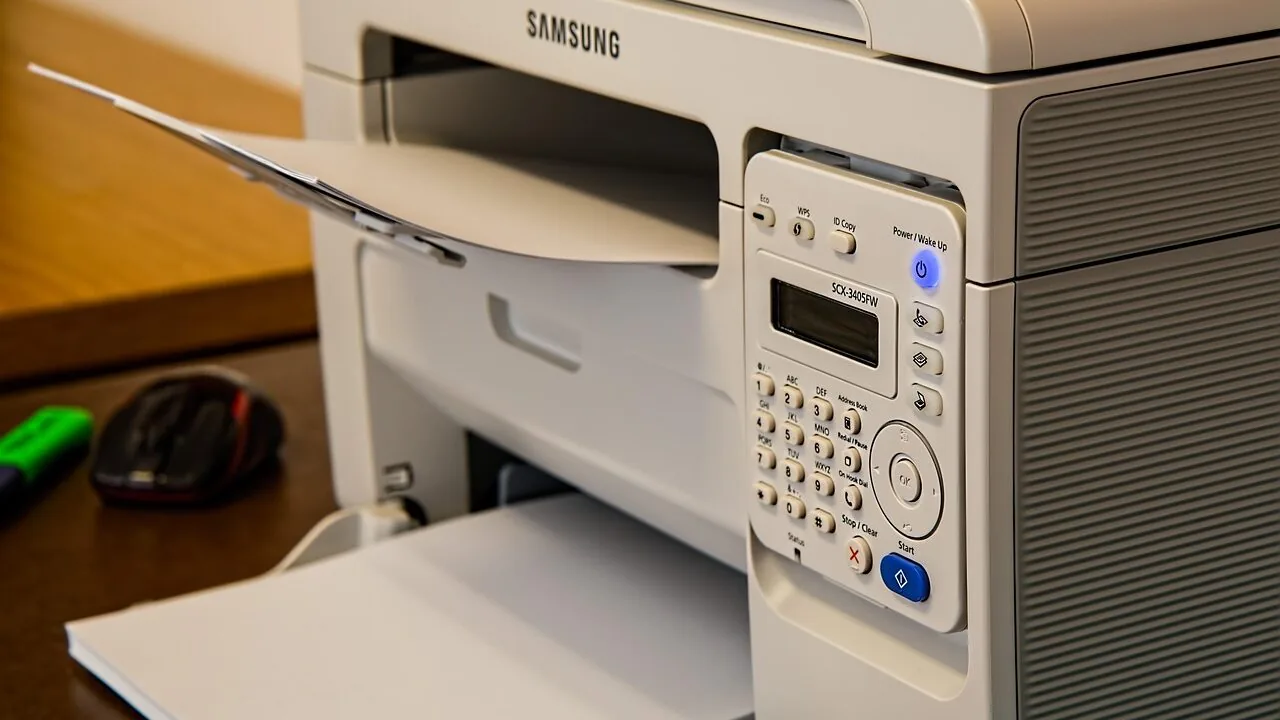
Choosing a home printer in 2026 is more nuanced than it used to be.
The market now splits cleanly between traditional inkjet models that cost little upfront but drain your wallet with replacement cartridges, and ink tank or MegaTank designs that flip that equation entirely by bundling years of ink into the purchase price.
Factor in wireless connectivity, automatic two-sided printing, and whether you need to scan or copy, and the options multiply fast.
Whether you print school projects once a week or churn out documents and borderless photos daily, picking the wrong printer means either overspending on ink or settling for output quality that frustrates you every time you lift the lid.
This guide cuts through the noise by evaluating printers from Canon, Epson, Brother, and HP across every major home printing category, from budget inkjets to high-volume supertanks.
Our research draws on manufacturer specifications, verified buyer feedback, and expert review consensus to surface the picks most likely to serve real households well.
Every model below has been assessed and scored on our consistent REMOVU criteria, so you can compare them side by side before committing. Scroll down for our ranked top picks.
| Award | Product | REMOVU Score About REMOVU ScoreThe REMOVU Score is our own rating from 0 to 10, based on performance, design and build, ease of use, and value. It reflects independent research and is never influenced by manufacturers, retailers, or affiliate commissions. Learn more › | Price | |
|---|---|---|---|---|
| Best Overall |
 Canon MAXIFY GX2020 MegaTank All-in-One Printer
|
8.9/10 | Buy | |
| Best Premium |
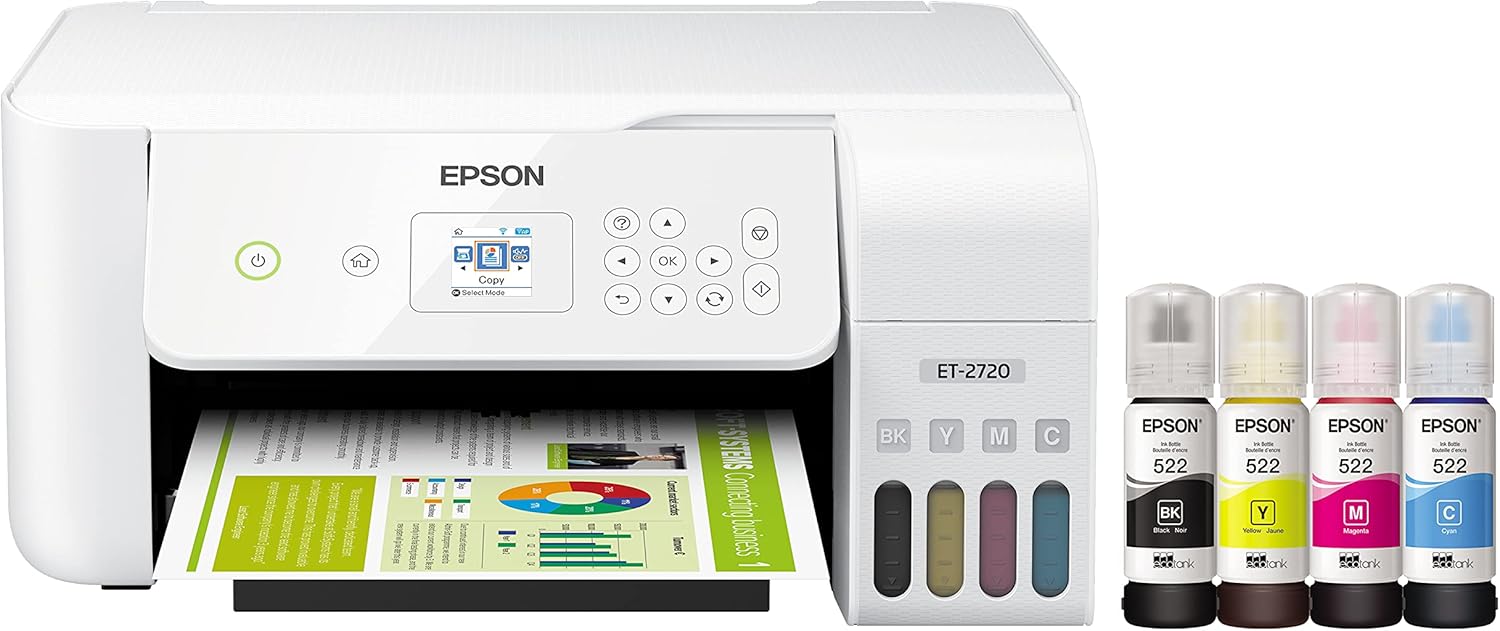 Epson EcoTank ET-2720 All-in-One Wireless Printer
|
8.3/10 | Buy | |
 Epson EcoTank ET-2980 All-in-One Wireless Printer
|
8.2/10 | Buy | ||
| Best Value |
 HP Smart Tank 6003 Wireless All-in-One Printer
|
8.6/10 | Buy | |
 Brother MFC-J1410DW Wireless All-in-One Inkjet
|
7.2/10 | Buy | ||
| Best Budget |
 Canon PIXMA TR7120 All-in-One Inkjet Printer
|
7.5/10 | Buy | |
 Canon PIXMA TS6520 Wireless All-in-One Inkjet
|
6.2/10 | Buy | ||
 Canon PIXMA TS8820 Wireless All-in-One Photo Printer
|
7.6/10 | Buy |
Canon MAXIFY GX2020 MegaTank All-in-One Printer
A compact, wireless all-in-one designed for home offices and small businesses that need high-volume printing without breaking the bank. The MegaTank system delivers thousands of pages per ink fill, while features like automatic document feeder, mobile printing, and dual-band Wi-Fi handle daily workflows efficiently. Best suited for users prioritizing low cost-per-page over print speed.
Pros
- Exceptional page yield per ink fill, up to 3,000 pages per color, dramatically reducing consumable costs
- True all-in-one functionality with print, copy, scan, and fax in a space-saving footprint
- 35-sheet automatic document feeder streamlines multi-page scanning and copying tasks
- Wireless and mobile printing support via dual-band Wi-Fi, Ethernet, and cloud services
- User-friendly 2.7-inch LCD touchscreen and easy-to-fill keyed ink tanks minimize maintenance friction
Cons
- Print speeds of 15 ipm black and 10 ipm color are moderate, not ideal for high-speed production environments
- 250-sheet paper cassette capacity is standard, requiring frequent refills in heavy-use scenarios
- Rating of 4.4 stars from 25 reviews suggests limited real-world feedback compared to mainstream alternatives
Epson EcoTank ET-2720 All-in-One Wireless Printer
A cartridge-free all-in-one designed for budget-conscious households that print regularly. The high-capacity ink tanks deliver years of printing on a single set, and replacement bottles cost significantly less than traditional cartridges. Includes scanning and copying, plus wireless and voice-activated printing for modern convenience.
Pros
- Massive ink capacity reduces refilling frequency, with included set lasting up to 2 years of typical home use
- Replacement ink bottles cost up to 90% less than cartridge equivalents, lowering long-term printing costs substantially
- All-in-one functionality with flatbed scanner and copier built in, plus wireless and voice-activated printing
- Genuine Epson MicroPiezo technology delivers sharp text and quality color output on various paper types
- 2-year limited warranty with registration provides extended protection and peace of mind
Cons
- Entry-level model lacks automatic duplex printing and advanced features like memory card slot or touchscreen found in higher tiers
- Actual ink yields vary based on print patterns and color usage, meaning real-world page counts may differ from specifications
- Requires genuine Epson ink for warranty coverage; third-party inks void protection and may damage the printer
Epson EcoTank ET-2980 All-in-One Wireless Printer
This refillable ink tank printer ships with enough ink to last roughly three years of typical home use, making it practical for families tired of frequent cartridge replacements. The 15 PPM print speed and automatic two-sided printing handle everyday documents efficiently, while wireless connectivity and the Epson Smart Panel app enable printing from phones and computers. Photo-quality output and a permanent printhead designed for the printer's lifetime add durability to the value proposition.
Pros
- Included ink supply covers up to 3 years of printing at average volumes, reducing cartridge purchase frequency
- Refillable tank system with keyed EcoFit bottles simplifies refilling and eliminates cartridge waste
- Permanent printhead engineered to last the life of the printer, unlike thermal inkjet alternatives
- Wireless and USB connectivity with mobile printing via Epson Smart Panel app
- Auto duplex printing and 4800 x 1200 dpi resolution for sharp text and photo quality
Cons
- Print speeds of 15 PPM black and 8 PPM color are slower than comparable mid-range color printers
- Small 1.44-inch color touchscreen limits ease of navigation compared to larger displays on higher-end models
- No automatic document feeder, requiring manual page feeding for scanning or copying multiple documents
HP Smart Tank 6003 Wireless All-in-One Printer
The HP Smart Tank 6003 combines printing, scanning, and copying in one refillable ink tank system designed for high-volume home use. It ships with enough ink for up to three years of printing, making it a genuinely economical choice for families or remote workers who print frequently. Wireless connectivity and AI-capable features add modern convenience, though setup and ongoing maintenance still require some attention.
Pros
- Exceptional ink value: up to 3 years of Original HP Ink included, yielding up to 8,000 color or 6,000 black pages from the box
- Cartridge-free refill system eliminates mess, squeezing, and spilling with simple bottle-to-tank design
- Three-in-one functionality (print, copy, scan) with wireless and mobile printing for flexible home workflows
- AI-capable with automatic updates to adapt to user needs and maintain security
- Consistent print quality with sharper text and richer colors compared to standard cartridge printers
Cons
- No specifications provided in product data, limiting clarity on print speed, resolution, and tank capacity details
- Refillable tank system, while mess-free by design, still represents ongoing maintenance compared to traditional cartridge swaps
- 4.4-star rating based on only 34 reviews suggests limited long-term feedback on durability and reliability
Brother MFC-J1410DW Wireless All-in-One Inkjet
A compact multifunction printer built for home offices and small workspaces, combining print, copy, and scan in one device. The 2.7-inch touchscreen and cloud app integration streamline common tasks, while automatic duplex printing and a 20-sheet document feeder boost productivity. Wireless and mobile printing via the Brother Mobile Connect app add flexibility for on-the-go work.
Pros
- 2.7-inch color touchscreen with direct cloud app access (Google Drive, Dropbox, OneDrive, Box)
- Automatic duplex printing and 20-sheet automatic document feeder reduce manual handling
- Compact design fits tight home office and small business spaces without sacrificing functionality
- Multiple connectivity options: wireless, Wi-Fi Direct, and USB for flexible setup
- Refresh subscription eligible with page yield monitoring to prevent unexpected ink outages
Cons
- Print speeds are modest at 16 ppm black and 9 ppm color, slower than mid-range competitors
- 150-sheet paper tray requires frequent refills for higher-volume printing environments
- Refresh subscription service requires enrollment and ongoing monthly charges after free trial; cartridge deactivation upon cancellation locks users into the system
Canon PIXMA TR7120 All-in-One Inkjet Printer
A budget-friendly multifunction printer that handles printing, scanning, and copying with an Auto Document Feeder for batch jobs. The compact design and dual-band Wi-Fi make it practical for home offices, though ink costs and cartridge capacity may factor into long-term expenses.
Pros
- Auto Document Feeder streamlines multi-page scanning and copying without manual sheet feeding
- Automatic duplex printing reduces paper waste and accelerates document workflows
- Dual-band Wi-Fi and Canon PRINT app support enable convenient mobile printing from phones and tablets
- Compact footprint fits tight home office spaces without sacrificing core features like ADF and OLED display
- Crisp document and photo output with 2-cartridge hybrid ink system delivers sharp text and vibrant colors
Cons
- 2-cartridge system may require frequent cartridge replacements for heavy users, increasing ongoing costs
- 1.42 inch OLED display is functional but small for detailed menu navigation compared to larger touchscreens
- No mention of print speed specifications, which may be slower than dedicated document printers for high-volume jobs
Canon PIXMA TS6520 Wireless All-in-One Inkjet
A compact, budget-friendly all-in-one that handles printing, scanning, and copying with solid quality for everyday household needs. The 1.42-inch OLED display and automatic 2-sided printing make it straightforward to use, while dual-band Wi-Fi and mobile app support keep things flexible. Best suited for families and students who print occasionally and value simplicity over advanced features.
Pros
- Automatic 2-sided printing reduces paper waste and workflow time
- Dual-band Wi-Fi (2.4GHz/5GHz) with Apple AirPrint and Mopria support for reliable mobile printing
- Sharp text and vibrant color output from 2-cartridge hybrid ink system
- Compact footprint fits easily into tight home workspaces
- Intuitive 1.42-inch OLED display for quick status checks and settings
Cons
- No automatic document feeder (ADF) limits scanning and copying efficiency for multi-page jobs
- Limited to 100-sheet input tray, requiring frequent refills for heavy use
- Lacks advanced features found in higher-tier models, making it basic for power users
Canon PIXMA TS8820 Wireless All-in-One Photo Printer
A versatile six-color inkjet printer designed for both photo and document work, the TS8820 combines wireless connectivity with a 4.3-inch touchscreen for intuitive operation. Its 100-sheet dual tray system and automatic duplex printing make it practical for home offices and creative projects, though print speeds are moderate for a workhorse machine.
Pros
- Six-color hybrid ink system delivers rich color accuracy for photos while maintaining sharp black text for documents
- Wireless and mobile printing support via Canon PRINT app, AirPrint, and Mopria for flexible device connectivity
- Borderless photo printing up to 8.5 by 11 inches with built-in SD card reader for direct memory card access
- Auto duplex printing reduces paper consumption and streamlines two-sided document workflows
- Large 4.3-inch color touchscreen simplifies navigation and reduces learning curve for everyday users
Cons
- Print speeds of 15 ipm for black and 10 ipm for color are relatively modest for high-volume printing demands
- Individual ink cartridges may increase ongoing consumable costs compared to some competing models
- Flatbed scanner limits document handling to letter or A4 sizes, which may be restrictive for larger originals
Home Printers Buying Guide
Buying a home printer is a long-term commitment. The hardware cost is only part of the story; ink and toner costs, paper handling, wireless reliability, and print speed all shape how satisfied you will be a year from now.
Use the criteria below to match the right machine to how your household actually prints.
Printer Technology: Inkjet vs. Ink Tank vs. Laser
Standard inkjet printers carry a lower sticker price but rely on small, expensive cartridges. If you print only occasionally, a standard inkjet can make sense since cartridges last a reasonable time at low volumes.
For households that print more than a few dozen pages a month, the per-page cost adds up quickly and total cost of ownership often exceeds what you would pay for a supertank or MegaTank model upfront.
Ink tank printers like those in the Epson EcoTank and HP Smart Tank lines include enough ink in the box to cover thousands of pages, which slashes the ongoing cost dramatically.
Canon’s MAXIFY GX MegaTank series takes a similar approach but targets heavier document printing with faster speeds and higher-yield ink bottles.
Laser printers are a fourth option worth mentioning: they excel at sharp, fast monochrome documents but struggle with photo quality and cost more upfront. For most homes, an ink tank all-in-one offers the best balance.
If your household also relies on a capable home office desktop for productivity, pairing it with an ink tank printer that handles both documents and photos eliminates the need for two separate devices.
Print Quality: Documents vs. Photos

Not all inkjet printers produce the same quality, even at the same resolution.
Resolution is measured in dots per inch (DPI), but the number of ink colors, nozzle precision, and the ink chemistry itself all matter more than the headline DPI figure.
A printer rated at 4800 x 1200 DPI with a six-color ink system will produce noticeably richer photos than one rated at the same DPI using only four colors.
For everyday documents, most modern inkjets deliver clean, legible text at default quality settings. Where they diverge is in photo output.
If printing photos at home is a priority, look for a model that supports borderless printing, has a dedicated photo paper tray, and uses separate ink tanks per color so you only replace the color that runs out rather than an entire cartridge.
Photo enthusiasts who also enjoy capturing images on the go might appreciate how a quality printer complements a strong camera kit. Our coverage of point-and-shoot cameras for travelers and instant cameras for kids shows just how much the full capture-to-print pipeline matters to different households.
Print Speed and Duty Cycle
Manufacturers rate print speed in pages per minute (PPM), but real-world speeds at full quality are almost always lower than the headline figure. A printer advertised at 15 PPM in draft mode might produce closer to 5 to 8 PPM at standard quality.
For light home use, speed rarely matters. For households printing reports, homework packets, or shipping labels regularly, a higher duty cycle and a faster rated speed become genuinely useful.
The Canon MAXIFY GX series is specifically designed for higher monthly volumes and quotes faster speeds than consumer-focused EcoTank models. If your printing needs are modest, the speed difference is negligible.
If you regularly print more than a hundred pages per week, prioritize models with a higher monthly duty cycle rating rather than consumer-grade all-in-ones that may wear faster under heavy use.
Connectivity and Mobile Printing

Every home printer worth recommending in 2026 includes Wi-Fi, but the implementation varies.
Look for printers that support both Apple AirPrint and Mopria (the Android equivalent), which allows you to print directly from a smartphone or tablet without installing an app.
Wi-Fi Direct is an added bonus for households where the printer sits far from the router or in a guest environment.
Some models, notably in the Canon MAXIFY line, also include Ethernet for a wired network connection, which offers more reliable throughput in busy home office setups. USB connectivity remains standard across the board.
If your workflow involves scanning documents to a cloud service or sending them by email directly from the printer’s touchscreen, verify that the model supports those features natively before buying.
A well-connected home office setup often extends beyond the printer. Monitors and peripherals play an equally important role in daily productivity, and pairing them thoughtfully with your printer and computer makes the whole workspace more cohesive.
Paper Handling: Trays, ADF, and Duplex
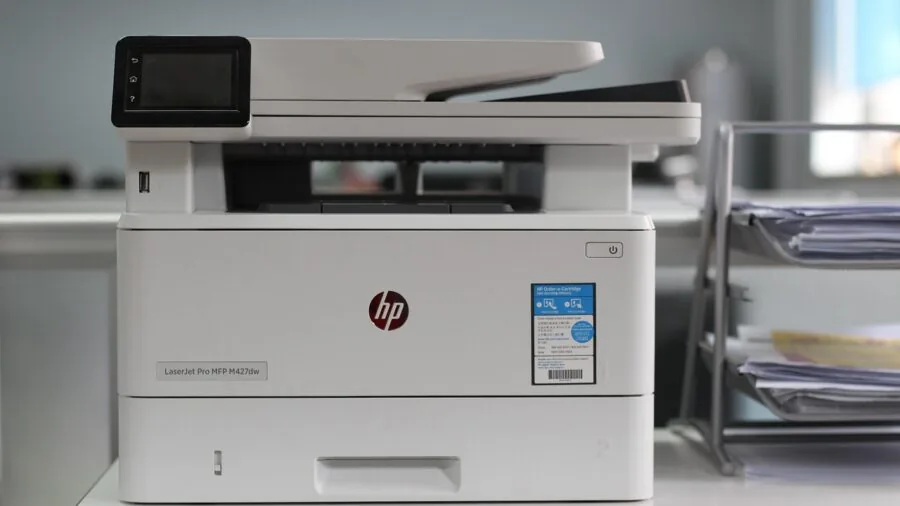
A printer’s paper handling features determine how convenient it is to use day to day.
A single-sheet rear feed works fine for occasional printing, but a front-loading 100-sheet-plus tray is far more practical for households that print regularly and do not want to reload paper constantly.
Some models also include a separate photo paper tray, letting you keep plain paper and photo paper loaded simultaneously.
Automatic document feeders (ADF) are a significant quality-of-life upgrade for anyone who scans multi-page documents.
Without an ADF, you have to place each page of a document manually on the flatbed glass, which is tedious for anything longer than a few pages.
Automatic two-sided (duplex) printing saves paper and produces more professional-looking documents without any manual flipping. Most models at the mid-range and above now include both features.
Total Cost of Ownership: Ink and Long-Term Value

The single most important financial consideration when buying a home printer is the cost of ink over the printer’s lifetime, not the sticker price of the hardware.
A budget inkjet that costs very little upfront can easily cost several times its purchase price in replacement cartridges within two years of regular use.
Ink tank and MegaTank printers shift this dynamic by bundling large-volume ink supplies at purchase, making the per-page cost a fraction of cartridge-based rivals.
When evaluating value, calculate the approximate cost per page using the manufacturer’s published page-yield figures for replacement ink. Epson’s EcoTank and HP’s Smart Tank lines publish these figures transparently.
Canon’s MAXIFY GX series similarly quotes per-page costs, which makes it easier to project long-term running costs before you buy.
Subscription ink services like Brother’s Refresh program can also reduce costs for predictable monthly print volumes, provided the per-page rate is competitive with buying ink outright.
Why You Should Trust Us
REMOVU is an independent review publication. We do not sell products, manage orders, or handle returns.
Every printer in this guide was evaluated using our structured research methodology: we analyze manufacturer specifications, compare findings across expert review consensus, weigh verified buyer feedback from confirmed purchasers, and cross-reference published data from authoritative sources.
We do not conduct our own product trials; our evaluations are grounded in research, published data, expert review consensus, and verified buyer feedback.
Each product is scored on our REMOVU Score scale of 0 to 10.
That score reflects a weighted composite of criteria consistent across every model we assess: print quality, running cost, connectivity, ease of use, paper handling, and long-term reliability signals drawn from aggregated owner experience.
Products are ranked by REMOVU Score, with the highest-scoring model listed first. Our editorial team reviews the full rankings periodically to reflect new releases and updated pricing.
REMOVU may earn an affiliate commission if you purchase through a link on this page. That relationship does not influence our scores, rankings, or product selection in any way.
We recommend a product because our research supports the recommendation, not because of the commission rate attached to it.
Final Thoughts
The home printer market has matured considerably, and the best picks available today offer genuine long-term value rather than cheap hardware designed to lock you into expensive consumables.
Whether you need a workhorse for high-volume document printing, a versatile all-in-one for family use, or a compact model that handles photos beautifully, there is a strong option in this list for you.
- Best Overall: Canon MAXIFY GX2020 Wireless MegaTank All-in-One earns the top REMOVU Score in this group thanks to its high-volume MegaTank ink system, fast document speeds, built-in fax, and Ethernet connectivity, making it the most capable and cost-efficient all-around home printer we evaluated.
- Best for Low Running Costs: HP Smart Tank 6003 Wireless All-in-One pairs a refillable ink tank design with AI-assisted features and up to three years of ink included, delivering an exceptionally low per-page cost for families that print regularly.
- Best Value Ink Tank: Epson EcoTank ET-2720 Wireless Color All-in-One remains a proven pick for households that want the supertank cost-per-page advantage in a straightforward, no-fuss package at a mid-range price point.
- Best for Photo Output: Canon PIXMA TS8820 Wireless All-in-One Inkjet stands out for creative households that prioritize high-resolution color photo printing alongside everyday scanning and copying.
- Best Budget All-in-One: Brother Work Smart MFC-J1410DW Wireless Color Inkjet offers automatic duplex printing, a 2.7-inch touchscreen, and a subscription ink trial in a genuinely affordable package suited to lighter home printing needs.
If you are building out a broader home office or creative workspace, it is worth thinking about the full ecosystem around your printer.
A reliable webcam for video calls, a comfortable set of wireless earbuds for focus sessions, or a well-chosen monitor can round out a productive setup that makes working from home genuinely enjoyable.
Frequently Asked Questions
What is the difference between an ink tank printer and a standard inkjet?
Standard inkjet printers use small sealed cartridges that need replacing frequently and cost more per page. Ink tank printers, sometimes called supertank or MegaTank models, use large refillable reservoirs filled directly from bottles.
The upfront cost is higher, but the cost per page is dramatically lower, often by a factor of ten or more, making them far more economical for any household that prints with any regularity.
Do I need an all-in-one printer, or is a print-only model enough?
For most households, an all-in-one that combines printing, scanning, and copying is the smarter buy. Even if you rarely scan today, having the capability available eliminates the need to purchase a separate flatbed scanner later.
Models with an automatic document feeder add particular value for anyone who occasionally needs to digitize multi-page documents or receipts.
How important is automatic duplex printing for home use?
Automatic duplex printing, which prints on both sides of a page without manual flipping, is genuinely useful for most households.
It reduces paper consumption by up to half for documents, makes printed booklets and reports look more polished, and saves time compared to manually flipping sheets. It is worth prioritizing in any all-in-one at the mid-range price tier and above.
Can I print wirelessly from my iPhone or Android phone?
Yes, every printer in this guide supports wireless printing. iPhone and iPad users can print via Apple AirPrint with no app required. Android users should look for Mopria certification, which enables native wireless printing from most Android devices.
Many models also support manufacturer apps like the Epson Smart Panel, Canon PRINT Inkjet, HP Smart, and Brother iPrint&Scan for additional control over print settings and scanning directly to a smartphone.
How do I decide between Canon, Epson, HP, and Brother for a home printer?
Each brand has a distinct strength. Epson’s EcoTank line pioneered the supertank concept and remains a benchmark for low running costs in home and family printing.
Canon’s PIXMA series leads in photo print quality among consumer all-in-ones, while the MAXIFY GX line targets higher-volume document printing with better speed and duty cycle.
HP’s Smart Tank range integrates well with the HP Smart app ecosystem and includes AI-assisted features on newer models. Brother is a reliable choice for straightforward document printing with strong wireless performance and competitive subscription ink options.
The right brand depends on whether photos, documents, volume, or app integration matters most to you.
Is it worth buying a printer bundle with accessories included?
Printer bundles that include accessories such as extra paper, cleaning kits, or cables can offer genuine value if you would have purchased those items separately. Evaluate the bundle by pricing out the individual components.
If the added items are things you actually need and the bundle price is competitive, it is a reasonable choice.
Be cautious of bundles that pad perceived value with items you will never use, since the core printer’s specifications and ink costs matter far more to long-term satisfaction than the accessories in the box.
About the author
Clyde covers wireless mice for REMOVU, weighing comfort, precision, and battery life for work and productivity. He helps readers find a mouse that fits their hand and their desk.