Apple Watch Driving Apps That Simplify Your Car Life
Four practical Apple Watch apps that make parking, maintenance tracking, and fuel shopping easier.
 By Kristen Jennings
Updated November 8, 2026

If you own an Apple Watch, you may already know it excels at health tracking and contactless payments. But the wearable is also packed with useful driving applications that can transform how you manage vehicle ownership. From finding your car in a crowded parking lot to monitoring maintenance schedules and comparing fuel prices, the Apple Watch ecosystem offers practical tools that save time and reduce frustration on the road.
Shoppers considering a smartwatch should know that driver-focused apps expand the value of their investment. Whether you’re a commuter dealing with daily parking challenges or someone who wants better visibility into vehicle maintenance, these applications provide real utility at your wrist. Keep in mind that all of these apps require a compatible iPhone to function, and some features operate behind subscription walls.
Automatic Parking Location Tracking with ParkingPin
Losing track of where you parked happens to nearly every driver. Large parking lots, unfamiliar locations, and similar-looking rows create confusion that wastes time and energy. ParkingPin solves this problem by automatically saving your vehicle’s location using motion detection and a Bluetooth connection to your car. You do not need to manually drop a pin or remember any details yourself.
When you return to your vehicle, ParkingPin displays a live compass showing direction and distance, along with a walking route on your wrist. The app includes a parking meter timer that sends reminders when time is about to expire, helpful when you’re shopping or attending events in unfamiliar areas. You can also record voice notes to remember specific details about your parking spot and save information for multiple vehicles. Your parking history stays on your device and syncs across all your Apple devices, but it is not uploaded to cloud storage.
Remote Parking Management Through PayByPhone

Managing paid parking becomes significantly easier with PayByPhone, an app that lets you extend or start parking sessions from anywhere. You no longer need to walk back to your vehicle when time is running short. The app displays active parking sessions through on-screen widgets and includes map tools for finding available spaces nearby. You can also pin your car’s location similar to ParkingPin for future reference.
PayByPhone operates in over 1,300 cities across the United States, Canada, and Europe, though availability varies by specific location within those cities. The service sends text alerts when parking time is expiring and email receipts for tracking expenses and reimbursement purposes. This makes it particularly valuable when you’re out shopping or attending events and uncertainty about returning to your car in time creates stress.
Digital Vehicle Maintenance Logging with WrenchTime
Tracking oil changes, tire rotations, brake pad replacements, and fuel-ups can feel overwhelming without a system. WrenchTime functions as a digital logbook for your vehicles, storing important maintenance milestones and vehicle data. On your Apple Watch alone, you can log fuel fill-ups, EV charging sessions, odometer readings, and parking locations. The app supports five watch-face complications, allowing you to pin key information directly on your device screen for instant access.
For full functionality, you will need to use the companion iPhone app. For example, you can photograph your receipt or fuel pump display on your phone, and the app’s artificial intelligence processes the information automatically, eliminating manual data entry. WrenchTime Pro requires a subscription: $3 monthly, $15 annually, or a one-time $35 purchase for permanent access.
Fuel Price Comparison with Refil
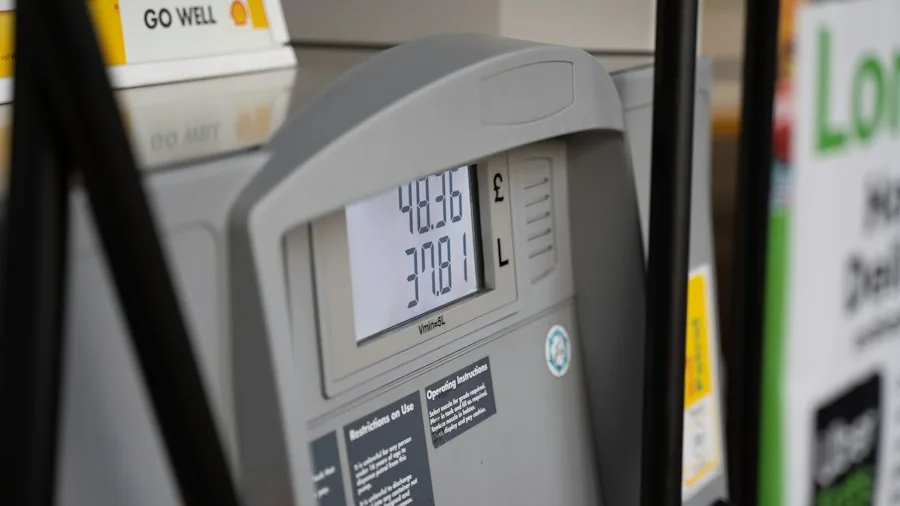
Gas prices fluctuate significantly between stations even within short distances, making price comparison worthwhile before refueling. Refil shows nearby gas stations and their current prices per gallon, helping you find the most affordable options. A watch-face complication displays the lowest available price directly on your wrist. Electric vehicle drivers appreciate that Refil also displays charging station locations and prices for comparison.
Fuel pricing information in the United States comes from community data, unlike European countries where governments provide official pricing. The base Refil app is free, but the Refil Pro subscription unlocks additional features including search radius expansion up to 30 miles and price-spike alerts. Every time you confirm a fill-up, the service logs your price and compares it to the local average.
What This Means for Shoppers
These four applications demonstrate that smartwatches have evolved beyond fitness tracking into practical daily tools. Before investing in an Apple Watch or upgrading your current model, consider whether driving-related functionality matters for your lifestyle. If you frequently struggle with parking, want better maintenance tracking, or seek fuel savings, these apps provide tangible benefits that justify the hardware investment. Some apps are free to start using, while others offer optional subscriptions that unlock premium features when you need them.
About the author
Kristen writes about smartwatches for REMOVU, comparing features, battery life, and ecosystem fit. She helps readers tie together health tracking, notifications, and apps on the right watch.