7 Tips for Understanding Frame Generation Technology in Gaming Laptops
Frame generation promises higher frame rates but works differently than traditional rendering. Here's what shoppers need to know.
 By Liam Banks
Updated September 3, 2026
By Liam Banks
Updated September 3, 2026

Frame generation is reshaping how modern gaming laptops deliver performance, and understanding this technology matters whether you’re shopping for your next portable gaming machine or trying to evaluate conflicting claims from manufacturers. Unlike traditional methods that render every frame from scratch, frame generation uses artificial intelligence to synthesize entirely new frames between rendered ones, potentially doubling your perceived frame rate without proportional GPU strain.
1. Know the Difference Between Rendered and Generated Frames
The first step toward informed purchasing is grasping what frame generation actually produces. A rendered frame is created by your graphics processor computing every pixel based on game geometry, lighting, and effects. A generated frame is algorithmically created by inserting new imagery between rendered frames. Both appear on your monitor in sequence, but they’re fundamentally different. When manufacturers promise 100 frames per second with frame generation enabled, understand that roughly half of those frames are synthetic interpolations, not traditional renders. This distinction matters because generated frames depend on consistent motion and specific hardware conditions to maintain visual quality.
2. Understand the Hardware Requirements
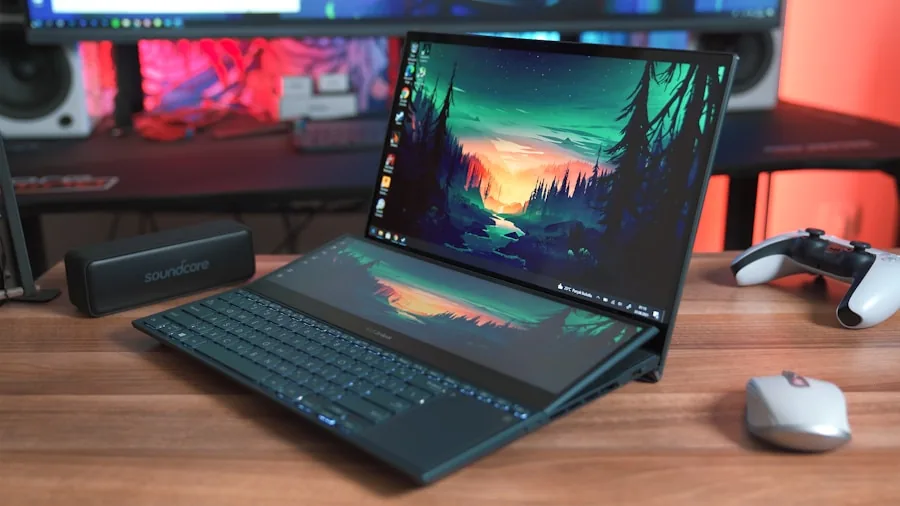
Frame generation demands substantial computational power dedicated to the AI inference task. Newer integrated graphics solutions, particularly those pairing multiple GPU cores with dedicated AI acceleration units, can handle this workload alongside conventional rendering. When evaluating gaming laptops, look for specifications mentioning dedicated tensor cores, AI accelerators, or next-generation GPU architectures designed specifically to support this feature. A laptop with adequate conventional GPU power might still struggle if its architecture lacks the specialized circuitry for frame interpolation. The more cores available for this task, the less impact you’ll see on your battery life or thermal performance during gameplay.
3. Check Game Publisher Support Before You Buy
Frame generation isn’t automatically available in every game you want to play. Developers must intentionally integrate support for the technology into their engines and titles. Major publishers including Electronic Arts, Ubisoft, Konami, Capcom, and CD Projekt Red have announced compatibility plans, but compatibility announcements don’t equal day-one availability. Before committing to a gaming laptop purchase, research which of your most-played or anticipated titles actually support frame generation. Check developer roadmaps and official statements rather than relying on marketing promises. The gap between announcement and implementation can span months, leaving you with a capable device that can’t leverage that capability in your preferred games.
4. Evaluate Real-World Frame Rates Conservatively
Marketing materials frequently cite frame rate targets that include frame generation in their calculations. A claim of 100 frames per second at 1440p resolution “with frame generation enabled” requires careful interpretation. If that system typically renders 50 frames per second natively and generates 50 additional frames, you’re seeing synthetic content for half the display refresh cycle. This approach can deliver smooth motion in many scenarios, but it performs less reliably in fast-panning moments, scenes with unpredictable motion, or games with latency-sensitive mechanics. Compare performance claims side by side with conventional rendered frame rates to understand the actual GPU workload your system will handle. Reviews are expected to clarify this distinction once retail units become available.
5. Consider Your Gaming Priorities
Frame generation provides the most noticeable benefit in single-player, narrative-driven games where smooth camera movement and consistent pacing enhance immersion. Competitive multiplayer titles, particularly fast-paced shooters, may show less advantage because input latency and instantaneous responsiveness matter more than interpolated smoothness. Strategy games, exploration-focused adventures, and story-heavy experiences are ideal candidates for frame generation benefits. Conversely, esports titles demanding pixel-perfect aim and minimal latency might not justify purchasing premium hardware primarily for this feature. Assess your primary gaming interests and weight frame generation importance accordingly in your buying decision.
6. Factor in Upscaling Technology Integration
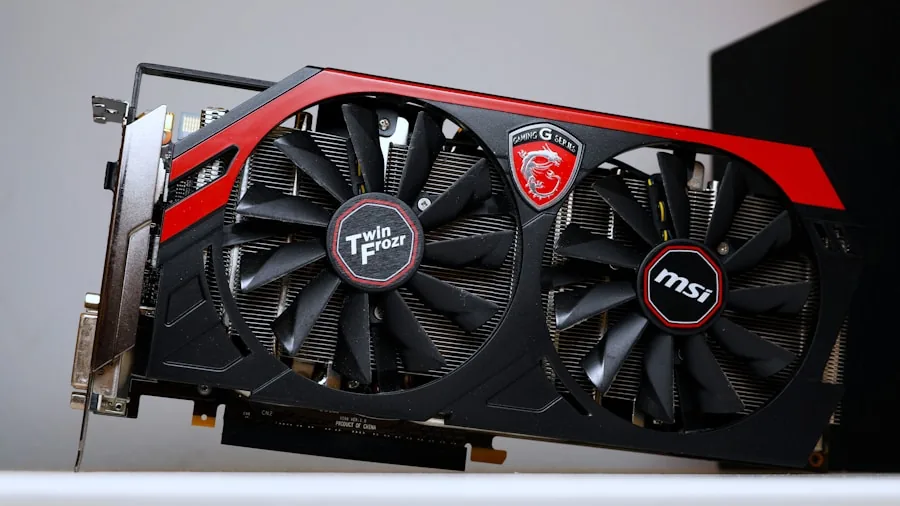
Frame generation typically works alongside upscaling technology, which renders games at lower native resolutions then enlarges the image to fill your display. This combination allows laptops to achieve higher frame counts while reducing the GPU workload further. However, relying heavily on upscaling means fewer pixels are actually being rendered from game data. You’re gaining smoothness through frame generation and visual clarity through upscaling technology, but you’re not getting true native resolution image quality. Understanding this trade-off helps you evaluate whether the performance gains justify any reduction in visual fidelity for your personal preferences. Some players readily accept this balance, while others prefer pure native rendering despite lower frame rates.
7. Budget for Premium Pricing
Gaming laptops equipped with high-end frame generation capable hardware typically occupy the premium market segment. Expect systems supporting maximum memory configurations and flagship GPU designs to command several thousand dollars. The underlying technology, processing power, and manufacturing costs drive these price points higher than conventional gaming laptops. Before purchasing, ensure you’re not paying premium prices purely for frame generation features you won’t actively use. Consider whether conventional high-performance gaming hardware at lower price points better matches your actual needs. Premium pricing justifies itself when you’ll regularly play games supporting frame generation in scenarios where smooth interpolated motion genuinely enhances your experience.
Frame generation represents a meaningful evolution in laptop gaming technology, but it’s not automatically superior to traditional rendering approaches for every player or game type. By understanding the underlying mechanics, checking software compatibility, evaluating performance claims honestly, and aligning your purchase with your actual gaming habits, you can make a confident decision about whether this technology warrants the investment in your next gaming laptop.
About the author
Liam covers gaming laptops for REMOVU, judging GPU power, display quality, cooling, and value. He helps players find a portable machine that delivers real frame rates without cooking itself.