Apple Updates Magic Keyboard with Symbol Keys But Still Misses What Shoppers Want
Apple updated its keyboards with symbol keys, but shoppers still demand one crucial feature the company refuses to add.
 By Josephine Mason
Updated August 25, 2026
By Josephine Mason
Updated August 25, 2026
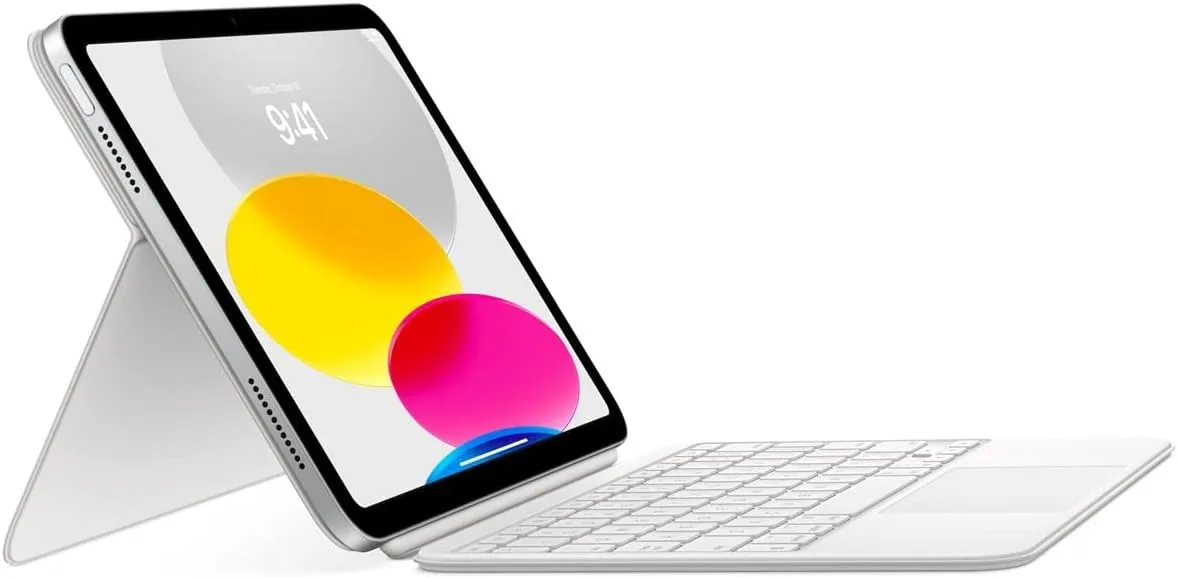
Apple has quietly refreshed its Magic Keyboard lineup with a subtle but noticeable change: function keys now display glyphs instead of text labels. Keys like Tab, Caps Lock, Shift, Return, and Delete now show symbols across the updated models. On full-size keyboards with numeric keypads, the shift extends further, with Home, Page Up, Page Down, End, Clear, and Enter also transitioning to icon-only displays.
The company has updated four keyboard configurations, including the standard Magic Keyboard, the Magic Keyboard with Touch ID, and the Magic Keyboard with Touch ID and Numeric Keypad, available in both white and black finishes. The sole model skipped from this refresh is the full-size version without Touch ID, which Apple appears poised to discontinue from its accessory lineup.
This design language mirrors what Apple implemented earlier this year across its MacBook Air, MacBook Pro, and MacBook Neo lines. The company is simply extending a consistent visual approach to its desktop peripherals. Since the US English layout serves as the default in countries including Canada, Australia, New Zealand, and Singapore, the impact reaches well beyond American consumers. Those familiar with Apple’s British English or other European keyboard layouts will recognize these glyphs immediately, as the company has employed them in those regions for several years.
What This Update Means for Buyers
For most shoppers, the cosmetic redesign signals Apple’s commitment to visual consistency across its product ecosystem. If you frequently switch between your MacBook and Magic Keyboard, the familiar glyph system creates a more cohesive experience. The transition to symbols also reduces language barriers for international users navigating different keyboard layouts.
However, the practical benefits remain minimal. This is primarily an aesthetic adjustment rather than a functional enhancement. Shoppers considering a new Magic Keyboard shouldn’t expect performance improvements, connectivity upgrades, or layout modifications. What you’re paying for is the same reliable typing experience with updated key labeling.
The Opportunity Apple Continues to Overlook

Here lies the genuine disappointment for consumers: Apple continues ignoring the one upgrade its keyboard users have requested consistently over the years: backlighting. In 2026, Apple’s flagship keyboard still lacks illumination for nighttime or low-light typing environments. Anyone who prefers working in dimly lit spaces or typing after dark faces the same limitations as before.
The symbol redesign is undeniably polished, but many users would willingly trade every glyph for a backlit keyboard. Until Apple addresses this fundamental gap in its accessory design, the Magic Keyboard remains incomplete for a substantial portion of its customer base. This represents a missed opportunity to genuinely improve the user experience rather than simply refresh its visual presentation.
Broader Implications for Apple’s Accessory Strategy
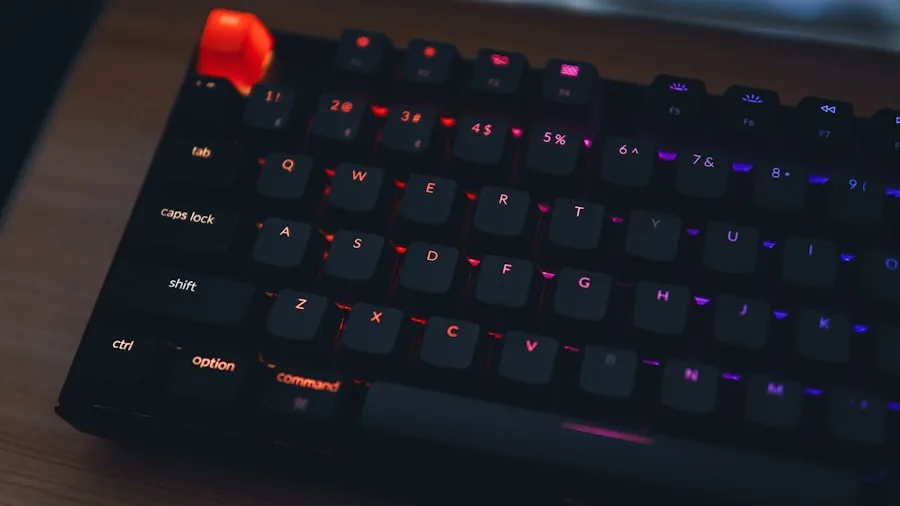
This update reflects Apple’s current approach to its accessory ecosystem: prioritizing design refinement and brand consistency over substantive innovation. The company has chosen to align its keyboard aesthetics with its latest MacBook generation rather than introduce hardware capabilities users have openly requested.
For buyers evaluating whether to upgrade their existing keyboards, the answer is straightforward: unless you’re drawn to the visual refresh or need specific features like Touch ID integration, your current Magic Keyboard remains perfectly functional. The symbol keys won’t enhance your productivity or typing comfort. They’re simply a cosmetic evolution.
Those shopping for their first Magic Keyboard should evaluate based on your actual needs. Consider whether you require Touch ID functionality, prefer a full-size layout with numeric keypad, or work in environments where key visibility matters. The color options now extend to both traditional white and space black finishes, allowing better coordination with your Mac setup.
What Shoppers Should Consider Moving Forward
If you’re frustrated by the lack of backlighting, exploring third-party mechanical keyboards with RGB illumination might better suit your workflow. These alternatives often provide superior key feedback and customizable lighting for substantially less than Apple’s prices. Alternatively, investing in a quality desk lamp or monitor arm with integrated lighting can mitigate the limitations of unlit keys.
For those committed to Apple’s ecosystem, the updated Magic Keyboards represent a logical next step in unifying the brand’s visual language. They’re solid peripherals that will serve reliably alongside your MacBook for years to come. Just understand you’re purchasing consistency and aesthetics, not transformation in functionality or capability. The real innovation shoppers want continues to wait for future iterations.
About the author
Josephine covers mechanical keyboards for REMOVU, comparing switch feel, layout, and build quality for typing and gaming. She helps readers navigate a deeply personal choice with clear, practical advice.