Android 17 QPR2 Beta 3 Rolling Out Now: What Pixel Owners Should Know
New security protections and customization features arrive in the latest Pixel software beta.
 By Ava Herrera
Updated August 15, 2026
By Ava Herrera
Updated August 15, 2026
Google has released Android 17 QPR2 Beta 3 for Pixel devices, marking the largest software update in this development cycle. The rollout arrived on a Friday, following the previous beta release from the beginning of the week. If you own a compatible Pixel phone or tablet, here’s what this update brings and how it affects your device experience.
New Features and Customization Options
This beta iteration expands the scope of personalization available to Pixel users. The Dynamic Color theming system receives significant enhancements, giving you more control over how your device looks and feels. You can now customize the layout of your Quick Settings menu, allowing you to arrange shortcuts according to your preferences. The system blur effect on the Pixel lockscreen adds a polished visual touch to the lock experience.
One notable addition is App lock functionality, which provides an extra layer of security for your most sensitive applications. These quality-of-life improvements aim to make your Pixel device feel more uniquely yours while maintaining system stability.
Security Improvements and Call Forwarding Protection
A significant focus of this release centers on combating telecommunications fraud. Android 17 QPR2 Beta 3 introduces hardened protections against call forwarding fraud schemes that have targeted consumers in recent years. The update restricts how third-party applications can access call-forwarding functionality programmatically.
Specifically, apps can no longer use the sendUssdRequest() API for call-forwarding codes if they only hold the CALL_PHONE permission. When apps attempt to execute these commands in the background, the system blocks them and returns a USSD_ERROR_NOT_ALLOWED response. This prevents malicious or compromised applications from silently redirecting your calls without your knowledge.
Additionally, when you manually enter call-forwarding codes through the system dialer, a new confirmation dialog appears at the operating system level. This added friction helps protect against social engineering scams where attackers trick users into enabling call forwarding. The system still allows legitimate non-call-forwarding USSD requests, such as mobile money transfers and account status checks, so your financial apps and banking services remain unaffected.
Bug Fixes and Stability Enhancements
Like any beta release, this version addresses problems discovered in earlier iterations. The update resolves a critical issue that caused visual corruption and unexpected device restarts when opening the notification shade and Quick Settings menu. These graphical glitches are now eliminated, delivering a more stable and reliable experience.
Google also fixed a problem in the Device Health and Support tool that incorrectly warned users about battery capacity degradation. The false alerts have been removed, so you’ll only receive battery warnings when they reflect actual hardware conditions. Since portable power management and device health monitoring are crucial for productivity, these fixes ensure you receive accurate information about your Pixel’s condition.
Which Devices Receive This Update
The beta is available for a wide range of Pixel hardware. Older models like the Pixel 6a, Pixel 7, and Pixel 7 Pro qualify, alongside mid-range options such as the Pixel 7a and Pixel 8a. Current flagship devices including the Pixel 9, Pixel 9 Pro, Pixel 9 Pro XL, Pixel 9 Pro Fold, and Pixel 9a are supported. The latest generation, including the Pixel 10, Pixel 10 Pro, Pixel 10 Pro XL, Pixel 10 Pro Fold, and Pixel 10a, are all included.
Tablet users can install this release on the Pixel Tablet, while foldable enthusiasts have access through the Pixel Fold and Pixel 9 Pro Fold. Developers can also run the beta on the Android Emulator for development purposes.
How to Install and Provide Feedback
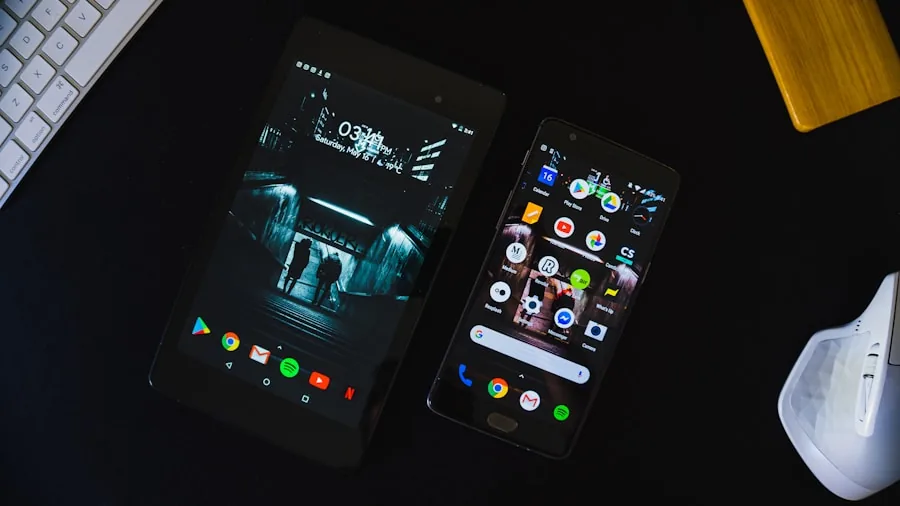
Joining the beta program is straightforward. You can enroll through the official Android Beta Program to receive updates over the air directly on your device. The installation happens automatically once you’ve registered, similar to regular Google Play system updates.
As a beta participant, you’re encouraged to report any issues or unexpected behavior. The Android Beta Feedback app, accessible from your application drawer or Quick Settings, allows you to file bug reports directly into Google’s issue tracker. The active Android Beta community on Reddit also provides peer support and discussions about the latest builds.
For app developers, this release includes important migration guidance. If your application relies on call-forwarding functionality, you should update your code to handle the USSD_ERROR_NOT_ALLOWED callback gracefully. Rather than using the sendUssdRequest() API, consider migrating to the ACTION_DIAL intent, which allows users to manually confirm dial actions. Similar to how security-focused devices require explicit user consent for sensitive operations, this approach prioritizes transparency and user control.
What This Means for Consumers
This beta release signals Google’s ongoing commitment to device security and user experience refinement. The fraud protection improvements directly benefit consumers by defending against telecommunications scams that have become increasingly sophisticated. The customization enhancements give you greater control over your device’s appearance and functionality.
If you’re considering a Pixel device or already own one, understanding these improvements helps you appreciate the engineering work that goes into each release. The stability fixes and security hardening ensure your device remains reliable and protected against emerging threats.
About the author
Ava is REMOVU's laptop writer, balancing speed, battery life, and build quality against price across the whole range. She helps readers find the sweet spot as each new chip shifts what a dollar buys.