The 5 Best Mesh Wi-Fi Systems Under $300
Whole-home Wi-Fi coverage no longer requires a big budget. We researched the top mesh systems available right now to find which ones genuinely eliminate dead zones.
 By Beverly Morrison
Updated July 26, 2026
By Beverly Morrison
Updated July 26, 2026
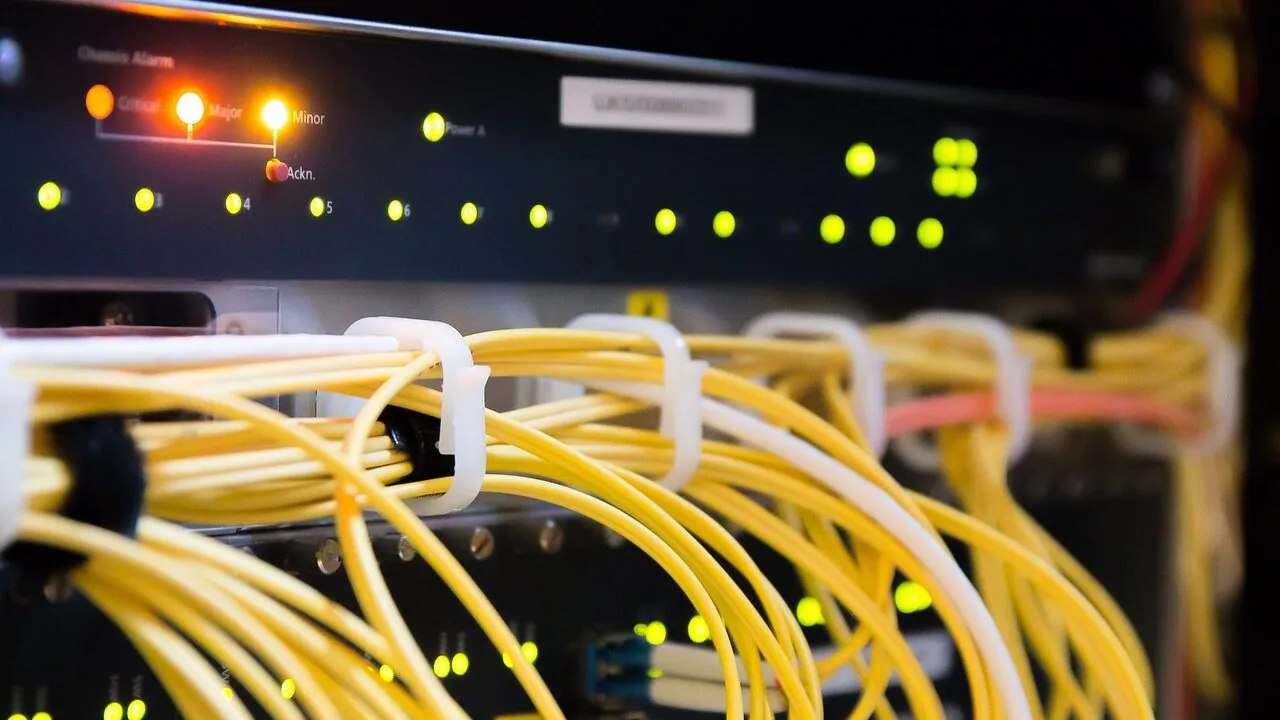
A slow or spotty Wi-Fi connection is one of the most frustrating problems a household can face, especially as the number of connected devices keeps climbing.
Streaming in 4K, video calls, smart home gadgets, gaming consoles, and work-from-home laptops all compete for bandwidth simultaneously, and a single router sitting in one corner of the house simply cannot keep up.
Mesh Wi-Fi systems solve this by distributing multiple nodes throughout your home to create a seamless, blanket-like wireless network with consistent speeds in every room, every corner, and even the backyard.
The good news is you no longer need to spend a fortune to get reliable whole-home coverage.
For this guide, REMOVU researched dozens of mesh Wi-Fi systems at or under a budget-friendly ceiling, evaluating each one against published specifications, expert review consensus from across the networking press, and verified buyer feedback from thousands of real-world users.
We focused on systems that deliver strong throughput, broad coverage, stable backhaul connections, and easy setup without requiring a networking degree.
Whether you are outfitting a two-bedroom apartment or a sprawling multi-story home, the picks below represent the best value for the money you can find right now in the mesh and whole-home router category.
| Award | Product | REMOVU Score About REMOVU ScoreThe REMOVU Score is our own rating from 0 to 10, based on performance, design and build, ease of use, and value. It reflects independent research and is never influenced by manufacturers, retailers, or affiliate commissions. Learn more › | Price | |
|---|---|---|---|---|
| Best Overall |
 eero 6+ Mesh WiFi System 3-pack
|
8.9/10 | Buy | |
| Best Value |
 eero 6 WiFi 6 Mesh System 3-Pack
|
8.3/10 | Buy | |
| Best Premium |
 TP-Link Deco XE75 WiFi 6E Mesh System
|
7.8/10 | Buy | |
| Best Budget |
 AmpliFi HD Mesh WiFi System, 6000 sq ft
|
7.2/10 | Buy | |
 TP-Link Deco X55 AX3000 WiFi 6 Mesh (3-Pack)
|
6.8/10 | Buy |
eero 6+ Mesh WiFi System 3-pack
A Wi-Fi 6 mesh system that covers up to 4,500 sq ft and supports gigabit speeds, designed for straightforward setup via mobile app. Best suited for households wanting reliable coverage across multiple rooms without technical complexity.
Pros
- Intuitive app-based setup process that works without technical knowledge
- Strong mesh coverage and elimination of dead zones reported by most users
- Consistent gigabit speeds when properly positioned and wired where possible
- Built-in smart home hub reduces need for separate Alexa hub purchases
- Dual-band Wi-Fi 6 with 160 MHz channel support for multiple simultaneous streams
Cons
- Known compatibility issues with MyQ garage door systems, requiring workarounds or unable to resolve for some users
- Wireless node coverage can be limited compared to wired connections, requiring strategic placement experimentation
- Only two ethernet ports per unit limits wired device options compared to traditional routers
eero 6 WiFi 6 Mesh System 3-Pack
The eero 6 3-pack delivers WiFi 6 coverage across 4,500 sq ft with support for 75+ devices and speeds up to 500 Mbps. Built-in Zigbee smart home hub integration and straightforward app-based setup make it accessible for most households, though performance depends heavily on placement and your internet plan.
Pros
- WiFi 6 standard handles modern streaming, gaming, and conferencing demands
- 3-pack covers large homes with mesh optimization to reduce dead zones
- Integrated Zigbee smart home hub eliminates need for separate hub
- Simple app setup and remote management through eero app
- Automatic security updates keep network protected over time
Cons
- 500 Mbps speed cap may limit ultra-fast fiber plans over 500 Mbps
- Performance quality hinges on proper router and extender placement
- No user reviews provided on retailer listing to verify real-world performance claims
TP-Link Deco XE75 WiFi 6E Mesh System
A tri-band mesh system with WiFi 6E and the new 6GHz band, covering up to 7,200 sq ft with three units. Best for larger homes seeking seamless coverage and future-ready wireless performance without dead zones.
Pros
- Effective coverage across large homes and multi-level layouts with minimal signal degradation
- Straightforward app-based setup and management from anywhere
- Strong real-world speeds (700+ Mbps reported at distance through walls by verified buyers)
- Backward compatible with older TP-Link Deco models for flexible expansion
- Three Ethernet ports per unit enables flexible hardwiring and network optimization
Cons
- Roaming between nodes can be inconsistent; devices may drop and re-scan rather than seamlessly transition
- Premium pricing; full potential requires WiFi 6E-compatible devices, which remain limited
- Setup requires TP-Link app account; limited advanced configuration options in UI compared to traditional routers
AmpliFi HD Mesh WiFi System, 6000 sq ft
AmpliFi HD delivers straightforward mesh coverage for homes up to 6000 square feet with Wi-Fi 5 performance and a simple app-based setup. Most users praise its reliability and dead zone elimination, though advanced network configuration is limited.
Pros
- Easy setup and installation, verified users had flawless multi-device connections within minutes
- Reliable coverage with minimal dead zones, users report strong signals 70-80 feet outdoors
- Clean, intuitive interface designed for non-technical users without sacrificing essential features
- Excellent compatibility with smart home systems like Sonos
- Well-built, premium hardware packaging and design quality
Cons
- Limited advanced configuration options, DNS settings cannot be customized in DHCP scope
- Setup challenges reported by some users, app support feedback mixed
- Refurbished units may have quality control issues per verified warranty experience
TP-Link Deco X55 AX3000 WiFi 6 Mesh (3-Pack)
A WiFi 6 mesh system covering up to 6,500 sq ft with 3 gigabit ports per unit and AI-driven optimization. Reviewers report significant speed improvements and reliable whole-home coverage, making it a solid choice for households with 50+ connected devices.
Pros
- Delivers measurable speed gains (reviewers report speeds doubling or nearly tripling in some areas)
- Excellent coverage for large homes with minimal dead zones
- Three gigabit ports per unit enables flexible wired backhaul configurations
- Intuitive Deco app with granular controls like per-device band assignment and unit preference settings
- Handles high device counts (74-150 devices) without dropout issues
Cons
- Requires careful node placement to optimize signal; automatic placement doesn't always choose the best configuration
- Included ethernet cable is Cat5e, not higher-spec Cat6
- Lacks some advanced features like multiple SSIDs beyond guest network (though firmware updates have added IoT network option)
Mesh WiFi Systems Buying Guide
Choosing a mesh Wi-Fi system is not as simple as picking the one with the largest number in the product name.
Coverage area, Wi-Fi generation, backhaul type, node count, and app experience all play a significant role in how well a system actually performs in your specific home. Here is what to think through before you commit.
Coverage Area and Number of Nodes

Every mesh system advertises a theoretical maximum coverage area, but real-world results vary considerably based on floor plan, wall construction, and interference from neighboring networks.
As a practical rule, subtract roughly 20 to 30 percent from any advertised figure when your home has brick, concrete, or stucco walls, because these materials attenuate signals sharply.
Most three-pack systems are sized for homes in the 4,000 to 7,000 square foot range under ideal conditions. If you have a smaller space or an open floor plan, a two-pack may be sufficient and can save money.
Conversely, larger or multi-story homes with many obstacles may need a four-pack or the option to add satellite nodes individually later. Always verify that the system you choose is expandable before purchasing.
Node placement matters as much as node count. Place units in open areas at roughly equal intervals along the path from your modem, avoiding closets, cabinets, and areas behind large appliances. Most mesh apps provide signal-strength feedback during setup to help you position nodes optimally.
Wi-Fi Generation: Wi-Fi 5, Wi-Fi 6, and Wi-Fi 6E

Wi-Fi 5 (802.11ac) systems are largely legacy hardware at this point. While they can still deliver perfectly usable speeds for light use, if you plan to keep a system for three to five years, Wi-Fi 6 (802.11ax) is the minimum recommended standard.
Wi-Fi 6 brings higher theoretical throughput, significantly improved performance in congested environments with many simultaneous devices, and better power efficiency for battery-powered clients.
Wi-Fi 6E adds a third radio band in the 6 GHz spectrum, which is currently uncrowded because it is exclusive to newer 6E-capable client devices.
This creates an expressway for compatible devices and can also be dedicated entirely to node-to-node backhaul, freeing up the 5 GHz band for client traffic.
If you own several newer smartphones, laptops, or tablets released in the past couple of years, a 6E system offers a meaningful, future-proof upgrade.
If your device fleet is older, the premium for 6E may not yet be justified in this budget tier.
All of the systems in this guide are at minimum Wi-Fi 6, ensuring you get OFDMA, MU-MIMO, and the target wake time features that help dense device environments run smoothly.
Pairing a capable mesh system with the right cable modem is equally important if you rent one from your ISP, since a bottleneck there will limit even the best mesh hardware.
Backhaul: Wireless vs. Wired Ethernet
Backhaul refers to how the satellite nodes communicate with the router node. Wireless backhaul shares airtime with client devices, which means performance on nodes further from the router can degrade under heavy load.
Dedicated backhaul, whether via a separate radio band or a physical Ethernet cable, reserves a clean channel purely for node-to-node traffic.
Tri-band systems (two 5 GHz bands plus one 2.4 GHz, or one 6 GHz plus two lower bands) typically dedicate one high-frequency band to wireless backhaul, delivering noticeably steadier performance than dual-band systems that must share airtime.
If your home is pre-wired with Ethernet runs or you are willing to run a cable between nodes, wired backhaul is the gold standard regardless of how many bands the system supports, as it eliminates wireless interference entirely.
Several systems in this guide support Ethernet backhaul as an option even if they operate wirelessly by default. If a solid Ethernet connection is available between node locations, enabling it is always the right call for maximum reliability.
You can find complementary gear like network switches to expand wired port availability throughout your home.
Internet Plan Compatibility and Throughput

There is no point paying for a gigabit internet plan if your mesh system cannot actually process that bandwidth. Check the maximum WAN throughput rating of any router node you are considering.
Many lower-tier systems include hardware limited to 400 to 500 Mbps of actual routed throughput even if the Wi-Fi radio speeds sound impressive on paper.
If your ISP plan runs at 300 Mbps or below, nearly any modern mesh system will saturate it.
Once you cross 500 Mbps and especially if you have a multi-gig plan, seek out systems whose router nodes explicitly state gigabit or multi-gigabit WAN support.
Dual-band systems in particular often max out below gigabit, whereas the tri-band and 6E systems generally handle full-gig plans without issue.
Also check how many Gigabit Ethernet LAN ports each node offers if you plan to wire in smart TVs, gaming consoles, or NAS devices for maximum performance.
App Experience, Security, and Smart Home Integration

The smartphone app is your primary interface for setup, device management, parental controls, and firmware updates in a modern mesh system. A poorly designed app turns routine tasks into frustrating exercises.
Look for apps with clear onboarding, intuitive device lists, and at least basic traffic monitoring. eero and TP-Link Deco both receive consistently high marks for app polish in expert reviews, while AmpliFi offers a more enthusiast-leaning interface with detailed statistics for those who want them.
Automatic security patches are non-negotiable for a device sitting at the gateway of your entire home network.
Verify that the manufacturer has a published history of timely firmware updates and that the system can apply them automatically without requiring manual intervention.
Some systems also offer subscription-based advanced security scanning, content filtering, and ad blocking; evaluate whether these paid tiers add genuine value for your household or whether the free feature set covers your needs.
Smart home users should confirm compatibility with their existing ecosystem. eero integrates directly with Amazon Alexa and Sidewalk. TP-Link Deco works with both Alexa and Google Assistant. AmpliFi offers a more standalone experience but supports standard HomeKit-compatible routing configurations.
If you run a dense smart home alongside your regular devices, the AI-driven band steering on newer systems can make a measurable difference in how reliably low-power devices like sensors and bulbs maintain their connections.
Home networking can also complement other home office upgrades; a well-connected workspace makes tools like docking stations and peripherals perform at their best.
Scalability and Long-Term Value

A mesh system is an investment meant to last several years.
Before buying, confirm that additional nodes are sold individually at a reasonable price in case your coverage needs change, that the manufacturer has not discontinued support for the platform in the recent past, and that the system does not lock you into a paid subscription to access features that should be standard.
eero and TP-Link both sell expansion nodes separately and have broad retail availability, making it easy to grow your network. AmpliFi’s platform is more mature and positions itself toward users who value a premium hardware aesthetic alongside solid performance.
Always cross-reference the warranty duration; most reputable mesh systems offer at least a one-year hardware warranty, with some extending to two or three years for added peace of mind.
A reliable home network is also foundational infrastructure for devices like tablets for note-taking, wireless earbuds, and streaming hardware that depend on low-latency connectivity to function well.
Why You Should Trust Us
REMOVU is an independent review publication. We do not accept payments from manufacturers, we do not allow brands to review their scores before publication, and we have no commercial relationship with any of the products ranked on this page.
Every recommendation is the result of structured research, not sponsored placement.
Each mesh Wi-Fi system in this guide was assessed using REMOVU Score, our proprietary 0 to 10 rating scale.
Scores are derived from a consistent set of criteria applied across the category: wireless throughput relative to price, coverage area, backhaul quality, ease of setup and app experience, security update cadence, device capacity, and long-term platform viability.
We do not conduct our own product trials; our evaluations are grounded in research, published data, expert review consensus, and verified buyer feedback.
Sources analyzed include published specifications from manufacturer datasheets, aggregated expert reviews from the networking press, owner feedback from verified purchasers, and publicly available benchmark data.
When expert consensus and buyer experience diverge, we note the tension and weight both in our scoring rather than defaulting to one source alone.
REMOVU may earn an affiliate commission if you purchase through a link on this page. That relationship does not influence which products are included, how they are ranked, or what scores they receive.
Our rankings are determined solely by REMOVU Score, and we would recommend the same products regardless of commission structure.
Final Thoughts
The mesh Wi-Fi market at this price tier has never been more competitive, and all five systems in this guide represent a meaningful upgrade over a single-router setup.
Here is how we see each one earning its place, with danh hiệu anchored to their REMOVU Score.
- Best Overall: Amazon eero 6+ Mesh WiFi System (3-Pack) earns the top spot with the highest REMOVU Score in this group. It delivers full-gigabit WAN support, strong tri-band-equivalent radio performance, and one of the smoothest setup and management experiences available, making it the most well-rounded pick for the widest range of households.
- Best Mid-Range Pick: Amazon eero 6 Mesh WiFi System (3-Pack) is the right choice for homes on plans up to 500 Mbps. It inherits eero’s excellent app experience and broad device compatibility at a noticeably lower outlay, earning a strong REMOVU Score that reflects its exceptional value relative to its price.
- Best for Future-Proof Performance: TP-Link Deco XE75 AXE5400 Tri-Band WiFi 6E System (3-Pack) is the standout choice if you own newer 6E-capable devices or want dedicated 6 GHz backhaul for maximum node-to-node throughput. Its AI-driven band steering and expansive coverage footprint back up a solid REMOVU Score that rewards buyers thinking a few years ahead.
- Best Budget-Friendly Option: TP-Link Deco X55 AX3000 WiFi 6 Mesh System (3-Pack) covers an impressive footprint per dollar spent and supports Ethernet backhaul for wired-node setups. It is the most accessible entry point in this guide for buyers whose primary concern is raw coverage area at a budget-friendly price, with a REMOVU Score that reflects capable rather than exceptional overall performance.
- Best for Network Enthusiasts: AmpliFi HD WiFi System by Ubiquiti Labs appeals to users who want detailed network statistics, Ubiquiti’s enterprise-informed engineering philosophy, and a distinctive hardware design, all at a price that undercuts the premium tier. Its REMOVU Score reflects strong hardware fundamentals held back slightly by its older Wi-Fi generation relative to the newer picks in this guide.
Across the board, every system here removes the dead zones that plague single-router homes. Your choice ultimately comes down to internet plan speed, home size, device count, and how much you value future-proofing versus immediate savings.
If you are still building out your home office or entertainment setup, networking and storage is worth exploring as a category for complementary gear.
For those who work or game with external storage, external drives pair naturally with a stable mesh network for fast local backups and media access across the home.
Frequently Asked Questions
What is the difference between a mesh Wi-Fi system and a traditional router with extenders?
A traditional range extender creates a separate network with a different name, meaning your devices may not automatically switch to the stronger signal as you move through your home.
Mesh systems use a single unified network name and intelligent band steering to hand off your devices seamlessly between nodes, eliminating the manual switching and the performance penalties that typically come with extenders.
For homes larger than one or two rooms, a mesh system almost always delivers a more consistent and frustration-free experience.
If you are also considering peripherals that depend on low-latency wireless, the same principle applies to devices like wireless earbuds that benefit from a stable, consistent network environment.
Do I need Wi-Fi 6E, or is Wi-Fi 6 enough for most homes?
For the majority of households in 2026, Wi-Fi 6 is more than sufficient.
The 6 GHz band introduced with Wi-Fi 6E offers a meaningful advantage only if you own multiple client devices that support 6E, such as certain flagship Android smartphones, newer laptops, and the latest gaming consoles.
If your device fleet skews toward older hardware, the premium for a 6E system may outpace the practical benefit for now.
That said, a 6E system’s biggest advantage in a mesh context is the ability to dedicate the 6 GHz band entirely to backhaul, which keeps the lower bands free for client traffic regardless of whether your clients are 6E-capable.
Can I connect a mesh system to my existing ISP-provided modem?
Yes. You connect the primary router node to your modem or ISP gateway via Ethernet, then place satellite nodes throughout your home.
If your ISP gateway also functions as a router, you may want to enable bridge mode or IP passthrough on it to avoid double NAT issues, which can cause problems for gaming and some VPN configurations.
Most mesh system setup apps walk you through this process and detect double NAT automatically. Owning your modem rather than renting it also pays off over time; our cable modems category covers the most reliable options across major ISPs.
How many nodes do I need for a two-story, 2,500 square foot home?
A three-pack is the right starting point for most two-story homes in this size range.
Place the primary node near your modem on the ground floor, a satellite node on the upper floor, and the third node in a dead-zone area such as a home office, garage, or bedroom furthest from the router.
If your home has dense construction materials or many interior walls, a third satellite node placed strategically will do more good than upgrading to a more expensive two-pack system.
Most manufacturers sell individual add-on nodes if you need to expand after your initial purchase.
Is a mesh Wi-Fi subscription required to use these systems?
All five systems in this guide function fully without a paid subscription for core features including setup, coverage, and device management. eero offers an optional eero Plus subscription for advanced threat protection, content filtering, and ad blocking, but the base network performance is unaffected without it.
TP-Link Deco’s HomeShield subscription similarly layers on additional parental controls and security scanning as optional extras. AmpliFi does not require a subscription at all.
In every case, you are getting a complete, capable home network out of the box with no ongoing fee required to maintain speed or stability.
For a broader look at building a connected home setup, our coverage of 2-in-1 laptops and webcams for streaming can help round out your workspace alongside a reliable mesh network.
About the author
Beverly covers robot vacuums and mops for REMOVU, weighing cleaning power, smart mapping, and low-fuss maintenance. She helps readers find a model that earns its keep.