The 9 Best Wi-Fi 6 Routers
WiFi 6 routers handle crowded homes and fast ISP tiers far better than older hardware. Our research covers top picks from TP-Link, ASUS, NETGEAR, and GL.iNet across every budget.
 By Melissa Lambert
Updated July 26, 2026
By Melissa Lambert
Updated July 26, 2026

WiFi 6 (802.11ax) represents a genuine leap in home networking, not just a spec bump.
Compared to its predecessor, WiFi 6 delivers higher throughput, dramatically better performance in congested environments with multiple connected devices, and meaningful improvements in power efficiency for smartphones and laptops.
Whether you are streaming 4K content on multiple TVs simultaneously, working from home on video calls, or running a house full of smart devices, upgrading to a WiFi 6 router can make a real and noticeable difference.
For anyone building or refreshing a home network in 2026, the category offers a compelling range of options from budget-friendly entry points to feature-rich performance routers.
This guide cuts through the noise by synthesizing expert review consensus, verified buyer feedback, and published specifications across the most relevant models available right now. REMOVU researches and rates each router independently so you can make a confident, informed decision.
The picks below span a range of budgets and use cases, from straightforward family routers to advanced hardware for power users and enthusiasts.
Read on to see our top-ranked WiFi 6 routers, followed by a practical buying guide to help you match the right model to your needs.
| Award | Product | REMOVU Score About REMOVU ScoreThe REMOVU Score is our own rating from 0 to 10, based on performance, design and build, ease of use, and value. It reflects independent research and is never influenced by manufacturers, retailers, or affiliate commissions. Learn more › | Price | |
|---|---|---|---|---|
 GL.iNet GL-MT6000 Flint 2 Wi-Fi 6 Router
|
7.8/10 | Buy | ||
| Best Premium |
 TP-Link Archer AX80 Wi-Fi 6 Router (AX6000)
|
8.3/10 | Buy | |
| Best Value |
 ASUS RT-AX3000 WiFi 6 Dual-Band Router
|
7.8/10 | Buy | |
| Best Budget |
 ASUS RT-AX1800S WiFi 6 Dual-Band Router
|
7.1/10 | Buy | |
 NETGEAR Nighthawk RAX54S WiFi 6 AX5400 Router
|
7.3/10 | Buy | ||
 TP-Link Archer AX23 WiFi 6 Router (AX1800)
|
6.8/10 | Buy | ||
 TP-Link Archer BE230 Wi-Fi 7 Router
|
6.5/10 | Buy | ||
 TP-Link Archer AX10 Wi-Fi 6 Router (AX1500)
|
6.2/10 | Buy | ||
| Best Overall |
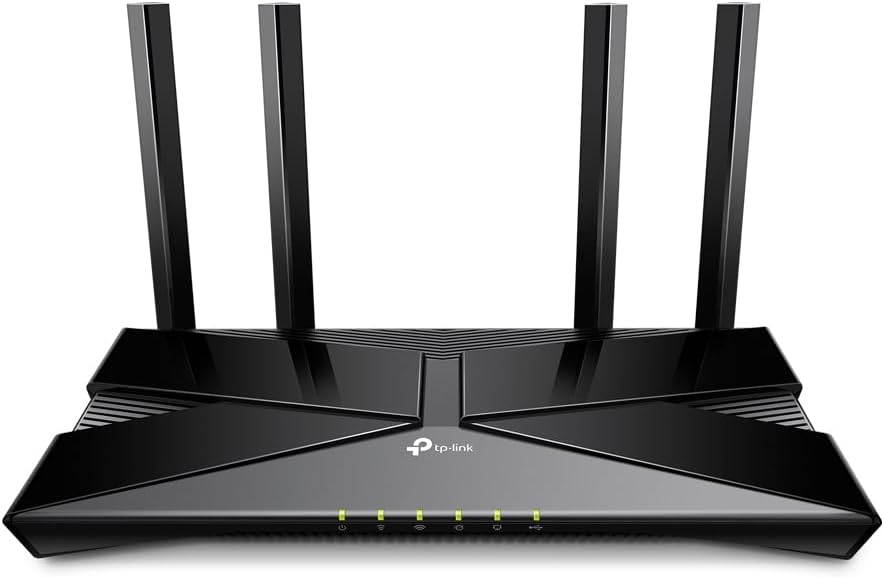 TP-Link Archer AX3000 Pro Wi-Fi 6 Router
|
9.9/10 | Buy |
GL.iNet GL-MT6000 Flint 2 Wi-Fi 6 Router
A high-performance Wi-Fi 6 router built on OpenWrt with dual 2.5G ports, reaching 6 Gbps combined speeds. Designed for gaming, streaming, and advanced users who want both ease of use and deep customization options.
Pros
- Dual 2.5G ethernet ports handle multi-gigabit connections that most consumer routers lack
- Wi-Fi 6 delivers up to 4804 Mbps on 5GHz with excellent range and minimal dead zones, verified by multiple buyers
- OpenWrt foundation with GL.iNet's simplified GUI provides both beginner-friendly setup and advanced configuration access
- Integrated AdGuard Home for network-wide ad blocking without extra hardware
- Strong VPN performance: 900 Mbps WireGuard and 190 Mbps OpenVPN throughput over ethernet
Cons
- Setup requires firmware update on initial install for optimal performance, adding extra first-time steps
- No Power over Ethernet (PoE) support, limiting deployment flexibility in some scenarios
- Network Acceleration feature reportedly causes WiFi instability on some setups, requiring manual disable to restore normal performance
TP-Link Archer AX80 Wi-Fi 6 Router (AX6000)
A capable Wi-Fi 6 router delivering strong dual-band performance (4804 Mbps on 5 GHz, 1148 Mbps on 2.4 GHz) with extensive home coverage via eight antennas and beamforming. Best suited for larger homes with many connected devices, though setup can be finicky and some advanced features require paid subscription.
Pros
- Exceptional range and coverage, eliminating dead zones in large homes without needing mesh systems
- Handles high device counts reliably using MU-MIMO and OFDMA technology
- 2.5 Gbps multi-gigabit port future-proofs against ISP upgrades
- Dual-band stability on both 5 GHz and 2.4 GHz with fast streaming performance
- OneMesh compatible for flexible expansion and straightforward app-based control
Cons
- Initial setup can be unreliable, sometimes requiring multiple restart attempts to establish Wi-Fi broadcast
- Premium features like HomeShield Pro security and advanced parental controls locked behind subscription ($5.99/month or $54.99/year)
- Larger physical footprint than typical routers; QoS feature can cause occasional network dropouts if enabled
ASUS RT-AX3000 WiFi 6 Dual-Band Router
A WiFi 6 router built for whole-home coverage up to 3,000 sq ft, combining solid speed (3000 Mbps total) with practical mesh expansion via AiMesh. Strong for households wanting next-gen WiFi without premium pricing, though real-world speeds depend heavily on your setup.
Pros
- WiFi 6 standard future-proofs your network against upcoming device demands
- Free commercial-grade security (AiProtection Pro) eliminates subscription hassle
- AiMesh expansion lets you scale with compatible ASUS routers without replacing the whole system
- USB 4G/5G tethering provides internet backup during outages
- Straightforward mobile app management and setup process
Cons
- Real-world speeds and coverage vary significantly based on interference, building materials, and network congestion, as ASUS notes in disclaimers
- 4 detachable antennas add to clutter and may seem dated compared to internal antenna designs in newer premium models
- No reviews available to validate long-term reliability or performance in specific home environments
ASUS RT-AX1800S WiFi 6 Dual-Band Router
An accessible WiFi 6 router built for households with multiple connected devices, the RT-AX1800S handles simultaneous streaming and gaming through MU-MIMO and OFDMA support. Subscription-free security and built-in VPN add practical protection without ongoing costs.
Pros
- WiFi 6 (802.11ax) with 1024-QAM for faster wireless speeds than previous standards
- Dual-core processor with efficient OFDMA channel allocation reduces congestion with multiple devices
- No subscription fees for core security features, lowering total cost of ownership
- Solid 4.4-star rating across 2,699 reviews indicates consistent user satisfaction
Cons
- Real-world performance varies significantly based on building materials, network traffic, and environmental conditions
- Data provided does not specify maximum WiFi speeds or precise coverage area, making direct performance comparisons difficult
- No information on setup complexity or mobile app quality for remote management
NETGEAR Nighthawk RAX54S WiFi 6 AX5400 Router
A dual-band WiFi 6 router delivering solid speeds and reliable coverage for typical home setups, with straightforward app-based setup and included annual security. Best suited for users upgrading from older routers who prioritize ease of installation over cutting-edge performance.
Pros
- Easy setup via Nighthawk app, with optional WPS button for quick device pairing
- Consistent performance across multiple devices and good coverage for home use
- Reliable stability, with users reporting multi-year operation without restarts
- One year of advanced internet security included
- Four Gigabit LAN ports and dual-band (2.4GHz/5GHz) capability
Cons
- Customer service approach aggressively pushes paid security upgrades after year one, creating friction
- Changing SSID/password requires reinstalling all connected smart home devices
- Mid-range performance tier, not positioned for power users or demanding gaming/streaming
TP-Link Archer AX23 WiFi 6 Router (AX1800)
The Archer AX23 delivers WiFi 6 connectivity with dual-band support and 1800 Mbps speeds, suitable for covering 3-bedroom homes. Its app-based control and WPA3 security provide modern convenience, though user reports highlight significant compatibility issues with included power adapters that may prevent operation.
Pros
- WiFi 6 standard with strong security protocols (WPA, WPA2, WPA3)
- Multiple wireless compatibility standards (802.11ac, 802.11ax, 802.11b/g/n)
- App control and WPS for convenient setup and management
- 4 internal antennas for stable signal distribution
Cons
- Power adapter compatibility issues reported by US buyers, with non-matching plugs preventing operation
- Security concerns raised about TP-Link products in user reviews
- Limited documentation on actual real-world performance vs. rated specifications
TP-Link Archer BE230 Wi-Fi 7 Router
An affordable entry point to Wi-Fi 7 with solid dual-band performance, dual 2.5G ports, and coverage up to 2,000 sq ft. Best suited for households upgrading from older routers or seeking future-proofing without premium pricing.
Pros
- Straightforward setup process, praised by non-technical users
- Dual 2.5G ports enable multi-gigabit connectivity without premium cost
- Strong Wi-Fi coverage in typical home sizes with minimal dead zones
- Reliable performance for streaming, gaming, and smart home devices
- Backward compatible with all Wi-Fi generations (802.11ac, 802.11ax, 802.11be)
Cons
- Smart Connect feature can be unreliable with mixed WPA2/WPA3 security protocols; manual band separation sometimes required
- Dual-band only (no 6 GHz), limiting full Wi-Fi 7 feature set compared to tri-band models
- Requires careful modem/router power sequencing during initial setup per some users
TP-Link Archer AX10 Wi-Fi 6 Router (AX1500)
The Archer AX10 brings Wi-Fi 6 efficiency to budget-conscious households, delivering up to 1.5 Gbps across dual bands with OFDMA and MU-MIMO to handle multiple devices simultaneously. Beamforming and four antennas provide solid home coverage, while four Gigabit LAN ports suit wired connections for PCs and gaming consoles.
Pros
- Wi-Fi 6 efficiency helps manage network congestion on busy households with many connected devices
- Strong feature set at entry-level pricing includes parental controls, guest mode, and QoS
- Four fixed antennas with beamforming provide reliable whole-home signal distribution
- Gigabit LAN ports support full broadband speeds up to 1 Gbps for wired devices
Cons
- AX1500 total bandwidth is on the lower end of Wi-Fi 6 routers, limiting peak performance for high-demand users
- No user reviews available yet to assess real-world reliability and long-term performance
- Fixed antennas cannot be repositioned for optimized coverage in specific layouts
TP-Link Archer AX3000 Pro Wi-Fi 6 Router
A Wi-Fi 6 dual-band router delivering up to 3 Gbps with strong outdoor range and solid device management features. Refurbished units offer good value for home networks needing reliable coverage and reduced congestion across multiple devices.
Pros
- Excellent long-range outdoor WiFi coverage without speed loss
- OFDMA and beamforming minimize latency and device conflicts
- Significant ping improvement for gaming and VR applications
- Parental controls and guest networking for household management
- Refurbished units arrive in like-new condition
Cons
- Limited 90-day warranty on refurbished models
- Only 1 Gbps LAN ports, not 2.5 Gbps like newer routers
- Small review sample (8 reviews) limits long-term reliability data
WiFi 6 Routers Buying Guide
Choosing a WiFi 6 router involves more than picking the highest advertised speed number. The following criteria are the ones that matter most in real-world home network performance.
Understanding them will help you avoid overspending on hardware your setup does not need, or underspending and running into congestion a year from now.
If you are also considering expanding coverage across a larger home, our mesh Wi-Fi systems category covers distributed networking solutions worth considering alongside standalone routers.
WiFi Speed Class and What It Actually Means

Router marketing uses aggregate speed labels like AX1800, AX3000, or AX6000. These numbers combine the theoretical maximum speeds of all radio bands.
An AX3000 router, for example, might offer around 574 Mbps on the 2.4 GHz band and up to 2402 Mbps on the 5 GHz band under ideal, anechoic conditions.
Real-world throughput is always lower, but the class does indicate relative capability and which client devices the router is designed to serve well.
For most households with a standard broadband connection under 500 Mbps, an AX1800 to AX3000 class router is genuinely sufficient.
If you have a gigabit or multi-gigabit ISP plan, or you run a busy home with more than fifteen connected devices, stepping up to AX5400 or AX6000 class hardware pays dividends.
The routers in this guide span that full range, so the buying guide section on ports and WAN speeds (below) pairs directly with this decision.
Bear in mind that the speed class label says nothing about range or wall penetration. A high-class router in a poorly located spot will underperform a mid-class router placed centrally in an open-plan home. Placement and antenna design matter as much as the headline number.
OFDMA, MU-MIMO, and Multi-Device Performance

Two of the most practically important WiFi 6 features are OFDMA (Orthogonal Frequency Division Multiple Access) and MU-MIMO (Multi-User, Multiple Input, Multiple Output).
OFDMA allows a single transmission to serve multiple devices simultaneously by subdividing channels into smaller resource units, which is what makes WiFi 6 so much more efficient in dense device environments.
MU-MIMO, meanwhile, allows the router to communicate with several devices at once rather than cycling through them in sequence.
If your household has smartphones, laptops, smart speakers, security cameras, and streaming devices all connected at once, these two features are the primary reason to prefer WiFi 6 over older standards.
Most routers in this guide support both, but implementation quality varies. Expert review consensus consistently highlights that routers with 8-stream MU-MIMO configurations handle peak-hour congestion noticeably better than 2×2 or 4×4 designs.
Processor and RAM: The Overlooked Specs
A router’s CPU and RAM determine how well it handles routing, NAT, QoS, VPN, and firewall processing in parallel.
Under-resourced routers can exhibit degraded performance when many clients are connected simultaneously or when advanced features like VPN passthrough, parental controls, or traffic inspection are enabled.
A dual-core processor running at 900 MHz with 256 MB of RAM is the practical minimum for a busy household; quad-core designs at 1.5 GHz or above with 512 MB or more of RAM are meaningfully better for power users.
Buyers who plan to run OpenWrt or third-party firmware, as the GL.iNet Flint 2 is specifically designed to support, should pay particular attention to this specification.
Custom firmware amplifies the value of a capable processor because it unlocks features like WireGuard VPN, advanced traffic shaping, and ad-blocking at the router level, all of which add CPU load.
For those who want the flexibility of network-attached storage integration or more sophisticated local network management, processor headroom matters more than it does for simple plug-and-play setups.
Ports: WAN Speed and LAN Flexibility

Gigabit WAN (1 Gbps) is standard on nearly every router in this guide, but it becomes a bottleneck if your ISP delivers a multi-gigabit connection.
Routers with a 2.5 Gbps WAN port, such as the TP-Link Archer AX80 and the GL.iNet GL-MT6000, are increasingly valuable as more ISPs roll out 2 Gbps and 5 Gbps tiers.
Paying attention to this now avoids needing to replace the router again in two years.
On the LAN side, count how many wired devices you plan to connect directly: desktop PCs, gaming consoles, smart TVs, and network switches for expanding wired ports.
Most routers offer four gigabit LAN ports, which is enough for the majority of households. If you need more, a downstream unmanaged switch is a cost-effective way to expand without stepping up to a more expensive router.
USB ports for storage sharing or printer servers are a secondary but useful feature on mid-range and premium models.
Security, Parental Controls, and Subscription Costs

Several routers in this guide bundle security and parental control features, but the ongoing cost model varies significantly.
ASUS routers include AiProtection (powered by Trend Micro) and the ASUS RT-AX1800S specifically offers subscription-free network security, which is a meaningful long-term value advantage.
NETGEAR Nighthawk routers bundle Armor security for the first year, after which a recurring subscription applies. Understanding what is free and what costs extra after year one is important when comparing effective long-term value across brands.
For families with children, parental control depth varies considerably. Some routers offer simple time scheduling and content filtering built into the app; others provide per-device profiles with granular category blocking.
If this is a priority, verified buyer feedback for the specific model on robust parental control implementation is worth reviewing before purchasing, as the advertised feature set and the real-world usability are not always identical.
Mesh Compatibility and Future-Proofing
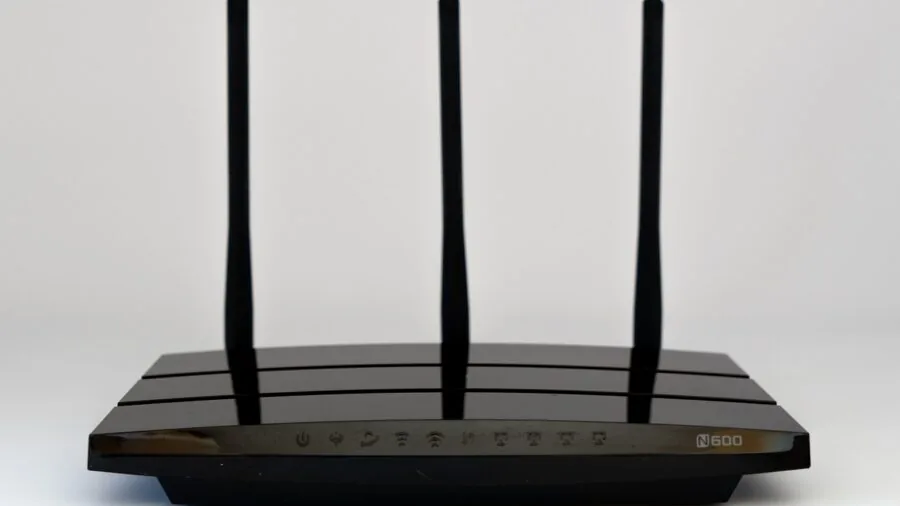
AiMesh compatibility on ASUS routers is a notable advantage: it allows you to pair multiple ASUS routers together to create a mesh network without purchasing a dedicated mesh system. TP-Link OneMesh serves the same function within the TP-Link ecosystem.
If your home has dead zones or you anticipate expanding coverage later, buying into a mesh-compatible ecosystem from the start avoids a full hardware replacement.
Standalone routers that lack any mesh capability are best suited to smaller homes or apartments where a single unit provides complete coverage.
It is also worth noting that WiFi 7 (802.11be) is now commercially available, with the TP-Link Archer BE230 in this roundup representing an entry-level WiFi 7 option.
For most buyers, WiFi 6 remains the pragmatic choice in 2026: client device support is broad, prices have matured, and real-world performance gains from WiFi 7 are currently limited to environments with WiFi 7 clients.
Buyers on the bleeding edge or planning a five-year refresh cycle may want to weigh that option carefully.
Why You Should Trust Us
REMOVU is an independent review publication.
Every router in this guide was evaluated using a consistent, structured research methodology: we analyze published technical specifications, assess expert review consensus drawn from authoritative networking publications and benchmark sources, and incorporate verified buyer feedback from confirmed purchasers.
Each product receives a REMOVU Score on a 0 to 10 scale based on this multi-source evaluation, applied consistently across the category so scores are directly comparable.
We do not conduct our own product trials; our evaluations are grounded in research, published data, expert review consensus, and verified buyer feedback.
This approach allows us to cover a broader range of products and price points than any single-lab evaluation could, while drawing on the collective signal of hundreds of real-world usage reports.
Our goal is to surface the routers that consistently perform well across diverse home environments, not just in optimized conditions.
REMOVU may earn a commission when you purchase through links in this article. This affiliate relationship has no influence on our rankings, REMOVU Scores, or product selection.
Our recommendations are determined entirely by the quality of each product relative to its category, not by commercial relationships. We are not a retailer and have no involvement in order fulfillment, returns, or warranty support.
Final Thoughts
The WiFi 6 router market in 2026 is mature and competitive, with strong options at every price tier. After researching specifications, analyzing expert review consensus, and reviewing verified buyer feedback, a few standout picks emerge clearly for different types of buyers.
- Best Overall: TP-Link Archer AX3000 Pro Dual-Band Wi-Fi 6 Router (Renewed) earns the top REMOVU Score in this roundup, delivering a well-rounded combination of capable WiFi 6 performance and exceptional value that makes it the strongest overall pick across the category.
- Best Premium Pick: TP-Link AX6000 Archer AX80 is the strongest choice for buyers who want a future-ready high-throughput router with a 2.5 Gbps WAN/LAN port, 8K streaming capability, and OneMesh support, earning it the highest REMOVU Score among full-price models in this guide.
- Best for Power Users and Custom Firmware: GL.iNet GL-MT6000 Flint 2 is purpose-built for enthusiasts who want pre-installed OpenWrt, dual 2.5G multi-gig ports, and native WireGuard/OpenVPN support out of the box, with a strong REMOVU Score that reflects its unique feature depth at its price point.
- Best Mid-Range Value: ASUS RT-AX3000 consistently earns high marks for its combination of AiProtection security, AiMesh compatibility, and reliable dual-band WiFi 6 performance, making it a well-rounded choice for households that want ecosystem flexibility without premium pricing.
- Best Budget Entry: TP-Link Archer AX10 is the most accessible starting point for households upgrading from an older router, offering dual-band WiFi 6 with Beamforming and Alexa compatibility at an entry-level price point that makes the 802.11ax transition affordable.
For shoppers who also need to pair a new router with upgraded modem hardware, our cable modems guide covers the best standalone modems to complement these picks.
The right combination of modem and router makes a bigger difference than either device alone.
If you are deep in a home office or gaming setup refresh, a reliable home network is the infrastructure layer that keeps everything else running, including the gaming monitors and peripherals downstream.
Frequently Asked Questions
Do I Need a WiFi 6 Router if My Devices Are Older?
WiFi 6 routers are fully backward-compatible with WiFi 5 (802.11ac), WiFi 4 (802.11n), and older devices. Older clients simply connect at their native standard.
The benefit of upgrading is twofold: newer devices in your home, including most smartphones, laptops, and smart home hubs released since 2020, will automatically take advantage of WiFi 6 speeds and efficiency improvements.
And the OFDMA and MU-MIMO improvements in WiFi 6 benefit the entire network, including older clients, by reducing congestion and improving fairness across many simultaneous connections.
What Is the Difference Between WiFi 6 and WiFi 6E?
WiFi 6 operates on the 2.4 GHz and 5 GHz bands. WiFi 6E adds access to the 6 GHz band, which offers significantly less congestion (since older devices cannot use it) and wider channel widths for very high throughput over shorter distances.
WiFi 6E routers are generally more expensive and the 6 GHz band has limited wall-penetration range. For most homes, standard WiFi 6 on dual-band hardware delivers excellent performance.
WiFi 6E makes more sense in dense apartment environments or for dedicated high-throughput use cases where clients are close to the router.
Should I Buy a WiFi 6 Router or a Mesh System Instead?
A standalone router is typically the better value for homes under roughly 2,000 square feet with a reasonably central router placement. Mesh systems excel in larger homes, multi-story layouts, or spaces with thick walls and many dead zones.
The good news is that several routers in this guide, particularly the ASUS models with AiMesh and the TP-Link options with OneMesh, are mesh-compatible.
You can start with a single unit and add nodes later if coverage proves insufficient, without replacing the entire system. For a broader look at coverage solutions, our dedicated mesh Wi-Fi systems roundup covers purpose-built distributed networking options.
How Often Should I Replace My Router?
Most networking experts suggest a three to five year replacement cycle for home routers, though functional hardware can last longer.
The more relevant trigger for replacement is when your router no longer receives firmware and security updates, when your ISP speed tier outpaces the router’s WAN capability, or when the number of connected devices in your home has grown significantly since purchase.
Buying a router with a strong ecosystem and an active firmware support history, as the ASUS and TP-Link models in this guide offer, extends the useful lifespan meaningfully.
Pairing your router with an up-to-date modem matters too; an older cable modem can limit the effective speed of even the fastest router.
Is a WiFi 7 Router Worth Buying Over WiFi 6 Right Now?
WiFi 7 (802.11be) introduces Multi-Link Operation (MLO), higher channel widths, and support for the 6 GHz band alongside improved 2.4 GHz and 5 GHz performance. Entry-level WiFi 7 routers, like the TP-Link Archer BE230 included in this guide, are now available at competitive prices.
However, real-world gains from WiFi 7 are currently constrained by limited client device support. Phones, laptops, and smart home devices with WiFi 7 radios are still a minority.
For buyers who want to future-proof and are comfortable waiting for the ecosystem to mature, an entry-level WiFi 7 router is a reasonable choice. For everyone else, a well-specified WiFi 6 router remains the pragmatic, cost-effective option in 2026.
About the author
Melissa is REMOVU's portable monitor writer, weighing image quality, weight, and connectivity for a second screen on the go. She helps mobile workers add display space without the bulk.