The 10 Best Wi-Fi Routers for Fiber
Fiber internet deserves a router that can actually keep up. We researched top-rated Wi-Fi 6, 6E, and Wi-Fi 7 models to find the picks that pair best with fast fiber plans.
 By Ryan Richardson
Updated July 26, 2026
By Ryan Richardson
Updated July 26, 2026
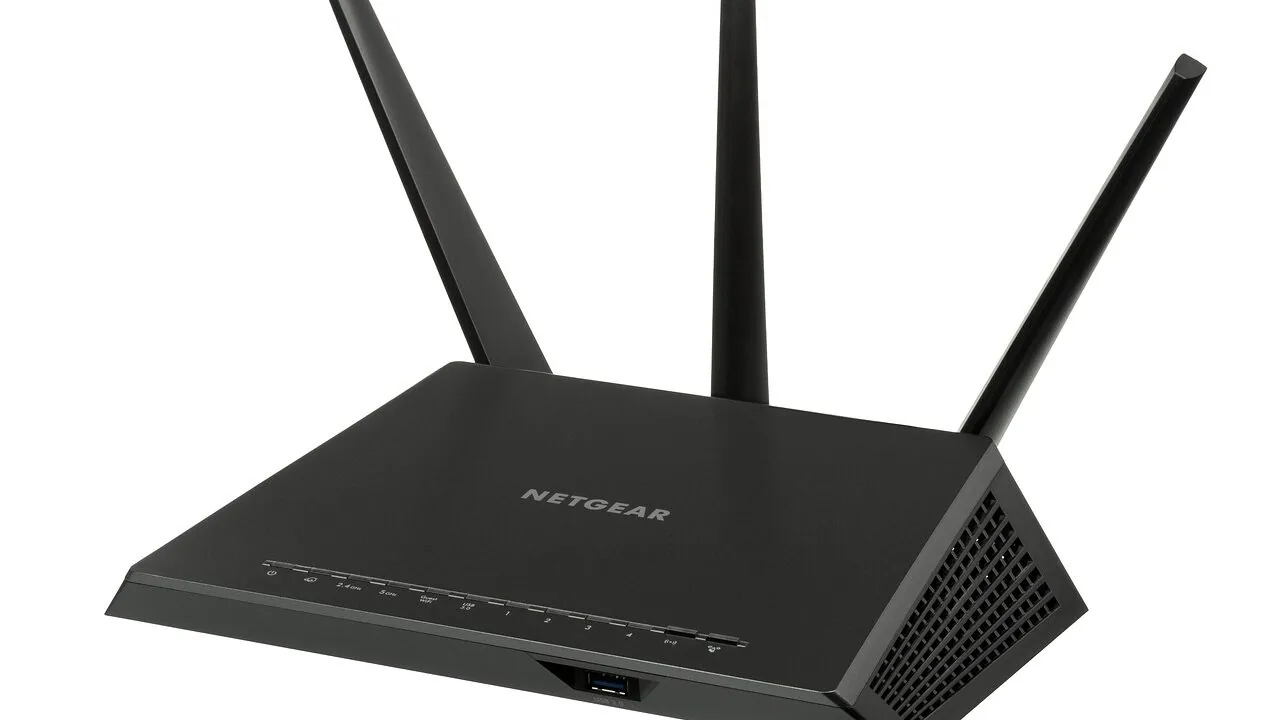
Fiber internet delivers some of the fastest and most consistent speeds available to home users today, but even a multi-gigabit connection is only as good as the router sitting between your ONT and your devices.
A sluggish or outdated router will bottleneck your fiber plan, introduce Wi-Fi dead zones, and leave newer technologies like Wi-Fi 7 completely untapped.
Choosing the right router means understanding which specs actually matter for fiber, not just chasing the highest number on the box.
You can explore the broader landscape of networking and storage gear we cover to see how routers fit into a complete home network.
This guide brings together the top-performing routers for fiber connections across a range of budgets and use cases, from entry-level Wi-Fi 6 options to cutting-edge Wi-Fi 7 tri-band flagships.
Our research team at REMOVU analyzed published specifications, synthesized expert review consensus, and weighed verified buyer feedback to surface the picks most likely to make a real difference in your home network. Scroll down to see our ranked recommendations.
| Award | Product | REMOVU Score About REMOVU ScoreThe REMOVU Score is our own rating from 0 to 10, based on performance, design and build, ease of use, and value. It reflects independent research and is never influenced by manufacturers, retailers, or affiliate commissions. Learn more › | Price | |
|---|---|---|---|---|
| Best Overall |
 Netgear Nighthawk RS200 WiFi 7 Router, 6.5 Gbps
|
8.9/10 | Buy | |
| Best Premium |
 GL.iNet GL-BE9300 Flint 3 WiFi 7 Router
|
8.2/10 | Buy | |
| Best Value |
 TP-Link Archer AXE75 WiFi 6E Tri-Band Router
|
8.6/10 | Buy | |
 TP-Link Archer AX80 Wi-Fi 6 Router (AX6000)
|
8.3/10 | Buy | ||
 GL.iNet GL-MT6000 Flint 2 Wi-Fi 6 Router
|
7.8/10 | Buy | ||
 TP-Link Archer BE400 Wi-Fi 7 Router
|
7.5/10 | Buy | ||
| Best Budget |
 TP-Link Deco BE23 WiFi 7 BE3600 Mesh Router
|
7.4/10 | Buy | |
 TP-Link Archer AX55 Wi-Fi 6 Dual-Band Router
|
7.2/10 | Buy | ||
 TP-Link Archer BE230 Wi-Fi 7 Router
|
6.5/10 | Buy | ||
 NETGEAR R6700AX WiFi 6 Router AX1800
|
6.3/10 | Buy |
Netgear Nighthawk RS200 WiFi 7 Router, 6.5 Gbps
This WiFi 7 dual-band router delivers up to 6.5 Gbps speeds and covers 2,500 sq. ft. with support for 80 devices, making it a solid mid-range option for homes upgrading from older WiFi 6 routers. Setup is straightforward via the Nighthawk app, though it requires a separate modem and may need device reconnections after installation.
Pros
- Excellent coverage area with verified long-range performance in multiple rooms
- Fast, reliable speeds with minimal lag when handling multiple devices
- App setup is intuitive and works well for initial configuration
- 2.5 Gig WAN and LAN ports future-proof for higher-speed internet plans
- Works seamlessly with diverse smart home devices after reconnection
Cons
- Router only, requires a separate cable modem for internet connectivity
- No auto-recovery if internet connection drops, requiring manual power reset
- Reconnecting existing smart devices and cameras after setup can be time-consuming
- Limited admin access through app; advanced settings like port forwarding require PC login
GL.iNet GL-BE9300 Flint 3 WiFi 7 Router
A tri-band WiFi 7 router built on OpenWrt with strong wireless performance and robust VPN capabilities, appealing to both power users and those seeking straightforward home networking. Setup is intuitive, but early adopters should expect WiFi 7 features to require firmware stability trade-offs.
Pros
- Excellent wireless range covering up to 2,000 square feet with reliable signal penetration
- Intuitive web interface accessible immediately after setup, no app required
- Strong verified buyer consensus on ease of setup and stable performance when features are left at defaults
- High security ratings and straightforward configuration for OpenVPN and Wireguard
- Modern tri-band architecture future-proofs for emerging WiFi 7 devices
Cons
- WiFi 7 beta firmware can cause connection instability and require router reboots; disabling MLO and 6 GHz needed for reliability on some units
- Occasional Ethernet LAN port connectivity issues reported with gigabit networks on some units
- Cutting-edge chipset means software maturity lags hardware capabilities
TP-Link Archer AXE75 WiFi 6E Tri-Band Router
TP-Link's first WiFi 6E router delivers up to 5400 Mbps across three bands, including the interference-free 6 GHz spectrum, with a 2.5 Gbps WAN port for gaming and streaming. Setup is straightforward, coverage is strong across large homes, and it works with all major ISPs.
Pros
- Excellent real-world coverage in large homes and congested WiFi environments due to WiFi 6E architecture
- Fast setup via PC or mobile app with automatic software and security updates
- Strong wired performance with 2.5 Gbps port handles gigabit internet speeds
- Tri-band design with OFDMA technology supports 4x more connected devices simultaneously
- 2-year warranty outlasts most competitor products by one year
Cons
- 6 GHz band range and speed disappointing on devices that support it, often dropping back to 5 GHz within short distances
- Some advanced features like enhanced parental controls and security services require paid subscription
- Setup requires careful configuration of band settings and SSID to properly activate 6E benefits; default settings may not optimize performance
TP-Link Archer AX80 Wi-Fi 6 Router (AX6000)
A capable Wi-Fi 6 router delivering strong dual-band performance (4804 Mbps on 5 GHz, 1148 Mbps on 2.4 GHz) with extensive home coverage via eight antennas and beamforming. Best suited for larger homes with many connected devices, though setup can be finicky and some advanced features require paid subscription.
Pros
- Exceptional range and coverage, eliminating dead zones in large homes without needing mesh systems
- Handles high device counts reliably using MU-MIMO and OFDMA technology
- 2.5 Gbps multi-gigabit port future-proofs against ISP upgrades
- Dual-band stability on both 5 GHz and 2.4 GHz with fast streaming performance
- OneMesh compatible for flexible expansion and straightforward app-based control
Cons
- Initial setup can be unreliable, sometimes requiring multiple restart attempts to establish Wi-Fi broadcast
- Premium features like HomeShield Pro security and advanced parental controls locked behind subscription ($5.99/month or $54.99/year)
- Larger physical footprint than typical routers; QoS feature can cause occasional network dropouts if enabled
GL.iNet GL-MT6000 Flint 2 Wi-Fi 6 Router
A high-performance Wi-Fi 6 router built on OpenWrt with dual 2.5G ports, reaching 6 Gbps combined speeds. Designed for gaming, streaming, and advanced users who want both ease of use and deep customization options.
Pros
- Dual 2.5G ethernet ports handle multi-gigabit connections that most consumer routers lack
- Wi-Fi 6 delivers up to 4804 Mbps on 5GHz with excellent range and minimal dead zones, verified by multiple buyers
- OpenWrt foundation with GL.iNet's simplified GUI provides both beginner-friendly setup and advanced configuration access
- Integrated AdGuard Home for network-wide ad blocking without extra hardware
- Strong VPN performance: 900 Mbps WireGuard and 190 Mbps OpenVPN throughput over ethernet
Cons
- Setup requires firmware update on initial install for optimal performance, adding extra first-time steps
- No Power over Ethernet (PoE) support, limiting deployment flexibility in some scenarios
- Network Acceleration feature reportedly causes WiFi instability on some setups, requiring manual disable to restore normal performance
TP-Link Archer BE400 Wi-Fi 7 Router
The Archer BE400 brings Wi-Fi 7 to dual-band routers with MLO and 4K-QAM technology, delivering speeds up to BE6500 across 2,400 sq. ft. HomeShield security and dual 2.5Gbps ports make it solid for streaming and gaming, though it lacks the tri-band performance of pricier models.
Pros
- Wi-Fi 7 future-proofing at a reasonable entry point for the technology
- Strong coverage area with 2,400 sq. ft. and reliable beamforming performance
- Comprehensive HomeShield security suite with parental controls and QoS management
- Dual 2.5Gbps connectivity enables fast wired transfers for demanding tasks
- EasyMesh compatibility allows expansion with compatible routers and extenders
Cons
- Dual-band design limits simultaneous high-speed connections compared to tri-band competitors
- No user reviews available yet to validate real-world performance claims
- 160 MHz channel width narrower than comparable tri-band routers, potentially affecting peak speeds
TP-Link Deco BE23 WiFi 7 BE3600 Mesh Router
A budget-friendly WiFi 7 mesh system that delivers solid speeds up to 3.6 Gbps and covers 2,500 sq ft with dual 2.5 Gbps ports for wired backhaul. Best for users wanting next-gen WiFi without premium pricing, though dual-band design and limited ethernet ports may constrain power users.
Pros
- Fast, stable performance with 4-stream 3.6 Gbps delivering noticeable speed improvements for streaming and gaming across multiple devices simultaneously
- Excellent coverage and reliable signal throughout homes up to 2,500 sq ft, with strong signals even through multiple walls when positioned well
- Intuitive Deco app makes initial setup quick and provides granular control including per-device band steering and network prioritization
- Dual 2.5 Gbps ports on each unit unlock full potential of gigabit-plus internet when using wired backhaul between nodes
- WiFi 7 future-proofing at a value price point, significantly cheaper than premium Deco models like BE85 while maintaining core modern features
Cons
- Only two ethernet ports per unit limits hardwired device connectivity, requiring external switches if you need multiple wired connections
- Limited per-device bandwidth control through Quality of Service (QoS) compared to lower-priced competitors, restricting granular traffic management to ~4 priority devices
- Advanced settings only accessible through mobile app, no full web-based admin interface if WiFi becomes unstable or you prefer traditional browser control
TP-Link Archer AX55 Wi-Fi 6 Dual-Band Router
The Archer AX55 delivers Wi-Fi 6 speeds up to 2.4 Gbps across dual bands, making it suitable for households juggling multiple devices and streaming simultaneously. Four external antennas with beamforming technology provide strong coverage, while WPA3 security and HomeShield protection keep your network safe.
Pros
- Next-gen Wi-Fi 6 performance suitable for bandwidth-heavy households with multiple simultaneous connections
- Strong physical coverage via four external antennas and beamforming technology to hard-to-reach areas
- Improved cooling design prevents throttling and maintains top speeds
- Comprehensive security suite with WPA3, HomeShield free tier, and parental controls
- OneMesh expansion capability for seamless whole-home coverage without needing separate mesh system
Cons
- No user reviews available yet to verify real-world performance claims
- Requires separate OneMesh Wi-Fi extender purchase to expand coverage beyond router range
- Premium HomeShield features beyond basic security scan require paid subscription
TP-Link Archer BE230 Wi-Fi 7 Router
An affordable entry point to Wi-Fi 7 with solid dual-band performance, dual 2.5G ports, and coverage up to 2,000 sq ft. Best suited for households upgrading from older routers or seeking future-proofing without premium pricing.
Pros
- Straightforward setup process, praised by non-technical users
- Dual 2.5G ports enable multi-gigabit connectivity without premium cost
- Strong Wi-Fi coverage in typical home sizes with minimal dead zones
- Reliable performance for streaming, gaming, and smart home devices
- Backward compatible with all Wi-Fi generations (802.11ac, 802.11ax, 802.11be)
Cons
- Smart Connect feature can be unreliable with mixed WPA2/WPA3 security protocols; manual band separation sometimes required
- Dual-band only (no 6 GHz), limiting full Wi-Fi 7 feature set compared to tri-band models
- Requires careful modem/router power sequencing during initial setup per some users
NETGEAR R6700AX WiFi 6 Router AX1800
A budget-friendly WiFi 6 router designed for small to medium homes, delivering solid coverage up to 1,500 sq ft and supporting up to 20 devices. Easy app-based setup and competitive pricing make it practical for users wanting to replace ISP rentals, though it lacks mesh expansion and advanced features.
Pros
- Simple, guided app-based setup takes about 20 minutes even for non-technical users
- Strong signal coverage for small spaces without needing extenders
- Good value for the price, saves money versus monthly ISP rental fees
- WPA3 security and automatic updates at no extra cost
- Four Gigabit LAN ports provide reliable wired connectivity
Cons
- Cannot be paired with another router to extend coverage; requires separate mesh system for larger homes
- Limited advanced admin options in the mobile app; full features require browser login
- 3-month hardware warranty; phone support beyond that requires paid service plan
WiFi Routers for Fiber Buying Guide
Picking the right router for a fiber connection involves more than matching your ISP’s advertised speed.
Fiber plans often arrive at your home via a 1 Gbps, 2 Gbps, or even multi-gigabit ONT, and your router needs the right WAN port, chipset, and wireless standard to keep pace.
The subsections below walk through every factor worth weighing before you buy.
WAN Port Speed and Multi-Gig Support

This is the single most overlooked spec when pairing a router with fiber. Many routers still ship with a 1 Gbps WAN port, which becomes an instant bottleneck if you subscribe to a 1.5 Gbps or 2 Gbps fiber plan.
Look for a router with at least a 2.5 Gbps WAN port if your plan exceeds 1 Gbps, and confirm whether the port can handle full duplex traffic without throttling under load.
Several of our top picks, including models from TP-Link and GL.iNet, ship with dual 2.5 Gbps ports that can serve double duty as a fast LAN connection to a NAS box or a wired gaming PC.
If you run a NAS device on your home network, this flexibility is genuinely useful. Routers with a single 2.5 Gbps WAN port are a reasonable middle ground for most fiber plans up to 2 Gbps.
Budget models sometimes include only a gigabit WAN port. That is fine for plans at or below 1 Gbps, but it is worth reading the fine print before assuming you are getting full fiber speeds at the router level.
Future-proofing with a multi-gig port costs relatively little more and tends to pay off as ISPs upgrade their tier offerings.
Wi-Fi Standard: Wi-Fi 6, Wi-Fi 6E, or Wi-Fi 7

Wi-Fi 6 (802.11ax) remains an excellent standard for most households in 2026. It brings OFDMA, MU-MIMO, and Target Wake Time to the table, collectively improving throughput on crowded networks and extending battery life on connected devices.
If the majority of your devices were purchased in the last few years, they almost certainly support Wi-Fi 6 already.
Wi-Fi 6E adds a 6 GHz band, which is currently less congested than the 2.4 GHz and 5 GHz bands in most neighborhoods. The 6 GHz band also supports 160 MHz channel widths more reliably, translating to higher peak throughput for compatible devices.
The TP-Link Archer AXE75 in our lineup earned strong recognition from expert reviewers specifically for its 6 GHz performance relative to its price.
Wi-Fi 7 (802.11be) is the newest standard and introduces Multi-Link Operation (MLO), which allows a device to send and receive data across multiple bands simultaneously. This reduces latency noticeably for real-time applications like competitive gaming and video calls.
Our highest-scoring picks, including options from NETGEAR and GL.iNet, leverage Wi-Fi 7 to make the most of high-speed fiber connections both now and into the future.
Coverage Area and Antenna Design
Raw Wi-Fi speed means little if your signal does not reach the rooms where you actually use your devices.
Manufacturers typically quote coverage figures under ideal conditions, which rarely match real-world layouts with drywall, concrete, or multiple floors in the way.
A general rule of thumb is to divide the advertised coverage area by roughly 1.5 when estimating real-world performance in a typical home.
Beamforming, which is available on every router in our roundup, helps focus signal energy toward connected devices rather than broadcasting equally in all directions. External antennas tend to offer better range than internal ones because they can be physically repositioned.
If your home has persistent dead zones, a mesh Wi-Fi system may serve you better than a single router, as it distributes coverage through multiple nodes.
For apartments and smaller homes under 1,500 square feet, a compact router with modest antenna count is usually sufficient.
For larger homes, prioritize routers that advertise 2,000 square feet or more of coverage, and check whether they support OneMesh or EasyMesh protocols so you can add a satellite node later without replacing your entire setup.
Security Features and Firmware Quality

A fiber router sits at the edge of your entire home network, which makes its security posture more important than it might seem.
WPA3 encryption is now available on all of our recommended models and offers meaningful improvements over WPA2, particularly for networks where devices connect and disconnect frequently. Look for WPA3 support as a baseline rather than a nice-to-have.
VPN server and client support is increasingly common even on mid-range routers and is genuinely useful for remote work or for routing specific devices through a VPN without running client software on each one.
Several TP-Link models in our list include HomeShield, a security suite that adds network-level threat detection and parental controls.
GL.iNet routers run OpenWrt out of the box, giving technically inclined users granular control over every aspect of their network configuration.
Firmware update frequency matters too. A router that stops receiving security patches within a year of launch is a liability on a fiber connection that is always on.
Brands like NETGEAR and TP-Link have established track records of multi-year firmware support, which factored into our scoring alongside raw performance metrics.
CPU, RAM, and Device Capacity

The router’s processor and memory determine how well it handles many simultaneous connections. A dense household with smart home devices, streaming sticks, laptops, phones, and gaming consoles can easily put 30 to 50 devices on the network at any given time.
An underpowered router will struggle under this load, causing latency spikes even when raw Wi-Fi bandwidth looks healthy.
Quad-core CPUs paired with at least 512 MB of RAM are a reasonable benchmark for a modern fiber router.
Routers advertising support for 80 or 90 simultaneous devices typically achieve this through a combination of capable hardware and OFDMA scheduling, which allocates channel resources more efficiently across many clients.
For context, a network switch can expand your wired port count without adding load to the router’s CPU if you rely heavily on wired connections.
USB Ports and Extra Connectivity

A USB 3.0 port on a router allows you to share a hard drive or printer across your network, which is a practical convenience in a home office setup.
Not every fiber router includes one, and budget models are the most likely to omit it. If network-attached storage via the router is important to you, verify USB 3.0 support before purchasing.
Some routers also include additional LAN ports beyond the standard four, which is helpful if you run a home theater PC, a gaming console, and a smart TV all via Ethernet in the same room.
Routers with dedicated 2.5 Gbps LAN ports add value for users who own high-speed external drives or other peripherals that can saturate a standard gigabit connection.
Think of the extra port capacity as a quality-of-life feature rather than a core performance metric, but it is worth factoring into your decision if your setup is complex.
Why You Should Trust Us
REMOVU is an independent review publication. We have no affiliation with any router manufacturer, ISP, or retail channel.
Every product in this roundup was assessed using the same structured research methodology: we analyze published specifications, synthesize expert review consensus drawn from multiple credible sources, and weigh verified buyer feedback to arrive at a consistent, comparable score for each model.
We do not conduct our own product trials; our evaluations are grounded in research, published data, expert review consensus, and verified buyer feedback.
Each router in this guide carries a REMOVU Score on a scale of 0 to 10, reflecting our composite assessment of performance potential, value, feature set, security, and long-term reliability based on available evidence.
Products are ranked by REMOVU Score, with higher scores indicating stronger overall suitability for fiber connections across a range of real-world use cases.
REMOVU may earn an affiliate commission if you purchase through links in this article. That relationship does not influence our rankings, scores, or editorial recommendations in any way.
Our selections are determined solely by research quality and merit, not by commission rates or brand relationships.
We cover a wide range of tech categories, from cable modems to gaming peripherals, and the same editorial standards apply across every roundup we publish.
Final Thoughts
The routers in this guide represent the strongest options available for fiber connections across a wide range of budgets and household sizes.
Whether you are upgrading from an ISP-supplied gateway or building out a whole-home network from scratch, there is a well-matched pick here. Below are our editorial awards based on REMOVU Score and standout characteristics.
- Best Overall: NETGEAR Nighthawk RS200 WiFi 7 Router. This router earned our highest REMOVU Score in the group, combining Wi-Fi 7 performance, a 2.5 Gbps internet port, and broad device capacity in a package that suits most fiber households well.
- Best Value Wi-Fi 6E: TP-Link Archer AXE75. Expert reviewers consistently highlighted this model for delivering 6 GHz band access and a 2.5 Gbps WAN port at a mid-range price, making it an outstanding value for 6E adopters on fiber.
- Best for Power Users: GL.iNet GL-BE9300 Flint 3. Tri-band Wi-Fi 7, five 2.5 Gbps ports, and pre-installed OpenWrt make this the go-to pick for users who want full control over their network configuration and maximum throughput headroom.
- Best Mid-Range Pick: TP-Link Archer AX80. A strong REMOVU Score, a 2.5 Gbps WAN/LAN port, and Wi-Fi 6 reliability place this router in a comfortable sweet spot between budget and flagship tiers.
- Best Budget Wi-Fi 7 Entry: TP-Link Deco 7 BE23. At an entry-level price point, this mesh-capable Wi-Fi 7 router brings MLO and dual 2.5 Gbps ports to users who want to future-proof without a flagship outlay.
If you are still deciding between a traditional single router and a full mesh system, our mesh Wi-Fi systems guide walks through the tradeoffs in detail.
For users pairing a home network with a high-performance workstation, a capable network switch can extend wired connectivity without touching your router configuration.
Frequently Asked Questions
Do I need a special router for fiber internet?
Not exactly, but fiber-specific considerations do matter. Fiber internet typically delivers speeds that exceed what many older routers can handle at the WAN port.
If your fiber plan runs at 1 Gbps or faster, look for a router with at least a 2.5 Gbps WAN port to avoid an artificial bottleneck.
Beyond that, any modern Wi-Fi 6 or Wi-Fi 7 router with adequate coverage and a capable CPU will work well with a fiber connection.
Is Wi-Fi 7 worth it for a fiber connection in 2026?
Wi-Fi 7 is genuinely worth considering if you subscribe to a multi-gigabit fiber plan or plan to upgrade soon. The key benefit is Multi-Link Operation, which reduces latency and improves throughput by allowing devices to use multiple bands at once.
For plans at or below 1 Gbps and households with mostly Wi-Fi 6 client devices, a well-chosen Wi-Fi 6E router will deliver nearly equivalent real-world results at a lower price.
Wi-Fi 7 is a stronger value proposition when you look at it as a long-term investment.
Can I use my ISP’s provided router with a fiber connection?
Yes, but ISP-supplied gateways are typically entry-level hardware optimized for cost rather than performance. They often lack advanced features like VPN server support, tri-band Wi-Fi, multi-gig LAN ports, and robust parental controls.
Using your own router in bridge mode or behind the ISP gateway in DMZ mode usually delivers noticeably better wireless performance and gives you full control over your network. Check with your ISP to confirm compatibility before purchasing.
What is the difference between a router and a mesh Wi-Fi system for fiber?
A traditional router broadcasts Wi-Fi from a single point, which works well for smaller homes or apartments. A mesh system uses multiple nodes to distribute coverage across a larger area, with devices handing off seamlessly as you move between rooms.
For fiber users in larger homes, a mesh system can eliminate dead zones that a single router cannot reach.
Some routers in our list, including the TP-Link Deco 7 BE23, are designed to function as the primary node in a mesh network, giving you the flexibility to expand coverage by adding satellites later.
How many devices can a fiber router handle simultaneously?
Modern routers using Wi-Fi 6 or Wi-Fi 7 with OFDMA technology can manage dozens of simultaneous connections without significant performance degradation. Our top picks are rated for anywhere from 20 to 90 simultaneous devices depending on the model.
In practice, the router’s CPU and RAM matter as much as the Wi-Fi standard. Households with many smart home devices, streaming boxes, and computers should prioritize routers with quad-core processors and generous memory to keep latency stable under heavy load.
Pairing a capable router with wired network switches for stationary devices also reduces wireless congestion and improves overall network stability.
Does router placement affect fiber internet speeds?
Significantly, yes. Even the most capable router will underperform if placed inside a cabinet, on the floor, or surrounded by thick walls.
Optimal placement is typically centrally located, elevated, and away from large metal objects and microwave appliances that interfere with the 2.4 GHz band.
The 6 GHz band available on Wi-Fi 6E and Wi-Fi 7 routers offers higher throughput but shorter range, so devices using that band benefit most from being in the same room or adjacent to the router.
For whole-home coverage on a fiber connection, consider adding a mesh node in a distant wing rather than repositioning your primary router away from the ONT.
Related Guides
About the author
Ryan writes about streaming gear for REMOVU, comparing mics, lighting, and control decks that polish a broadcast. He helps creators build a clean setup around the game.