The 9 Best Smart Home Hubs
Choosing a smart home hub means matching protocol support, local vs. cloud processing, and ecosystem fit to what you already own. Here are the strongest picks across every budget.
 By Ava Herrera
Updated July 26, 2026
By Ava Herrera
Updated July 26, 2026

A smart home hub is the backbone of any connected home, translating between incompatible wireless protocols and letting you control everything from smart locks and thermostats to security cameras and lighting from a single app.
Without one, you end up juggling a half-dozen separate apps, dealing with devices that refuse to talk to each other, and building automations that break the moment your internet goes down.
The market has expanded dramatically, with options ranging from budget IR blasters to full local-processing powerhouses that run entirely without cloud dependency.
For this guide, our editorial team at REMOVU researched the current hub landscape by synthesizing manufacturer specifications, expert review consensus across the enthusiast and mainstream press, and verified buyer feedback from thousands of confirmed purchasers.
Each product received a REMOVU Score on our 0 to 10 scale based on consistent, category-specific criteria.
Whether you want a plug-and-play solution for a starter setup or a powerful local-automation platform for a mature smart home, the ranked list below covers the strongest options across every budget and use case right now in 2026.
| Award | Product | REMOVU Score About REMOVU ScoreThe REMOVU Score is our own rating from 0 to 10, based on performance, design and build, ease of use, and value. It reflects independent research and is never influenced by manufacturers, retailers, or affiliate commissions. Learn more › | Price | |
|---|---|---|---|---|
| Best Overall |
 Home Assistant Green Smart Home Hub
|
9.1/10 | Buy | |
| Best Premium |
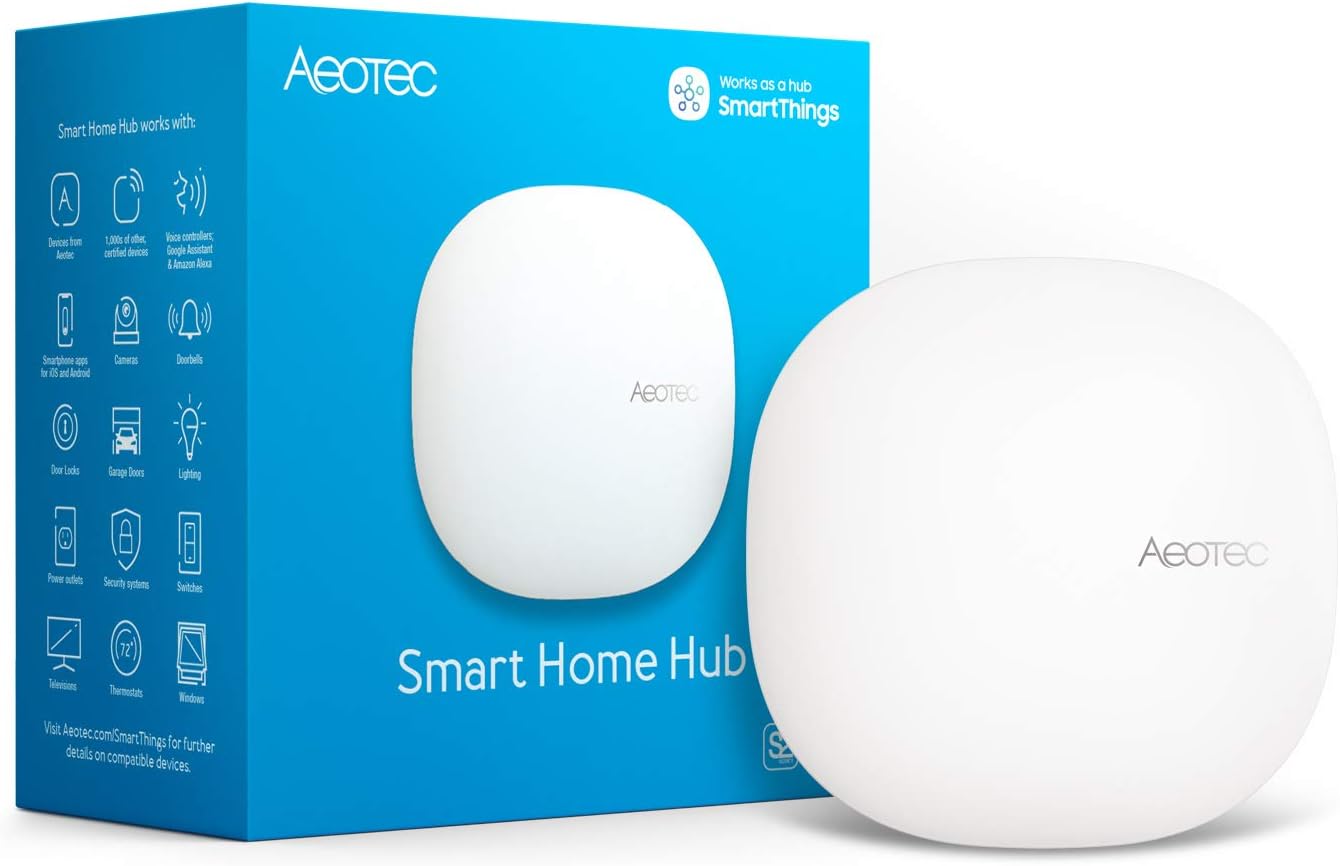 Aeotec Smart Home Hub V3, Z-Wave/Zigbee/Matter Gateway
|
8.5/10 | Buy | |
 SwitchBot AI Hub Bundle with PTC Plus 5MP Camera
|
7.9/10 | Buy | ||
| Best Value |
 Aqara Hub M200 Matter Controller with IR Blaster
|
7.8/10 | Buy | |
 Philips Hue Bridge Pro Smart Hub
|
7.3/10 | Buy | ||
 Lutron Caseta Smart Hub L-BDG2-WH
|
7.2/10 | Buy | ||
| Best Budget |
 SwitchBot Hub 2 (2nd Gen) WiFi Smart Home Hub
|
7.1/10 | Buy | |
 Tapo H110 Matter-Certified Smart Hub with Universal IR Remote
|
6.4/10 | Buy | ||
 YoLink Hub LoRa Smart Home Controller
|
6.2/10 | Buy |
Home Assistant Green Smart Home Hub
An officially supported Home Assistant hub that arrives pre-configured and ready to plug in, offering local control of hundreds of smart devices without relying on cloud services. Best suited for users willing to invest time in setup and automation customization, though initial configuration requires patience and documentation review.
Pros
- Plug-and-play setup with Home Assistant OS pre-installed, Ethernet connectivity, and included universal power supply with international adapters
- Local data storage and processing on 32GB eMMC eliminates cloud dependency for core automation, improving reliability and response times
- Consolidates multi-brand devices (Lutron, Philips Hue, Arlo, Sengled) into single dashboard, bridging incompatible ecosystems that wouldn't normally communicate
- Fanless, silent design using minimal power, compact enough to hide away while handling 60+ devices per verified reviews
- Extensive community support with documentation, videos, and integrations; official backing from Nabu Casa provides stability
Cons
- Setup and customization have a steep learning curve; reviewers recommend having documentation and AI assistance open during initial configuration, not a true beginner experience despite marketing language
- Limited to 2 USB ports, requiring additional powered hub purchase if you need multiple Z-Wave/Zigbee/Thread dongles; each USB adapter is an added cost
- Remote access requires either Home Assistant Cloud subscription or separate remote connection setup; no Wi-Fi connectivity built-in, Ethernet-only wired connection required
Aeotec Smart Home Hub V3, Z-Wave/Zigbee/Matter Gateway
A multi-protocol smart home hub supporting Z-Wave, Zigbee, Matter, and Wi-Fi devices through the SmartThings app. Best for users with diverse device ecosystems who want centralized control via Alexa and Google Assistant, though it relies on cloud connectivity for full functionality.
Pros
- Supports four wireless protocols (Z-Wave, Zigbee, Matter, Wi-Fi) plus cloud devices, reducing need for multiple hubs
- Simple setup in minutes via SmartThings app with Ethernet or Wi-Fi options
- Works with Alexa and Google Assistant for voice control
- Intuitive automation and routine creation with room-based device organization
- Wide compatibility with thousands of devices from major brands like Philips Hue, Samsung, and Ecobee
Cons
- Requires active internet connection for app control and automations, not suitable for local-only operation
- No built-in migration tool when upgrading from older hubs, requiring manual reset of all paired devices
- Premium pricing relative to single-protocol alternatives
SwitchBot AI Hub Bundle with PTC Plus 5MP Camera
This bundle pairs SwitchBot's AI Hub with a 360-degree pan-tilt 5MP camera for local video storage and AI-powered home automation. It's built for users wanting centralized camera management and smart home control without ongoing cloud fees, though AI features require a separate subscription.
Pros
- Versatile connectivity supports Wi-Fi, Bluetooth, Matter, RTSP cameras, and SwitchBot devices in one hub
- Local event recording and on-device AI reduce reliance on cloud services
- Pan-tilt camera delivers wide room coverage with clear 5MP video and two-way audio
- Expandable storage architecture allows scaling from 16GB to 16TB
Cons
- AI+ subscription required to unlock AI features like video search and smart reports
- Single verified review limits real-world performance assessment
- PTC Plus camera limited to 2.4GHz Wi-Fi, which may impact performance in congested networks
Aqara Hub M200 Matter Controller with IR Blaster
A versatile multi-protocol smart hub supporting Matter, Thread, Zigbee, and Wi-Fi with built-in IR blaster for legacy devices. Best suited for Aqara ecosystem users and HomeKit integrations, though setup can be finicky and IPv6 network support is required for some features.
Pros
- Broad ecosystem compatibility across HomeKit, Alexa, Google Home, and Home Assistant
- Local automation ensures fast response times and reliable operation without internet
- Flexible connectivity options including PoE, Wi-Fi, and USB-C backup power
- IR blaster with feedback detection converts traditional AC units to Matter-connected thermostats
- Generally straightforward setup and solid connection stability per user feedback
Cons
- Requires IPv6 network support for full Matter functionality, which can be problematic on some Android setups
- Initial setup process can be finicky, requiring Wi-Fi connection first before Ethernet configuration
- Only works with Aqara Zigbee devices natively, limiting third-party device integration outside Matter protocol
Philips Hue Bridge Pro Smart Hub
The Hue Bridge Pro consolidates large lighting setups into a single wireless hub with noticeably faster response times and support for 150+ lights. It's built for homes heavily invested in the Hue ecosystem, though early adopters report occasional stability quirks worth monitoring.
Pros
- Dramatically faster response than older bridges, especially with 100+ device setups
- Single hub eliminates need for multiple bridges in large homes
- Straightforward migration transfers most scenes, automations, and device settings automatically
- MotionAware adds convenience without requiring separate motion sensors
- Zigbee mesh network maintains control even if Wi-Fi drops
Cons
- Early reliability issues reported by some users, particularly after firmware updates or failed migrations
- Integration with Apple Home noted as incomplete in at least one review
- Migration from dual bridges occasionally fails and requires manual rebuilding of automations
Lutron Caseta Smart Hub L-BDG2-WH
A dedicated smart home hub that controls up to 75 Lutron Caseta devices using a proprietary wireless protocol instead of WiFi, integrating with Alexa, Apple HomeKit, Google Home, and other platforms. Reviews consistently praise its reliability, fast response times, and straightforward setup, making it ideal for users invested in the Lutron ecosystem.
Pros
- Reliable, dedicated wireless connection that doesn't rely on or interfere with home WiFi
- Fast response to voice commands and app controls compared to competing hubs
- Seamless integration with Apple HomeKit, Alexa, and Google Assistant on the same device
- Simple setup process with automatic device discovery and grouping
- Scalable ecosystem with extensive accessories like Pico remotes and wall switches
Cons
- Limited to Lutron Caseta devices and select third-party brands, incompatible with Leviton and many other manufacturers
- Requires purchase of compatible Caseta switches and dimmers, not a universal hub for existing smart home devices
- Some users reported firmware update loops during initial setup, though resolved by leaving device powered longer than instructions indicated
SwitchBot Hub 2 (2nd Gen) WiFi Smart Home Hub
A 4-in-1 hub combining WiFi gateway, IR remote control, thermometer, and hygrometer with Swiss-made sensors for accurate temperature and humidity monitoring. Works with Alexa, Google Home, Apple HomeKit via Matter, and supports automation through scenes and geofencing.
Pros
- Accurate temperature and humidity readings with intuitive graphical data display
- Extensive IR compatibility with 5-second smart learning for new remotes
- Seamless integration with major voice assistants and HomeKit automation
- Offline local control via app when internet is unavailable
- Two physical buttons enable control without smartphone or voice commands
Cons
- WiFi connectivity issues reported by some users, including disconnections that disrupt automation schedules
- Bluetooth signal struggles at distance from hub, slowing sensor data updates from outlying meters
- No ethernet port, relying solely on WiFi for network connection
Tapo H110 Matter-Certified Smart Hub with Universal IR Remote
The Tapo H110 combines a Matter-certified smart home hub, built-in 93dB chime, and universal infrared remote into one device, controlling 8,000+ IR brands plus Tapo sensors through voice commands, app control, and location-based automations. Best suited for households with mixed smart and legacy appliances seeking centralized control without juggling multiple remotes.
Pros
- Exceptionally broad IR compatibility with quarterly database updates, covering both new and legacy appliances
- Matter integration future-proofs the ecosystem across multiple voice assistants and platforms
- Built-in chime and local automation processing reduce reliance on additional hardware and internet connectivity
- Intuitive Tapo app streamlines IR learning and automation setup
- GPS-based location control and customizable scheduling provide genuine energy-saving potential
Cons
- Requires separate 5V/2A USB power adapter and Matter Controller device for initial setup, adding to total cost
- No existing customer reviews available to verify real-world reliability or common issues
- 130-meter maximum range limits IR control to nearby rooms only
YoLink Hub LoRa Smart Home Controller
YoLink's hub serves as a central bridge for its expanding ecosystem of smart home devices using long-range LoRa technology rather than WiFi, reducing network congestion. Setup is straightforward with QR code pairing, though the system requires internet connectivity and carries modest SMS alert fees for high-volume usage.
Pros
- Exceptional range up to 1/4 mile with LoRa technology, allowing devices to work through obstructions
- Easy plug-and-play installation with QR code pairing that takes minutes to complete
- No subscription fees for basic operation, with optional SMS/email alerts at modest cost
- Responsive customer support and ability to add multiple hubs for expanded range and redundancy
- Works without active internet for local automation and emergency water shutoff functions
Cons
- Requires internet connection for remote access and push notifications despite local automation capability
- Alert limits on SMS and email notifications without paying additional fees for high-volume activity
- Limited Alexa integration mentioned in reviews, making voice control compatibility uncertain
Smart Home Hubs Buying Guide
Picking the right hub comes down to matching its protocol support, processing architecture, and ecosystem compatibility to the devices you already own and the automations you plan to run.
The sections below walk through every dimension that separates a genuinely useful hub from a frustrating one.
Wireless Protocol Support
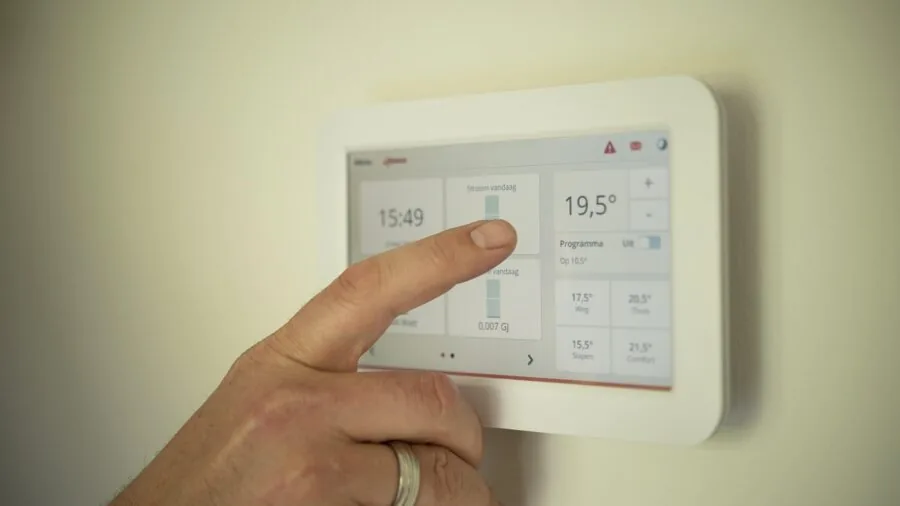
This is the single most important spec to check before buying. Smart home devices speak several different radio languages: Zigbee, Z-Wave, Wi-Fi, Bluetooth, Thread, and the newer Matter standard.
A hub that only handles Wi-Fi devices will be useless for your Zigbee sensors. A hub that supports Zigbee but not Z-Wave will leave your existing Z-Wave door lock orphaned.
Before purchasing, list every device protocol in your home and verify the hub supports each one natively or through a Matter bridge.
Matter and Thread represent where the industry is heading in 2026. Matter is an application-layer standard that lets devices from different ecosystems work together, while Thread is the underlying mesh networking protocol that many Matter devices use.
Hubs that function as Thread Border Routers, like the Aqara Smart Hub M200, allow Thread-native devices to communicate reliably even if your main internet router goes down.
If you are building a new system from scratch, prioritizing Matter and Thread support now future-proofs your investment considerably.
IR (infrared) blasters are often bundled into hubs as a convenience for controlling legacy TVs, air conditioners, and AV equipment. These are useful but should be treated as a bonus feature rather than a core selling point.
The Tapo H110 and SwitchBot Hub 2 both lean heavily on IR control as part of their value proposition, which makes them excellent transitional hubs for homes that still have a lot of non-smart appliances alongside connected devices.
Local vs.
Cloud Processing
Cloud-dependent hubs route your commands through a manufacturer’s server, which introduces latency, creates a single point of failure if the service goes offline, and raises ongoing privacy questions about your home activity data.
Local hubs process automations entirely on-device, so your lights still respond instantly even when your internet is down and even if the manufacturer ever discontinues their cloud service.
Home Assistant Green is the gold standard for local-first processing among mainstream hardware options. It runs the open-source Home Assistant platform entirely on your home network, with no mandatory cloud subscription.
The tradeoff is a steeper initial learning curve compared to plug-and-play alternatives. For privacy-conscious users or anyone who has been burned by a cloud shutdown before, that tradeoff is absolutely worth it.
Mid-tier options like the Aeotec Smart Home Hub operate in a hybrid model, leveraging Samsung SmartThings’ cloud for remote access and certain automations while still processing many routines locally. This strikes a practical balance for most households.
Pure cloud hubs are increasingly rare at the premium tier but still common in budget options, where the manufacturer subsidizes the hardware cost through ongoing data access.
Ecosystem and Voice Assistant Compatibility
Most households are already invested in one of the three major voice ecosystems: Amazon Alexa, Google Home, or Apple Home (HomeKit). Your hub needs to work natively with whichever one you use, not just via a workaround integration.
Hubs that support all three simultaneously give you maximum flexibility and make it easier to add devices in the future without worrying about ecosystem lock-in.
Apple Home compatibility deserves special attention because HomeKit has historically been the most restrictive of the three ecosystems. Devices need explicit Apple certification to join HomeKit natively.
Hubs that bridge non-HomeKit devices into Apple Home, such as the Aqara M200 and the Lutron Caseta Smart Hub, are particularly valuable for iPhone-centric households that want to use Siri or the Home app without replacing their existing devices.
If you use a smart display as a central control panel, confirm that the hub integrates cleanly with the display’s native ecosystem. Amazon Echo Show devices work best with Alexa-certified hubs, while Google Nest Hubs favor Google Home-compatible products.
Mismatched ecosystems often mean reduced automation depth and inconsistent device discovery.
Automation Depth and Scripting Capability

Basic hubs let you create simple if-then rules: if motion is detected, turn on the light. Advanced hubs support conditional logic, time-based variables, device state triggers, and multi-step sequences that can make a home feel genuinely intelligent.
If you plan to automate more than a handful of devices, the depth of the scripting engine matters as much as the protocol coverage.
Home Assistant’s automation engine is the most capable available on consumer hardware, supporting YAML-based scripts, Node-RED visual programming, and a growing library of community integrations.
The Aeotec Smart Home Hub via SmartThings offers a capable middle ground with a more approachable visual rule builder and a large library of officially supported device handlers.
For lighting-specific households, the Philips Hue Bridge Pro provides deep scripting for Hue-ecosystem scenes and dynamic effects, though it remains intentionally narrow in scope.
Consider your long-term ambitions honestly. A first-time smart home builder will likely find the automation depth of the SwitchBot Hub 2 or Aqara M200 more than sufficient for several years.
Power users who want to integrate robot vacuums, video doorbells, and baby monitors into unified automations will quickly outgrow a simple hub and should budget accordingly for something like Home Assistant Green.
Reliability and Connection Architecture
Wi-Fi-based hubs are convenient to set up but add load to your home network and are subject to interference from neighboring networks, thick walls, and the general congestion of a busy 2.4 GHz band.
Dedicated radio hubs that use Zigbee, Z-Wave, or Thread create a separate mesh network for your smart devices, keeping home automation traffic off your main Wi-Fi and dramatically improving response reliability in larger homes.
The Lutron Caseta Smart Hub is the clearest example of a purpose-built, non-Wi-Fi architecture done right.
Lutron uses its proprietary Clear Connect RF technology, which operates on a less congested frequency and has built a strong reputation among installers and enthusiasts for near-zero missed commands.
YoLink takes a different approach with LoRa radio technology, which prioritizes extraordinary range over device density, making it particularly well suited to large properties and outbuildings.
Ethernet connectivity is a meaningful reliability upgrade over Wi-Fi for any hub that will serve as the nerve center of your home. A wired connection eliminates the hub itself as a variable when troubleshooting connectivity issues.
The Aeotec Smart Home Hub, Aqara M200 (with PoE support), and Home Assistant Green all support wired Ethernet, which is worth the minor inconvenience of running a cable.
Setup Experience and Ongoing Maintenance

The initial setup experience varies enormously across this category, from the fifteen-minute guided app flow of SwitchBot Hub 2 to the multi-hour configuration process of Home Assistant. Neither is inherently better; they serve genuinely different users.
What matters is matching the complexity to your comfort level and the time you are willing to invest.
Firmware update reliability is an often-overlooked factor. Hubs that ship infrequent, large updates tend to introduce more instability than those with regular, incremental patches.
Home Assistant releases monthly updates with a detailed changelog and a robust community that identifies regressions quickly. Aeotec and Aqara both maintain reasonably active update cadences.
Budget hubs from lesser-known brands often receive minimal post-launch support, which is a real risk given how central a hub becomes to your daily home operation.
Think about the app experience you will use every day. Some hubs offer rich dashboards with custom tile layouts; others offer only a stripped-down device list.
If you spend a lot of time managing your setup from a phone, the app’s information architecture and responsiveness matter as much as the underlying hardware.
Verified buyers consistently flag laggy or poorly designed apps as among the most common reasons for negative long-term reviews in this category.
Why You Should Trust Us
REMOVU is an independent review publication. We have no manufacturing relationships, no sponsored placements, and no editorial agreements with any brand featured in this guide.
Every product in our rankings is evaluated against a consistent, category-specific rubric and awarded a REMOVU Score on a 0 to 10 scale.
Our evaluation methodology is built on four pillars: manufacturer-published specifications, expert review consensus drawn from the broader enthusiast and mainstream technology press, verified buyer feedback aggregated from confirmed purchasers, and publicly available published data with traceable sourcing.
We do not conduct our own product trials; our evaluations are grounded in research, published data, expert review consensus, and verified buyer feedback.
This approach lets us cover a broader range of products with greater consistency than any single reviewer could achieve through individual assessment alone.
We update our scores and rankings as new products launch, firmware updates change product behavior, and the consensus of expert and buyer opinion shifts.
Transparency matters to us: REMOVU may earn an affiliate commission if you purchase through a link in this guide. That relationship has no influence whatsoever on our scores, rankings, or which products appear in our lists.
Our recommendations are driven entirely by research quality and consumer value.
Final Thoughts
The smart home hub market in 2026 is more capable and more diverse than it has ever been, with strong options across every price tier and use case.
After synthesizing specifications, expert consensus, and verified buyer feedback across the full field, our top picks break down clearly by user profile:
- Best Overall: Home Assistant Green earns the top REMOVU Score in this roundup on the strength of its unmatched local processing, open-source ecosystem depth, and complete independence from any cloud service or subscription. It is the most future-proof hub available at any price for serious smart home builders.
- Best for Multi-Protocol Homes: Aeotec Smart Home Hub covers Z-Wave, Zigbee, Matter, and Wi-Fi under a single roof, backed by the mature SmartThings platform. It earns one of the highest scores in the group and is the strongest choice for anyone with a mixed-protocol device collection.
- Best for Matter and Thread Buildouts: Aqara Smart Hub M200 stands out as a Thread Border Router with broad cross-ecosystem compatibility spanning Apple Home, Google Home, Amazon Alexa, and Home Assistant simultaneously. It represents outstanding value for households investing in the Matter standard.
- Best for Lighting-Focused Setups: Philips Hue Bridge Pro supports an exceptional number of lights and accessories with advanced encryption and deep scene control. For households where connected lighting is the primary smart home use case, nothing in this roundup matches its breadth and reliability within that specific domain.
- Best Budget Entry Point: Tapo H110 delivers Matter certification and universal IR control at an entry-level price, making it the most accessible on-ramp in the group for first-time smart home buyers who want to start small without painting themselves into a corner.
No single hub is right for every household. The right choice depends on the protocols your devices already use, how much automation complexity you want to manage, and whether cloud dependency is a concern for you.
Use our buying guide criteria above to narrow the field, then let the REMOVU Scores guide your final decision.
For related coverage in the smart home category, explore our full roundups of smart locks, smart home devices broadly, and security cameras to build out a complete connected home setup.
Frequently Asked Questions
Do I Really Need a Smart Home Hub if My Devices Connect Directly to Wi-Fi?
Many modern smart devices do connect directly to Wi-Fi without a separate hub, and for small setups with five or fewer devices that all share the same ecosystem, this works fine. The problems emerge at scale.
Each Wi-Fi device adds load to your router, and most Wi-Fi smart devices rely on their manufacturer’s cloud to function, meaning a server outage or company closure can brick your entire setup overnight.
A dedicated hub with Zigbee or Z-Wave support creates a separate, local mesh network that keeps devices responsive even when the internet is unavailable and consolidates control across brands that would otherwise require separate apps.
What Is the Difference Between Matter and Thread?
Matter is an application-layer interoperability standard developed by the Connectivity Standards Alliance, backed by Apple, Google, Amazon, and Samsung. It defines a common language that devices use to communicate with controllers and voice assistants regardless of brand.
Thread is a low-power mesh networking protocol that many Matter devices use as their radio transport layer. Think of Matter as the language and Thread as one of the roads that language travels on.
A hub that acts as a Thread Border Router bridges Thread-networked devices onto your home IP network so Matter controllers can reach them. Not all Matter devices use Thread; some use Wi-Fi instead.
Can I Use Multiple Hubs Together?
Yes, and in many mature smart home setups this is actually the norm.
A common configuration pairs a protocol-rich hub like the Aeotec Smart Home Hub (handling Zigbee and Z-Wave sensors) with a dedicated lighting bridge like the Philips Hue Bridge Pro, then exposes both to a central platform like Home Assistant for unified automations.
The key is choosing hubs that expose their devices over standard protocols (Matter, HomeKit, SmartThings API) so a primary controller can aggregate them.
Running too many competing cloud accounts does create management complexity, so local integrations are generally preferable when available.
Is Home Assistant Too Complicated for a Non-Technical User?
Home Assistant has improved its onboarding significantly in recent years, and the Home Assistant Green hardware is specifically designed to reduce the setup barrier by shipping with the software pre-configured.
That said, it remains more hands-on than commercial alternatives from SwitchBot, Aqara, or SmartThings.
Users who want automations that go beyond what commercial apps expose, who care about privacy and local processing, or who enjoy customizing their setup will find the learning curve rewarding.
Users who want a plug-and-play experience managed entirely from a polished mobile app will likely be better served by the Aeotec hub via SmartThings or the Aqara M200.
Both of those options also integrate with smart thermostats and video doorbells without requiring any manual configuration.
How Many Devices Can a Smart Home Hub Support?
Device limits vary widely. The Philips Hue Bridge Pro officially supports over 150 lights and 50 accessories, making it one of the highest-capacity options for its specific use case.
Home Assistant Green has no hard device ceiling in practice; its limits are determined by the processing power of the hardware and the efficiency of the integrations you run.
Zigbee mesh networks become more robust (not weaker) as you add more mains-powered devices, since each acts as a router for battery-powered endpoints. Z-Wave networks support up to 232 nodes per controller.
For most households, hitting a device ceiling is not a practical concern unless you are building a commercial-scale installation.
What Should I Do if My Hub Loses Its Cloud Service?
Cloud-dependent hubs are a real long-term risk; several well-regarded platforms have been discontinued in the past few years, leaving users stranded.
If you own a hub whose cloud service is shutting down, check whether it supports local API access or can be flashed with alternative firmware. Many Zigbee and Z-Wave devices can be re-paired to a new hub without replacement.
The best insurance against this scenario is choosing a hub that already processes automations locally, or migrating your setup to Home Assistant, which can absorb devices from most major ecosystems via its integration library.
Investing in Bluetooth trackers and other devices with open protocol support also reduces your exposure to any single vendor’s platform decisions.
About the author
Ava is REMOVU's laptop writer, balancing speed, battery life, and build quality against price across the whole range. She helps readers find the sweet spot as each new chip shifts what a dollar buys.