The 9 Best Handheld Emulators
From budget Linux handhelds to premium Android powerhouses, these handheld emulators cover every system from 8-bit classics to PlayStation 2 and beyond.
 By Kay Hanson
Updated July 26, 2026
By Kay Hanson
Updated July 26, 2026

Handheld emulators have exploded in popularity over the past few years, giving players a genuine way to carry decades of gaming history in a single pocket-sized device.
Whether you want to revisit classic arcade titles, run PlayStation-era RPGs on a commute, or push into more demanding PlayStation 2 and Nintendo DS territory, there is now a device built for exactly that purpose.
The market has matured rapidly, and the gap between budget-friendly Linux-based handhelds and fully capable Android powerhouses has never been more interesting to navigate.
For a broader look at the landscape, our roundup of handheld gaming consoles for retro games covers even more options across price points.
At REMOVU, we evaluated every model on this list through comprehensive research: manufacturer specifications, expert review consensus from the enthusiast and tech press, verified buyer feedback, and published benchmark data.
Our picks span a wide range of budgets and use cases, from no-frills starter units to premium clamshell devices with AMOLED displays.
Read on for our ranked top picks, followed by a practical buying guide to help you match the right hardware to your needs.
| Award | Product | REMOVU Score About REMOVU ScoreThe REMOVU Score is our own rating from 0 to 10, based on performance, design and build, ease of use, and value. It reflects independent research and is never influenced by manufacturers, retailers, or affiliate commissions. Learn more › | Price | |
|---|---|---|---|---|
| Best Overall |
 Retroid Pocket Flip 2 Snapdragon 865 Clamshell Handheld
|
8.9/10 | Buy | |
| Best Premium |
 Retroid Pocket 5 5.5-inch Android Gaming Handheld
|
8.6/10 | Buy | |
| Best Value |
 GiipGoop RG35XX H Retro Handheld - 3.5" IPS, 5500+ Games
|
7.8/10 | Buy | |
 Trimui Brick Hammer 3.2-inch Retro Handheld Console
|
7.5/10 | Buy | ||
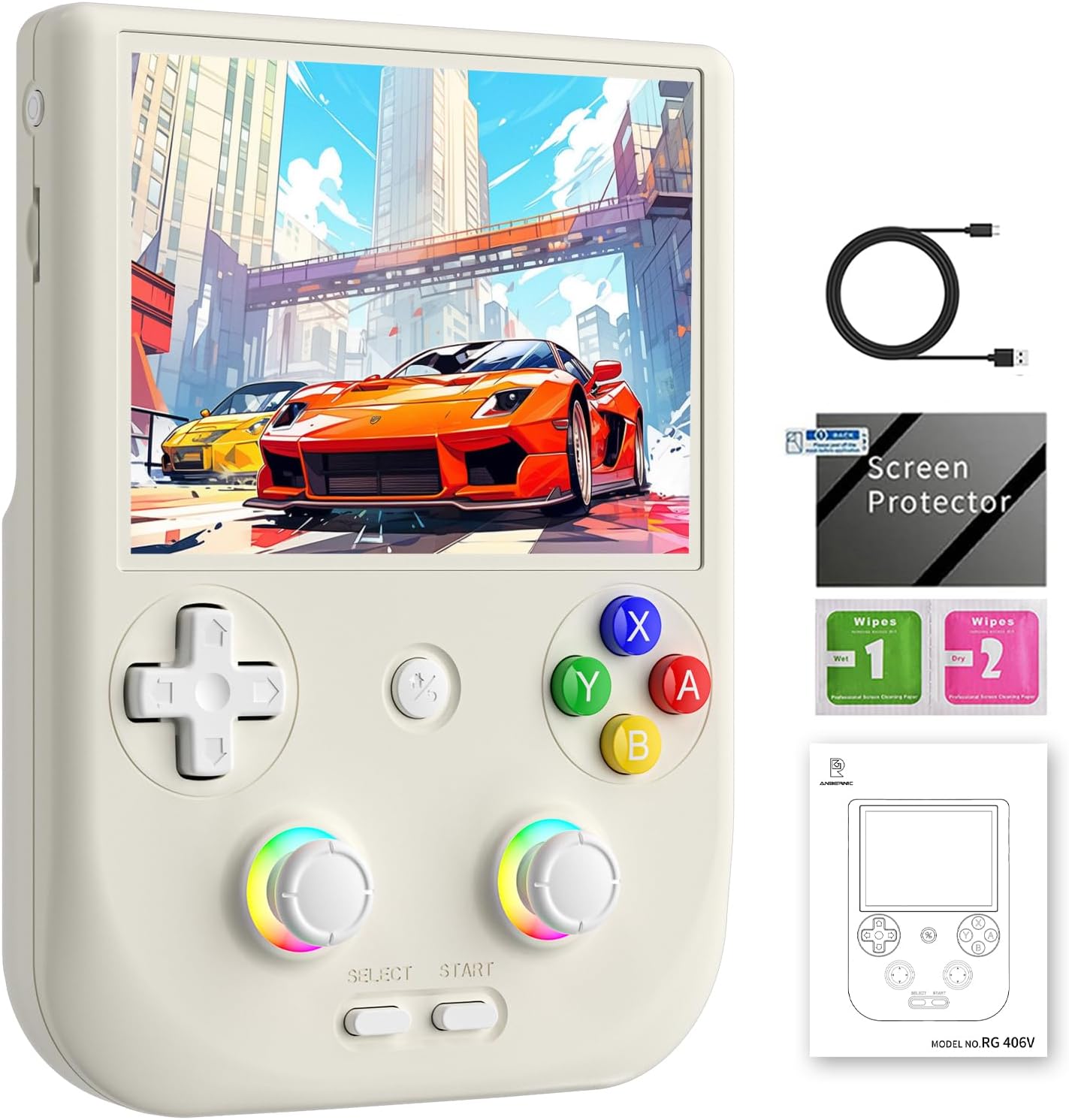 Anbernic RG406V 4-inch Retro Game Console
|
7.2/10 | Buy | ||
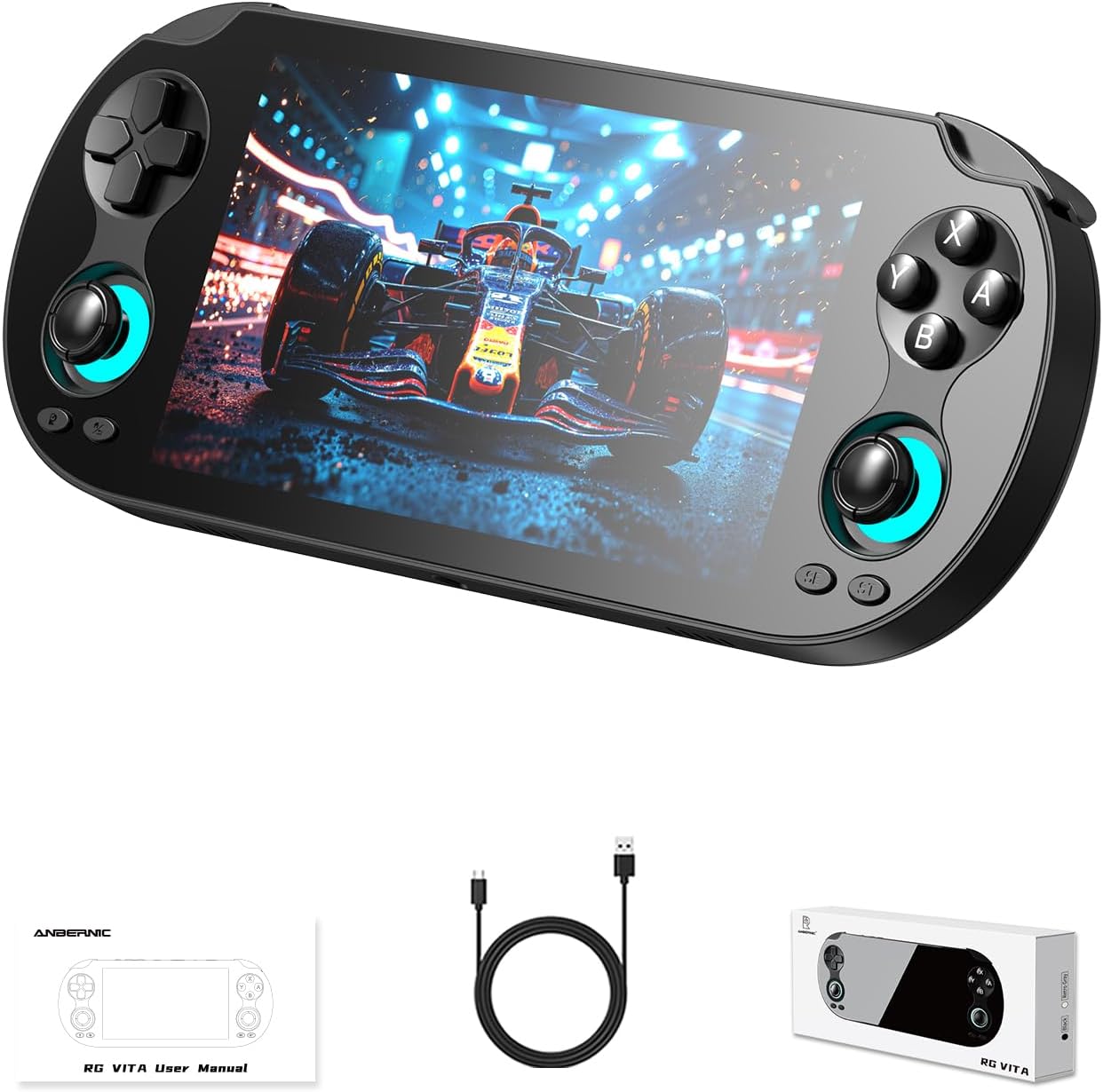 Cintwor RG Vita 5.46-inch Android 12 Handheld Console
|
7.1/10 | Buy | ||
| Best Budget |
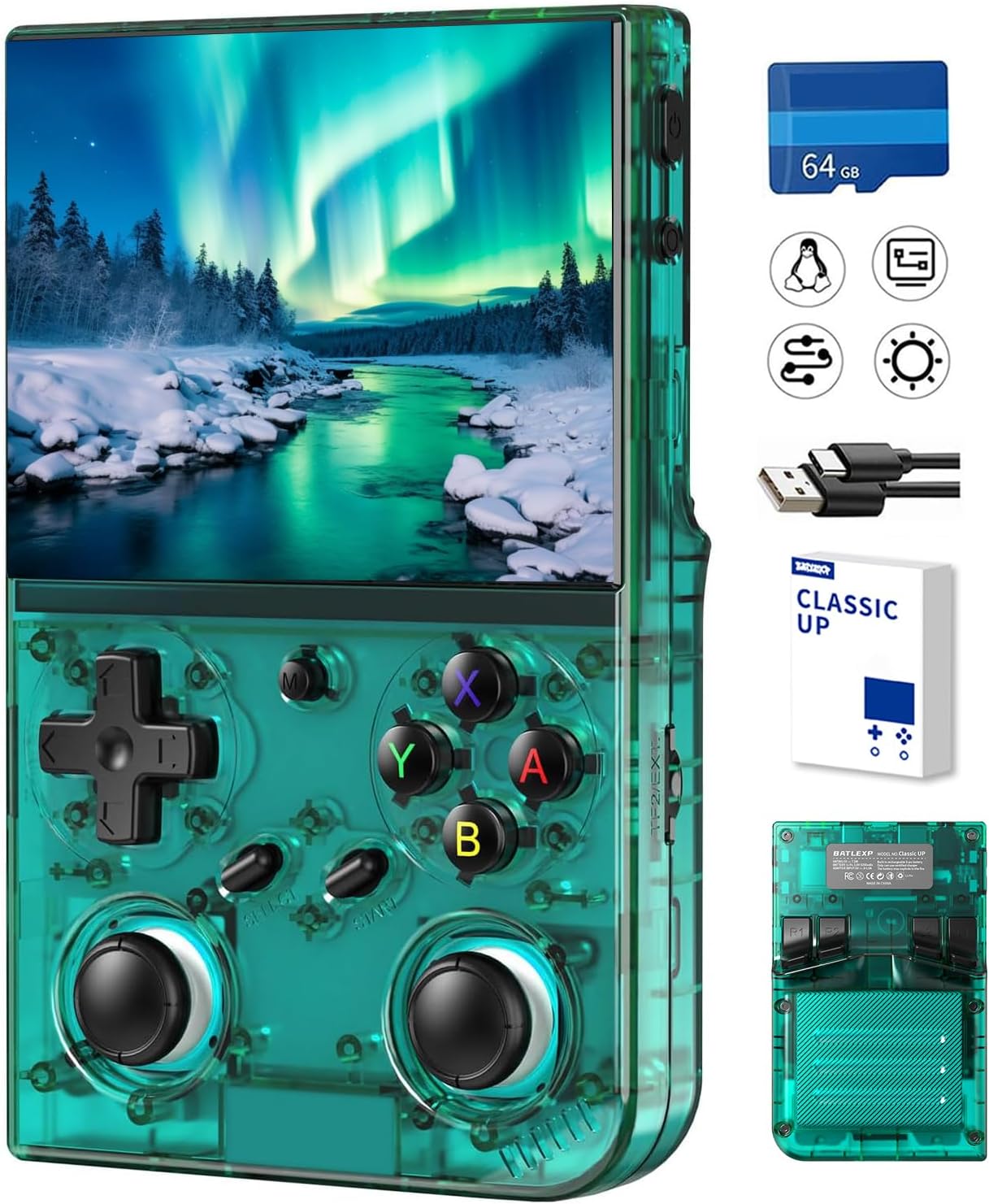 Aivuidbs 35XXPRO 3.5" Retro Handheld Console, 64GB, 4000+ Games
|
6.4/10 | Buy | |
 EraVortx XF45V 4.5-Inch Retro Handheld with 20,000 Games
|
6.2/10 | Buy | ||
 Tohilkel X6 Retro Handheld Console, 400 Games, 3" Screen
|
6.2/10 | Buy |
Retroid Pocket Flip 2 Snapdragon 865 Clamshell Handheld
A premium Android gaming device with a 5.5-inch AMOLED display and Snapdragon 865 processor packed into a protective clamshell form factor. Strong performance for emulation and streaming, but requires significant setup and arrives without preloaded games.
Pros
- Stunning 5.5-inch AMOLED 1080p display praised for vibrant colors and brightness across verified reviews
- Snapdragon 865 with 8GB RAM handles PS2, GameCube emulation and modern Android games smoothly
- Hall-effect analog sticks eliminate drift concerns; reinforced hinge design improves durability over earlier models
- 5000mAh battery delivers multi-hour gameplay with 27W fast charging, variable runtime based on game demands
- Clamshell design protects screen while maintaining pocket portability; microSD expansion supports up to 1TB storage
Cons
- No games preloaded; requires manual setup of emulators and game files, creating steep learning curve for non-technical users
- Some early batches experienced hinge cracking after weeks of use despite reinforced design improvements
- Shoulder buttons and controls produce noticeable sound in quiet environments; can heat during extended demanding gaming sessions
Retroid Pocket 5 5.5-inch Android Gaming Handheld
A powerful Android-based portable emulator with a vibrant 1080p touchscreen and Snapdragon 865 processor that handles retro games through 6th generation consoles smoothly. Best suited for players who want versatile gaming on the go but are willing to set up their own game library.
Pros
- High-quality 1080p display praised for vibrant colors and clarity in user reviews
- Strong emulation performance through 6th generation consoles with minimal lag
- Excellent battery life compared to PC-based handhelds, users report all-day gaming
- Full Android OS enables use as smartphone for YouTube, Netflix, and other apps beyond gaming
- Responsive buttons and ergonomic layout comfortable for extended play sessions
Cons
- No games preloaded; requires manual setup time to load ROMs and configure emulators, which can feel intimidating for beginners
- Default grip may feel cramped during longer sessions without optional grip accessory purchase
- Left analog stick positioned below D-pad instead of above, less optimal for modern game controls
GiipGoop RG35XX H Retro Handheld - 3.5" IPS, 5500+ Games
A lightweight retro gaming handheld with 5,500 pre-loaded games across 20+ emulator formats, 3.5-inch IPS display, and an 8-hour battery. Good value for casual retro gaming on the go, though build quality and durability concerns surface in some user reports.
Pros
- Excellent game library out of the box with diverse retro titles across multiple platforms
- Impressive battery endurance matches manufacturer claims in verified purchase feedback
- Responsive controls and compact form factor praised across reviews
- Sturdy construction despite plastic body, feels premium for the price point
- Fast game loading and solid PSP/PS1 performance relative to specs
Cons
- Durability issues reported by some users, including power failure within hours of use despite multiple troubleshooting attempts
- Screen responsiveness problems noted in at least one verified purchase review
- Learning curve on interface and OS navigation according to user feedback
Trimui Brick Hammer 3.2-inch Retro Handheld Console
A compact retro gaming device with a crisp 3.2-inch IPS screen and 5-hour battery life, designed for emulating classic systems up to PS1. Best suited for users willing to install custom firmware and load their own game ROMs, as stock pre-installed games are limited.
Pros
- Sharp 3.2-inch IPS display with 1024x768 resolution and adjustable brightness
- Solid 5-hour battery life with USB-C charging and offline charging support
- AllWinner Cortex-A133P processor handles NES through PS1 emulation smoothly
- Supports 20+ emulator formats for flexible ROM compatibility
- Premium build quality with metal construction and responsive buttons
Cons
- Stock firmware and pre-installed games are basic; requires custom OS installation (mustardOS, Knulli) and sourcing your own ROMs for meaningful use
- Limited to single analog stick design, affecting newer console emulation performance
- All-metal body retains heat during extended play sessions
Anbernic RG406V 4-inch Retro Game Console
A portable retro gaming device running Android 13 with a 4-inch IPS touchscreen, Unisoc T820 processor, and 8GB RAM for emulation and light gaming. Built-in RGB lighting, wireless screen casting, and 5500mAh battery make it suitable for casual gaming on the go, though the 4-inch screen limits immersion compared to larger handhelds.
Pros
- Powerful specs for retro emulation with efficient 6nm processor and low power consumption
- Generous storage at 128GB for game libraries and apps
- Built-in cooling fan prevents thermal throttling during extended play
- Wireless screen casting enables multiplayer gaming on larger displays
- Supports streaming media and PC game streaming capabilities
Cons
- 4-inch screen is relatively small for modern gaming compared to competing handhelds
- Rating of 4.3 stars from 84 reviews suggests some user experience concerns not detailed in specs
- No information provided about game library included or software quality of the gaming frontend
Cintwor RG Vita 5.46-inch Android 12 Handheld Console
Android 12 gaming handheld with a vibrant 5.46-inch IPS touchscreen, 3GB RAM, and 64GB expandable storage for multi-emulator support. Strong performance on 8-bit through 32-bit era systems, though demanding titles like PS2 and Wii show slowdown. Best for retro gaming enthusiasts willing to manage their own game libraries.
Pros
- Large, sharp 5.46-inch IPS touchscreen with responsive touch input and excellent color vibrancy
- Smooth emulation across NES, SNES, N64, GameCube, PSP, DS, and 3DS with minimal lag on supported systems
- Hall-effect analog sticks resist stick drift, with removable stick modules available as replacements
- 8-hour battery life and built-in WiFi 5, Bluetooth 5.0 for wireless controllers and headphones
- Expandable up to 2TB via microSD card for storing thousands of games
Cons
- No games preloaded, you must source and transfer ROMs yourself using a microSD card, requiring technical setup knowledge
- Plastic body feels less premium despite solid hardware inside, and reviewers note cracked screen durability concerns
- Struggles with demanding emulation like PS2, Wii, and PSP games beyond native resolution; insufficient for newer handheld systems like PS Vita
Aivuidbs 35XXPRO 3.5" Retro Handheld Console, 64GB, 4000+ Games
A portable retro gaming device with 4000+ preloaded classic games and a sharp 3.5-inch IPS screen, designed for nostalgic players seeking convenient on-the-go emulation. The quad-core processor delivers smooth performance across multiple game formats, though extended play sessions may cause hand fatigue.
Pros
- Large game library: 4000+ preloaded classic titles across 15 game formats with expandable 64GB storage
- Crisp display: 3.5-inch IPS screen with 640x480 resolution and full viewing angles enhances retro game visuals
- Solid battery endurance: 3200mAh battery sustains 6-7 hours of gameplay per charge with USB-C fast charging
- Connectivity options: Supports 5G WiFi, Bluetooth, HDMI TV output, and wireless/wired gamepad connection for multiplayer
- Responsive hardware: Quad-core ARM Cortex-A53 processor with 1GB LPDDR4 RAM provides smooth emulation and fast load times
Cons
- Ergonomic limitation: Plastic casing becomes slippery during extended play, causing hand fatigue according to verified buyers
- Specs discrepancy: Product listing shows conflicting game counts (4353, 4969, 5570) and battery life claims (5 hours vs 6-7 hours)
- Limited processing power: Single GB of RAM and quad-core chip may struggle with more demanding emulation or custom OS customization
EraVortx XF45V 4.5-Inch Retro Handheld with 20,000 Games
This Linux-based portable console packs a sharp 4.5-inch IPS display and 20,000 preloaded games across 30+ emulators, making it an accessible entry point for retro gaming. Performance is solid for classic titles, though some demanding games show occasional slowdowns, and build quality feels functional rather than premium.
Pros
- Excellent 4.5-inch IPS screen with vibrant colors and sharp visuals that enhance retro game presentation
- Massive game library out of the box with curated, pre-configured titles across multiple classic systems
- Interchangeable joystick design and Linux flexibility allow meaningful customization for different gaming preferences
- Reasonable battery life and lightweight, pocket-friendly form factor suit travel and casual play
- Strong value proposition with included accessories (case, protector) at budget-conscious price point
Cons
- Performance inconsistency: some games experience noticeable lag and glitches, particularly demanding titles from PS1/Dreamcast era
- Requires specific 5V/2A charger; incompatible chargers prevent charging and power-on, creating compatibility friction
- Build quality feels lightweight and plastic-based rather than premium, though screen construction is solid; speakers are adequate but lack depth
Tohilkel X6 Retro Handheld Console, 400 Games, 3" Screen
A compact retro gaming device preloaded with 400 classic games, designed for nostalgic players and casual gamers seeking portable entertainment. Features two-player support, TV connectivity, and a 6-hour battery life, making it suitable for travel and group play.
Pros
- Extensive game library built-in, immediate play without setup
- Two-player and TV connectivity expand gaming versatility for family/social use
- Lightweight form factor genuinely suits commuting and travel
- Responsive tactile button controls deliver authentic retro feel
- USB charging adds modern convenience versus proprietary chargers
Cons
- 6-hour battery life is modest for extended travel days despite marketing claims of 'hours'
- TV connection requires AV ports, incompatible with modern HDMI-only displays
- Only 2 reviews on record limit real-world feedback on durability and long-term performance
Handheld Emulators Buying Guide
Choosing the right handheld emulator comes down to understanding which systems you want to run, how much processing headroom you actually need, and which form factor suits the way you play.
The sections below break down every major decision point so you can shop with confidence rather than rely on spec-sheet guesswork.
Operating System: Linux vs. Android
The single biggest fork in the road is the choice between a Linux-based device and one running Android. Linux handhelds, such as the RG35XX H, boot directly into a curated emulator front-end like Garlic OS or MinUI.
Setup is minimal, performance is predictable, and battery life tends to be excellent because there is no background app overhead.
The trade-off is that you are locked to whatever emulators the community has ported, and adding new systems sometimes requires flashing firmware.
Android handhelds open a far wider software ecosystem. You can install RetroArch, standalone emulators like AetherSX2 or Dolphin, streaming apps, and even play native Android games alongside your emulation library.
Devices like the Retroid Pocket 5 and Retroid Pocket Flip 2 run Android 13, which means full access to emulators optimised for the platform. The trade-off is that Android demands more RAM and a faster SoC to run smoothly, which pushes prices higher.
If your goals extend beyond 16-bit and you want a device that doubles as a media player or cloud-streaming terminal, Android is the clear choice.
Budget devices sometimes advertise Linux without clearly explaining what that means for the user experience. Open-source Linux systems on lower-end hardware can feel rough around the edges, so always cross-reference community impressions before committing.
The handheld gaming consoles under $200 roundup is a useful companion if Android performance is your priority but budget is a constraint.
Processor and GPU: Matching Hardware to Your Target Systems
Emulation is CPU-intensive, and the correlation between chip generation and playable system ceiling is direct.
A Cortex-A53-class processor handles Game Boy Advance, SNES, and most PlayStation 1 titles without issue, and that is exactly what the RG35XX H is tuned for.
Step up to a mid-range ARM chip and you unlock Nintendo DS, PSP, and lighter Dreamcast titles.
Reach for a Snapdragon 865 or equivalent, as found in the Retroid Pocket 5, and PlayStation 2, GameCube, and Nintendo 3DS emulation becomes genuinely viable at reasonable frame rates.
GPU matters most for systems that relied heavily on 3D rendering: PlayStation 2, GameCube, and Wii. An Adreno 650 GPU, for instance, has enough compute headroom to upscale those titles to higher internal resolutions without the stuttering that plagues entry-level silicon.
If you primarily want 2D or sprite-based systems, do not pay a premium for GPU power you will never use.
Also consider thermal design. Compact devices with powerful chips can throttle under sustained load. Community benchmarks and user reports are your best signal here, since manufacturers rarely publish sustained performance figures.
If raw gaming power is the priority, a capable home game console may still outperform any handheld for demanding titles.
Display: Size, Resolution, and Panel Technology
Screen quality determines how much you enjoy every minute of play, so it deserves careful attention.
IPS panels are the baseline expectation at this price tier: they deliver accurate colour, wide viewing angles, and enough brightness for indoor use. Most devices in this roundup use IPS, and that is perfectly adequate.
Where things get interesting is at the premium end: the Retroid Pocket Flip 2 uses an AMOLED panel, which brings true blacks, higher contrast, and a subjectively punchier image that makes pixel-art games look especially vibrant.
Resolution is less critical than it sounds for retro emulation, because many classic titles run at 240p or 480p natively.
What matters more is that the screen resolution is a clean integer multiple of the native output, so pixels are rendered without blurring.
A 1080p display on a device running 5th-generation console titles at their native resolution actually needs good integer-scaling support in the emulator software to look sharp rather than mushy.
Screen size affects both portability and comfort. Compact devices in the 3 to 3.5-inch range slip into a jeans pocket but can feel cramped for long sessions.
The 4.5 to 5.5-inch screens on mid-range and premium handhelds are noticeably more comfortable for extended play and better for reading dialogue-heavy RPGs.
If you plan to connect to a television via HDMI or DP out, raw display quality matters less, but at-home docking scenarios are rarer than on-the-go use.
Controls: Layout, Joystick Quality, and Button Feel
For a device whose entire purpose is playing games, control quality is non-negotiable. The key variables are joystick type, d-pad precision, and shoulder trigger travel.
Hall-effect joysticks, which use magnetic sensors instead of resistive potentiometers, are the gold standard because they are drift-resistant over thousands of hours of use.
The Retroid Pocket Flip 2 ships with hall-effect sticks as a standard feature, a detail that justifies part of its premium positioning. Budget devices typically use conventional pot-based sticks that may develop drift over time.
D-pad quality is especially important if you intend to play fighting games, platformers, or any title that demands precise directional input. Diagonal registration, pivot-point feel, and travel distance all vary significantly between manufacturers.
User reviews consistently flag d-pad quality as one of the top reasons people upgrade from entry-level devices, so treat it as a primary consideration rather than an afterthought.
Form factor also shapes ergonomics: horizontal landscape designs (like the RG35XX H) mimic the classic Game Boy Advance SP experience, while vertical designs suit Game Boy-style one-handed play.
Some buyers find that a dedicated game controller paired with a phone or mini PC delivers better ergonomics than any handheld, so factor in how you actually hold a device before committing.
Battery Life and Charging

Battery capacity figures in the marketing material can be misleading because a 5000 mAh cell in a power-hungry Android device may deliver fewer hours of play than a 3000 mAh cell in an efficient Linux handheld running the same game.
Real-world session length depends on screen brightness, Wi-Fi usage, emulator overhead, and how hard the SoC is working. Community-reported averages are a better guide than rated capacity alone.
USB-C charging is now universal across all the devices in this roundup, which simplifies cable management. Fast charging support varies: some devices top up in under two hours, while others require a longer overnight charge.
If you are travelling or commuting, the ability to grab a quick top-up from a power bank matters more than raw capacity.
Check whether the device supports USB Power Delivery, as generic 5W charging can be frustratingly slow on larger batteries.
Storage, Connectivity, and Expandability
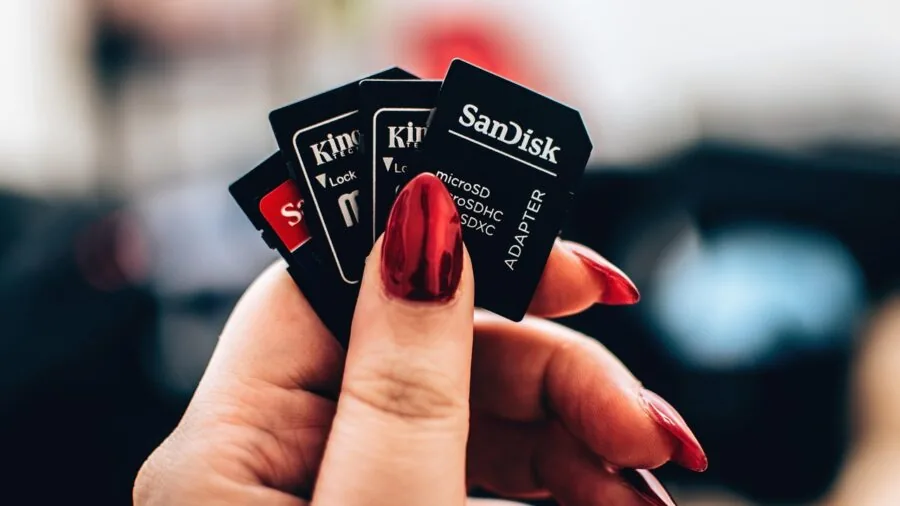
Most handheld emulators in this price range rely on microSD cards rather than onboard flash for game libraries, which is actually an advantage: you can swap cards between devices or prepare multiple themed cards for different systems.
Look for devices that support high-capacity cards and check the maximum SD specification supported, since slower cards can cause stuttering when loading large ROM files.
Connectivity features matter more as you move up the price ladder. Wi-Fi is important for downloading emulator updates, transferring ROMs wirelessly, and cloud streaming services like Xbox Cloud Gaming or GeForce Now.
Bluetooth enables pairing with external controllers, headphones, or keyboards. On Android devices, a full Bluetooth stack also enables modern wireless audio codecs.
Devices at the premium tier, such as the RG406V, add 1080p display output and broader codec support that budget units omit.
If you plan to use the device for anything beyond gaming, consider how it fits into your broader setup.
A handheld with HDMI output can double as a compact entertainment device for travel, and a fast Wi-Fi 6 radio improves cloud streaming quality significantly on congested networks.
For a wider view of portable screens you might pair with a console, our guide to portable monitors covers the best options available today.
Why You Should Trust Us
REMOVU is an independent review publication. We do not manufacture, sell, or distribute any of the products featured on this site.
Every recommendation on this page was arrived at through a consistent, multi-source research methodology: we evaluate each device against a structured set of criteria, drawing on verified buyer feedback, expert review consensus from the enthusiast community, published hardware specifications, and benchmark data sourced from reputable publications.
We do not conduct our own product trials; our evaluations are grounded in research, published data, expert review consensus, and verified buyer feedback.
Each product receives a REMOVU Score on a scale of 0 to 10, calculated from weighted sub-scores across categories including performance, display quality, control feel, software ecosystem, battery life, and value for money.
This scoring is applied consistently across every product in a category, allowing apples-to-apples comparison regardless of brand or price tier. Our rankings reflect these scores, not commercial relationships.
We maintain full editorial independence. REMOVU may earn a commission if you purchase through a link on this page, which helps fund the research that keeps the site running.
That affiliate relationship has no influence on which products we include, how we rank them, or what scores they receive. If a product scores poorly, it scores poorly regardless of margin.
Our goal is simple: give you the clearest picture of what is worth buying so you do not waste money on the wrong device.
Final Thoughts
The handheld emulator market in 2026 rewards buyers who take time to match hardware to their actual use case.
Entry-level Linux devices punch above their weight for classic-era gaming, while mid-range and premium Android handhelds unlock a dramatically wider system catalogue and a richer software ecosystem. Here are our standout picks across the full range:
- Best Overall: Retroid Pocket Flip 2 earns the top REMOVU Score in this roundup thanks to its AMOLED display, hall-effect sticks, strong Android 13 software support, and a clamshell form factor that protects the screen during travel. It is the most complete package available at its price tier.
- Best for Performance: Retroid Pocket 5 is the pick for buyers who want to push into PlayStation 2, GameCube, and Nintendo 3DS territory. The Snapdragon 865 processor and Adreno 650 GPU give it the headroom that demanding emulation genuinely requires, and the large touchscreen makes Android navigation natural.
- Best Budget Linux Handheld: RG35XX H from GiipGoop delivers a polished retro experience for classic-era systems at a budget-friendly price. Its IPS screen, horizontal layout, and pre-loaded library make it an ideal first handheld emulator for newcomers who are not yet ready to invest in premium hardware.
- Best Mid-Range Pick: Trimui Brick Hammer sits in a sweet spot for buyers who want something more capable than a pure entry-level device without committing to a full Android ecosystem. Its compact IPS screen and Wi-Fi support make it versatile for its class.
- Best for Kids: Tohilkel Retro Handheld is the approachable, affordable option for younger players or anyone who simply wants a plug-and-play experience with no setup friction. For more options tailored to younger audiences, our guide to handheld gaming consoles for kids goes deeper on age-appropriate picks.
Whichever device you choose, the handheld emulator space continues to improve quickly. Community firmware updates frequently unlock performance gains and new system support months after launch, so a device you buy today often gets meaningfully better over time.
For a broader comparison that includes dedicated gaming handhelds alongside emulation-focused devices, see our full guide to handheld gaming consoles for every kind of player.
Frequently Asked Questions
What systems can a handheld emulator run?
The answer depends almost entirely on the processor inside the device. Budget handhelds powered by Cortex-A53 silicon reliably handle Game Boy, Game Boy Advance, NES, SNES, Sega Genesis, and PlayStation 1. Mid-range devices add PSP, Nintendo DS, and early Dreamcast titles.
Premium Android handhelds with Snapdragon-class chips can run PlayStation 2, GameCube, Wii, and Nintendo 3DS at playable frame rates, though demanding titles may require per-game tuning.
Always check community compatibility lists for the specific emulator and system you care about before purchasing. A device may be technically capable of running a system but still struggle with specific titles due to emulator maturity or per-game quirks.
Is it legal to use a handheld emulator?
Emulator software itself is legal in most jurisdictions. The legal complexity arises with ROM files: downloading copies of games you do not own is generally considered copyright infringement regardless of whether the original hardware is still sold.
Backing up physical cartridges you own for personal use occupies a grey area that varies by country. REMOVU does not provide legal advice; if you have specific questions, consult the relevant law in your jurisdiction or seek appropriate counsel.
Do I need a powerful device to emulate retro games?
For 8-bit and 16-bit era systems, no. Even modest Cortex-A53 hardware runs those systems with cycle-accurate emulation and minimal battery drain.
The performance bar rises steeply for 32-bit and 64-bit 3D systems: PlayStation 1 is manageable on mid-range silicon, but PlayStation 2 and GameCube genuinely benefit from a modern chip with strong single-core performance and a capable GPU.
If your wishlist is primarily SNES, GBA, and PlayStation 1, you can save a significant amount of money by choosing a purpose-built Linux device rather than paying for Android horsepower you will not use.
Define your target systems first, then work backwards to the minimum hardware that handles them well.
What is the difference between a handheld emulator and a regular gaming handheld?
A traditional gaming handheld like a Nintendo Switch runs proprietary software and plays games sold through an official store.
A handheld emulator is a device designed specifically to run emulator software, meaning it can simulate the hardware of many different consoles. Handheld emulators typically run open-source or community-developed emulator apps rather than licensed game storefronts.
Some Android-based handhelds blur the line further: they run the full Android app ecosystem alongside emulators, so you can stream games from Xbox Cloud Gaming or install native Android titles alongside your retro library.
For buyers who want a single device that covers both retro emulation and modern gaming options, those hybrid Android handhelds are worth the premium.
You can explore the full spectrum in our guide to handheld gaming consoles worth buying for every budget.
Can handheld emulators connect to a TV?
Many can, but the feature varies by model and output standard. Premium devices like the RG406V support 1080p output via DisplayPort, while some mid-range handhelds offer HDMI out through a USB-C adapter.
Budget and entry-level Linux devices often omit video output entirely. If TV connectivity is important to your use case, verify that the specific model explicitly supports the output standard you need before purchasing, since adapter compatibility is not always guaranteed.
When playing on a larger screen, pairing a handheld with a wireless controller improves the experience significantly. Our game controllers category covers a range of options compatible with Android and Linux devices alike.
How do I transfer games to a handheld emulator?
The most common methods are microSD card transfer, Wi-Fi file sharing, and USB connection to a computer.
Linux-based handhelds typically require you to copy ROM files directly to a formatted microSD card using a computer and card reader, then insert the card into the device.
Android handhelds support all of the above plus wireless transfer via apps like Samba or direct download from network-attached storage.
Some devices come with a pre-loaded card containing a curated game library, which simplifies setup for new users but limits flexibility compared to managing your own library.
About the author
Kay is REMOVU's drawing tablet writer, weighing pen accuracy, screen quality, and software support for artists and designers. She matches pen and display tablets to real creative workflows and budgets.