The 12 Best All-In-One Printers
Print volume, ink costs, and scan features separate great all-in-one printers from frustrating ones. Here are the top picks for every budget and workflow.
 By Enrique Sullivan
Updated July 26, 2026
By Enrique Sullivan
Updated July 26, 2026
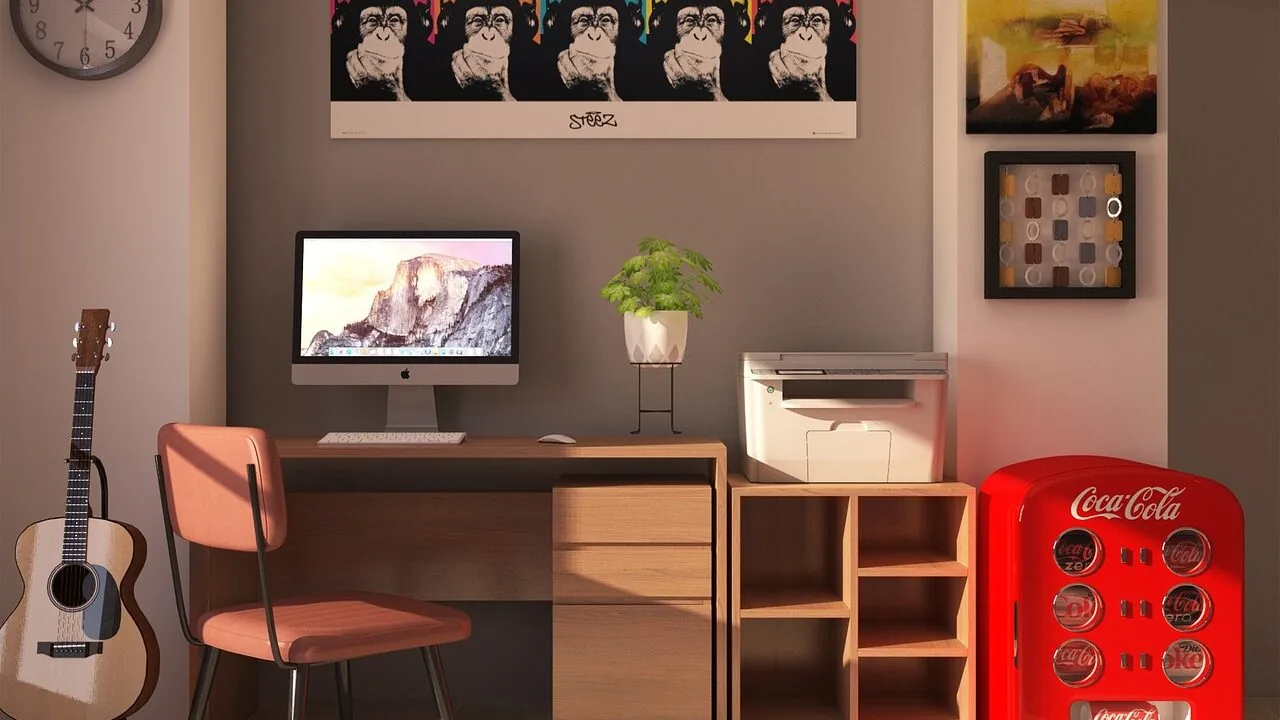
All-in-one printers have quietly become one of the most practical investments for any home office or small business setup.
A single device that prints, scans, copies, and faxes can free up desk space, reduce cable clutter, and cut the cost of maintaining separate machines.
But the market is crowded with options spanning inkjet, laser, and refillable ink tank technologies, and picking the wrong one means frustrating running costs, sluggish speeds, or a feature set that simply does not match how you actually work.
This guide cuts through the noise by drawing on manufacturer specifications, expert review consensus from across the industry, and verified buyer feedback to identify the strongest all-in-one printers available right now.
Whether you need a workhorse for high-volume document printing, a photo-friendly inkjet for home use, or a budget-conscious laser that keeps toner costs low, the picks below cover every realistic use case. Read on for our top-ranked recommendations.

Canon MAXIFY GX2020 MegaTank All-in-One Printer
A compact, wireless all-in-one designed for home offices and small businesses that need high-volume printing without breaking the bank. The MegaTank system delivers thousands of pages per ink fill, while features like automatic document feeder, mobile printing, and dual-band Wi-Fi handle daily workflows efficiently. Best suited for users prioritizing low cost-per-page over print speed.
Pros
- Exceptional page yield per ink fill, up to 3,000 pages per color, dramatically reducing consumable costs
- True all-in-one functionality with print, copy, scan, and fax in a space-saving footprint
- 35-sheet automatic document feeder streamlines multi-page scanning and copying tasks
- Wireless and mobile printing support via dual-band Wi-Fi, Ethernet, and cloud services
- User-friendly 2.7-inch LCD touchscreen and easy-to-fill keyed ink tanks minimize maintenance friction
Cons
- Print speeds of 15 ipm black and 10 ipm color are moderate, not ideal for high-speed production environments
- 250-sheet paper cassette capacity is standard, requiring frequent refills in heavy-use scenarios
- Rating of 4.4 stars from 25 reviews suggests limited real-world feedback compared to mainstream alternatives

HP Smart Tank 6003 Wireless All-in-One Printer
The HP Smart Tank 6003 combines printing, scanning, and copying in one refillable ink tank system designed for high-volume home use. It ships with enough ink for up to three years of printing, making it a genuinely economical choice for families or remote workers who print frequently. Wireless connectivity and AI-capable features add modern convenience, though setup and ongoing maintenance still require some attention.
Pros
- Exceptional ink value: up to 3 years of Original HP Ink included, yielding up to 8,000 color or 6,000 black pages from the box
- Cartridge-free refill system eliminates mess, squeezing, and spilling with simple bottle-to-tank design
- Three-in-one functionality (print, copy, scan) with wireless and mobile printing for flexible home workflows
- AI-capable with automatic updates to adapt to user needs and maintain security
- Consistent print quality with sharper text and richer colors compared to standard cartridge printers
Cons
- No specifications provided in product data, limiting clarity on print speed, resolution, and tank capacity details
- Refillable tank system, while mess-free by design, still represents ongoing maintenance compared to traditional cartridge swaps
- 4.4-star rating based on only 34 reviews suggests limited long-term feedback on durability and reliability

HP OfficeJet Pro 9135 All-in-One Color Inkjet Printer
A versatile office multifunction printer that handles color printing, scanning, copying, and faxing with solid speed and a user-friendly touchscreen interface. Best suited for small teams and home offices seeking all-in-one functionality without premium pricing.
Pros
- Reliable multifunction design with fax, scan, copy, and print in one device
- Quick setup process with phone-like interface makes operation straightforward
- Dual-band Wi-Fi with automatic connection resolution and mobile printing capabilities
- Professional-quality color output suitable for presentations and brochures
- Large paper capacity reduces refilling frequency in busy offices
Cons
- Requires online account setup and ongoing HP connectivity, limiting offline standalone use
- Print speeds are moderate compared to dedicated office printers
- Only works with HP original chips or cartridges; third-party options blocked by firmware
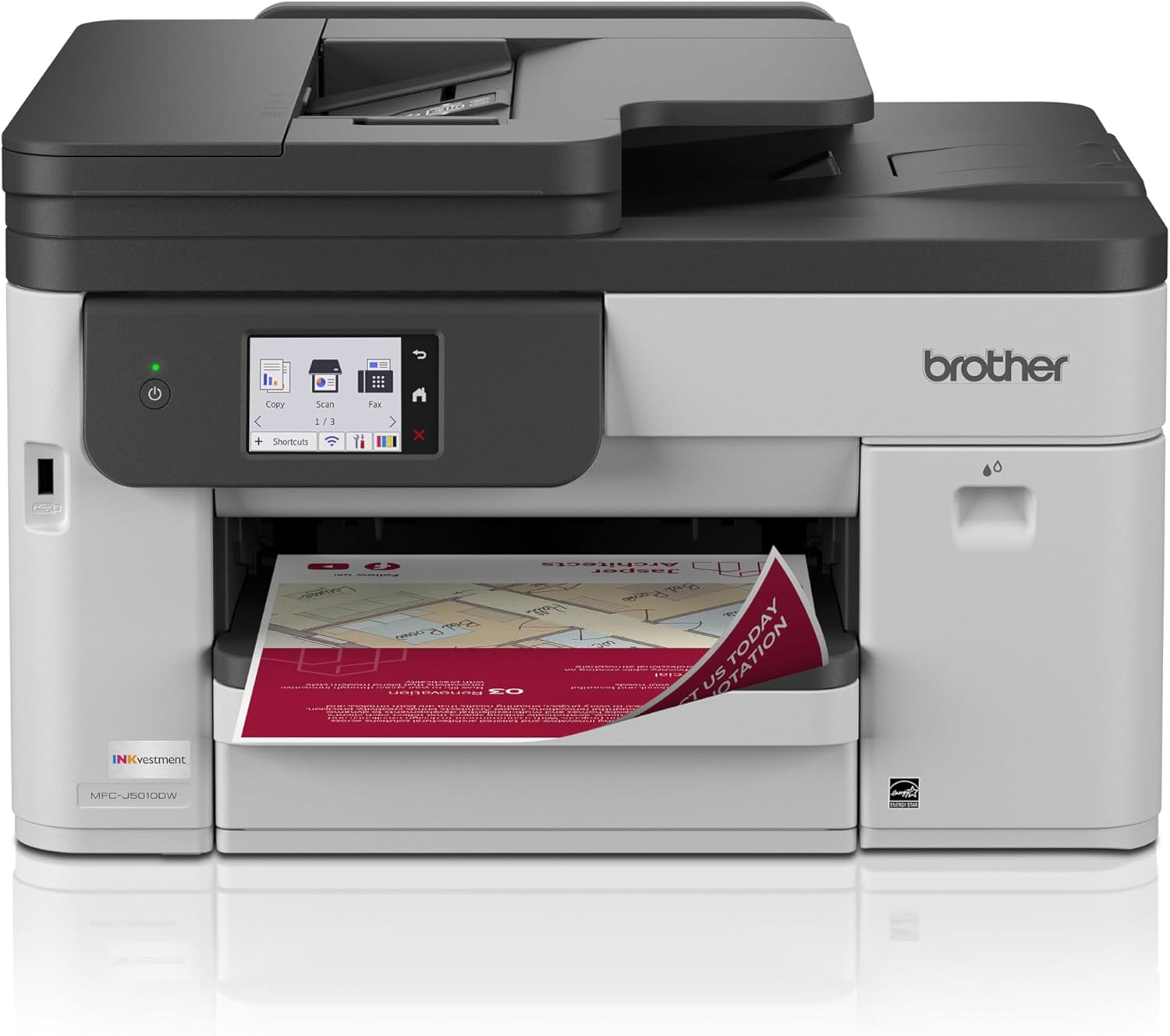
Brother MFC-J5010DW Wireless Color All-in-One Printer
A compact, business-focused all-in-one inkjet with fast 28 ppm black print speeds, automatic duplex copying and scanning via 50-sheet ADF, and straightforward wireless setup. Best suited for small offices or home businesses needing reliable color output without complexity.
Pros
- Fast print speeds at 28 ppm black and 26 ppm color with quick initial output times
- Automatic two-sided copy and scan via 50-sheet automatic document feeder streamlines document handling
- Easy wireless setup process with Brother Mobile Connect app praised across reviews for intuitive guided installation
- Multiple connectivity options including Wi-Fi Direct, Ethernet, and USB for flexible device integration
- High-capacity starter ink cartridges included with good page yields
- Genuine Brother ink integration with optional auto-delivery subscription reduces ongoing supply hassles
Cons
- Mac users reported difficult setup experience with limited phone support availability, though PC setup is straightforward
- Only 250-sheet paper tray capacity requires more frequent refills than some competing models
- Full manual not included in box, online documentation noted as insufficient by some users

Epson WorkForce Pro WF-4834 All-in-One Printer
A solid office-grade multifunction inkjet built for high-volume work, delivering 25 ppm black printing, automatic duplex, and a 50-sheet ADF in a compact footprint. Buyers praise its reliability, wireless setup, and professional output quality, though ink costs and envelope handling require workarounds.
Pros
- Fast, professional-quality printing at 25 black/12 color ppm with PrecisionCore Heat-Free Technology
- Complete duplex solution with automatic 2-sided print, copy, scan, and fax plus 50-sheet ADF
- Large 500-sheet paper capacity across two trays reduces refilling frequency
- Intuitive 4.3-inch color touchscreen and Epson Smart Panel app for mobile control and easy setup
- Comprehensive connectivity: Wi-Fi, Ethernet, USB, and Wi-Fi Direct for flexible deployment
Cons
- Proprietary Epson 822 ink cartridges carry high refill costs compared to third-party alternatives
- Envelope printing requires manual adjustments (unfolding flap, widening tray spacing, repositioning margins)
- Scanner setup reportedly less intuitive than other system functions, may require extra research

HP OfficeJet Pro 9125 All-in-One Color Inkjet Printer
A versatile office all-in-one that handles printing, scanning, copying, and faxing with solid color output and reliable wireless connectivity. Best suited for small offices or home businesses that need multifunction capability without complexity.
Pros
- Excellent print quality and reliable performance per user feedback
- Intuitive setup and operation for most users, with quick connectivity
- Comprehensive all-in-one features reduce need for multiple devices
- HP Wolf Pro Security protects network from cyber threats
- Made with over 40% recycled plastic content
Cons
- Setup can be problematic out of box; some users report jammed cartridge holders and unclear instructions
- Requires HP account and app ecosystem for full features like scanning, which frustrates users seeking privacy
- Limited driver support; relies on proprietary HP apps rather than universal scanning software

Canon PIXMA TR8620a Wireless All-in-One Printer
A compact, budget-friendly 4-in-1 inkjet that handles light office and home printing with decent photo quality. The five individual ink tanks and wireless connectivity appeal to occasional users, though build quality and document feeder reliability are concerns based on user feedback.
Pros
- Five individual ink tanks reduce per-page ink costs compared to cartridge systems
- Wireless printing, scanning, copying, and faxing in one compact device
- 20-sheet automatic document feeder for batch copying and scanning
- 4800 x 1200 dpi resolution produces quality photo prints on glossy paper
- Easy wireless setup via WiFi and smartphone apps, USB fallback available
Cons
- Build quality feels plastic and flimsy, with durability concerns reported in reviews about premature failure
- Document feeder frequently jams according to multiple users, limiting practical ADF usability
- Mobile app reported as slow and unreliable for remote printing, with long delays between commands

Brother DCP-L2640DW 3-in-1 Laser Printer
A compact 3-in-1 monochrome laser printer designed for small business workflows, combining print, copy, and scan functions in a space-efficient package. It delivers solid speed at 36 ppm with a 50-page auto document feeder and multiple connectivity options including dual-band Wi-Fi. Best suited for teams that need reliable black and white output without taking up much desk space.
Pros
- Fast print and scan speeds (36 ppm, up to 23.6 ipm) with 50-page automatic document feeder for efficient batch jobs
- Compact footprint fits easily on crowded desks while handling high-volume copying and scanning
- Multiple connectivity options including dual-band wireless, Ethernet, and USB, plus mobile printing via Brother Mobile Connect app
- Eco-friendly features like automatic duplex printing and Toner Save Mode, with ENERGY STAR and EPEAT Silver certification
- Optional Refresh EZ Print Subscription offers potential savings up to 50% on toner with automatic delivery
Cons
- Limited to black and white printing only, not suitable for color document needs
- Subscription service model can complicate budgeting and includes overage fees; cartridge deactivates after cancellation requiring manual replacement
- 2-line monochrome display is basic compared to color touchscreen options on higher-tier Brother models in the same lineup

HP OfficeJet Pro 8139 All-in-One Inkjet Printer
A capable multifunction printer built for home office workflows, offering fast color printing, scan, copy, and fax functions in one compact device. The 2.7-inch touchscreen and AI-powered print optimization make it intuitive to use, while the included 1-year Instant Ink trial helps offset ongoing supply costs. Best suited for professionals who need reliable color output without excessive complexity.
Pros
- Solid print speeds at 20 ppm black and 10 ppm color, suitable for daily office tasks
- All-in-one functionality with auto document feeder and duplex printing reduces manual work
- Dual-band Wi-Fi with automatic connection troubleshooting ensures consistent wireless reliability
- HP AI removes unwanted content from emails and web pages, reducing paper waste
- Sustainable design with 45% recycled plastic content
Cons
- Printer restricts use to HP-chipped cartridges only, blocking third-party alternatives and limiting cost-saving options
- Instant Ink trial expires after one year, requiring monthly subscription to maintain automatic ink delivery
- Color print speed of 10 ppm is notably slower than black printing, potentially frustrating for color-heavy workflows
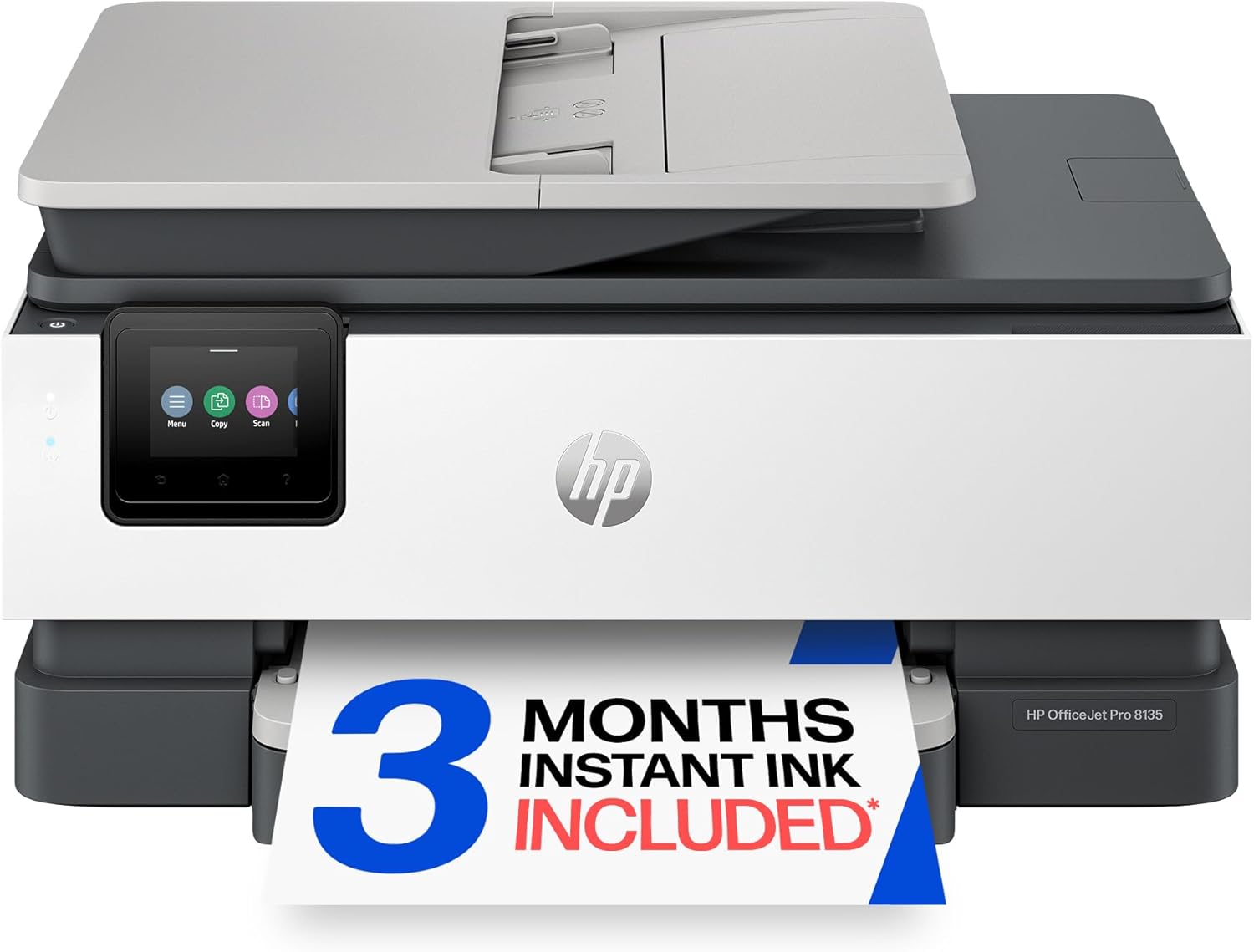
HP OfficeJet Pro 8135 All-in-One Color Inkjet Printer
A capable home office all-in-one with fast color printing, automatic duplex, and solid scan/copy/fax features. Strong print quality and wireless connectivity, but locked to HP ink cartridges only, which significantly raises long-term costs.
Pros
- Fast, vibrant color prints suitable for business documents, presentations, and graphics work
- Large paper capacity and auto-duplex features save time and reduce paper consumption
- Easy setup process with straightforward WiFi connection and mobile app integration
- Compact footprint with quality build; 45% recycled plastic construction
- Automatic document feeder and flatbed scanner provide efficient multifunction capabilities
Cons
- Printer blocks all third-party ink cartridges via firmware enforcement, forcing exclusive use of HP branded ink at significantly higher costs than generic alternatives
- Requires HP software installation and account creation during setup, adding complexity over simple driver-only installation
- Occasional sleep mode startup delays and inconsistent mobile app performance reported by users

HP OfficeJet Pro 8125 All-in-One Inkjet Printer
A mid-range multifunction printer built for home office workflows, delivering fast color output up to 20 ppm with scan, copy, and automatic duplex printing. The 2.7-inch touchscreen and HP AI content removal feature streamline daily tasks, while 3 months of Instant Ink trial reduces initial setup costs. Best suited for users who print moderate volumes of professional documents and value wireless convenience.
Pros
- Fast color printing speeds (20 ppm black, 10 ppm color) with water-resistant, fade-resistant output quality
- Practical all-in-one functionality: scanning, copying, auto-duplex, and 225-sheet paper capacity for light to moderate office use
- HP AI automatically removes unwanted content from emails and web pages, reducing wasted prints and formatting issues
- Dual-band Wi-Fi with automatic troubleshooting and mobile printing via HP app for remote work flexibility
- Sustainable design with 45% recycled plastic content and 3-month Instant Ink trial included
Cons
- Cartridge lock system blocks non-HP chips, limiting refill options and potentially increasing long-term ink costs after trial period ends
- No color rating or sample reviews available to verify real-world performance and reliability from verified users
- Ongoing Instant Ink subscription required after trial expires; monthly fee applies unless actively managed

Canon PIXMA TS6520 Wireless All-in-One Inkjet
A compact, budget-friendly all-in-one that handles printing, scanning, and copying with solid quality for everyday household needs. The 1.42-inch OLED display and automatic 2-sided printing make it straightforward to use, while dual-band Wi-Fi and mobile app support keep things flexible. Best suited for families and students who print occasionally and value simplicity over advanced features.
Pros
- Automatic 2-sided printing reduces paper waste and workflow time
- Dual-band Wi-Fi (2.4GHz/5GHz) with Apple AirPrint and Mopria support for reliable mobile printing
- Sharp text and vibrant color output from 2-cartridge hybrid ink system
- Compact footprint fits easily into tight home workspaces
- Intuitive 1.42-inch OLED display for quick status checks and settings
Cons
- No automatic document feeder (ADF) limits scanning and copying efficiency for multi-page jobs
- Limited to 100-sheet input tray, requiring frequent refills for heavy use
- Lacks advanced features found in higher-tier models, making it basic for power users
All-in-One Printers Buying Guide
Choosing the right all-in-one printer comes down to more than just price. The wrong printer type, ink model, or connectivity setup can cost you far more in the long run than the sticker price suggests.
The sections below walk through every factor that genuinely matters, so you can match a machine to your actual workflow rather than a generic feature checklist.
Print Technology: Inkjet vs. Laser vs. Ink Tank

The single biggest decision you will make is print technology. Inkjet printers use liquid ink cartridges and excel at photo quality and color accuracy, making them the default choice for home users who mix document and image printing.
The trade-off is that standard cartridges deplete quickly under moderate use, and ink can be expensive per page.
Models from Canon and HP in the inkjet category, such as the PIXMA and OfficeJet Pro lines, represent the mainstream sweet spot for home and small office needs.
If you also care about connectivity options for your broader home setup, pairing a capable printer with a well-configured monitors and peripherals workspace makes a real difference in day-to-day productivity.
Laser printers use toner rather than ink, which means faster output on plain documents, sharper text at speed, and toner cartridges that last far longer per replacement.
The Brother DCP-L2640DW is a compact monochrome laser option that suits offices where near-all printing is black-and-white text. Laser is generally not the right pick if you regularly print photos or need vibrant color output.
Ink tank printers, represented here by the Canon MAXIFY GX2020 and HP Smart Tank 6003, occupy a compelling middle ground: they use large refillable reservoirs rather than small cartridges, dramatically lowering the cost per page over time while still delivering solid color output.
For high-volume users, ink tanks offer some of the best total-cost economics available.
As a rough guide: choose inkjet for versatility and photo quality at moderate volumes, laser for fast monochrome document printing at high volumes, and ink tank for heavy color printing where per-page cost matters most over a multi-year horizon.
Print Speed and Volume Capacity
Manufacturer-rated print speeds are given in pages per minute (ppm) and should be treated as ceiling figures rather than everyday expectations. Real-world output, especially for mixed-content pages or duplex printing, typically runs slower than the rated figure.
That said, the rating still gives a reliable relative benchmark: a printer rated at 36 ppm, like the Brother DCP-L2640DW, will noticeably outpace one rated at 13 ppm on long document runs.
For a home with light printing needs, speed is rarely the deciding factor. For a shared office printer handling dozens of pages daily, it matters considerably.
Paper capacity is equally relevant for busy offices. A 250-sheet input tray means fewer refill interruptions than a 100-sheet tray.
The Epson Workforce Pro WF-4834 stands out here with a 500-sheet total capacity, which makes a tangible difference when multiple people are printing throughout the day.
Automatic document feeders (ADFs) are worth prioritizing if you regularly scan or copy multi-page documents: a 50-page ADF means you do not have to stand over the scanner feeding pages one at a time.
Running Costs and Ink Model
The purchase price of a printer is often the smallest part of what you will spend over its lifetime. Ink and toner costs vary enormously between models and between cartridge sizes.
Standard cartridges for budget inkjets can cost more per page than many laser toners. High-yield or XL cartridges almost always offer better value per page than standard equivalents, so check availability and pricing for both before committing to a model.
HP’s Instant Ink subscription service, offered as a trial with several OfficeJet Pro models on this list, can reduce costs for consistent monthly printing volumes but locks you into a subscription model that may not suit everyone.
Ink tank systems sidestep the cartridge cost problem entirely. The Canon MAXIFY GX2020 and HP Smart Tank 6003 are both designed around high-capacity refillable tanks that can yield thousands of pages per fill.
If your printing volume is high and you want predictable, low per-page costs without a subscription, an ink tank printer is worth the higher upfront investment.
Brother’s INKvestment technology in the MFC-J5010DW uses a similar philosophy, pre-loading high-capacity ink so you get a very long initial run before needing to resupply.
Scanning and Copying Features
Not all all-in-one scanners are equal. Resolution is one dimension: most current models scan at 1200 dpi or higher, which is sufficient for document archiving and basic photo scanning. More practically important is whether the scanner includes an automatic document feeder.
A flatbed-only scanner requires manual page-by-page placement, which is fine for occasional single-page jobs but becomes a genuine bottleneck when digitizing contracts, receipts, or reports.
If document scanning is a regular part of your workflow, prioritize models with an ADF of 35 pages or more.
Duplex scanning, which scans both sides of a page automatically, is a less common but genuinely useful feature for users who scan double-sided documents.
The HP OfficeJet Pro 9125 and 9135 both include duplex scanning in their ADF, which meaningfully speeds up digitizing tasks. For home users who scan only occasionally, a standard flatbed with a small ADF is usually adequate.
Connectivity and Mobile Printing

Every printer on this list supports wireless connectivity, but the quality and breadth of wireless features varies. Dual-band Wi-Fi (2.4 GHz and 5 GHz) provides more stable connections in crowded network environments than single-band options.
Ethernet remains valuable for shared office printers where a wired, stable connection is preferred over wireless. USB direct connection is worth keeping in mind for situations where a network is not available or reliable.
For mobile users, AirPrint support means iOS and macOS devices can print without installing any drivers. Mopria certification covers Android devices in a similar way.
Several models here also work with Alexa for voice-initiated print jobs, which is a convenience feature rather than a core workflow requirement. If your office relies heavily on a specific ecosystem, verify compatibility before buying.
The Canon PIXMA TS6520, for example, supports both Wi-Fi and AirPrint alongside a compact form factor suited to tight desk setups, which pairs naturally with a broader webcams and peripherals workflow for home video conferencing setups.
Display, Controls, and Ease of Use
Touchscreen displays on printers have gone from novelty to practical necessity on mid-range and above models.
A 4.3-inch color touchscreen, as found on the Epson WF-4834, makes navigating copy, fax, and scan settings significantly faster than navigating with small physical buttons.
Smaller displays, like the 1.42-inch OLED on the Canon PIXMA TS6520, are adequate for basic navigation but less comfortable for detailed menu work.
If multiple people in an office will use the printer regularly, a larger, clearer control panel reduces friction and support requests.
Driver software and companion apps matter more than most buyers anticipate. HP’s Smart app, Canon’s PRINT app, and Epson’s iPrint all provide cloud printing, scan-to-email, and mobile management features that extend the printer’s usefulness beyond the physical device.
Check that the companion app for any model you are considering supports your operating system and device ecosystem reliably, as poor app execution can undermine an otherwise excellent hardware specification.
Why You Should Trust Us
REMOVU is an independent review platform. We do not sell products, have no affiliation with any manufacturer, and receive no preferential access or payment from brands in exchange for coverage.
Every printer in this guide was evaluated using REMOVU’s structured research methodology: we analyze published specifications, cross-reference expert review consensus from established industry sources, assess verified buyer feedback patterns, and weigh published data on reliability, running costs, and feature completeness.
We do not conduct our own product trials; our evaluations are grounded in research, published data, expert review consensus, and verified buyer feedback.
Each product receives a REMOVU Score on a 0 to 10 scale, applied consistently against the same criteria set across every model in a category.
This scoring approach means you can compare a budget inkjet against a premium ink tank printer on a common scale, with scores reflecting overall value within the context of their target use case rather than raw feature count alone.
Higher scores reflect stronger performance across print quality, running cost efficiency, feature completeness, connectivity, and verified user satisfaction.
REMOVU may earn a commission if you purchase through links in this article. That affiliate relationship has no influence on REMOVU Score, product rankings, or which models are included or excluded. Our recommendations are determined entirely by research quality and scoring outcomes.
Final Thoughts
After assessing every model in this roundup against consistent criteria, a clear picture emerges. Ink tank printers dominate the top of the REMOVU Score rankings thanks to their combination of low running costs, high-volume capability, and strong feature sets.
The upper-tier HP OfficeJet Pro and Epson Workforce Pro models hold their own for users who want robust all-in-one functionality without committing to a tank system.
Budget inkjets and compact options round out the list for buyers where desk space or upfront cost is the primary constraint.
Here are our standout picks by use case:
- Best Overall: Canon MAXIFY GX2020 Wireless MegaTank All-in-One earns the top REMOVU Score in this roundup, combining ultra-low per-page ink tank running costs with robust print, copy, scan, and fax capabilities suited to home offices and small businesses that print at serious volumes.
- Best Ink Tank for Home Use: HP Smart Tank 6003 Wireless All-in-One brings cartridge-free convenience, up to three years of included ink, and AI-capable features into a home-friendly package, earning one of the highest scores in the group.
- Best for Busy Home Offices: HP OfficeJet Pro 9135 Wireless All-in-One delivers duplex print and scan, ADF, fax, and strong connectivity in a well-rounded package that scores highly among traditional inkjet all-in-ones.
- Best for High-Volume Color Inkjet: Brother INKvestment MFC-J5010DW uses high-capacity ink cartridges to keep running costs low without switching to a tank system, making it a strong pick for users who print frequently but prefer a more conventional refill experience.
- Best Budget Pick: Canon PIXMA TS6520 Wireless Color Inkjet offers a genuinely compact, affordable entry point with Wi-Fi, AirPrint, and duplex printing for light home use where the priority is a small footprint and low upfront cost.
If you are building out a full home office, it is also worth thinking about the broader setup.
A capable home office desktop or a reliable monitor can make a meaningful difference to how well your printer integrates into a productive daily workflow.
For those who work on creative projects, pairing a versatile printer with a 2-in-1 laptop for drawing rounds out a flexible creative workstation nicely.
Frequently Asked Questions
What is the difference between an inkjet and a laser all-in-one printer?
Inkjet printers use liquid ink to produce output and typically excel at color accuracy and photo printing.
Laser printers use heat-fused toner powder, which produces sharper text at higher speeds and generally results in a lower cost per page for plain document printing.
Laser all-in-ones tend to be better suited to offices with high document volumes, while inkjets offer more versatility for mixed print jobs including photos and graphics.
If you are setting up a broader work-from-home station, pairing either printer type with quality desktop computers for work makes sense for productivity-focused setups.
Are ink tank printers worth the higher upfront cost?
For moderate to high print volumes, ink tank printers typically pay for themselves relatively quickly through dramatically lower per-page costs compared to cartridge-based inkjets.
The Canon MAXIFY GX2020 and HP Smart Tank 6003 are both strong examples: the larger upfront investment is offset by significantly reduced ink spending over months and years of regular use.
For light home printing, a standard inkjet may be more economical overall since the per-page savings take time to accumulate.
Do I need a printer with fax functionality in 2026?
Fax capability is a shrinking requirement for most households, but it remains relevant for certain professional contexts including legal, medical, and real estate workflows where fax is still used for document transmission.
If you work in one of those fields or occasionally need to send fax documents, choosing a model with integrated fax, such as the HP OfficeJet Pro 9135 or Epson Workforce Pro WF-4834, costs very little extra and avoids the need for a separate fax service subscription.
For pure home use, it is an optional feature you can safely deprioritize.
How important is an automatic document feeder for scanning?
An ADF matters most if you regularly scan or copy multi-page documents. Without one, you place each page manually on the flatbed glass, which is workable for occasional single scans but tedious for anything longer.
A 50-page ADF, as found on several models in this roundup, allows you to load a full document and walk away. Duplex ADFs, which scan both sides of a page automatically, add further efficiency for double-sided documents.
If your scanning needs are light and occasional, a flatbed-only model is sufficient.
What connectivity features should I look for in an all-in-one printer?
At minimum, look for dual-band Wi-Fi and either AirPrint or Mopria support depending on whether your primary devices run iOS or Android. Ethernet is a worthwhile bonus for office environments where a stable wired connection is preferred.
USB connectivity provides a reliable fallback when network printing is unavailable. For households that use smart home ecosystems, some models offer Alexa integration for voice-triggered print jobs, though this is a convenience feature rather than a core requirement.
You can also explore how a printer fits into a broader docking station setup if you work from a laptop and want a centralized connection hub.
Is a color touchscreen worth paying extra for on a printer?
For single-user home printers used primarily for printing from a connected device, a small display or even button controls may be entirely adequate.
For shared office printers, or for anyone who regularly uses standalone copy and scan functions without a connected computer, a color touchscreen of 3 inches or larger makes setup noticeably faster and more intuitive.
The 4.3-inch touchscreen on the Epson Workforce Pro WF-4834 is a standout example of how a good interface reduces friction on a busy device.
If you are also investing in a solid workstation monitor, our roundup of monitors worth buying can help you round out a productive desk setup.
About the author
Enrique writes about projectors for REMOVU, weighing brightness, resolution, and throw distance for home and portable use. He helps readers get a true big-screen experience that no TV matches.