The 7 Best Tablets Under $200
From Amazon and Samsung to Apple and TCL, budget tablets have improved dramatically. Here are the strongest picks under $200, matched to real buyer needs.
 By Rosemary Jimenez
Updated July 26, 2026
By Rosemary Jimenez
Updated July 26, 2026

Finding a capable tablet without spending a fortune has never been more achievable, yet the market is flooded with options that range from genuinely excellent to surprisingly disappointing.
Whether you need a portable screen for streaming, a lightweight companion for school, or a versatile device for light productivity, the sub-$200 segment now includes hardware that would have cost twice as much just a few years ago.
Brands like Apple, Samsung, Amazon, Lenovo, and TCL are all competing in this space, each with a different set of trade-offs worth understanding before you buy.
This guide cuts through the noise by drawing on specifications, expert review consensus, and verified buyer feedback to surface the strongest picks across different use cases.
Our researchers analyzed display quality, processing performance, battery endurance, software ecosystem, and long-term value to help you spend your money wisely.
If you are also weighing portable computing alternatives, our roundup of Chromebooks for every kind of user is worth a look alongside this guide. Read on for our top picks in the budget tablet category right now.
| Award | Product | REMOVU Score About REMOVU ScoreThe REMOVU Score is our own rating from 0 to 10, based on performance, design and build, ease of use, and value. It reflects independent research and is never influenced by manufacturers, retailers, or affiliate commissions. Learn more › | Price | |
|---|---|---|---|---|
| Best Overall |
 Amazon Fire HD 8 Tablet, 64GB
|
8.6/10 | Buy | |
| Best Value |
 Samsung Galaxy Tab A11 8.7-Inch WiFi Tablet
|
8.4/10 | Buy | |
| Best Premium |
 TCL TAB 10 Gen 4 10.1-inch Tablet with 12GB RAM
|
8.3/10 | Buy | |
| Best Budget |
 Apple iPad 7th Gen 10.2-Inch 32GB Wi-Fi
|
8.2/10 | Buy | |
 Lenovo Tab One 8.7" Lightweight Tablet
|
7.5/10 | Buy | ||
 JUEDUR R500 10-inch Android 15 Tablet with Gemini AI
|
6.2/10 | Buy | ||
 COLORROOM 11-Inch Android 16 Tablet with 8000mAh Battery
|
6.2/10 | Buy |
Amazon Fire HD 8 Tablet, 64GB
Amazon's Fire HD 8 pairs an 8-inch HD display with solid performance for streaming, reading, and casual gaming. The 4GB RAM and hexa-core processor deliver responsive day-to-day use, while 13-hour battery life keeps it running through extended sessions. Best suited for users already invested in Amazon's ecosystem who prioritize entertainment and content consumption over general computing.
Pros
- 13-hour battery life handles extended use without frequent charging
- Hexa-core processor with 4GB RAM provides smooth performance for streaming and gaming
- Expandable storage up to 1TB via microSD card offers flexibility
- Integrated Alexa with smart home control and video calling capability
- Lightweight, durable design makes it genuinely portable
Cons
- Limited to Amazon Appstore; Google Play not supported restricts app selection
- 5MP rear camera is basic and not suitable for quality photography
- No rating data available from verified buyers to assess real-world reliability
- Relies on Amazon ecosystem; less useful for users outside that platform
Samsung Galaxy Tab A11 8.7-Inch WiFi Tablet
A compact mid-range tablet designed for media consumption and casual use. The 90Hz display and Dolby-engineered dual speakers make video watching and gaming more engaging, while the 5MP front camera handles video calls adequately. Best suited for users prioritizing portability and entertainment over processing power.
Pros
- 90Hz display with bright, clear visuals optimized for video and gaming
- Dolby-engineered dual speakers deliver rich, immersive audio
- Compact 8.7-inch form factor with premium design inspired by Galaxy S series
- MicroSD slot supports up to 2TB expansion for media storage
- 5MP front camera provides sharper video call clarity
- 3.5mm audio jack included for wired headphone compatibility
Cons
- Charger not included in box, requires separate purchase
- WiFi-only model with no cellular connectivity option
- International version lacks warranty coverage
- Mediatek Helio G99 processor limits heavy multitasking and demanding apps
- Country selection may not be available during initial setup
TCL TAB 10 Gen 4 10.1-inch Tablet with 12GB RAM
A mid-range Android tablet built for everyday productivity and streaming, the TCL TAB 10 Gen 4 combines a spacious 10.1-inch FHD display with solid performance from its octa-core processor and 12GB RAM configuration. The slim metal design, expandable storage up to 1TB, and family-friendly features make it suitable for work, study, and entertainment, though the 6000mAh battery is modest for a device this size.
Pros
- Bright 10.1-inch FHD display with NXTVISION enhancement and dual speakers for engaging media consumption
- Flexible memory setup with 4GB physical RAM plus 8GB virtual RAM, plus microSD expansion up to 1TB for content storage
- Premium slim metal construction at 0.30-inch profile and under 1 lb, making it genuinely portable
- Fast 18W charging and Android 15 with Kids Space and parental controls for family use
- Face Unlock and dual cameras (5MP front, 8MP rear) suitable for video calls and casual photography
Cons
- 6000mAh battery is below average for a 10-inch tablet, limiting all-day heavy use without recharging
- Fast charger not included in the box despite 18W capability
- Lower RAM and storage compared to similarly priced competitors in the tablet market
Apple iPad 7th Gen 10.2-Inch 32GB Wi-Fi
A refurbished iPad that balances affordability with everyday tablet functionality. The 10.2-inch display and A10 Fusion chip handle general browsing, media consumption, and light productivity well, making it accessible for budget-conscious users or those new to tablets.
Pros
- Large 10.2-inch display suitable for reading and video watching
- Touch ID fingerprint sensor for convenient unlocking
- Stereo speakers for immersive audio
- Smart Connector support for compatible accessories
- Headphone jack for wired audio options
Cons
- A10 Fusion chip shows age compared to newer iPad generations, limiting performance on demanding apps
- 32GB storage fills quickly with apps and media, with no expandable storage option
- Older generation means limited software support longevity compared to current models
Lenovo Tab One 8.7" Lightweight Tablet
This compact 8.7-inch tablet delivers all-day entertainment in a sub-pound package, making it ideal for users who prioritize portability. The HD display with 480 nits brightness and dual Dolby Atmos speakers create an engaging media experience, while the MediaTek Helio G85 processor handles streaming and gaming smoothly. Built-in Kids Space and parental controls make it family-friendly, and the included folio case adds practical protection.
Pros
- Extremely portable at under one pound with modern, ergonomic design
- Impressive 12.5-hour battery life for all-day YouTube streaming
- Vibrant 480-nit HD display with 86% screen ratio for crisp visuals
- Dual Dolby Atmos speakers deliver immersive audio
- Includes protective folio case with built-in stand at no extra cost
Cons
- 60Hz refresh rate is standard, not ideal for demanding gamers seeking higher smoothness
- 8.7-inch display is smaller than many competing tablets, limiting productivity tasks
- MediaTek Helio G85 is entry-level, which may limit performance for intensive multitasking
JUEDUR R500 10-inch Android 15 Tablet with Gemini AI
A mid-range 10-inch tablet running Android 15 with Gemini AI integration, targeting families and general users. The R500 balances expandable storage up to 1TB, a large 8000mAh battery, and parental controls, though display quality and camera specs remain modest for the category.
Pros
- Expandable storage up to 1TB via microSD card for media-heavy users
- 8000mAh battery supports extended daily use and standby time
- Gemini AI integration for multimodal tasks across text, images, audio, and video
- Widevine L1 certification enables HD/UHD streaming on Netflix, Prime Video, and Hulu
- Included shock-proof EVA case with 360-degree rotation for protection and viewing flexibility
- Family Link parental controls for managing app access and usage time
Cons
- 1280x800 resolution is below current HD standards for a 10-inch screen, limiting detail in media consumption
- 5MP front and 8MP rear cameras are entry-level and not suitable for photography or video calls
- 22GB of the 30GB RAM is virtual memory, which may impact sustained performance under heavy multitasking
COLORROOM 11-Inch Android 16 Tablet with 8000mAh Battery
An 11-inch tablet built for extended use, combining a large battery, eye-protection display, and dual stereo speakers. The Android 16 system and octa-core processor handle everyday tasks smoothly, while expandable storage up to 1TB suits users who need room for media libraries. Best suited for families seeking a budget-friendly option for video streaming, reading, and light productivity.
Pros
- 8000mAh battery delivers 8-12 hours of working time, reducing charging frequency during travel or daily use
- 11-inch IPS display with anti-blue light and automatic brightness adjustment designed for eye comfort
- Dual stereo speakers provide clear audio without external speakers for entertainment
- Expandable storage up to 1TB via microSD card for photos, music, and video libraries
- Face unlock feature adds convenience for quick access
Cons
- 1280x800 resolution is modest by current tablet standards, limiting detail for creative work or high-end gaming
- 5MP front and 8MP rear cameras are basic, suitable only for casual photos and video calls
- 12GB RAM configuration (split as 6GB+6GB) may create performance bottlenecks in heavy multitasking
Tablets Under $200 Buying Guide
Spending under $200 on a tablet means making deliberate trade-offs, but it does not mean settling for a bad experience. The following criteria are the ones that separate genuinely useful devices from ones that frustrate you within weeks.
Take the time to prioritize what matters most for your specific situation before committing to any model.
Display Quality and Size
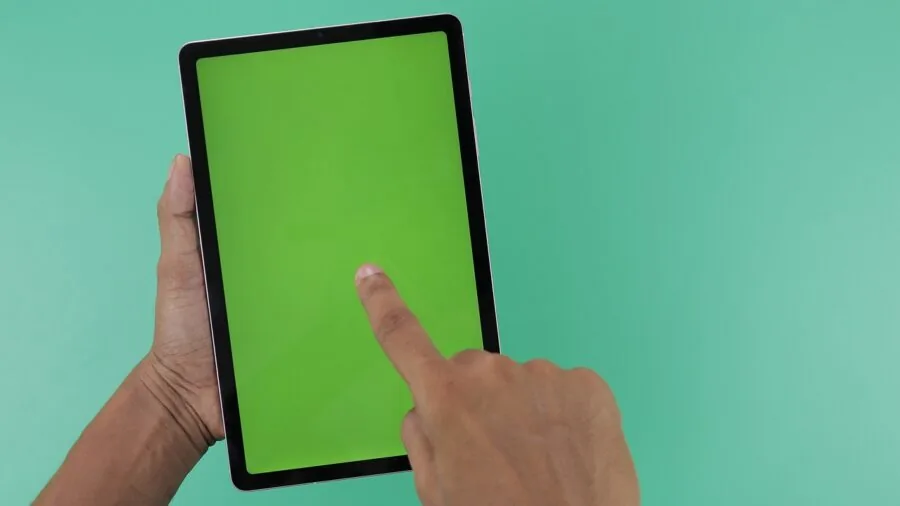
The display is the single component you interact with most, so it deserves careful attention. At this price tier, you will encounter a range of panel technologies.
IPS LCD is the most common and generally delivers accurate colors, decent brightness, and wide viewing angles suitable for video streaming and casual browsing.
Look for a minimum resolution of 1280×800 (HD) on smaller 8-inch screens and 1920×1200 (Full HD) on anything 10 inches or larger, since lower-resolution panels show noticeable pixelation on text-heavy content.
Screen size is a genuine lifestyle decision. An 8-inch tablet slips into a bag easily and works well for reading, travel entertainment, and one-handed use.
A 10-inch or 11-inch display is more comfortable for productivity tasks, video calls, and split-screen multitasking.
Brightness ratings above 300 nits give you usable visibility in daylight, and a 16:10 aspect ratio typically suits both widescreen video and document reading better than a narrow 16:9 format.
Certification for Widevine L1 streaming DRM is also worth checking if you plan to stream Netflix or Amazon Prime Video at HD resolution. Tablets without L1 certification are limited to standard-definition streams on those platforms, which significantly undermines an otherwise sharp display.
Processor and RAM

Processing power determines how fluidly your tablet handles everyday tasks like switching between apps, loading web pages with multiple tabs, and running light games or educational software.
In the sub-$200 category, you will encounter chipsets ranging from entry-level MediaTek processors to Apple’s older but still competitive A-series silicon.
A minimum of 4 GB of RAM is strongly advisable; devices with only 2 GB or 3 GB tend to reload background apps aggressively and feel sluggish when multitasking.
Octa-core processors generally handle everyday workloads without noticeable lag, but clock speed and architecture matter more than core count alone.
Apple’s A-series chips punch well above their age because of architectural efficiency, which is one reason a certified-renewed older iPad can still outperform some newer Android competitors in raw responsiveness.
For Android devices, look for chips built on a 12nm process or smaller for better thermal efficiency during sustained use.
Storage and Expandability
64 GB of internal storage is the practical minimum for a tablet you plan to use regularly. At 32 GB, you will find yourself managing storage constantly, especially if you download apps, offline media, or take photos and videos.
Many Android tablets in this price range offer microSD card expansion, which meaningfully extends storage capacity at low cost and reduces the pressure to manage onboard space.
Apple’s iPad ecosystem does not support microSD expansion, so if you choose an iPad, 32 GB is the ceiling unless you are comfortable relying heavily on iCloud.
For anyone who downloads movies for offline viewing or stores a large music library locally, an Android tablet with a microSD slot and 64 GB of base storage is a more practical starting point.
Check that the card slot supports high-speed cards if you intend to run apps directly from the microSD, since slower cards create noticeable lag.
Battery Life
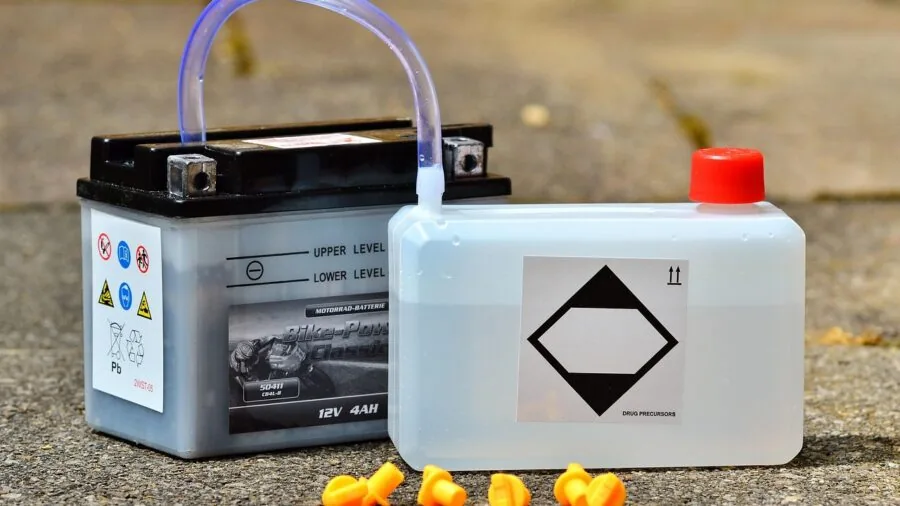
Battery endurance is one of the most practically important specs in a portable device, and it is also one of the most frequently overstated in marketing materials. Manufacturer claims are typically measured under light, controlled conditions.
Real-world streaming at moderate brightness will often return 70 to 80 percent of the stated figure, so a tablet claiming 12 hours should realistically deliver eight to ten hours of continuous video playback.
Battery capacity in milliamp hours (mAh) gives a rough baseline: a 6000 mAh or 8000 mAh pack is meaningfully more capable than a 4000 mAh one for all-day use. Equally important is charging speed.
Some budget tablets still charge at 10 W or less, which means a two-hour charging session only partially restores the battery.
Models with 18 W fast charging cut recharge time noticeably, which matters if you use your tablet throughout the day and cannot afford a long charging window.
Software Ecosystem and Update Support
Software support is an area where budget tablets frequently cut corners that are not obvious at the time of purchase. Android version at launch matters, but the commitment to future updates matters more.
A tablet shipping with Android 15 that receives only one major update will feel outdated sooner than one backed by a manufacturer with a stronger update track record.
Amazon’s Fire OS is a heavily customized fork of Android with a curated app store, which works well within Amazon’s ecosystem but lacks the full Google Play library.
Apple’s iPadOS provides the longest software support cycle of any platform in this roundup, typically six or more years even on older hardware. The renewed seventh-generation iPad continues to receive current iPadOS updates, which is a compelling long-term value argument.
For students or families who rely on specific educational apps, verifying Play Store or App Store availability for those apps before purchase is an easy step that avoids post-purchase regret.
If you are exploring devices adjacent to tablets for specific tasks, our coverage of e-readers and drawing tablets may also be relevant depending on your primary use case.
Build Quality and Connectivity

At this price point, most tablets use polycarbonate or composite plastic bodies, which is entirely acceptable for everyday use.
However, a few models like the TCL TAB 10 Gen 4 step up to a metal chassis, which improves rigidity and heat dissipation and gives the device a more premium feel that is unusual at this price.
Weight and thickness affect how comfortable extended use is, particularly for reading or travel, so checking dimensional specs is worthwhile.
On the connectivity front, Wi-Fi 6 (802.11ax) support is becoming more common even in budget devices and provides noticeably better performance on congested networks compared to older Wi-Fi 5.
USB-C is the preferred charging and data port standard; Micro-USB is increasingly dated and slower to charge. Bluetooth 5.0 or newer ensures stable connections to wireless accessories.
If you plan to pair your tablet with wireless headphones or earbuds, check our guide to wireless earbuds for every budget for compatible audio options.
Why You Should Trust Us
REMOVU is an independent review publication. We do not accept payment from manufacturers to influence our rankings, and we have no affiliation with any retailer.
Every product in this roundup is evaluated against a consistent set of criteria and assigned a REMOVU Score on a scale of 0 to 10.
Higher scores reflect stronger performance across the criteria most relevant to real buyers in this category, including display quality, processing performance, battery endurance, software support, and overall value.
We do not conduct our own product trials; our evaluations are grounded in research, published data, expert review consensus, and verified buyer feedback.
Our researchers analyze publicly available specifications, aggregate findings from credible expert sources across the technology press, and weigh patterns in verified buyer feedback to form a rounded picture of how each device performs across real-world usage scenarios.
This approach allows us to cover a broader range of products with greater consistency than single-reviewer opinions.
REMOVU may earn a commission when you purchase through links in this article. That affiliate relationship has no influence whatsoever on which products are included, how they are ranked, or the scores they receive.
Our editorial decisions are made independently, and a product’s presence or position is determined entirely by its merit relative to the criteria outlined in this guide.
Final Thoughts
The budget tablet market in 2026 is more competitive than ever, and several of the picks in this roundup genuinely punch above their price tier.
Whether you are buying for entertainment, study, light productivity, or as a secondary device, there is a strong option here for almost every use case. Below are our standout awards based on REMOVU Score and category fit.
- Best Overall: Amazon Fire HD 8 (Newest Model). Amazon’s latest Fire HD 8 earns the top REMOVU Score in this roundup by delivering a well-balanced package of responsive performance, vivid HD display, and reliable Amazon ecosystem integration at an accessible price point.
- Best Android Flagship Alternative: Samsung Galaxy Tab A11 (International Version). Samsung’s brand reliability, clean software experience, and strong display make this the most well-rounded Android option for buyers who want a familiar, polished ecosystem without overspending.
- Best for Work and Study: TCL TAB 10 Gen 4. Its Full HD display, metal body, generous RAM, and large battery make it an unusually capable productivity device at this price, earning it one of the stronger scores among the 10-inch options evaluated here.
- Best Renewed Value Pick: Apple iPad 7th Generation (Renewed). A certified-renewed iPad with Apple’s A10 Fusion chip and ongoing iPadOS support offers an ecosystem quality and software longevity that newer Android competitors at similar prices struggle to match.
- Best Budget-Friendly Portable: Lenovo Tab One. With an included folio case, solid battery endurance, and a lightweight form factor, the Lenovo Tab One is a sensible everyday companion for commuters, students, and light readers who want reliability without extras they will not use.
If portability and content consumption are your priorities, the 8-inch options in this roundup are worth prioritizing.
For buyers who need more screen real estate for documents, video calls, or split-screen multitasking, the 10-inch and 11-inch models offer meaningfully more workspace.
Users shopping for younger children may also want to cross-reference our dedicated kids tablets category, where durability and parental controls weigh more heavily in the evaluation.
For broader mobile device shopping, our full phones, tablets, and wearables hub covers the wider landscape.
Frequently Asked Questions
Is an iPad worth buying at this price compared to an Android tablet?
It depends heavily on your ecosystem preference and intended use. A certified-renewed older iPad offers longer software support, a more curated app library, and generally smoother performance than most Android competitors in the same price range.
If you already use an iPhone or Mac, the integration benefits are real.
However, if you want more storage flexibility, microSD expansion, Google Play access, or a larger screen for the money, Android tablets in this roundup offer strong value that is difficult to ignore.
Neither platform is universally superior at this price; the right choice depends on what software and accessories you already rely on.
What is the difference between Amazon’s Fire OS and standard Android?
Amazon’s Fire OS is built on the Android Open Source Project but replaces the standard Google Play ecosystem with Amazon’s own Appstore and deep integration with Amazon services like Prime Video, Kindle, and Alexa.
Most popular streaming apps are available, but some Google-specific apps like Google Maps or Gmail require workarounds to install.
Fire tablets are typically well-optimized for media consumption within Amazon’s ecosystem and are competitively priced, but they are less versatile as general-purpose Android devices compared to Samsung, Lenovo, or TCL alternatives running stock or near-stock Android.
How important is Widevine L1 certification for streaming?
Very important if HD streaming on platforms like Netflix is a priority. Widevine L1 is the DRM certification required to unlock HD and Full HD streams on major subscription services.
Tablets with only Widevine L3 are capped at 480p on those platforms regardless of display resolution, which is a meaningful downgrade on a high-resolution screen.
Several devices in this roundup carry L1 certification; it is worth confirming before purchase if you plan to use your tablet primarily for video streaming.
Can a tablet under $200 replace a laptop for everyday tasks?
For light tasks like browsing, email, social media, video calls, and document viewing, a capable tablet in this price range can substitute for a laptop in many day-to-day scenarios.
However, tasks requiring desktop-class software, extensive file management, or significant multitasking will feel constrained on a budget tablet. A Bluetooth keyboard accessory closes the gap for text-heavy work, but the experience is still less fluid than a dedicated laptop.
If your workload regularly involves spreadsheets, coding, or running multiple demanding apps simultaneously, a laptop designed for work or a Chromebook may serve you better as a primary device.
How do I choose the right screen size for my needs?
Screen size preference is personal but follows some practical patterns. An 8-inch tablet is lightweight, easy to hold one-handed, and comfortable for reading, travel entertainment, and casual browsing.
A 10-inch or 11-inch display is better suited for productivity tasks, watching movies, video calls, and anything involving typed input with a keyboard cover.
If you frequently switch between use cases, a 10-inch model with a good aspect ratio typically offers the best balance.
Buyers who want a dedicated reading device might find that e-readers offer a more specialized and eye-friendly experience for long reading sessions than any backlit LCD tablet.
What accessories should I consider with a budget tablet?
A protective case is the first priority, especially for tablets that do not include one in the box. Several models in this roundup, including the Lenovo Tab One, bundle a folio case, which represents genuine savings.
A Bluetooth keyboard transforms the tablet into a more capable productivity tool for minimal additional cost. For audio, a pair of wireless earbuds optimized for Android delivers noticeably better sound than built-in speakers for personal listening.
If you plan to use your tablet for content creation, a drawing tablet or a compact microphone may also be worth considering depending on your workflow.
About the author
Rosemary covers gaming headsets for REMOVU, weighing positional audio, mic clarity, and all-day comfort across platforms. She tracks where the best value sits between wired and wireless models.