The 11 Best Tablets for Note Taking
Stylus quality, display texture, and app ecosystem make or break a note-taking tablet. Our picks from Apple, Samsung, Lenovo, and TCL cover every budget.
 By Isabella Black
Updated July 26, 2026
By Isabella Black
Updated July 26, 2026
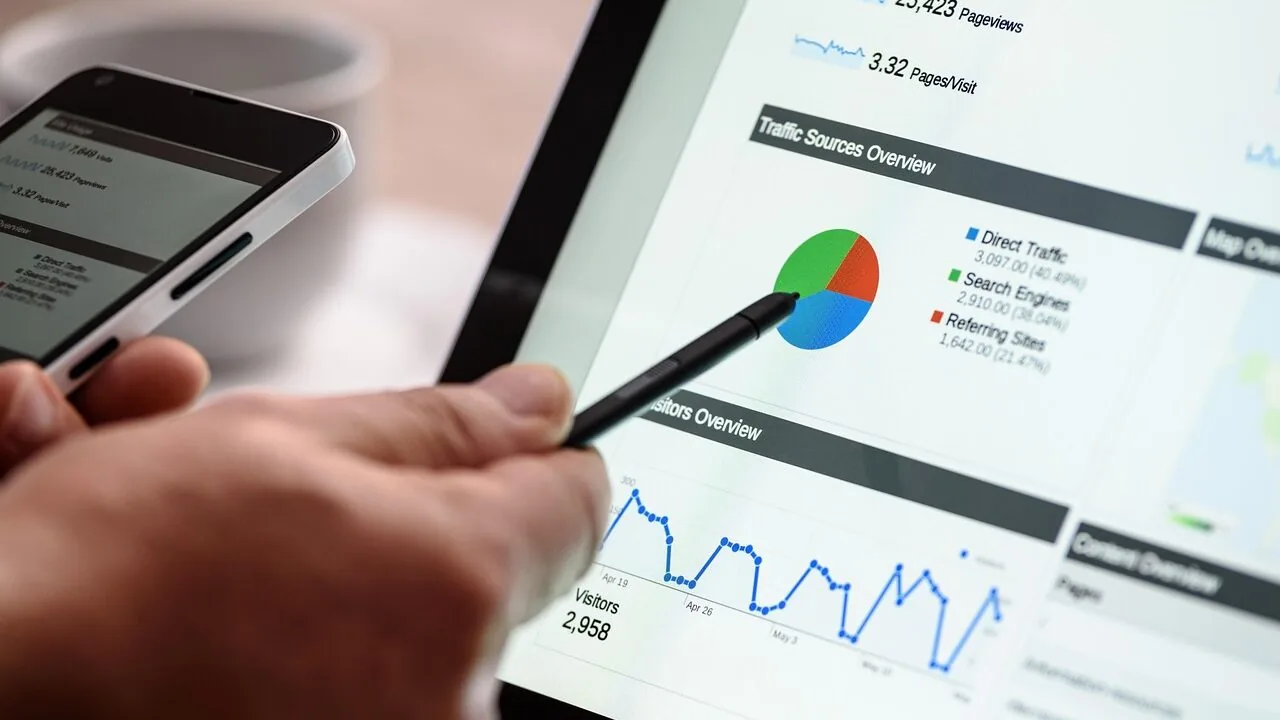
Finding the right tablet for note-taking is harder than it looks.
The market is flooded with options that look similar on paper but behave very differently when you uncap a stylus in a lecture hall, a boardroom, or a late-night study session.
Display texture, stylus latency, palm rejection, and software ecosystem all matter far more than raw processor benchmarks when your goal is capturing ideas quickly and legibly.
Whether you prefer handwriting your notes, annotating PDFs, or blending sketches with typed text, the tablet you choose will shape that experience every single day.
This guide cuts through the noise by pulling together specifications, expert review consensus, and verified buyer feedback across the most relevant models available right now, from budget-friendly picks in the mid-range to premium performers worth the investment.
Our picks span offerings from Apple, Samsung, Lenovo, TCL, and XPPen, covering a wide price band so you can find the right fit regardless of your budget. Read on for our top-ranked tablets for note-taking this year.
| Award | Product | REMOVU Score About REMOVU ScoreThe REMOVU Score is our own rating from 0 to 10, based on performance, design and build, ease of use, and value. It reflects independent research and is never influenced by manufacturers, retailers, or affiliate commissions. Learn more › | Price | |
|---|---|---|---|---|
| Best Value |
 TCL NXTPAPER 14 Paper-Like Android Tablet
|
8.6/10 | Buy | |
 Samsung Galaxy Tab S10 Lite 10.9" with S Pen
|
8.4/10 | Buy | ||
 Samsung Galaxy Tab S6 Lite 10.4-inch with S Pen
|
7.8/10 | Buy | ||
| Best Overall |
 Apple iPad 11-inch with A16 Chip
|
9.1/10 | Buy | |
| Best Premium |
 Samsung Galaxy Tab S8 11-inch Tablet
|
7.2/10 | Buy | |
 Samsung Galaxy Tab S9 FE 10.9-inch with S Pen
|
7.1/10 | Buy | ||
 Lenovo IdeaTab TB336FU 11-inch 2.5K Tablet
|
7.0/10 | Buy | ||
| Best Budget |
 Lenovo IdeaTab 11 2.5K College Tablet
|
8.2/10 | Buy | |
 Lenovo IdeaTab 11 2.5K 90Hz Student Tablet
|
6.2/10 | Buy | ||
 Samsung Galaxy Tab S11 256GB WiFi Tablet
|
6.4/10 | Buy | ||
 XPPen Magic Note Pad 10.95 inch Android Tablet
|
6.3/10 | Buy |
TCL NXTPAPER 14 Paper-Like Android Tablet
A versatile 14.3-inch Android tablet designed for creators and note-takers, combining a paper-like display with stylus input and solid productivity features. The NXTPAPER 3.0 tech reduces eye strain through glare reduction and blue light filtering, while three display modes adapt to drawing, reading, and standard use. Best suited for artists, students, and professionals who prioritize screen comfort during extended work sessions.
Pros
- Paper-like display with NXTPAPER 3.0 technology reduces glare and filters blue light for comfortable extended viewing
- 4096-level T-PEN stylus and 3-in-1 display modes support creative work, note-taking, and digital reading
- Large 10,000mAh battery with 33W fast charging and reverse charging capability to power other devices
- Lightweight and thin design at 0.27 inches with included adjustable flip case for portability
- Multi-window and split-screen support with 256GB storage for productivity and creative applications
Cons
- Charger not included in the box, requiring separate purchase for fast charging functionality
- No microSD card slot limits storage expansion beyond the built-in 256GB
- MediaTek Helio G99 processor may not handle demanding gaming or heavy video editing compared to flagship tablets
Samsung Galaxy Tab S10 Lite 10.9" with S Pen
A mid-range tablet built for content consumption and creative work, the Tab S10 Lite pairs a vivid 10.9-inch LCD display with Samsung's S Pen for note-taking and sketching. The Exynos 1380 processor handles everyday multitasking smoothly, while Galaxy AI features like Circle to Search and the AI Hot Key add practical intelligence. Best suited for users who want productivity and entertainment in one device without stepping up to pricier models.
Pros
- Responsive S Pen with natural-feeling precision for drawing and note-taking
- Long battery life rated up to 16 hours on video playback
- Expandable storage up to 2TB via microSD card for media-heavy users
- Galaxy AI integration including Circle to Search and trigonometric equation solving in Samsung Notes
- Seamless device continuity across Galaxy ecosystem for calls, notes and smart home control
Cons
- Exynos 1380 processor is entry-level compared to competitors like MediaTek Dimensity chips in higher-tier Tab S models
- 8,000mAh battery capacity is modest for a 10.9-inch tablet, relying on efficiency rather than raw capacity
- Some AI features require compatible apps or Samsung-specific software, limiting cross-platform functionality
Samsung Galaxy Tab S6 Lite 10.4-inch with S Pen
A lightweight 10.4-inch tablet built for note-taking, sketching, and media consumption. The included S Pen offers natural writing feel and pressure sensitivity, while the 14-hour battery and dual AKG-tuned speakers make it solid for students, creators, and everyday users seeking portability without sacrificing screen real estate.
Pros
- Included S Pen with magnetic holder and low-latency performance for handwriting and annotation
- Extended 14-hour battery life supports all-day productivity and entertainment
- Large 10.4-inch 2K display with vibrant visuals in a compact, lightweight form factor
- Dual AKG-tuned speakers with Dolby Atmos deliver rich, immersive audio for movies and gaming
- Expandable storage via microSD slot plus Samsung DeX for PC-like productivity
- Samsung Knox security and cross-device continuity with phones
Cons
- Glossy screen prone to fingerprints and reflections in bright environments
- Modest 4GB RAM may limit heavy multitasking compared to higher-tier tablets
- Charger not included in box, only USB Type-C cable
Apple iPad 11-inch with A16 Chip
Apple's 11-inch iPad combines the powerful A16 processor with a vibrant Liquid Retina display, making it a versatile device for creative work, media consumption, and productivity. The all-day battery and Wi-Fi 6 connectivity support seamless streaming and file transfers, while the dual 12MP cameras handle both video calls and content creation. Best suited for users seeking a capable tablet that bridges entertainment and professional tasks.
Pros
- A16 chip delivers strong performance for gaming, video editing, and multitasking
- Liquid Retina display with True Tone provides comfortable viewing across different lighting conditions
- All-day battery life keeps the device running through extended use
- Touch ID in the top button offers convenient unlock and secure payments
- Compatible with Apple Pencil and Magic Keyboard Folio for enhanced creativity and productivity
Cons
- No reviews available to validate real-world performance and user satisfaction
- Starting storage of 128GB may feel limiting for heavy media creators or gamers
- Apple Pencil and Magic Keyboard Folio sold separately, adding to overall cost
Samsung Galaxy Tab S8 11-inch Tablet
This 11-inch tablet combines a spacious LCD display with Samsung's DeX productivity features, making it suitable for both work and entertainment. The included S Pen offers reduced latency for writing and sketching, while the Snapdragon processor handles demanding tasks. Best suited for users who want a larger screen experience with PC-like capabilities and stylus support.
Pros
- Large 11-inch LCD display provides ample screen real estate for productivity and media consumption
- S Pen included with improved responsiveness and lower latency for more natural writing and sketching
- DeX multitasking and Microsoft 365 integration deliver desktop-like experience on a tablet
- WiFi 6E support enables faster wireless connectivity when compatible router is available
- Expandable storage up to 1TB via microSD card for flexible file management
- All-day battery life with fast USB-C charging
Cons
- WiFi 6E router sold separately and required to access faster connectivity benefits
- Battery life varies significantly depending on usage patterns and workload
- MicroSD card for storage expansion sold separately, adding to total cost
Samsung Galaxy Tab S9 FE 10.9-inch with S Pen
Samsung's Tab S9 FE combines a large 10.9-inch display with included S Pen support, making it a solid choice for note-taking, sketching, and creative work. The IP68 rating means it handles dust and water exposure, while 18-hour battery life and fast charging keep it running through extended use. Best suited for first-time tablet buyers and content creators seeking a durable, all-around device.
Pros
- Included S Pen with responsive, paper-like writing feel for notes and sketching
- IP68 water and dust resistance rated for up to 5 feet of water for 30 minutes
- 18-hour battery life with Super Fast Charging under 90 minutes
- Large 10.9-inch WQXGA display with crisp visuals and vibrant colors
- Solid performance with octa-core processor, 8GB RAM, and 256GB storage for multitasking
Cons
- Glossy screen may attract fingerprints and reflections in bright environments
- No expandable storage option mentioned in specifications
- Limited to Wi-Fi connectivity, no cellular option listed
Lenovo IdeaTab TB336FU 11-inch 2.5K Tablet
An 11-inch Android tablet with solid mid-range specs: Dimensity 6300 processor, 8GB RAM, and 128GB storage pair with a 2560 x 1600 display refreshing at 90Hz. The included stylus makes it practical for note-taking and creative work, appealing to students and professionals seeking a larger screen without premium pricing.
Pros
- Included Lenovo Tab Pen eliminates extra stylus purchase
- 11-inch 2.5K display at 90Hz provides sharp visuals and smooth scrolling
- 8GB RAM handles multitasking and app switching efficiently
- Rated 4.5 stars across verified buyer reviews
Cons
- 128GB storage may require cloud backup for heavy users
- Dimensity 6300 is mid-range, not suited for demanding gaming or professional video editing
- Limited information on battery life and charging speed in available data
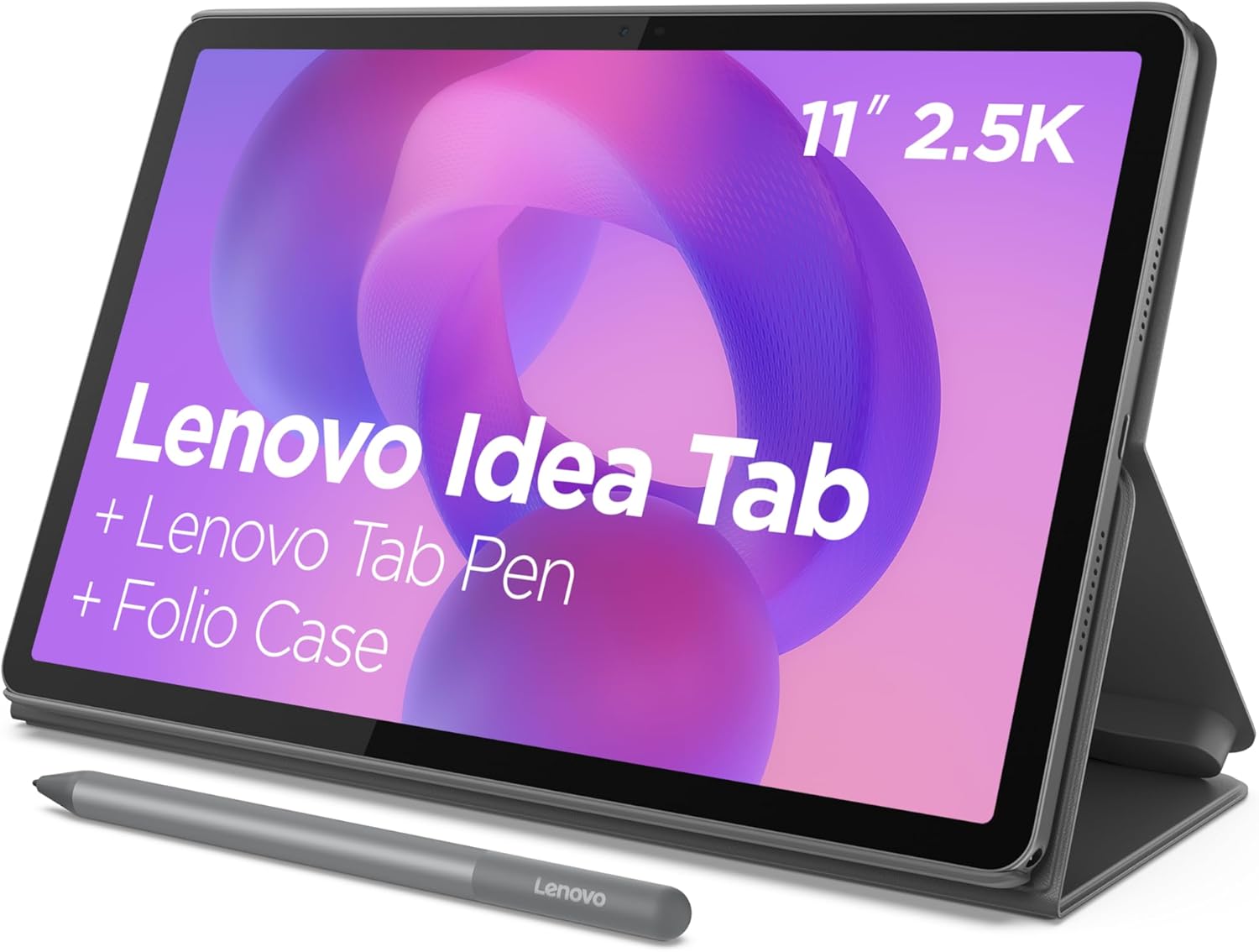
Lenovo IdeaTab 11 2.5K College Tablet
A student-focused 11-inch tablet pairing a MediaTek Dimensity 6300 processor with learning-specific software like Lenovo AI Note and Nebo for note-taking and sketching. The 2.5K IPS display with 90Hz refresh and quad Dolby Atmos speakers handles both study sessions and entertainment, while the included Tab Pen and folio case provide immediate productivity out of the box.
Pros
- Bundled Tab Pen and folio case eliminate extra purchases for students
- Purpose-built learning apps (Lenovo AI Note, Squid, Nebo, MyScript Calculator) streamline academic workflows
- 12-hour battery life sustains full study days and streaming sessions
- Circle to Search feature integrates instant search and translation without app switching
- Blue light filtering hardware reduces eye strain during extended study periods
Cons
- MediaTek Dimensity 6300 is mid-range; demanding creative apps or gaming may show performance limits
- No specifications provided for storage expandability or charging speed details beyond 20W charger mention
- 4.6-star rating suggests some user friction, though review count is solid at 611
Lenovo IdeaTab 11 2.5K 90Hz Student Tablet
This 11-inch tablet targets students with a 2.5K display, quad Dolby Atmos speakers, and MediaTek Dimensity 6300 processor designed for multitasking. The included Tab Pen and folio case, paired with AI-powered note-taking apps like Lenovo AI Notes, create a study-focused ecosystem. Circle to Search with Google and built-in learning apps make it a practical choice for campus work, though performance sits in the mid-range segment.
Pros
- 11-inch 2.5K IPS display with 90Hz refresh rate and TUV-certified low blue light protection for extended study sessions
- Includes Tab Pen with improved latency and versatile folio case with stand for sketching and media viewing
- Four built-in learning apps (Lenovo AI Notes, Squid, Nebo, MyScript Calculator) optimized for note-taking and organization
- Up to 12 hours battery life covers full study days without frequent charging
- Circle to Search with Google and translate features reduce app-switching during research
Cons
- MediaTek Dimensity 6300 processor is mid-range, not flagship-level performance for demanding tasks
- 4GB RAM and 128GB storage are entry-level specs that may limit heavy multitasking or large media libraries
- No mention of expandable storage or premium build materials in product data
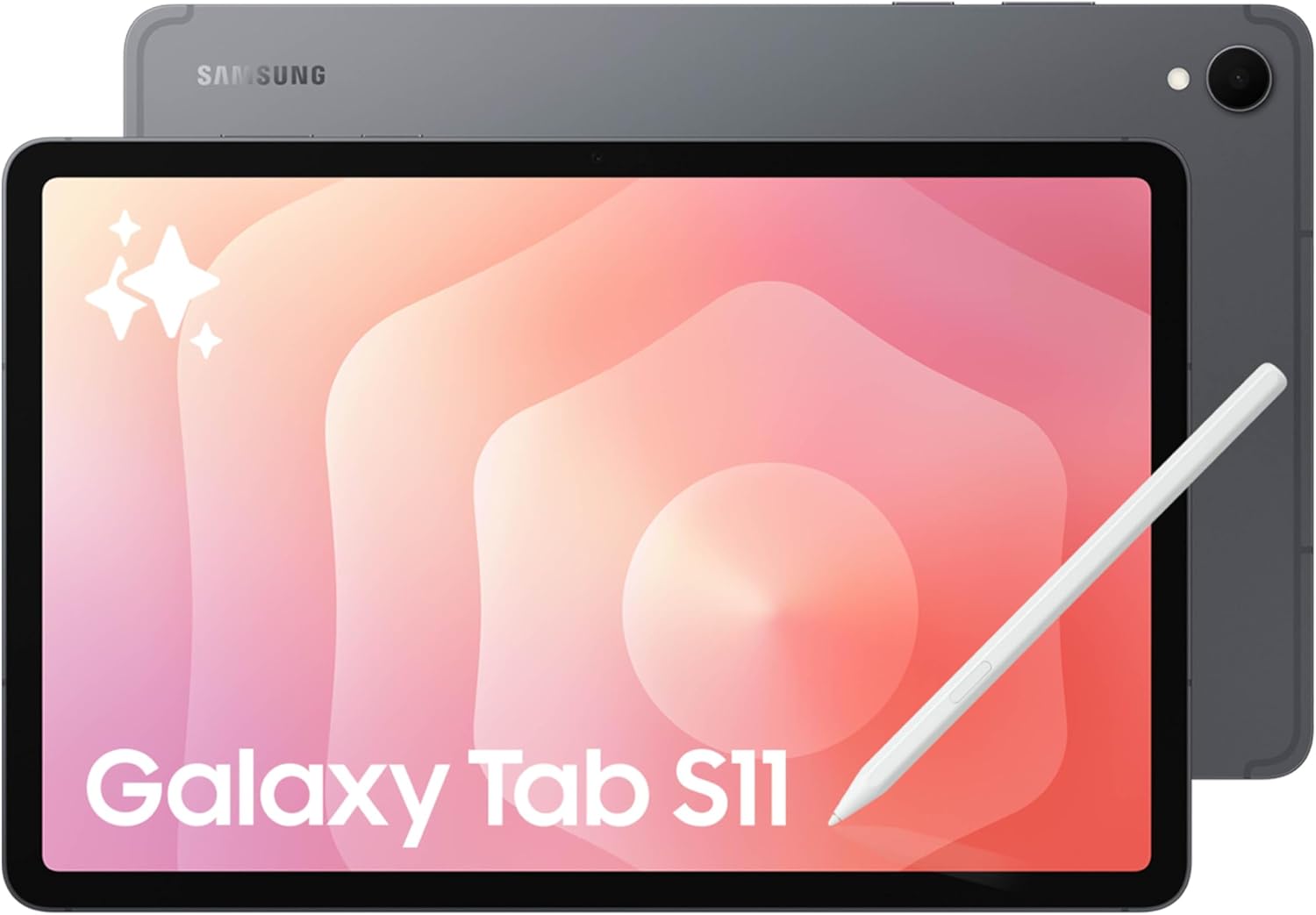
Samsung Galaxy Tab S11 256GB WiFi Tablet
This 11-inch Android tablet combines a slim 5.5mm design with a vibrant Dynamic AMOLED 2X display and MediaTek's 3nm processor for smooth multitasking and media consumption. The included S Pen with AI-powered Note Assist and Drawing Assist makes it appealing for productivity and creative work, while IP68 durability handles spills and dust. Best suited for users seeking a portable, capable tablet for work and entertainment.
Pros
- Exceptionally thin and lightweight profile that fits easily into bags for portability
- Bright, crisp 11-inch Dynamic AMOLED 2X display with excellent color and clarity
- IP68 rating withstands water immersion up to 1.5 meters and dust exposure
- S Pen with AI-assisted note summarization and sketch-to-design capabilities streamlines creative workflows
- Up to 18 hours of battery life supports extended use without frequent charging
Cons
- Renewed model status means device has been previously owned and may show cosmetic wear
- No storage expansion option mentioned in specifications, limiting flexibility for large media libraries
- AI features like Note Assist and Drawing Assist require Galaxy AI integration, which may depend on software updates and regional availability
XPPen Magic Note Pad 10.95 inch Android Tablet
A hybrid Android tablet designed for note-taking with a paper-like LCD display and pressure-sensitive stylus. It combines handwriting capture, PDF annotation, and productivity apps in one device, making it suitable for students, professionals, and meeting note-takers who want an alternative to traditional e-ink tablets.
Pros
- Paper-like display with AG nano-etched glass reduces glare and blue light (75% reduction, TÜV certified) for extended use comfort
- 16,384 pressure levels and X3 Pro Pencil 2 deliver responsive writing with varied stroke thickness and color depth
- Native XPPen Notes app with handwriting-to-text conversion, PDF editing, sound recording, and AI-powered summarization features
- 90Hz refresh rate and 16.7 million color support ensure smooth scrolling and vibrant visuals without page-turn lag
- Full Android 14 ecosystem with 128GB storage, 8000mAh battery, and lightweight design (495g) for portability
Cons
- Not an e-ink display, so it generates more eye strain than true e-readers and consumes battery faster during extended reading
- Narrow viewing angles by design reduce screen visibility when not viewed straight-on, limiting collaborative use
- Requires system upgrade to 1PAE to unlock MyScript Notes and MyScript Math features; permanent membership activation adds setup friction
Tablets for Note Taking Buying Guide
Not every tablet is built with note-taking as a priority. A device that excels at streaming video or casual gaming may frustrate you the moment you try to write with a stylus.
The criteria below are what genuinely separates a great note-taking tablet from one that merely tolerates it.
If you also browse our drawing tablets category, you will notice overlap in some specs, but the priorities shift once handwriting legibility and page-navigation speed take center stage.
Stylus Quality and Inclusion

The single most important factor for note-taking is whether the tablet ships with a capable stylus and how good that stylus actually is.
Pressure sensitivity levels matter: a stylus with 4,096 pressure levels or higher can mimic the natural variation of a real pen, making handwriting feel more organic and less mechanical.
Battery-free stylus designs (like those using EMR technology) eliminate the frustration of a dead pen in the middle of a class or meeting.
Latency is equally critical. A lag of more than about 20 milliseconds between pen tip and ink appearing on screen creates a disconnect that slows you down and makes your handwriting look choppy.
Apple Pencil-compatible iPads and Samsung’s S Pen ecosystem are widely cited by expert reviewers for their low-latency implementations. When a stylus is included in the box rather than sold separately, that represents real cost savings worth factoring into total value.
Display Quality and Surface Feel
Resolution and brightness matter for reading back your notes, but for the act of writing itself, display surface texture is arguably more important.
A glossy glass surface offers no friction and causes the stylus tip to slide unpredictably, which degrades handwriting quality.
Matte or paper-like display coatings, such as those found on the TCL NXTPAPER series, replicate the gentle tooth of real paper and dramatically improve writing control. Some tablets achieve this through removable matte screen protectors rather than built-in coatings.
Panel resolution affects how legible your handwriting looks when zoomed out. A 2K or higher display ensures that even small, densely packed notes remain crisp and readable.
For students who annotate textbook PDFs, a larger screen in the 11-inch to 14-inch range reduces the need for constant scrolling and panning, which interrupts your flow.
Brightness and anti-glare performance also matter if you write near windows or under harsh classroom lighting.
Software Ecosystem and Note-Taking App Compatibility
Hardware is only half the story.
The operating system and available apps determine how far you can take your notes. iPadOS offers the deepest ecosystem of polished note-taking applications, including GoodNotes 5, Notability, and Apple Notes, all of which leverage Apple Pencil’s pressure and tilt data natively.
Samsung’s Android-based tablets running One UI Notes and DeX mode give you more file-system flexibility and better integration with Google Workspace, which many students and professionals already rely on daily.
Lenovo’s Android tablets support popular apps like Nebo and Microsoft OneNote, both of which are strong cross-platform options if your notes need to sync across a home office desktop or a shared team environment.
XPPen’s hybrid notebook approach runs Android but pairs it with physical paper-sensing technology, which appeals to users who prefer keeping paper notes but want a digital backup automatically.
Always verify that your preferred note-taking app is available and fully featured on the platform you choose before committing.
Battery Life and Portability

A note-taking tablet lives and dies by its battery. If you are in back-to-back lectures or a full-day conference, running out of power halfway through is simply not acceptable.
Look for devices rated at ten hours or more of real-world use, keeping in mind that manufacturer claims are often measured under light workloads.
Verified buyer feedback consistently reports that heavily stylus-intensive use drains batteries faster than video playback, so treat official figures as optimistic ceilings rather than guarantees.
Weight and form factor matter too, especially for students carrying tablets across campus. Slim, lighter devices reduce shoulder strain over a long day.
Tablets in the 460g to 600g range tend to strike the best balance between screen size and portability.
A folio case that doubles as a stand and stores the stylus is a practical accessory worth prioritizing, and several models on our list include one in the box.
Storage and Connectivity
Note-taking tablets accumulate a surprising amount of data over time, particularly if you export handwritten notes as images or PDFs.
A minimum of 128GB of internal storage is advisable for active students and professionals, and models that support microSD card expansion give you a low-cost upgrade path when that storage fills up.
Samsung Galaxy Tab models stand out here because their microSD slots let you add up to 2TB of additional space without replacing the device.
Connectivity beyond Wi-Fi is worth considering if you need to import PDFs directly from a camera or transfer files from a laptop without a cloud middleman.
USB-C with data transfer support (and ideally video output for DeX or desktop mode) adds long-term utility. Bluetooth keyboard support is also worth checking if you plan to switch between handwriting and typing within the same note-taking session.
Value and Total Cost of Ownership

The sticker price of the tablet itself is rarely the whole story. If the stylus is sold separately, that adds a meaningful cost on top of already premium hardware.
Similarly, note-taking apps that charge annual subscriptions need to be factored in.
Tablets that bundle a stylus and protective folio case in the box represent significantly better value than those that treat these as optional extras, even when the base price appears higher.
Consider the total investment over a two to three year ownership period.
A mid-range tablet that ships complete with stylus, case, and access to capable free apps may deliver better everyday value than a flagship that requires add-on purchases to reach its full potential.
Our picks across budget and premium tiers are evaluated with this full cost-of-ownership lens in mind. If you are also weighing productivity options, our category page for phones, tablets, and wearables covers the broader landscape.
Why You Should Trust Us
REMOVU is an independent review platform with no manufacturer relationships that influence our rankings.
Every tablet in this guide was assessed using our structured research methodology: we analyze published specifications, cross-reference expert review consensus from credible technology publications, and weigh verified buyer feedback from confirmed purchasers to surface real-world patterns that spec sheets alone cannot reveal.
We do not conduct our own product trials; our evaluations are grounded in research, published data, expert review consensus, and verified buyer feedback.
Each product receives a REMOVU Score on a scale of 0 to 10, applied consistently across the same criteria: stylus quality, display suitability for writing, software ecosystem, battery endurance, portability, storage flexibility, and total value.
This consistent scoring framework is what allows fair cross-brand comparisons between, for example, an Apple iPad and a Lenovo Idea Tab, without letting brand loyalty or marketing budget distort the outcome.
Transparency about affiliate relationships is important to us. REMOVU may earn a commission if you purchase through links in this article. That relationship does not influence which products appear, how they are ranked, or what scores they receive.
Our editorial positions are determined entirely by research quality and scoring criteria, not by commission rates.
Final Thoughts
The tablets for note-taking reviewed here represent a genuinely strong field in 2026, covering everything from budget-conscious Lenovo options to the premium Apple and Samsung flagships.
No single tablet is the right choice for everyone, but within this group, a few standouts deserve special recognition based on their REMOVU Scores and the specific needs they serve best.
- Best Overall: Apple iPad 11-inch (A16 Chip) earns the top spot with the highest REMOVU Score in our lineup, thanks to its Liquid Retina display, class-leading stylus latency with Apple Pencil, and the deepest note-taking app ecosystem available on any tablet today.
- Best Paper-Like Writing Experience: TCL NXTPAPER 14 stands out with its matte paper-like display, a large 14-inch canvas, and a bundled stylus and flip case, earning it the second-highest REMOVU Score in the group and making it the most natural writing surface here for stylus-heavy users.
- Best Mid-Range Pick: Samsung Galaxy Tab S10 Lite delivers a strong combination of AI tools, a capable S Pen, Circle to Search, and expandable storage at a mid-range price, earning a REMOVU Score that puts it firmly ahead of most competitors in its tier.
- Best Budget Pick for Students: Samsung Galaxy Tab S6 Lite bundles an S Pen with a 2K display and long battery life at one of the lowest prices in this roundup, making it the pragmatic choice for students who need reliable everyday note-taking without stretching their budget.
- Best Lenovo Option for Power Users: Lenovo Idea Tab (8GB/256GB) pairs a sharp 2.5K 90Hz display with 8GB of RAM and generous storage, earning it the top REMOVU Score among Lenovo’s entries and making it a compelling alternative to pricier Samsung models for Android loyalists.
Whatever your note-taking style, there is a strong option here. Students moving between classrooms will appreciate the all-day battery and lightweight builds. Professionals who annotate contracts and presentations will gravitate toward the higher-resolution displays and robust app ecosystems.
If your needs extend into creative sketching alongside your notes, browsing our e-readers category can also help you decide whether a dedicated reading device complements your tablet workflow.
Frequently Asked Questions
Do I need a tablet with a stylus included, or can I buy one separately?
Buying a stylus separately is absolutely possible, but it adds meaningful cost and introduces compatibility questions. Not every third-party stylus works well with every tablet; many lack pressure sensitivity or palm rejection.
If note-taking is your primary use case, choosing a tablet that ships with a quality stylus in the box, as several picks on our list do, is the most reliable way to get a great writing experience from day one without additional purchases or compatibility guesswork.
Is an iPad significantly better than Android tablets for note-taking?
For pure note-taking, the Apple iPad’s advantage lies in its app ecosystem. Apps like GoodNotes and Notability offer features and polish that Android alternatives have not fully matched.
However, Samsung Galaxy Tab models running One UI come extremely close, especially for users already invested in the Google ecosystem or who need file-system access and microSD expandability. The right answer depends on your existing devices, preferred apps, and budget.
What screen size is best for taking notes on a tablet?
Most note-takers find the 10-inch to 11-inch range the sweet spot between screen real estate and portability. It gives you enough space to write comfortably in a normal hand size without the device feeling unwieldy in a bag.
Larger screens in the 13-inch to 14-inch range, like the TCL NXTPAPER 14, are excellent for annotating full-page documents or split-screen multitasking, but they are heavier and less convenient to carry all day.
Smaller tablets under 10 inches tend to feel cramped for sustained handwriting.
Can I use a note-taking tablet as my primary laptop replacement?
It depends on your workload. For students and light professionals, a tablet paired with a Bluetooth keyboard and a capable cloud suite like Google Workspace or Microsoft 365 can genuinely replace a laptop for most tasks.
Samsung’s DeX mode takes this further by offering a desktop-like interface. However, tasks that require powerful local applications, complex file management, or multitasking across many apps simultaneously still favor a traditional laptop.
A dedicated laptop remains the stronger choice for heavy computing workloads even if a tablet handles your note-taking perfectly.
How much storage do I actually need for note-taking?
For most students and professionals, 128GB is a comfortable starting point.
Handwritten notes saved as vector data are relatively small, but if you store audio recordings alongside your notes, import large PDFs, or keep a library of annotated textbooks on the device, storage fills faster than expected.
Models with microSD card slots offer the most flexibility, letting you expand storage affordably as your archive grows rather than paying a premium upfront for a higher internal storage tier.
Are refurbished note-taking tablets worth buying?
Certified refurbished tablets from reputable sellers can represent strong value, particularly for premium models that would otherwise exceed your budget. The key is to buy from programs with clear grading standards and a meaningful warranty period.
Battery health is the main concern with refurbished tablets; ask for or look for listings that disclose battery capacity as a percentage of original.
A refurbished tablet at 80 percent battery health may not survive a full academic day without a charge, which undermines one of the most important features for note-takers.
About the author
Isabella covers e-readers for REMOVU, comparing screen clarity, battery life, and reading comfort. She helps bookworms trade glare and distractions for weeks of easy reading.