The 8 Best Tablets for Reading
From lightweight Kindles to full-color Android slates and the Apple iPad, these are the reading tablets worth buying, chosen by display quality, comfort, and battery life.
 By Kristen Jennings
Updated July 26, 2026
By Kristen Jennings
Updated July 26, 2026
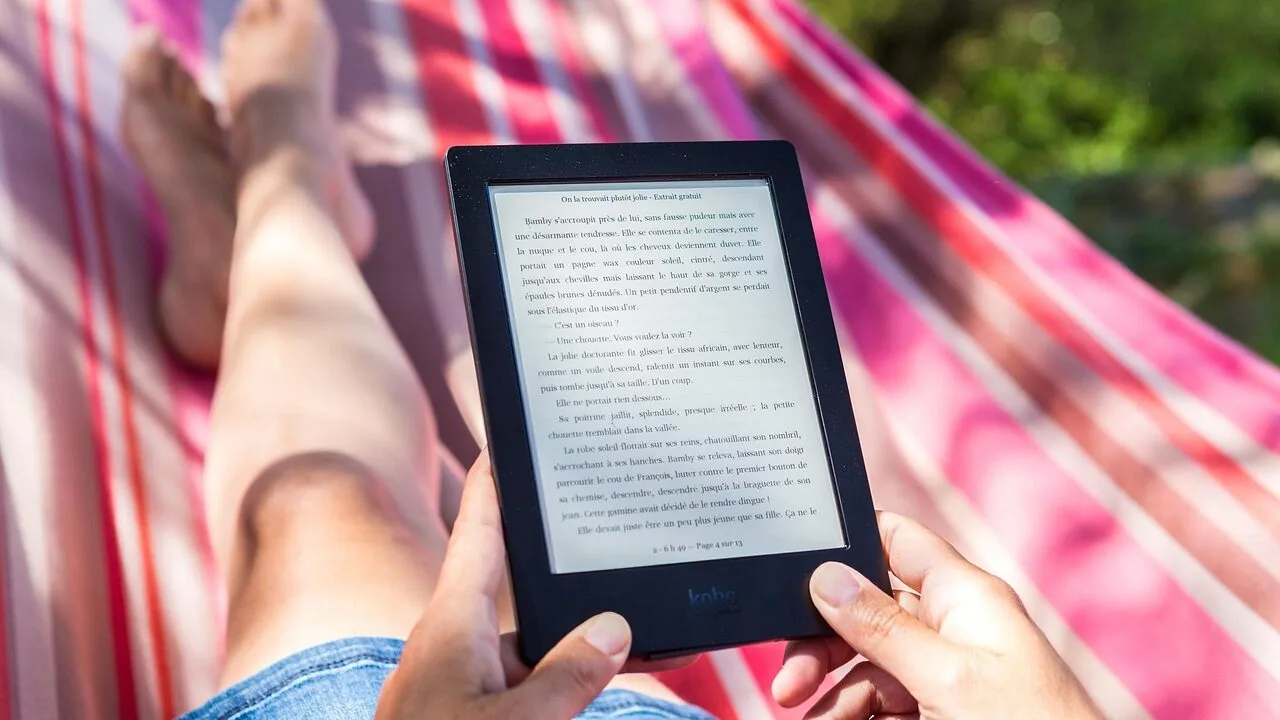
Choosing a tablet for reading isn’t as simple as picking the biggest or brightest screen.
Display quality, eye comfort, battery endurance, weight, and software ecosystem all play into whether a device feels like a pleasure or a chore after an hour on the couch.
With everything from dedicated e-readers and mid-range Android slates to Apple’s flagship iPads now competing for the same shelf space, narrowing the field requires a clear-eyed look at what actually matters for extended reading sessions.
At REMOVU, we analyzed the full lineup using a synthesis of manufacturer specifications, expert review consensus, and verified buyer feedback to surface the options that genuinely deliver for readers.
Whether you want a distraction-free e-ink device from Amazon, a versatile full-color slate from Samsung or Lenovo, or the premium all-rounder that the Apple iPad represents, our top picks below cover every budget and reading style.
| Award | Product | REMOVU Score About REMOVU ScoreThe REMOVU Score is our own rating from 0 to 10, based on performance, design and build, ease of use, and value. It reflects independent research and is never influenced by manufacturers, retailers, or affiliate commissions. Learn more › | Price | |
|---|---|---|---|---|
| Best Budget |
 Amazon Kindle Paperwhite Signature Edition 32GB
|
8.6/10 | Buy | |
| Best Overall |
 Apple iPad 11-inch with A16 Chip
|
9.1/10 | Buy | |
 Amazon Fire HD 10 (2021) 10.1-inch Tablet
|
7.8/10 | Buy | ||
| Best Premium |
 Samsung Galaxy Tab S10 Lite 10.9" with S Pen
|
8.4/10 | Buy | |
| Best Value |
 Samsung Galaxy Tab A11+ 11-Inch Tablet
|
8.8/10 | Buy | |
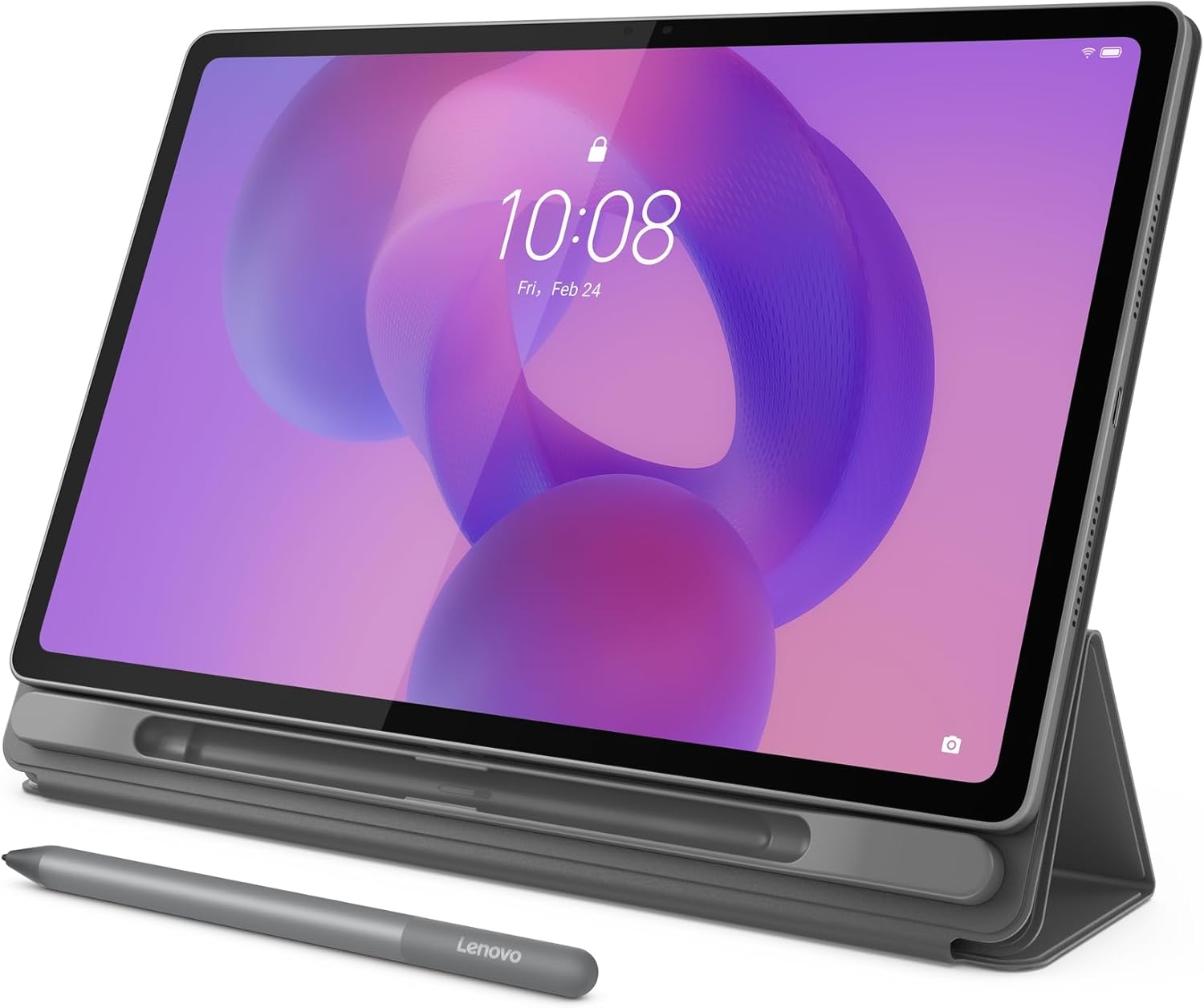 Lenovo IdeaTab Plus 12.1-inch 2.5K Tablet
|
7.0/10 | Buy | ||
 Lenovo IdeaTab Pro 12.7" Student Tablet with Gemini AI
|
6.8/10 | Buy | ||
 Amazon Kindle 16GB (Latest Model)
|
8.5/10 | Buy |
Amazon Kindle Paperwhite Signature Edition 32GB
Amazon's fastest e-reader to date, the Paperwhite Signature Edition combines a sharper 7-inch display with practical upgrades like auto-adjusting front light and wireless charging. Built for readers who want a distraction-free device that handles extended travel and poolside reading without compromise.
Pros
- 25% faster page turns and higher contrast ratio for smoother reading experience
- Auto-adjusting front light adapts to sunlight and low-light conditions automatically
- Wireless charging dock compatibility eliminates frequent USB-C cable use
- 12-week battery life on a single charge enables true marathon reading sessions
- Waterproof design allows reading by pool, bath, or outdoor environments
- 32GB storage provides ample space for large libraries
- Access to 15+ million titles in Kindle Store with Unlimited subscription option
Cons
- Wireless charging dock sold separately, adding to overall cost
- Premium pricing positions it above base Paperwhite models
- No physical buttons for page navigation, relying solely on touchscreen
Apple iPad 11-inch with A16 Chip
Apple's 11-inch iPad combines the powerful A16 processor with a vibrant Liquid Retina display, making it a versatile device for creative work, media consumption, and productivity. The all-day battery and Wi-Fi 6 connectivity support seamless streaming and file transfers, while the dual 12MP cameras handle both video calls and content creation. Best suited for users seeking a capable tablet that bridges entertainment and professional tasks.
Pros
- A16 chip delivers strong performance for gaming, video editing, and multitasking
- Liquid Retina display with True Tone provides comfortable viewing across different lighting conditions
- All-day battery life keeps the device running through extended use
- Touch ID in the top button offers convenient unlock and secure payments
- Compatible with Apple Pencil and Magic Keyboard Folio for enhanced creativity and productivity
Cons
- No reviews available to validate real-world performance and user satisfaction
- Starting storage of 128GB may feel limiting for heavy media creators or gamers
- Apple Pencil and Magic Keyboard Folio sold separately, adding to overall cost
Amazon Fire HD 10 (2021) 10.1-inch Tablet
Amazon's 10.1-inch tablet delivers a bright 1080p display and solid all-day battery life at a budget-friendly price point. It excels for streaming, casual browsing, and light productivity, though it relies on Amazon's Appstore rather than Google Play, which limits app selection compared to Android alternatives.
Pros
- Bright 1080p Full HD display with 2 million pixels, notably brighter than comparable Samsung models
- 12-hour battery life handles full days of mixed use without recharging
- Fast octa-core processor with 3GB RAM delivers responsive performance for everyday tasks
- Durable design with strengthened aluminosilicate glass, rated twice as durable as Galaxy Tab A8 in durability reviews
- Built-in Alexa integration for hands-free control and video calling
Cons
- Amazon Appstore lacks Google Play access, limiting app selection and compatibility compared to standard Android tablets
- 3GB RAM is modest for heavy multitasking despite split-screen capability
- Storage expandable only via microSD card sold separately, with base model starting at 32GB
Samsung Galaxy Tab S10 Lite 10.9" with S Pen
A mid-range tablet built for content consumption and creative work, the Tab S10 Lite pairs a vivid 10.9-inch LCD display with Samsung's S Pen for note-taking and sketching. The Exynos 1380 processor handles everyday multitasking smoothly, while Galaxy AI features like Circle to Search and the AI Hot Key add practical intelligence. Best suited for users who want productivity and entertainment in one device without stepping up to pricier models.
Pros
- Responsive S Pen with natural-feeling precision for drawing and note-taking
- Long battery life rated up to 16 hours on video playback
- Expandable storage up to 2TB via microSD card for media-heavy users
- Galaxy AI integration including Circle to Search and trigonometric equation solving in Samsung Notes
- Seamless device continuity across Galaxy ecosystem for calls, notes and smart home control
Cons
- Exynos 1380 processor is entry-level compared to competitors like MediaTek Dimensity chips in higher-tier Tab S models
- 8,000mAh battery capacity is modest for a 10.9-inch tablet, relying on efficiency rather than raw capacity
- Some AI features require compatible apps or Samsung-specific software, limiting cross-platform functionality
Samsung Galaxy Tab A11+ 11-Inch Tablet
A family-friendly 11-inch tablet that balances everyday performance with a bright, fluid display and all-day battery life. The quad Dolby Atmos speakers and AI-assisted features make it versatile for streaming, schoolwork, and casual gaming, while expandable storage keeps costs reasonable for users who need extra space.
Pros
- Large 11-inch display with up to 90Hz refresh rate for smooth scrolling and media consumption
- Long-lasting 7,040mAh battery designed to handle full days of mixed use
- Quad speakers with Dolby Atmos deliver immersive audio for movies and music
- Expandable storage via microSD card allows flexible capacity without paying premium prices
- Lightweight and slim design makes it portable for family use across different rooms
Cons
- Lacks Galaxy AI features available on higher-end Tab S models
- IP52 water and dust protection is weaker than premium alternatives with IP68 rating
- Fast charging requires separate 25W wall charger purchase, not included in box
Lenovo IdeaTab Plus 12.1-inch 2.5K Tablet
A lightweight, portable tablet designed for students and creative professionals who need a capable device for note-taking, sketching, and media consumption. The 12.1-inch 2.5K display with 90Hz refresh rate and quad Dolby Atmos speakers deliver sharp visuals and immersive audio, while the included stylus and folio case add practical value. Battery life stretches to 13 hours, making it reliable for full-day use.
Pros
- Extremely portable at just over one pound with a slim profile that fits easily into bags and backpacks
- Sharp 12.1-inch 2.5K display with high brightness (800 nits) and 96% DCI-P3 color gamut for excellent clarity in various lighting conditions
- Included Lenovo Tab Pen and folio case with magnetic storage eliminate extra purchases and provide immediate productivity
- Quad Dolby Atmos speakers deliver rich, immersive audio for entertainment and learning
- Up to 13 hours of video playback battery life with 45W fast charging for extended usage without frequent recharging
- Google Circle to Search integration allows quick information lookup and translation without app switching
Cons
- MediaTek Dimensity 6400 processor is mid-range and may struggle with demanding gaming or intensive multitasking compared to flagship tablets
- 128GB storage is fixed with no expansion option, which limits flexibility for users with large media libraries
- No mention of water resistance or durability rating, which is relevant for a portable device intended for daily carry
Lenovo IdeaTab Pro 12.7" Student Tablet with Gemini AI
A 12.7-inch tablet built for students who need serious battery life and AI-assisted learning. The MediaTek Dimensity 8300 processor handles heavy media streaming and multitasking smoothly, while Google Gemini integration and Circle to Search offer practical study tools. Includes a stylus and case, making it ready to use out of the box.
Pros
- 11-hour video streaming battery life reduces charging anxiety during long study sessions
- 12.7" 3K LCD display with Low Blue Light certification and adjustable visual modes for extended reading comfort
- Quad JBL speakers with Dolby Atmos deliver quality audio for lectures and media consumption
- Included Tab Pen Plus and folio case add immediate productivity without extra purchases
- Google Gemini AI assistant and Circle to Search provide genuine learning and research shortcuts
Cons
- No user reviews available yet to validate real-world performance claims
- 360Hz touch sampling and 90fps gaming performance may not justify the tablet's primary student positioning
- Wi-Fi 6E connectivity requires compatible networks to realize speed advantages
Amazon Kindle 16GB (Latest Model)
Amazon's lightest and most compact e-reader delivers a distraction-free reading experience with a 6-inch glare-free display, now 25% brighter front light, and higher contrast ratio. The 16GB storage holds thousands of titles, while up to 6 weeks of battery life means extended reading between charges. Best for readers seeking a portable device that prioritizes comfort and simplicity over smartphone notifications.
Pros
- Lightweight and compact design makes it highly portable for travel and daily reading
- Front light is 25% brighter at maximum setting with dark mode for comfortable reading in various lighting conditions
- Exceptional battery life up to 6 weeks on a single charge
- 16GB storage accommodates thousands of books without frequent syncing
- Distraction-free environment with no notifications or social media integration
- Sustainable construction using 75% recycled plastics and 90% recycled magnesium
Cons
- 6-inch screen may feel small for readers with vision sensitivities or those accustomed to larger displays
- No waterproofing mentioned, limiting use near water compared to some competitor models
- Kindle Unlimited subscription required to access full catalog of 4 million titles, adding ongoing cost beyond device purchase
Tablets for Reading Buying Guide
Reading on a tablet is a different experience from reading on a laptop or phone, and the differences that matter most aren’t always obvious from a spec sheet.
The sections below walk through the criteria our research consistently shows are decisive for readers, from display technology and weight to battery life and software.
Display Quality and Eye Comfort

Display quality is the single most important variable for reading.
E-ink panels, like those on the Kindle Paperwhite Signature Edition and the standard Kindle, produce no flicker and reflect ambient light the way paper does, which most readers find dramatically less fatiguing over long sessions.
If you read mostly text and want the closest thing to a physical book, an e-reader is hard to argue against.
Full-color LCD tablets, on the other hand, open up illustrated books, magazines, comics, and PDFs in ways e-ink cannot. Resolution and pixel density matter here: a 1080p or higher panel on a 10-inch screen keeps text crisp without visible aliasing.
Blue-light filters and warm-tone modes, now standard on most Android and iPadOS tablets, do a reasonable job of reducing eye strain during evening reading.
Look for panels labeled IPS or LCD with good viewing angles so text stays legible when you tilt the device in bed.
Brightness range matters too. A panel that can dim very low is essential for dark-room reading, while a high peak brightness (above 400 nits) helps outdoors.
The Kindle Paperwhite’s auto-adjusting front light, for instance, is a feature expert reviewers consistently praise for making the screen usable in every lighting condition without manual adjustment.
Weight and Form Factor

Weight becomes noticeable fast when you’re holding a device at arm’s length for an hour.
Dedicated e-readers like the Kindle line are engineered around this: the standard Kindle is explicitly marketed as the lightest and most compact model in the lineup, and the difference between a 150-gram e-reader and a 500-gram full-size tablet is genuinely felt in your wrist after thirty minutes.
If your primary use is long-form reading, the lightest device that meets your screen-size requirement is usually the right call.
For readers who want a larger canvas for textbooks, PDFs, or illustrated content, 10- to 12-inch tablets make sense, but expect to use a stand or folio case for extended sessions.
The Lenovo Idea Tab Pro and Idea Tab Plus both ship with folio cases, which is a genuine advantage for desk-based or lap-based reading.
Ergonomics here are worth planning for, because even a great screen becomes uncomfortable if you’re fighting the device’s weight.
Battery Life
Battery life separates reading devices from general-purpose tablets more than any other metric.
E-ink displays are extraordinarily efficient: a Kindle Paperwhite is rated for weeks of use on a single charge because the display only consumes power when the page changes.
That means you can leave it in a bag for two weeks, pick it up, and still have plenty of charge.
No LCD tablet comes close to that, but modern Android and Apple tablets still typically offer eight to twelve hours of screen-on time, which is enough for most reading trips.
If you’re evaluating an LCD tablet specifically for reading, look for models with larger batteries and efficient processors.
Wireless charging, a feature on the Kindle Paperwhite Signature Edition, is a small but meaningful convenience that encourages you to keep the device topped up without hunting for cables. For travel readers, battery endurance should weigh heavily in the decision.
Software and Content Ecosystem

Hardware is only half the picture. Kindle devices are deeply integrated with Amazon’s book ecosystem, which is the largest digital library in the world, with robust annotation, highlight syncing, and Whispersync across devices.
If you’ve already built a Kindle library, a Kindle device is the obvious choice; if you use Kindle alongside other apps, the Fire HD 10 gives you Amazon’s ecosystem on Android, which can also run Libby for library borrowing, Comixology, and Google Play Books.
Apple iPads running iPadOS have access to every major reading app and benefit from tight integration with Apple Books, with excellent typography rendering and a consistent experience across iPhone and Mac.
Samsung Galaxy tablets run a full Android experience and support Samsung DeX for desktop-style productivity when you’re not reading.
The Samsung Galaxy Tab S10 Lite includes an S Pen, which is useful for annotating PDFs and textbooks, a feature student readers consistently call out in verified buyer feedback.
For students, pairing a capable reading tablet with laptops suited to college workloads is a common setup worth considering.
Storage and Connectivity
Storage matters more than it seems at first glance. E-books are small, but audiobooks, offline magazines, and downloaded videos for travel add up quickly.
A 16 GB e-reader is plenty for thousands of books, but a full-featured tablet used for reading, streaming, and light productivity is better with 128 GB or more.
Both Lenovo Idea tablets and the Samsung models in this roundup offer 128 GB of onboard storage, with microSD expansion available on the Samsung Galaxy Tab S10 Lite for up to 2 TB more, which effectively eliminates storage anxiety.
Wi-Fi 6 support, present on the Apple iPad 11-inch, improves download speeds and connection stability, which matters less for reading static books but becomes noticeable when downloading large illustrated volumes or streaming audiobooks simultaneously.
For most readers a standard Wi-Fi connection is sufficient, but if you regularly read in crowded Wi-Fi environments like airports or libraries, Wi-Fi 6 compatibility is a meaningful upgrade.
Cellular options exist for some models if you need connectivity away from Wi-Fi hotspots.
Value and Total Cost

The best tablet for reading isn’t always the most expensive one. E-readers sit at the budget-friendly end of the spectrum and outperform every LCD tablet for pure reading comfort, particularly in terms of eye strain and battery life.
If your reading is almost exclusively text-based books, spending more on a full-color tablet is genuinely unnecessary for most people.
Mid-range Android tablets from Samsung and Lenovo offer strong value for readers who want color, app flexibility, and a bigger screen without reaching for a premium price point.
The Apple iPad 11-inch sits at the higher end of this roundup but justifies its position through processing power, software polish, long software support, and resale value, considerations that matter if you treat a tablet as a multi-year investment.
Think carefully about how you read and match the device to that habit rather than paying for features you won’t use.
If you also need a versatile laptop alternative, our coverage of 2-in-1 laptops explores devices that overlap with this category for creative and note-taking tasks.
Why You Should Trust Us
REMOVU is an independent review publication.
Every product in this roundup was evaluated using a consistent, multi-signal research process: we analyze published manufacturer specifications, aggregate expert review consensus from across the industry, and incorporate verified buyer feedback to build a balanced picture of real-world performance.
We do not conduct our own product trials; our evaluations are grounded in research, published data, expert review consensus, and verified buyer feedback.
Each product receives a REMOVU Score on a scale of 0 to 10, reflecting how well it performs against the criteria that matter most for its category.
For reading tablets, those criteria include display quality and eye comfort, weight and portability, battery life, software ecosystem, storage, and overall value. Scores are assigned independently and are not influenced by brand relationships or advertising.
REMOVU may earn a commission when you purchase through links in this article. That affiliate relationship has no bearing on which products are included, how they are ranked, or what scores they receive.
Our goal is to give you the clearest possible picture so you can make the right call for your reading habits, not to steer you toward any particular product for commercial reasons.
Final Thoughts
After evaluating the full field, a few clear winners emerge depending on how and where you read. Here are our top picks by category, each linked to the product detail so you can dig into the full specs and verified buyer feedback before deciding.
- Best Overall (tied): Kindle Paperwhite Signature Edition and Apple iPad 11-inch share the top REMOVU Score in this roundup. The Paperwhite is the definitive choice for pure, distraction-free reading with weeks of battery life and an auto-adjusting front light. The iPad 11-inch earns the same score through its Liquid Retina display, A16 chip performance, and unmatched software ecosystem for readers who want color and versatility.
- Best Runner-Up: Samsung Galaxy Tab A11+ delivers an outstanding balance of display size, Dolby Atmos audio for audiobook and podcast listeners, and long battery life at a mid-range price, making it the strongest full-color option for readers who don’t need Apple’s ecosystem.
- Best for Students and Annotation: Samsung Galaxy Tab S10 Lite includes an S Pen and Circle to Search functionality, which verified student buyers consistently highlight as transformative for annotating PDFs, textbooks, and research documents.
- Best Budget Pick: Amazon Kindle (standard) is the lightest and most compact option here, and for readers who want a no-frills, affordable entry into e-ink reading, it remains one of the most sensible purchases in the category.
Whichever direction you go, matching the device to your actual reading habits matters more than chasing the highest spec on paper.
If you spend most of your screen time on phones, tablets, and wearables, our broader category coverage can help you find the right device for every part of your digital life.
Frequently Asked Questions
Is a Kindle or a regular tablet better for reading?
It depends almost entirely on what you read. E-ink Kindles are superior for text-heavy books: they’re lighter, easier on the eyes in all lighting conditions, and last weeks on a charge.
Full-color tablets like the Samsung Galaxy Tab or Apple iPad are better if you read illustrated books, comics, magazines, or PDFs that rely on color and layout.
Many dedicated readers own both, using a Kindle for novels and a tablet for everything else.
What screen size is best for reading on a tablet?
For novels and long-form text, a 6- to 8-inch screen is typically ideal because the device is light enough to hold one-handed. For textbooks, PDFs, graphic novels, or split-screen multitasking, a 10- to 13-inch display gives you more breathing room.
Larger screens are harder to hold comfortably without a stand or case, so factor your reading posture into the decision.
The kids tablet category is worth checking if you’re choosing for a younger reader who needs a smaller, more durable form factor.
Do blue-light filters on tablets actually reduce eye strain?
Research on blue-light filtering is mixed, but most readers report meaningful comfort improvements when using warm-tone display modes in the evening, primarily because reducing screen brightness and color temperature together signals to the brain that it’s time to wind down. iOS, iPadOS, and Android all include native night-mode settings.
E-ink displays sidestep this issue almost entirely because they don’t emit light the way LCD panels do, reflecting ambient light instead. For readers sensitive to eye strain, e-ink remains the most comfortable technology available.
Can I use a tablet for reading library books?
Yes, and it’s one of the most compelling use cases for a reading tablet.
The Libby app by OverDrive is available on iOS, Android, and Amazon Fire OS, allowing you to borrow e-books and audiobooks from thousands of public libraries for free with a library card.
Kindle devices also support library borrowing through OverDrive integration. The Apple iPad, Samsung Galaxy tabs, and Lenovo Idea tablets all run Libby without any limitations, making any of them capable library-reading companions.
Is the Apple iPad worth the premium over Android tablets for reading?
If reading is your sole use case, probably not. The Apple iPad 11-inch earns its premium through processing headroom, long software support (typically six-plus years of iPadOS updates), and tight ecosystem integration with iPhone and Mac.
For readers who also use their tablet for productivity, creative work, or as a secondary computing device, that premium is easier to justify.
If you purely want the best reading experience per dollar, the Samsung Galaxy Tab A11+ or a Kindle Paperwhite offer better value.
Those who rely on tablets for productivity alongside reading might also explore Chromebooks built for work, which overlap in use case for many office-based readers.
How much storage do I need on a reading tablet?
For a dedicated e-reader, 16 GB holds thousands of e-books and is more than enough for most readers. A full-featured tablet used for reading alongside apps, downloaded media, and light productivity is better served by 128 GB or more.
If you read heavily illustrated content, download audiobooks for offline listening, or store PDFs locally, expandable storage via microSD, available on Samsung’s Galaxy Tab models, is a practical safety net that removes the need to manage storage actively.
For readers building out a broader tech setup, internal hard drives and NVMe SSDs can supplement storage needs on connected desktop devices.
About the author
Kristen writes about smartwatches for REMOVU, comparing features, battery life, and ecosystem fit. She helps readers tie together health tracking, notifications, and apps on the right watch.