Lenovo IdeaPad Vibe vs MacBook Neo: What Budget Laptop Shoppers Should Know
Two $700 laptops go head to head. Here's where each excels and which matters for your needs.
 By Ava Herrera
Updated October 19, 2026
By Ava Herrera
Updated October 19, 2026

Apple made waves in March by entering the budget laptop space with the MacBook Neo at an initial price of $599, calling it the company’s most affordable option ever. However, supply chain pressures forced the price up to $699 within three months. That shift opened the door for Windows PC manufacturers to introduce competing options, and Lenovo has answered with the IdeaPad Vibe, unveiled in Berlin in early September at a starting price of $699.99.
For shoppers caught between these two budget-friendly laptops, understanding the differences is essential. Both devices occupy similar price territory and prioritize portability and design, but they take notably different approaches to features, upgradability, and performance.
Screen Size and Design Philosophy
The MacBook Neo comes exclusively in a 13-inch configuration, while the IdeaPad Vibe offers both 14-inch and 15-inch models. The smaller Vibe model weighs 2.87 pounds, placing it on par with the Neo in terms of portability. Both manufacturers have invested in color options. The Neo provides four color choices, whereas Lenovo developed seven distinct shades for the Vibe through a collaboration with the Pantone Color Institute, appealing to buyers who want personalization beyond typical silver or gray finishes.
Build quality differs between the two. The MacBook Neo features an all-aluminum shell, delivering a premium feel at a budget price point. The IdeaPad Vibe uses a mixed construction approach: aluminum for the lid and bottom cover on some configurations, though the palmrest is plastic on certain models, and some variants use plastic for the bottom panel entirely. One advantage for the Vibe is its backlit keyboard, a feature the Neo omits. Lenovo also plans to sell color-matched keycaps, adding another personalization layer.
Upgradability: A Clear Vibe Advantage

This is where the IdeaPad Vibe demonstrates a significant edge. The AMD-powered version supports user upgrades after purchase, featuring two memory slots that can accommodate up to 32GB of RAM and two SSD slots supporting up to 1TB of storage. Even the Snapdragon variant allows storage upgrades, though its memory is soldered in place. By contrast, the MacBook Neo locks you into 8GB of RAM that cannot be expanded, and its storage is similarly non-upgradeable, making it less flexible for users whose needs may evolve.
Connectivity and Port Selection
The Vibe substantially outpaces the Neo in port options. The Neo provides just two USB-C ports (with one limited to older USB 2 speeds) and a headphone jack. The Vibe includes two USB-C ports, two USB-A ports, a full-size HDMI connection, and a microSD card reader, offering substantially more flexibility for peripherals and accessories like docking stations. One caveat: every Vibe USB port maxes out at 5Gbps, while the Neo’s faster port reaches 10Gbps, which matters for high-speed data transfers.
Display and Input Options
Lenovo grants buyers more choice when it comes to the Vibe’s screen and keyboard configurations. Beyond the larger 15-inch option, select models feature richer OLED panels or smoother 120Hz LCD displays, though these premium versions command higher prices. The Vibe’s touchpad measures 4.7 by 3 inches compared to the Neo’s 4.5 by 2.8 inches, offering slightly more tracking surface, which some users will appreciate for everyday tasks.
Where the Neo’s trackpad takes the advantage is in its clicking mechanism. The Neo uses a center-button design that delivers even, consistent clicks across the entire surface. The Vibe employs a traditional pressure-sensitive design that, while functional, doesn’t match the Neo’s intuitive responsiveness.
Performance and Battery Life
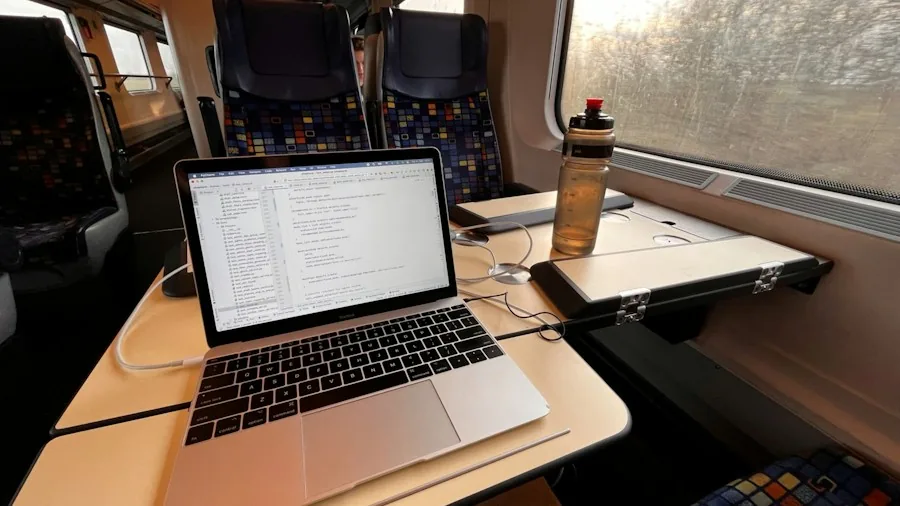
Performance comparisons reveal mixed results. The MacBook Neo’s A18 Pro chip outperforms entry-level Snapdragon X processors in single-core and graphics performance, though it falls behind in multicore workloads. The AMD-equipped Vibe models use the Ryzen AI 400 series, but reviews indicate these processors don’t deliver particularly strong performance, and battery endurance under load remains disappointing.
Apple publishes battery estimates for the Neo, claiming up to 16 hours of video streaming. Lenovo has been less specific about the Vibe’s battery life, only calling it all-day capable without concrete figures. For users prioritizing dependable battery performance, this transparency gap favors the MacBook Neo.
Price Considerations
While both start at roughly $700, configuration complexity affects real-world pricing. The Vibe’s $699.99 entry price covers only the base configuration. Premium models with advanced displays and upgraded processors can reach approximately $1,500. This means many of the Vibe’s compelling advantages won’t directly compete with the Neo at the same price tier, especially when comparing advanced Vibe configurations to the Neo’s fixed, singular offering.
Shoppers in the budget laptop category should weigh their priorities carefully. If upgradability and connectivity matter most, the Vibe deserves serious consideration. If you prefer proven performance, superior build materials, and published battery specifications, the MacBook Neo remains a compelling choice. Don’t forget to protect your investment with portable charging solutions regardless of which direction you choose.
About the author
Ava is REMOVU's laptop writer, balancing speed, battery life, and build quality against price across the whole range. She helps readers find the sweet spot as each new chip shifts what a dollar buys.