The 9 Best Graphics Cards for Streaming
GPU choice shapes your stream quality as much as your bitrate settings. This guide covers top graphics cards for streaming across every budget, from efficient mid-range options to high-end cards for 4K creators.
 By Serenity Richards
Updated July 26, 2026
By Serenity Richards
Updated July 26, 2026
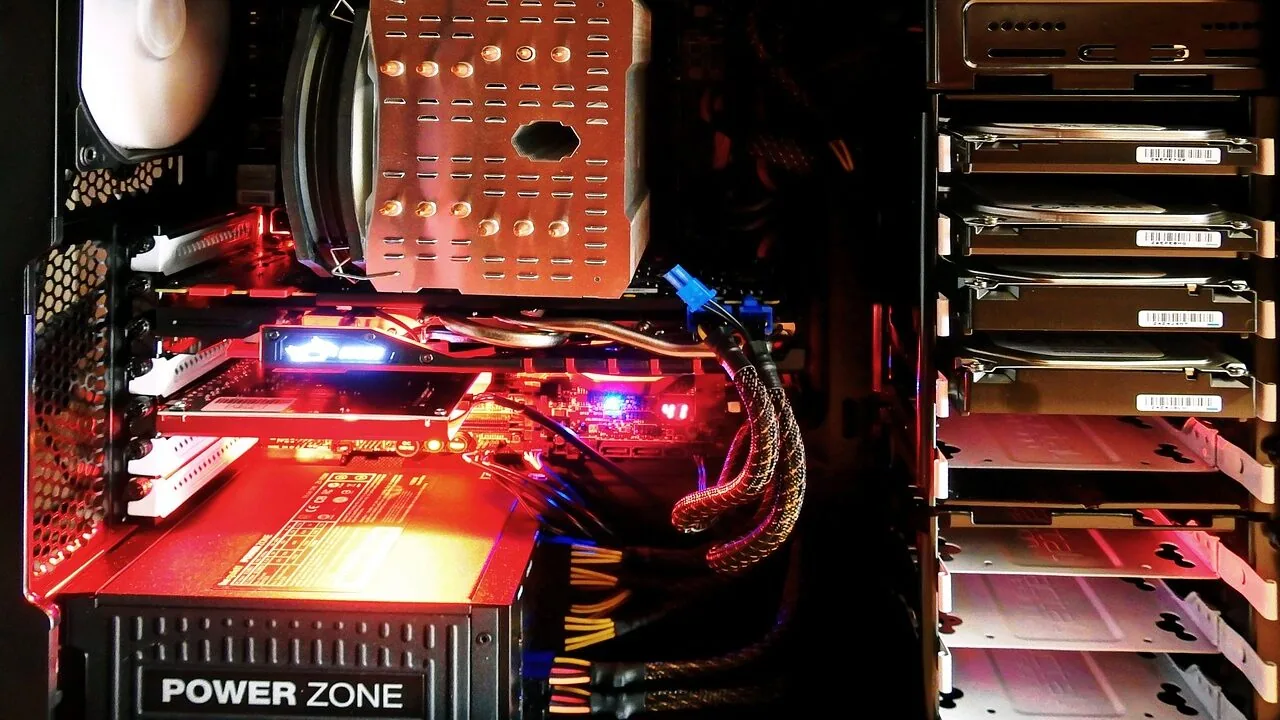
Choosing the right graphics card can make or break a streaming setup.
A capable GPU handles game rendering while simultaneously encoding your stream, which means frame drops, stutters, and dropped frames directly affect both your gameplay experience and your viewers’ quality of life.
Whether you are building a dedicated streaming PC or upgrading an existing rig, the GPU you pick determines how much headroom you have for high-quality encode settings, multiple displays, and overlays running in the background.
Pairing your build with the right processor and RAM matters too, but for streamers the GPU is usually the bottleneck that deserves the most scrutiny.
This guide covers graphics cards suited to a wide range of streaming workloads and budgets, from entry-level options for new creators to high-end cards for streamers who also play graphically demanding titles at high resolutions.
REMOVU’s picks are based on a synthesis of published specifications, expert review consensus, and verified buyer feedback, so every recommendation reflects real-world performance patterns rather than marketing copy.
Read on to see which GPU earns the top spot in our ranked list of the best graphics cards for streaming right now.
| Award | Product | REMOVU Score About REMOVU ScoreThe REMOVU Score is our own rating from 0 to 10, based on performance, design and build, ease of use, and value. It reflects independent research and is never influenced by manufacturers, retailers, or affiliate commissions. Learn more › | Price | |
|---|---|---|---|---|
| Best Overall |
 ASUS TUF Gaming RTX 5080 16GB
|
9.1/10 | Buy | |
| Best Premium |
 GIGABYTE RTX 5070 Gaming OC 12GB
|
7.9/10 | Buy | |
| Best Value |
 ASUS Prime RTX 5070 SFF-Ready Graphics Card
|
7.8/10 | Buy | |
 GIGABYTE RTX 5070 AERO OC 12GB Graphics Card
|
7.7/10 | Buy | ||
 ASUS Dual RTX 5060 Ti 16GB GDDR7
|
7.2/10 | Buy | ||
| Best Budget |
 GIGABYTE RTX 5060 WINDFORCE OC 8GB
|
8.3/10 | Buy | |
 ASUS Dual RTX 5060 8GB GDDR7
|
8.2/10 | Buy | ||
 ASUS Dual Radeon RX 9060 XT 16GB
|
7.6/10 | Buy | ||
 MSI RTX 3050 Ventus 2X 6GB Graphics Card
|
6.7/10 | Buy |
ASUS TUF Gaming RTX 5080 16GB
Built on NVIDIA's Blackwell architecture, this card prioritizes durability and thermal efficiency through military-grade components and ASUS's MaxContact cooling design. The 3.6-slot form factor and dual-ball bearing fans make it suitable for users who demand both sustained performance and system longevity in demanding gaming or workload scenarios.
Pros
- Military-grade chokes, MOSFETs, and capacitors provide stable power delivery and extended hardware lifespan
- Phase-change thermal pad and MaxContact design improve heat dissipation by up to 2°C compared to standard solutions
- Axial-tech fans with dual-ball bearings move 23% more air while supporting 0dB operation below 50°C for quieter idle performance
- Protective PCB conformal coating guards against moisture, dust, and debris-related short circuits
- Includes bundled software (GPU Tweak III, one month Adobe Creative Cloud access) for tuning and creative work
Cons
- 3.6-slot design requires substantial case space and may conflict with compact or mini-ITX builds
- Premium positioning and military-grade component spec likely commands higher pricing than reference models
- No independent performance benchmarks or thermal data provided beyond manufacturer claims
GIGABYTE RTX 5070 Gaming OC 12GB
GIGABYTE's RTX 5070 Gaming OC pairs NVIDIA's new Blackwell architecture with 12GB of GDDR7 memory and PCIe 5.0 support, delivering strong frame rates and AI acceleration for demanding games and creative work. The WINDFORCE cooling system keeps thermals in check, while DLSS 4 integration enhances performance further. Best suited for 1440p and high-refresh gaming, or creators working with AI-accelerated applications.
Pros
- 12GB GDDR7 memory with 192-bit interface handles high-resolution textures and large datasets
- PCIe 5.0 support provides future-proofing and bandwidth headroom
- WINDFORCE cooling system delivers effective thermal management
- DLSS 4 and Tensor Cores enable AI acceleration for games and creative apps
- Strong user ratings (4.7/5 from 143 reviews) indicate reliable real-world performance
Cons
- Premium positioning means higher entry cost compared to previous-gen cards
- Requires robust PSU and adequate case airflow for optimal cooling performance
- Blackwell architecture is relatively new, so driver maturity may improve over time
ASUS Prime RTX 5070 SFF-Ready Graphics Card
ASUS brings compact efficiency to the RTX 5070 with a thoughtfully engineered 2.5-slot design that fits small-form-factor builds without sacrificing cooling performance. Three Axial-tech fans with longer blades and a phase-change thermal pad work together to maintain stable temperatures under load, while dual BIOS modes let you toggle between performance and quiet operation. Best suited for enthusiasts building high-end systems in tight spaces who want NVIDIA's latest architecture without the bulk.
Pros
- 2.5-slot form factor enables compatibility with small-form-factor and compact builds
- Advanced cooling stack: phase-change thermal pad, MaxContact design, and vented backplate reduce temperatures by up to 2°C
- Dual BIOS with 0dB fan technology balances performance and noise across different workloads
- Robust build quality with dual ball bearings, stainless steel bracket, and ASUS GPU Guard reinforcement
- Includes GPU Tweak III software for detailed monitoring and tuning, plus one month Adobe Creative Cloud access
Cons
- 2.5-slot design still occupies more space than traditional single-slot cards, limiting adjacent expansion slots
- Premium thermal features add cost compared to baseline RTX 5070 models
- No information provided on noise levels at full load to assess real-world quiet operation effectiveness
GIGABYTE RTX 5070 AERO OC 12GB Graphics Card
GIGABYTE's RTX 5070 AERO OC leverages NVIDIA's Blackwell architecture to deliver strong ray tracing and AI-accelerated performance for modern gaming and creative work. The 12GB GDDR7 memory and PCIe 5.0 support provide the bandwidth needed for high-end applications, while the WINDFORCE cooling system manages thermals during sustained loads. Best suited for gamers and creators seeking a capable mid-to-high-end GPU without flagship pricing.
Pros
- 12GB GDDR7 memory with 192-bit interface handles demanding workloads and future game titles
- NVIDIA Blackwell architecture with enhanced RT and Tensor Cores for ray tracing and AI acceleration
- WINDFORCE cooling system delivers effective thermal management
- PCIe 5.0 support future-proofs the card for next-gen platforms
- Strong user satisfaction with 4.8-star rating across 176 verified reviews
Cons
- Premium positioning may limit appeal to budget-conscious builders
- Cooling performance and noise levels depend on case airflow and ambient temperature
- RTX 5070 sits below flagship models, so performance ceiling is limited for ultra-high-end gaming
ASUS Dual RTX 5060 Ti 16GB GDDR7
ASUS brings its thermal expertise to the compact RTX 5060 Ti with a carefully engineered 2.5-slot design that doesn't compromise cooling performance. The dual Axial-tech fans and vented backplate keep temperatures in check, while 0dB technology keeps noise minimal during light workloads. Best suited for builders prioritizing space efficiency without sacrificing GPU power.
Pros
- Compact 2.5-slot form factor with flagship-level thermal design, ideal for SFF builds
- 0dB fan mode silences operation below 50°C, balancing performance and noise
- Dual ball-bearing fans rated for longer lifespan than standard sleeve bearings
- Dual BIOS with Performance and Quiet modes for user flexibility
- Protective backplate with stainless steel bracket and ASUS GPU Guard for durability
- 16GB GDDR7 memory with DLSS 4 and PCIe 5.0 support
Cons
- 2.5-slot depth may still challenge tight mini-ITX cases despite compact positioning
- No mention of factory overclocking headroom beyond OC mode specification
- Limited to entry-to-mid tier performance tier, not for high-end 4K gaming demands
GIGABYTE RTX 5060 WINDFORCE OC 8GB
NVIDIA's latest Blackwell architecture packed into an entry-level form factor, the RTX 5060 WINDFORCE OC delivers AI-powered frame generation via DLSS 4 and solid 1440p gaming performance. The WINDFORCE cooling system prioritizes quiet operation through graphene-lubricated fans and semi-passive modes, making it a practical choice for creators and gamers seeking efficient thermal management without noise.
Pros
- DLSS 4 AI frame generation significantly boosts performance in supported titles
- WINDFORCE cooling with graphene lubricant offers 2.1x longer fan lifespan and quieter operation
- 8GB GDDR7 memory and PCIe 5.0 provide solid bandwidth for current and near-future workloads
- Direct-contact copper plate and composite heat pipes enable efficient heat dissipation
- 3D Active Fan semi-passive cooling reduces noise during light tasks
Cons
- No verified buyer reviews yet, limiting real-world performance validation
- Entry-level VRAM capacity may constrain high-resolution texturing in demanding AAA titles
- Limited to 128-bit memory interface, potentially a bottleneck versus higher-tier RTX 50 cards
ASUS Dual RTX 5060 8GB GDDR7
A compact mid-range graphics card built for small-form-factor builds without sacrificing thermal management. The RTX 5060 brings DLSS 4 and Blackwell architecture efficiency to 1440p gaming, backed by ASUS's dual Axial-tech fans and 0dB passive cooling. Best suited for budget-conscious builders prioritizing space constraints over flagship performance.
Pros
- 2.5-slot design fits tight builds while maintaining strong cooling through optimized heatsink and heatpipe layout
- 0dB technology keeps fans silent during light loads, reducing noise below 50°C
- Dual ball bearings extend fan lifespan compared to sleeve bearing designs
- Dual BIOS modes let users toggle between Performance and Quiet operation based on workload
- Stainless steel bracket and vented backplate add durability and thermal efficiency
Cons
- Entry-level VRAM at 8GB limits headroom for demanding titles at higher resolutions
- OC clock speeds (2565 MHz) are modest compared to higher-tier RTX 50 series variants
- Compact form factor may restrict upgrade paths in some system configurations
ASUS Dual Radeon RX 9060 XT 16GB
A compact 2.5-slot graphics card built for gamers who need serious performance without sacrificing case compatibility. The dual Axial-tech fans and 0dB technology keep thermals in check while minimizing noise during lighter workloads, making it a practical choice for both gaming and productivity builds.
Pros
- Compact 2.5-slot design maximizes compatibility with smaller cases while maintaining thermal performance
- 0dB technology stops fans below 55°C, reducing noise during light gaming and everyday tasks
- Dual ball fan bearings offer longer lifespan, rated up to twice as long as traditional sleeve bearings
- Dual BIOS modes let you switch between Performance and Quiet profiles depending on your needs
- Vented backplate and reinforced PCB design enhance heat dissipation and structural durability
Cons
- Limited information on actual power consumption and thermal performance benchmarks in provided data
- Dual BIOS switching requires manual intervention rather than automatic optimization
- No detailed noise level specifications provided for comparison with competing models
MSI RTX 3050 Ventus 2X 6GB Graphics Card
This Ampere-based GPU delivers entry-level ray tracing and DLSS support with 6GB of GDDR6 memory, making it a practical choice for 1080p gaming and light creative work. The dual-fan Ventus cooler keeps thermals in check without excessive noise, and the compact form factor fits most standard cases. Best suited for budget-conscious builders stepping into ray-traced gaming.
Pros
- Dedicated ray tracing and tensor cores enable modern graphics features at accessible price point
- 6GB GDDR6 memory with 14 Gbps speed sufficient for 1080p and lower 1440p gaming
- Dual DisplayPort and dual HDMI outputs provide flexible multi-monitor setup options
- Compact Ventus 2X design fits standard mid-tower cases without requiring extensive space
- Strong 4.7 rating from 265 verified reviews indicates reliable user satisfaction
Cons
- 96-bit memory interface and 6GB capacity limit performance scaling at higher resolutions beyond 1440p
- 1492 MHz boost clock positions it at entry-level tier, not suitable for high-end 1440p or 4K gaming
- Limited VRAM may become constraint as game engines demand more memory over time
Best Graphics Cards for Streaming Buying Guide
Buying a GPU for streaming is not the same as buying one purely for gaming. You need to think about encode quality, VRAM headroom, thermal performance under sustained load, and how the card fits into the rest of your build.
The sections below break down what actually matters so you can match specs to your real streaming needs.
Hardware Encoder Quality: NVENC vs. AV1
The single biggest reason to care about GPU generation when streaming is the hardware encoder built into the chip.
NVIDIA’s NVENC encoder, found on RTX-series cards, has become the gold standard in streaming communities because it offloads encoding work from the CPU almost entirely while producing output quality that rivals slower CPU-based encodes.
The latest generation of NVENC supports AV1 encoding, which is now accepted by both Twitch and YouTube and delivers noticeably sharper detail at the same bitrate compared to older H.264 streams.
AMD’s RDNA 4-based cards, including the new RX 9060 XT, also ship with updated hardware encode blocks that support AV1.
If you use OBS or Streamlabs, both pieces of software surface NVENC and AMD’s AMF encoder through straightforward menus, so you do not need special technical knowledge to take advantage of them.
What matters practically is that any RTX 40-series or newer NVIDIA card, or any RDNA 4 AMD card, will give you meaningfully better encode efficiency than cards from two or more generations back.
For streamers running a single-PC setup where the GPU both renders the game and encodes the stream simultaneously, newer encoder hardware reduces the performance tax you pay on in-game frame rates. This is especially important at 1080p60 or 1440p60 streams where every freed-up resource counts.
VRAM: How Much Do You Actually Need?
VRAM requirements have crept upward as games ship with higher-resolution texture packs and ray tracing at higher settings.
For streaming at 1080p or 1440p while gaming at those same resolutions, 8GB of VRAM is a functional minimum today, though 12GB or 16GB gives you meaningful headroom for newer titles and multi-display workflows.
Running a browser, a streaming dashboard, and a game simultaneously can push VRAM usage higher than gaming alone.
Cards with GDDR7 memory, like several of the RTX 50-series options in this list, benefit from significantly higher memory bandwidth compared to GDDR6.
That bandwidth advantage translates to smoother performance in memory-bandwidth-limited scenarios, which matters when you are running a 1440p game, a stream preview window, and alerts all at once.
If your budget stretches to it, 12GB or 16GB GDDR7 is the configuration to target for a future-proof streaming workstation.
Thermal Headroom and Sustained Clock Speeds
Streaming sessions often run for three to eight hours at a stretch, sometimes longer.
A GPU that looks impressive in a ten-minute gaming benchmark may throttle its clock speeds during a long encode session because its cooler cannot sustain target temperatures.
Verified buyer feedback consistently highlights this gap: cards with robust triple-fan or dual-fan designs paired with adequate heatsink mass hold boost clocks more reliably during extended sessions than slim single-fan or blower-style designs.
When evaluating cards in this guide, sustained performance under load was a key dimension in the assessment. Cards from ASUS’s TUF and GIGABYTE’s WINDFORCE lines have earned consistently positive notes in long-session thermal behavior across expert reviews.
Your case airflow also plays a role, so pairing your GPU with a well-ventilated PC case and a quality CPU cooler keeps the entire system stable during marathon streaming nights.
AI Upscaling and Frame Generation for Streamers

NVIDIA’s DLSS 4 and AMD’s FSR 4 (available on RDNA 4 hardware) are directly relevant to streamers because they let you render games at a lower internal resolution while outputting at a higher display resolution.
This frees up GPU headroom that can be redirected to encoding without a visible drop in on-screen quality.
For a single-PC streaming setup, this trade-off is extremely useful: you gain headroom for a higher encode quality preset in OBS without tanking your in-game frame rate.
Frame generation, also introduced with DLSS 4, is primarily a display-side feature and does not benefit the encoded stream directly since the generated frames are not always captured at the encoder level.
Streamers should focus on the upscaling and quality modes of these technologies rather than frame generation when optimizing their OBS settings. Every RTX 50-series card in this roundup supports DLSS 4, making them particularly well-suited to single-PC streaming rigs.
Display Outputs and Multi-Monitor Streaming Setups

Streamers commonly run two or three monitors: one for the game, one for OBS or a streaming dashboard, and optionally one for chat and alerts.
Modern cards across all budget tiers support at least three simultaneous displays via a combination of HDMI 2.1 and DisplayPort 2.1 outputs, which is sufficient for most setups. Higher-end cards in this list output up to four displays simultaneously.
HDMI 2.1 is useful if one of your monitors doubles as a TV, since it supports 4K at high refresh rates without compression. DisplayPort 2.1 covers high-refresh-rate 1440p and 4K gaming monitors equally well.
If you also connect your setup to a smart TV for content review or watch-along streams, confirming HDMI 2.1 support on your chosen card is worth a moment of your time before buying.
Power Supply Compatibility and System Budget

High-end streaming GPUs can draw significant power, and pairing a flagship card with an undersized power supply unit risks instability during peak encode-plus-render moments.
Mid-range cards like the RTX 5060 and RTX 5070 are notably more power-efficient than their predecessors at similar performance levels, which is a practical win for streamers who run systems for many consecutive hours.
A quality power supply rated to at least the card manufacturer’s recommended system wattage, ideally with some headroom, is a non-negotiable part of a reliable streaming build.
Beyond the GPU itself, your overall system budget shapes what is sensible. An entry-level card makes sense if you already have a strong CPU handling most encoding duty.
A high-end GPU pays off most when you are gaming at 4K or 1440p with maxed settings while streaming simultaneously.
Think of the GPU as one piece of a connected system, alongside your motherboard and storage, rather than an isolated upgrade.
Why You Should Trust Us
REMOVU is an independent review publication. We score every product on our 0 to 10 REMOVU Score scale using a consistent evaluation framework built around published specifications, expert review consensus from credible technical sources, and verified buyer feedback gathered from confirmed purchasers.
We do not conduct our own product trials; our evaluations are grounded in research, published data, expert review consensus, and verified buyer feedback.
This approach lets us assess a broad range of products without the conflicts of interest that come with manufacturer loan programs or sponsored review arrangements.
REMOVU may earn a commission if you purchase through links in this article. That affiliate relationship has no influence on our rankings, scores, or product selections. The order of picks in this guide reflects REMOVU Score merit only.
We have no financial incentive to rank a higher-margin product above a better-performing one, and our editorial team applies the same scoring criteria regardless of brand or price point.
If a budget card outscores a flagship on the dimensions that matter most to streamers, it earns the higher placement.
Final Thoughts
The graphics cards in this guide span a wide range of streaming use cases, from cost-conscious creators just starting out to enthusiasts who demand the best possible encode quality alongside high-refresh-rate 4K gaming.
Here are our top picks by category, each linked to the full product card above for detailed specs and pricing:
- Best Overall: GIGABYTE GeForce RTX 5060 WINDFORCE OC 8G earns the top REMOVU Score in this roundup by delivering exceptional value through GDDR7 memory bandwidth, DLSS 4 support, and reliable WINDFORCE thermal performance at a mid-range price point that makes it accessible to the widest range of streamers.
- Best High-End Pick: ASUS TUF Gaming GeForce RTX 5080 16GB OC Edition is the card for streamers who also play the most demanding titles at 4K or high-refresh-rate 1440p and need every frame-rendering and encoding resource available, scoring among the highest in this guide for raw capability and sustained performance.
- Best Mid-Range for Single-PC Streamers: GIGABYTE GeForce RTX 5070 Gaming OC 12G hits a strong balance of 12GB GDDR7, PCIe 5.0 bandwidth, and WINDFORCE cooling, making it an excellent all-rounder for 1440p gaming plus simultaneous AV1 streaming without compromise.
- Best for AMD Ecosystem Builds: ASUS Dual Radeon RX 9060 XT 16GB GDDR6 stands out as the go-to recommendation for streamers who prefer AMD’s platform, offering 16GB of VRAM and RDNA 4’s updated AV1 encode block in an efficient dual-fan package.
- Best Budget Pick: MSI Gaming RTX 3050 Ventus 2X 6G OC is the most affordable entry point in this list and suits streamers on a strict budget who primarily game and stream at 1080p with a capable CPU handling supplemental encoding duties.
Whatever your budget or game library looks like, pairing a well-chosen GPU with quality microphones and monitoring headphones rounds out a streaming setup that sounds as good as it looks. Browse the full PC components section for related upgrade guides.
Frequently Asked Questions
Do I Need a Separate Capture Card If I Have a Good GPU?
Not necessarily. Modern GPUs with NVENC or AMD AMF hardware encoders handle game capture and stream encoding on a single PC without a dedicated capture card.
Capture cards are most useful in dual-PC streaming setups, where a dedicated streaming PC handles encoding while a gaming PC runs the game.
For most solo streamers, a strong GPU with a hardware encoder is all you need to produce a high-quality stream without a separate capture device.
Is More VRAM Always Better for Streaming?
More VRAM helps primarily when you are gaming at high resolutions with detailed texture settings while simultaneously running a streaming dashboard and multiple displays. For 1080p gaming and streaming, 8GB is generally sufficient today.
If you plan to game at 1440p or 4K, or if you run AI-powered overlays and browser sources in OBS, 12GB or 16GB provides meaningful headroom and future-proofs your setup for the next couple of hardware generations.
What Resolution Should I Stream At?
Most streamers on Twitch target 1080p at 60 frames per second, which remains the standard quality tier for the platform.
YouTube Live supports up to 4K streaming, though your viewer base needs the bandwidth and screen real estate to benefit from it.
For the majority of creators, 1080p60 with a high bitrate and a good hardware encoder produces an excellent viewer experience.
The GPU you choose should be capable of rendering your game at comfortably above 60fps at your target resolution while the hardware encoder runs in parallel.
Does the GPU Brand Matter for Streaming, or Just the Chip?
The chip manufacturer (NVIDIA or AMD) determines the encoder quality and software feature set, which matters a great deal. The board partner (ASUS, GIGABYTE, MSI, etc.) determines cooler quality, power delivery, and warranty support, which matters for sustained streaming sessions.
For long streams, a card with a better cooler from a reputable board partner holds its boost clocks more reliably and runs quieter, both of which improve the streaming experience.
Do not pick solely on chip; compare board partner implementations carefully.
Can I Stream and Game at the Same Time on a Budget GPU?
Yes, though the experience depends on the game and your settings. An entry-level GPU works well for less demanding titles or older games at 1080p.
For competitive games like Valorant, CS2, or Fortnite, even modest hardware can deliver smooth gameplay at streaming-friendly settings. Where budget GPUs struggle is with newer open-world titles at high settings while simultaneously streaming at high bitrates.
In those cases, lowering in-game settings or streaming at a slightly lower resolution and bitrate restores the balance between encode quality and frame rate.
A quality laptop for content work can also handle light streaming on the side if desktop GPU upgrades are not yet in the budget.
How Important Is PCIe 5.0 for a Streaming GPU?
For most current workloads, the practical difference between PCIe 4.0 and PCIe 5.0 bandwidth is minimal since even the fastest cards do not yet saturate PCIe 4.0 x16 in real gaming or streaming scenarios.
PCIe 5.0 support on RTX 50-series and RDNA 4 cards is more about future-proofing as workloads grow. If you are buying a new card today on a PCIe 4.0 motherboard, you will not lose measurable streaming or gaming performance.
Upgrading to a compatible motherboard to use PCIe 5.0 fully is optional for now but makes sense if you are doing a ground-up build.
About the author
Serenity covers home game consoles for REMOVU, weighing performance, exclusive libraries, and the ecosystem each platform locks you into. She helps players pick the console that fits how and what they play.