Apple HomeView Wall-Mounted Model Ships Without Power Adapter What Buyers Should Know
Apple's wall-mounted HomeView arrives without USB-C adapter or mounting hardware. Here's what buyers need to know before purchasing.
 By Jeffrey Kuhn
Updated October 15, 2026
By Jeffrey Kuhn
Updated October 15, 2026
Apple has unveiled its new HomeView smart home hub with a significant caveat for shoppers considering the wall-mounted version: it arrives without a power adapter, USB-C cable, or mounting hardware. The company released a support document on October 14 outlining the power requirements and what buyers need to purchase separately to get their device up and running.
What’s Included and What Isn’t
Apple is shipping two versions of the HomeView, each with different contents. The tabletop model includes a 30W power adapter and a 1.5-meter USB-C cable, making it ready to use right out of the box. In contrast, the wall-mounted variant contains only the device itself and documentation, leaving customers to source their own power solution and mounting equipment.
Both models carry the same $299 price tag, despite the wall-mounted version requiring additional purchases to function. This approach has drawn scrutiny from consumers who question whether the pricing accounts for the missing accessories.
Power Requirements You Need to Know
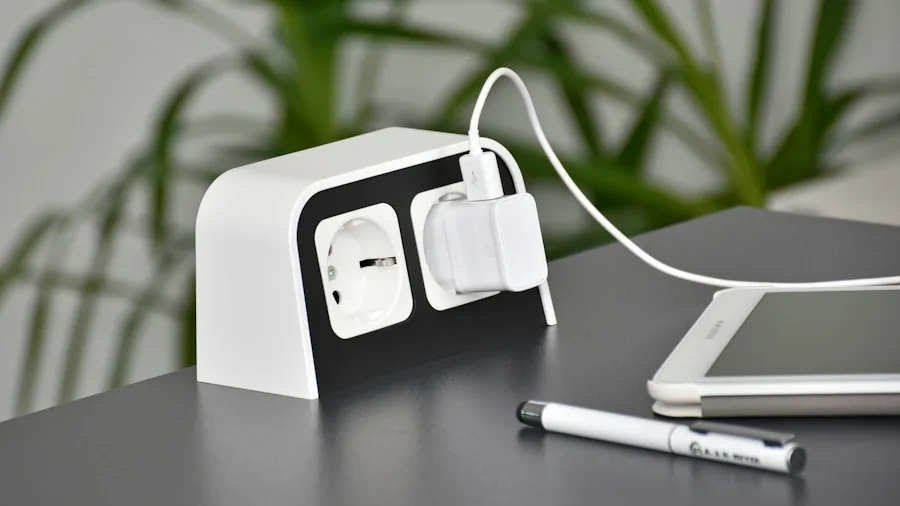
Before purchasing third-party accessories, buyers must understand the specific power demands of each model. The tabletop HomeView requires a USB-C power adapter rated for at least 30W, delivering 15V at 2A or higher. The wall-mounted version has more modest power needs: a minimum of 20W with support for 9V at 2.22A or higher.
Meeting these specifications is crucial. If the power adapter falls short of requirements, the HomeView will display a ‘Power Adapter Not Supported’ message accompanied by a lightning bolt and yellow warning triangle, effectively rendering the device inoperable.
Shoppers looking for compatible power solutions should consult the best USB-C docks for every desk setup as a reference when evaluating options, though the HomeView may also accept hardwired connections depending on the wall mount selected.
Mounting and Installation Considerations
For the wall-mounted HomeView, choosing the right mount is equally important as selecting the power adapter. Depending on the mount manufacturer’s design, the device can either use a separate USB-C cable and power adapter or connect to a hardwired line power installation. This flexibility means professional installation might be necessary for some setups, adding to the total cost of ownership.
Apple recommends that customers initially test the wall-mounted unit outside of its mount using a compatible USB-C cable and adapter. If the device functions properly during this direct connection but fails once installed, the issue likely stems from the mount or power configuration rather than the HomeView itself. In such cases, contacting the mount manufacturer or a professional installer becomes the next step.
What This Means for Your Purchase Decision
The stripped-down packaging of the wall-mounted HomeView has important implications for total cost. While the device itself costs $299, buyers must budget for a compatible mount, a suitable 20W USB-C power adapter, and potentially a USB-C cable. These additions could easily add another $50 to $150 to the final investment, depending on choices.
The tabletop model emerges as the more budget-friendly option for many shoppers since it includes everything needed to start using the hub immediately. Those committed to the wall-mounted design should research compatible accessories thoroughly before committing to the purchase.
Device Features and Availability
Regardless of form factor, both HomeView models share the same core specifications. Each features a 7-inch Liquid Retina display, an A18 chip, and integrated Siri AI capabilities. These components enable face recognition that personalizes the experience for different household members.
The HomeView entered pre-order on October 15 following Apple’s announcement, with general availability beginning November 13. Early pricing shows both versions at $299, though the effective cost difference between models widens once accessory expenses are factored in.
Troubleshooting Power Issues
Understanding how to diagnose power problems will help buyers avoid unnecessary expenses and frustration. The ‘Power Adapter Not Supported’ warning is Apple’s way of informing users that their current power source doesn’t meet the HomeView’s minimum specifications. This isn’t a device malfunction but rather an incompatibility issue.
For wall-mounted installations, isolating the problem requires systematic checking. Test the device with a confirmed compatible USB-C adapter and cable outside the wall mount first. If it operates normally, the issue resides with the mount, cable routing, or power delivery through that specific setup rather than with the HomeView unit itself.
Planning Your Smart Home Investment
The HomeView represents Apple’s renewed focus on smart home technology, delivering AI-powered features through a compact, display-based hub. However, the accessory requirements for the wall-mounted model demand careful planning and research before purchase.
Prospective buyers should identify their intended installation location, determine whether wall mounting or tabletop placement makes more sense, and calculate the total investment including all necessary accessories. This approach ensures no surprises after unboxing and prevents the disappointment of discovering critical components are missing.
About the author
Jeffrey covers smart displays and home hubs for REMOVU, weighing control, features, and value as the center of a connected home. He helps readers build routines that actually simplify daily life.