The 5 Best Gaming PCs Under $2000
GPU generation, CPU pairing, and cooling design separate strong prebuilt gaming PCs from overpriced ones. Here are the top picks under two thousand dollars, ranked by performance and value.
 By Alexis Hawkins
Updated July 26, 2026
By Alexis Hawkins
Updated July 26, 2026

Spending around two thousand dollars on a gaming desktop puts you in a strong position: you can expect smooth frame rates at 1440p or even 4K, solid future-proofing with the latest GPU architectures, and enough headroom to run demanding titles without compromise.
The challenge is that prebuilt gaming PCs in this range vary enormously in value, and not every system priced below that ceiling actually delivers competitive performance.
Choosing wisely means looking past glossy marketing and understanding what the hardware inside will actually do for you over the next several years.
Whether you game casually on weekends or compete in fast-paced titles every night, the right build makes a meaningful difference. If you prefer the portability angle, our roundup of gaming laptops covers strong portable alternatives worth considering.
REMOVU identified the top contenders by synthesizing published specifications, expert review consensus across the hardware community, and verified buyer feedback from confirmed purchasers.
Each system in this guide was assessed against a consistent set of criteria covering GPU and CPU performance, thermal design, storage and memory, connectivity, and long-term value, then scored on the REMOVU Score scale.
The picks below represent the strongest options available right now in the sub-two-thousand-dollar prebuilt market, ranked from highest to lowest score.
| Award | Product | REMOVU Score About REMOVU ScoreThe REMOVU Score is our own rating from 0 to 10, based on performance, design and build, ease of use, and value. It reflects independent research and is never influenced by manufacturers, retailers, or affiliate commissions. Learn more › | Price | |
|---|---|---|---|---|
| Best Overall |
 ASUS ROG G700 Core Ultra 7 Gaming Desktop
|
8.6/10 | Buy | |
| Best Premium |
 CyberPowerPC Gamer Xtreme i7-14700F RTX 5060 Ti
|
8.3/10 | Buy | |
| Best Value |
 CyberPowerPC Gamer Master AMD Ryzen 7 8700F RTX 5060 Ti
|
8.1/10 | Buy | |
| Best Budget |
 KOTIN Ryzen 7 9700X RTX 5060 Ti 1440p Gaming PC
|
7.6/10 | Buy | |
 CyberPowerPC Gamer Xtreme VR i5-13400F RTX 4060
|
7.2/10 | Buy |
ASUS ROG G700 Core Ultra 7 Gaming Desktop
A solid mid-range gaming tower built around Intel's latest Core Ultra 7 265F and RTX 5060, targeting 1080p and 1440p gaming with comfortable multitasking headroom. The 32GB DDR5 RAM and 1TB NVMe SSD handle modern titles smoothly, while the included RGB peripherals and 12-month CPS protection sweeten the bundle for buyers seeking turnkey performance without premium pricing.
Pros
- Capable GPU and CPU pairing for 1080p/1440p gaming with ray tracing and DLSS support
- Generous 32GB DDR5 memory reduces bottlenecks during multitasking and content creation
- Fast 1TB NVMe SSD with ample game library storage and quick boot times
- Complete out-of-box experience with Windows 11 Pro, RGB keyboard, mouse, and 12-month extended protection
- WiFi 6 connectivity and efficient 600W 80 Plus Gold PSU for stable power delivery
Cons
- RTX 5060 sits at the entry-level for high-end AAA titles at high settings, limiting future-proofing for demanding games
- Air cooling design may require case airflow consideration under sustained heavy loads
- No upgrade path details provided for RAM, storage, or GPU replacement without disassembly concerns
CyberPowerPC Gamer Xtreme i7-14700F RTX 5060 Ti
A mid-range gaming desktop built around Intel's 14th-gen Core i7 and RTX 5060 Ti, designed for 1440p gaming and content creation without breaking the bank. The 16GB DDR5 RAM and fast NVMe storage keep performance snappy, while built-in WiFi 6 and Bluetooth eliminate cable clutter. Best suited for gamers who want solid frame rates at high settings without premium pricing.
Pros
- Intel Core i7-14700F delivers strong multi-threaded performance for gaming and streaming simultaneously
- RTX 5060 Ti handles 1440p gaming at high-to-ultra settings with good frame consistency
- 16GB DDR5 RAM and 1TB PCIe 4.0 SSD provide responsive everyday performance
- WiFi 6 and Bluetooth 5.3 built-in, eliminating need for separate adapters
- Includes keyboard, mouse, and lifetime tech support; 1-year parts and labor warranty
Cons
- RTX 5060 Ti is entry-level for 4K gaming and demanding AAA titles at maximum settings
- 16GB RAM is adequate but some content creators may want 32GB for heavy multitasking
- Limited upgrade documentation in base specs, potential for proprietary power supply constraints
CyberPowerPC Gamer Master AMD Ryzen 7 8700F RTX 5060 Ti
This mid-range gaming tower pairs AMD's 8-core Ryzen 7 8700F with an RTX 5060 Ti 8GB for solid 1440p gaming performance. It comes equipped with 16GB DDR5 RAM, fast PCIe 4.0 storage, and built-in WiFi 6, making it a straightforward choice for gamers stepping up from budget systems without premium pricing.
Pros
- Capable CPU-GPU pairing handles modern games at high settings and 1440p resolution
- 16GB DDR5 RAM and 1TB NVMe SSD provide responsive multitasking and fast load times
- Includes gaming peripherals (keyboard and RGB mouse) out of the box
- WiFi 6 and Bluetooth 5.3 for wireless connectivity
- Lifetime free technical support plus one-year parts and labor warranty
Cons
- RTX 5060 Ti is entry-level for the RTX 50 series, limiting performance at 4K or ultra-demanding titles
- No reviews or user feedback available yet to verify real-world reliability
- Tempered glass case is standard but doesn't offer premium build differentiation at this tier
KOTIN Ryzen 7 9700X RTX 5060 Ti 1440p Gaming PC
A mid-range prebuilt designed for smooth 1440p gaming and esports, featuring AMD's latest Ryzen 7 9700X paired with an RTX 5060 Ti. The standout feature is the integrated 11.3-inch smart display showing real-time system metrics, backed by 360mm liquid cooling and WiFi 7. Ships fully assembled from a US facility with Windows 11 ready to go.
Pros
- Solid 1440p performance with DLSS 4 Multi Frame Generation support for modern AAA titles
- Built-in 11.3-inch secondary display eliminates need for separate monitoring software
- 360mm liquid cooler with pump-head temperature display keeps thermals visible and managed
- DDR5 6000MHz RAM and PCIe 4.0 SSD with clear upgrade path (up to 256GB RAM, 3 M.2 slots)
- Assembled and reviewed in USA with 1-year parts/labor warranty plus lifetime US support
Cons
- RTX 5060 Ti limits sustained frame rates above 1440p, making 4K gaming not a primary strength
- 16GB DDR5 is baseline for modern gaming; content creators may want 32GB out of the box
- 650W PSU leaves moderate headroom for future GPU upgrades beyond mid-range cards
CyberPowerPC Gamer Xtreme VR i5-13400F RTX 4060
A mid-range VR-ready gaming desktop built around Intel's 13th-gen Core i5 and RTX 4060 graphics. Delivers solid 1080p and 1440p gaming performance with DDR5 RAM and fast NVMe storage, making it a practical choice for gamers stepping into VR or upgrading from older systems. Strong warranty support and user satisfaction (4.6 stars) back its reliability.
Pros
- 13th-gen Intel Core i5-13400F with 10 cores handles gaming and streaming workloads efficiently
- RTX 4060 8GB provides smooth gameplay at high settings in most modern titles
- 16GB DDR5 RAM and 1TB PCIe Gen4 SSD offer fast system responsiveness
- Built-in WiFi 5 and Bluetooth 4.2 eliminate cable clutter
- 1-year warranty plus lifetime tech support from CyberPowerPC
- 4.6-star rating from 734 verified buyers indicates consistent quality
Cons
- RTX 4060 is entry-level for high-refresh competitive gaming at 1440p or 4K
- Single 1TB SSD limits storage for large game libraries without expansion
- No discrete CPU cooler mentioned, stock cooling may limit overclocking headroom
Gaming PCs Under $2000 Buying Guide
Buying a prebuilt gaming PC in this price bracket is not simply about picking the most expensive option on the shelf.
The balance between CPU, GPU, memory, cooling, and power delivery determines whether a system will age gracefully or struggle within two years. This guide walks through the criteria that actually matter when you are evaluating systems side by side.
GPU: The Single Most Important Component
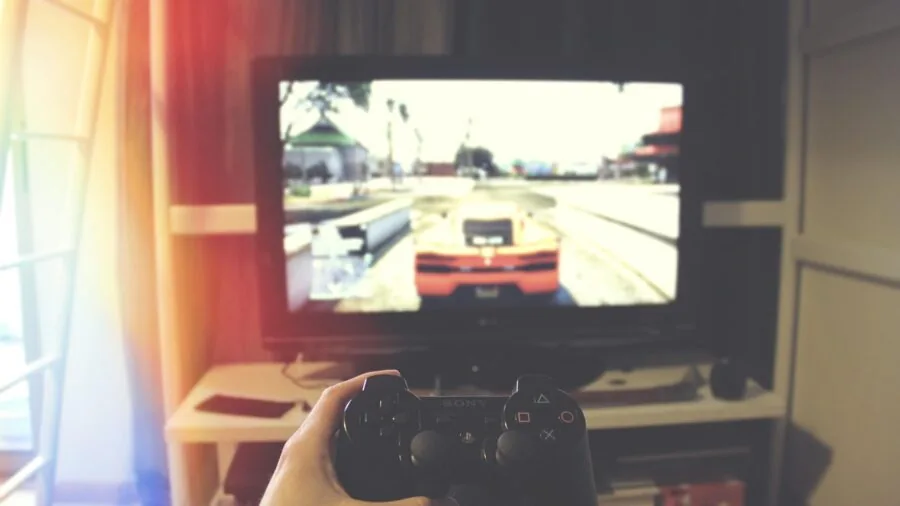
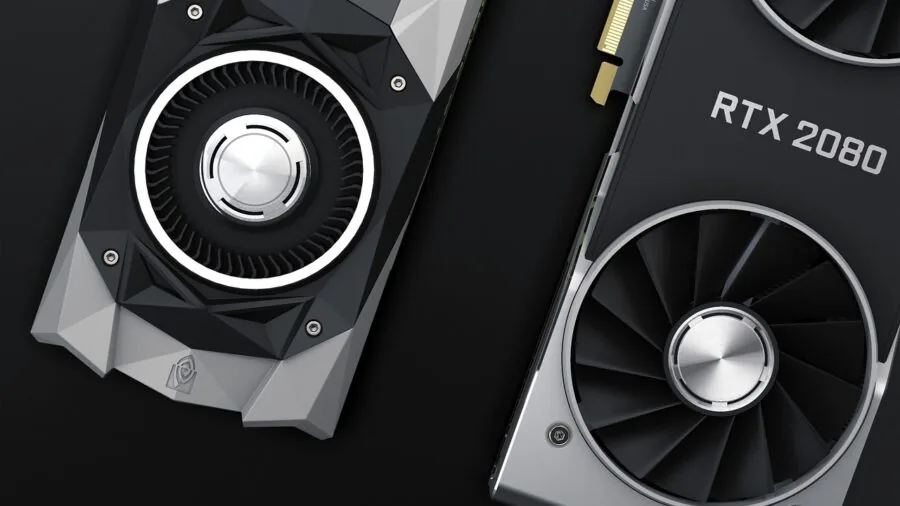
The graphics card drives the vast majority of gaming performance, and in the sub-two-thousand-dollar prebuilt space, the GPU choice defines the system’s tier.
NVIDIA’s RTX 5060 Ti and RTX 5060 represent a meaningful generational leap over older RTX 40-series cards, bringing architectural improvements that benefit both rasterization and AI-accelerated rendering via DLSS 4.
For most buyers targeting 1440p gaming at high refresh rates, an RTX 5060 Ti build offers the most compelling price-to-performance ratio available today.
Pay attention to VRAM capacity alongside the chip designation. An 8 GB framebuffer is workable for 1440p today, though demanding open-world titles and texture-heavy games are beginning to push against that limit.
If a system at the higher end of your budget offers the same VRAM but a newer GPU architecture, prioritize the architecture.
Also check whether the prebuilder has paired the GPU with a power supply that has adequate headroom, since underpowered systems throttle under sustained load.
CPU Pairing and Platform Longevity
A capable GPU paired with a weak CPU creates a bottleneck that hurts frame rates, particularly in CPU-bound games and competitive titles with dense simulation workloads.
In this price range, you should expect at minimum a modern 14-core Intel Core i7 or an AMD Ryzen 7 processor.
Intel’s 14th-generation Core i7-14700F and AMD’s Ryzen 7 8700F and Ryzen 7 9700X all offer strong multi-threaded performance without inflating system cost.
Intel Core Ultra processors, found in higher-end builds like the ASUS ROG G700, bring architectural efficiency improvements that benefit both performance and longevity.
Platform longevity matters if you plan to upgrade components over time rather than replacing the whole system. AMD AM5 platforms support current and upcoming Ryzen generations, making them attractive for buyers who want CPU upgrade flexibility.
Intel’s LGA 1700 socket is mature and widely compatible. Confirm the motherboard chipset before buying: a premium chipset allows overclocking and more PCIe lanes, while budget chipsets may restrict future expansion even when the CPU is capable.
RAM Configuration and Speed
All five systems in this guide ship with DDR5 memory, which is the right foundation for a gaming PC you intend to keep for several years.
DDR5 offers higher bandwidth than DDR4 and pairs well with both AMD Ryzen 7000 and 8000-series platforms and Intel’s newer architectures.
For gaming, 16 GB is the current minimum that avoids stuttering in modern titles, though 32 GB is increasingly recommended if you also stream, run a browser with many tabs, or edit video alongside gaming.
RAM speed configuration is equally important. DDR5 running in dual-channel mode delivers significantly better performance than a single DIMM.
Verify that the prebuilt ships with two sticks rather than one oversized module, since dual-channel doubles the memory bus width available to the CPU and GPU when using integrated graphics for secondary tasks.
If a system ships with a single 16 GB stick, treat that as a reason to budget for a second stick shortly after purchase.
Storage: Speed and Capacity

Every system in this guide ships with a PCIe Gen4 NVMe SSD, which is an important baseline.
PCIe Gen4 drives deliver sequential read speeds well above 5,000 MB/s, making game load times dramatically faster than SATA SSDs and nearly imperceptible in day-to-day use.
For gaming, 1 TB is sufficient for a curated library of around 10 to 15 large titles, but modern games routinely exceed 100 GB each, so plan to expand storage via a second M.2 slot or an external drive if your library is large.
When evaluating prebuilts, check whether the motherboard has an additional M.2 slot available and whether the case has room for a 2.5-inch SATA drive as a secondary option.
Prebuilders occasionally use slower PCIe Gen3 drives even when marketing copy implies Gen4, so read the specification sheet carefully rather than relying on the product title alone.
Cooling, Airflow, and Thermal Design
Thermal performance separates a well-built prebuilt from a system that throttles under sustained gaming sessions.
Air cooling is perfectly adequate for most processors in this price range when the cooler is properly sized, but a 360 mm all-in-one liquid cooler, as found in the KOTIN build, provides measurably lower CPU temperatures under extended load and translates to more consistent performance during marathon sessions.
Liquid cooling also tends to run quieter under peak load than a large tower air cooler pushing the same thermal envelope.
Case airflow matters as much as the cooler itself.
A case with positive airflow (more intake than exhaust) keeps dust out of sensitive components; a case with multiple large intake fans and mesh front panels generally achieves lower system temperatures than a visually striking but airflow-restricted enclosure.
ARGB lighting and tempered glass panels are fine, but do not let aesthetics overshadow thermal design when comparing systems. Check community benchmarks and owner reports for the specific chassis used by each prebuilder before purchasing.
Connectivity, Networking, and Peripherals

A gaming desktop in this price range should include Wi-Fi 6 or Wi-Fi 7 as a minimum, along with a rear Ethernet port for wired connections during competitive play.
Wi-Fi 7, as found in the KOTIN Prebuilt Gaming PC, is a future-facing addition that provides substantially lower latency and higher throughput on compatible routers.
Front-panel USB-C availability is increasingly important for quickly connecting modern peripherals, storage, and controllers without reaching around the back of the tower.
Some prebuilts, including the ASUS ROG G700, include a keyboard and mouse in the bundle.
Assess whether these peripherals meet your standards before factoring them into value comparisons: a bundled membrane keyboard and basic optical mouse add cost to the system that might be better directed toward the hardware itself if you already own quality peripherals.
For a dedicated gaming audio setup, pairing your PC with a quality wireless gaming headset significantly improves the overall experience.
Also confirm that the system ships with Windows 11 Home or Pro pre-activated, since a standalone Windows license adds meaningful cost if purchased separately.
Why You Should Trust Us
REMOVU is an independent review platform. We do not manufacture, sell, or distribute any of the products we evaluate, and we have no commercial relationship with the brands featured in our guides.
Every product in this roundup was scored using the REMOVU Score, a 0 to 10 scale applied consistently across all systems we assess.
Our evaluation framework covers GPU and CPU performance benchmarks drawn from published data, thermal and power efficiency based on manufacturer specifications and community-verified measurements, memory and storage configuration quality, build and cooling design, connectivity, and long-term buyer satisfaction derived from verified purchaser feedback.
We do not conduct our own product trials; our evaluations are grounded in research, published data, expert review consensus, and verified buyer feedback.
This approach lets us cover a broad range of products consistently and without conflicts of interest that can arise from manufacturer loans or sponsored access.
When our research finds meaningful disagreement between expert consensus and buyer feedback, we weight both signals and note the discrepancy in our scoring rationale.
REMOVU may earn a commission if you purchase a product through a link on this page. That affiliate relationship has no influence on our rankings, scores, or editorial decisions.
Products are ranked solely on assessed quality and value relative to the stated criteria. We update our guides as new products launch and as buyer feedback accumulates, so scores and rankings may change over time.
For broader context on the desktop PC landscape, our desktop PCs category covers a wider range of systems across budgets and use cases.
Final Thoughts
The prebuilt gaming PC market under two thousand dollars has become genuinely competitive in 2026, with multiple credible options from CyberpowerPC, ASUS ROG, and KOTIN.
The range of REMOVU Scores across these five systems reflects real differences in component quality, thermal design, and overall value, not just price. Here is how each pick stands out according to our research:
- Best Overall: ASUS ROG G700 Gaming Desktop earns the top REMOVU Score in this group thanks to its Intel Core Ultra 7 processor, RTX 5060 GPU, 32 GB of RAM, and premium ROG build quality that combines performance with long-term reliability.
- Best Performance per Dollar: CyberpowerPC Gamer Xtreme with Core i7-14700F and RTX 5060 Ti delivers the strongest GPU-to-price balance in the lineup, making it the pick for buyers who want maximum gaming throughput without reaching the premium tier.
- Best for AMD Platform Buyers: CyberpowerPC Gamer Master with Ryzen 7 8700F and RTX 5060 Ti offers a compelling AM5 platform option with the same capable GPU at a mid-range price, suited to buyers who prefer AMD’s upgrade path or ecosystem.
- Best Cooling and Connectivity: KOTIN Prebuilt Gaming PC with Ryzen 7 9700X stands out for its 360 mm liquid cooler, Wi-Fi 7 networking, and the distinctive 11.3-inch smart display panel, appealing to buyers who value thermal headroom and cutting-edge wireless alongside solid RTX 5060 Ti performance.
- Best Entry Point: CyberpowerPC Gamer Xtreme VR with Core i5-13400F and RTX 4060 is the most accessible system in this roundup, a solid choice for buyers stepping up from console or entering PC gaming without needing the absolute fastest hardware available today.
If none of these systems fits your exact needs, exploring the broader computers category can surface alternatives across different form factors and budgets.
Buyers who want portability rather than a tower should also consider capable options among gaming laptops under a thousand dollars as a comparison point for value.
And if creative work or productivity is as important as gaming in your workflow, our picks for laptops built for video editing offer a useful parallel perspective on balancing GPU and CPU priorities.
Frequently Asked Questions
Is a prebuilt gaming PC worth buying, or should I build my own?
Prebuilt systems have narrowed the value gap with DIY builds significantly in recent years. Prebuilders purchase components at volume pricing, and many now use legitimate retail parts rather than proprietary replacements.
The convenience of a warranty-backed, fully assembled system is real, particularly for buyers without prior PC-building experience. The trade-off is some loss of customization flexibility and occasionally a cheaper-than-ideal PSU or case.
If you are comfortable sourcing and assembling components, a custom build can squeeze slightly more performance from the same budget, but for most buyers a quality prebuilt represents excellent value and far less hassle.
Can these systems handle 4K gaming, or are they better suited to 1440p?
Systems built around the RTX 5060 Ti are primarily optimized for 1440p gaming at high refresh rates, where they shine most.
At 4K, frame rates drop substantially in demanding titles, and the 8 GB VRAM buffer can become a constraint with maximum settings.
That said, DLSS 4 with Frame Generation enabled can make 4K playable in many titles on these GPUs, provided you are comfortable with AI-assisted upscaling.
For native 4K at high settings across all games, you would need to step up to a more powerful GPU tier. The ASUS ROG G700’s higher-spec platform gives it the most headroom in this group for 4K experiments.
How upgradeable are these prebuilt systems?
Upgradeability varies by prebuilder. CyberpowerPC systems generally use standard ATX or Micro-ATX motherboards in mid-tower cases, making RAM, storage, and GPU upgrades straightforward. The KOTIN and ASUS ROG systems also use standard form factors.
The main variables to check are PSU wattage (a higher-tier future GPU may require more power than the existing supply provides) and whether there is a spare M.2 slot or drive bay for storage expansion.
All five systems in this guide use standard DDR5 DIMMs, so memory upgrades are simple. Check user teardowns and community threads specific to your chosen model before purchasing if upgradability is a priority for you.
Buyers exploring mini PCs should note that compact form factors typically offer far less upgrade flexibility than full towers.
What peripherals do I need to budget for beyond the PC itself?
Most prebuilts in this range do not include a monitor, which is a significant additional expense. A 1440p 144 Hz or 165 Hz monitor is the natural pairing for systems built around an RTX 5060 Ti.
You will also need a keyboard, mouse, and headset unless you already own these. The ASUS ROG G700 bundles a keyboard and mouse, which reduces immediate peripheral spending.
For audio, a quality wireless gaming headset pairs well with any of these systems, while dedicated audio enthusiasts might prefer wireless over-ear headphones for broader listening beyond gaming sessions.
Budget accordingly so the total system cost, including display and peripherals, stays within your intended spend.
Does Wi-Fi quality matter for gaming desktops?
For competitive gaming, a wired Ethernet connection is always preferable to Wi-Fi because it provides lower and more consistent latency. All five systems in this guide include Ethernet ports, so wired play is always an option.
Wi-Fi matters for desktops placed in rooms where running a cable is impractical. Wi-Fi 6 (802.11ax) is a solid baseline, while Wi-Fi 7, included in the KOTIN build, offers lower latency and better performance on congested networks.
If you game primarily wirelessly, prioritize systems with Wi-Fi 6 or 7 adapters and consider upgrading your router to match.
For other connected entertainment uses, our guide to bookshelf speakers for home theater covers audio upgrades that complement a gaming room setup well.
About the author
Alexis covers Blu-ray and 4K disc players for REMOVU, comparing picture quality, format support, and streaming extras. She helps collectors and cinephiles get the best possible image from a physical library.