The 5 Best Gaming PCs Under $1500
Shopping for a prebuilt gaming PC under $1,500 means navigating a wide range of GPU generations, RAM configs, and cooling setups. These picks cut through the noise.
 By Kevin Hunt
Updated July 26, 2026
By Kevin Hunt
Updated July 26, 2026

A gaming PC under $1,500 sits in one of the most competitive sweet spots in the desktop market. At this budget, you can expect genuinely modern hardware, including current-generation GPUs and fast NVMe storage, without the premium markup of flagship builds.
Whether you play fast-paced competitive shooters, open-world RPGs, or GPU-intensive titles at 1440p and beyond, the right prebuilt at this price can deliver a smooth experience straight out of the box.
The challenge is knowing which configurations are worth your money and which cut corners where it counts.
REMOVU researched and scored every option in this roundup by analyzing hardware specifications, synthesizing expert review consensus from across the enthusiast community, and combing through verified buyer feedback. We prioritized real-world gaming performance, upgrade potential, thermals, and long-term value.
If you want a prebuilt gaming PC that hits hard at this price range, the picks below are your best starting point.
| Award | Product | REMOVU Score About REMOVU ScoreThe REMOVU Score is our own rating from 0 to 10, based on performance, design and build, ease of use, and value. It reflects independent research and is never influenced by manufacturers, retailers, or affiliate commissions. Learn more › | Price | |
|---|---|---|---|---|
| Best Premium |
 KOTIN Ryzen 7 9700X RTX 5060 Ti 1440p Gaming PC
|
7.6/10 | Buy | |
| Best Overall |
 CyberPowerPC Gamer Xtreme i5-14400F RTX 5060
|
8.3/10 | Buy | |
 CyberPowerPC Gamer Xtreme VR i5-13400F RTX 4060
|
7.2/10 | Buy | ||
| Best Budget |
 YAWYORE Ryzen 7 5700X RTX 5060 Gaming PC
|
6.8/10 | Buy | |
 CyberpowerPC Gamer Xtreme VR i5-10400F GTX 1660 Super
|
6.2/10 | Buy |
KOTIN Ryzen 7 9700X RTX 5060 Ti 1440p Gaming PC
A mid-range prebuilt designed for smooth 1440p gaming and esports, featuring AMD's latest Ryzen 7 9700X paired with an RTX 5060 Ti. The standout feature is the integrated 11.3-inch smart display showing real-time system metrics, backed by 360mm liquid cooling and WiFi 7. Ships fully assembled from a US facility with Windows 11 ready to go.
Pros
- Solid 1440p performance with DLSS 4 Multi Frame Generation support for modern AAA titles
- Built-in 11.3-inch secondary display eliminates need for separate monitoring software
- 360mm liquid cooler with pump-head temperature display keeps thermals visible and managed
- DDR5 6000MHz RAM and PCIe 4.0 SSD with clear upgrade path (up to 256GB RAM, 3 M.2 slots)
- Assembled and reviewed in USA with 1-year parts/labor warranty plus lifetime US support
Cons
- RTX 5060 Ti limits sustained frame rates above 1440p, making 4K gaming not a primary strength
- 16GB DDR5 is baseline for modern gaming; content creators may want 32GB out of the box
- 650W PSU leaves moderate headroom for future GPU upgrades beyond mid-range cards
CyberPowerPC Gamer Xtreme i5-14400F RTX 5060
A mid-range gaming desktop built around Intel's 14th-gen Core i5 and NVIDIA's RTX 5060, designed to handle 1080p and 1440p gaming at high settings. The system pairs fast DDR5 memory and NVMe storage with solid connectivity, making it a straightforward choice for gamers stepping up from console or budget builds. Best suited for players prioritizing smooth performance over cutting-edge ultra-high-res gaming.
Pros
- 14th-gen Intel Core i5-14400F with 10 cores delivers solid multi-threaded performance for gaming and content creation tasks
- RTX 5060 8GB handles modern titles at 1080p ultra and 1440p high settings with good frame rates
- 16GB DDR5 RAM and 1TB PCIe 4.0 SSD provide fast load times and responsive system responsiveness
- WiFi 6, Bluetooth 5.3, and multiple USB ports cover modern connectivity needs
- 1-year parts and labor warranty plus lifetime tech support reduce ownership risk
Cons
- RTX 5060 is entry-level for 4K gaming, limiting future-proofing for ultra-high-res projects
- No user reviews yet available to verify real-world performance and reliability claims
- Pre-built systems typically offer less upgrade flexibility and component choice than custom builds at similar price points
CyberPowerPC Gamer Xtreme VR i5-13400F RTX 4060
A mid-range VR-ready gaming desktop built around Intel's 13th-gen Core i5 and RTX 4060 graphics. Delivers solid 1080p and 1440p gaming performance with DDR5 RAM and fast NVMe storage, making it a practical choice for gamers stepping into VR or upgrading from older systems. Strong warranty support and user satisfaction (4.6 stars) back its reliability.
Pros
- 13th-gen Intel Core i5-13400F with 10 cores handles gaming and streaming workloads efficiently
- RTX 4060 8GB provides smooth gameplay at high settings in most modern titles
- 16GB DDR5 RAM and 1TB PCIe Gen4 SSD offer fast system responsiveness
- Built-in WiFi 5 and Bluetooth 4.2 eliminate cable clutter
- 1-year warranty plus lifetime tech support from CyberPowerPC
- 4.6-star rating from 734 verified buyers indicates consistent quality
Cons
- RTX 4060 is entry-level for high-refresh competitive gaming at 1440p or 4K
- Single 1TB SSD limits storage for large game libraries without expansion
- No discrete CPU cooler mentioned, stock cooling may limit overclocking headroom
YAWYORE Ryzen 7 5700X RTX 5060 Gaming PC
Mid-range gaming tower built around AMD's solid 8-core processor and Nvidia's latest RTX 5060 GPU. Arrives with 32GB RAM and 1TB SSD for smooth 1080p-1440p gaming, plus built-in WiFi and Bluetooth for hassle-free connectivity. Best suited for players balancing performance and budget without demanding ultra-high refresh rates.
Pros
- Strong multi-threaded CPU (Ryzen 7 5700X) handles gaming and productivity workloads simultaneously
- RTX 5060 supports DLSS 4 frame generation and ray tracing for modern game visuals
- Generous 32GB DDR4 RAM and 1TB NVMe SSD reduce upgrade pressure out of the box
- Built-in WiFi and Bluetooth eliminate need for separate adapters
- 650W 80+ Bronze PSU provides adequate power headroom for the components
Cons
- No user reviews available yet, limiting real-world performance feedback
- RTX 5060 is entry-level for demanding titles at high settings and refresh rates
- MSI B550M-A PRO is a budget motherboard with limited overclocking potential
CyberpowerPC Gamer Xtreme VR i5-10400F GTX 1660 Super
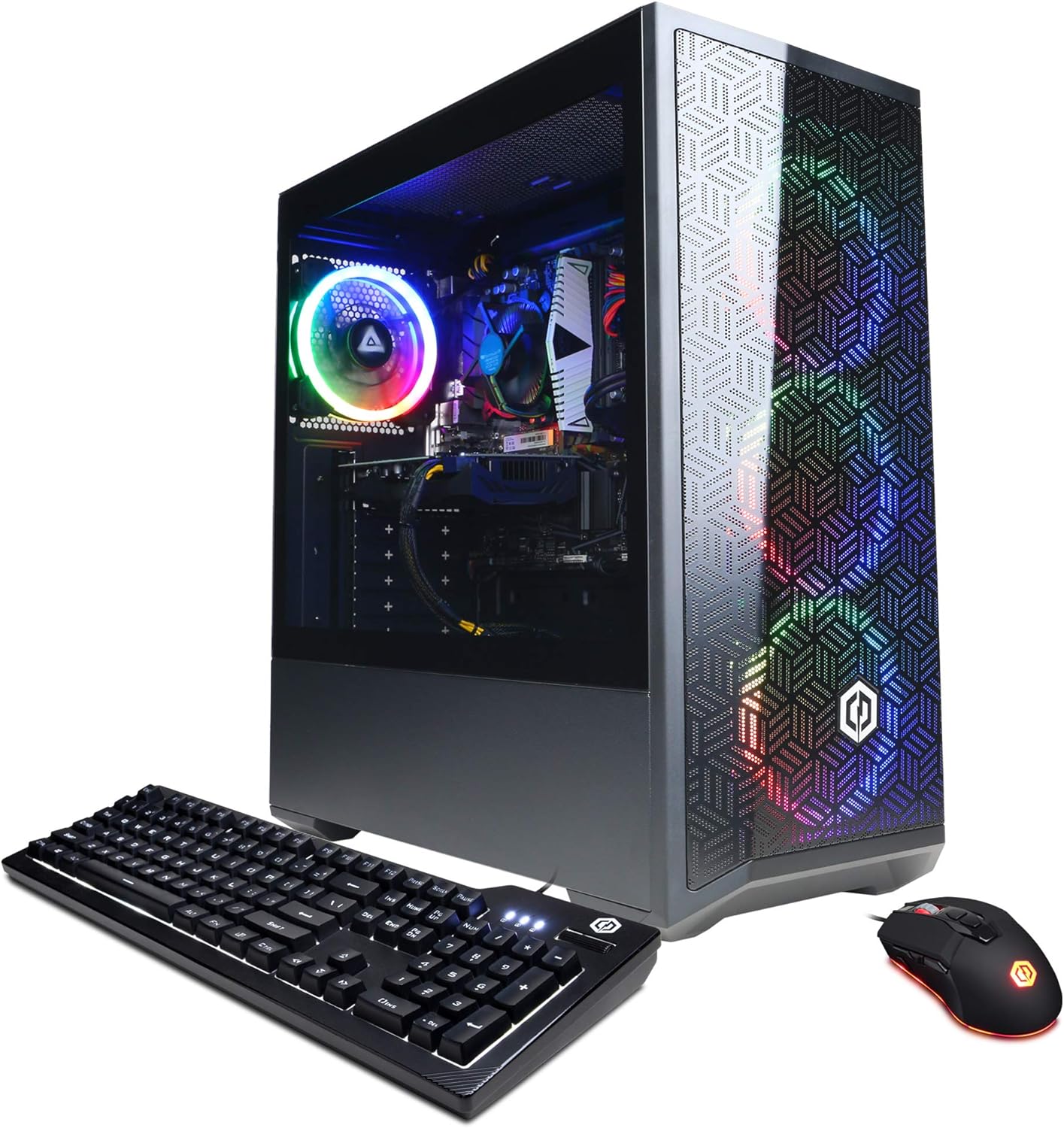
A mid-range VR-ready gaming desktop built around Intel's 10th-gen i5-10400F and NVIDIA GTX 1660 Super, designed to handle 1080p gaming at high settings and support for HTC Vive or Oculus Rift headsets. The 8GB DDR4 RAM and 500GB NVMe SSD provide solid baseline performance, while the tempered glass case and RGB lighting appeal to gamers wanting visual flair without breaking the bank.
Pros
- VR-ready certified for HTC Vive and Oculus Rift compatibility
- 6-core Intel i5-10400F pairs well with GTX 1660 Super for 1080p gaming at high settings
- Built-in 802.11AC Wi-Fi and 6x USB 3.1 ports reduce cable clutter
- Tempered glass side panel and RGB lighting for gaming aesthetics
- Lifetime free tech support and 1-year parts/labor warranty provide peace of mind
Cons
- 8GB RAM is minimal for modern multitasking; most gamers upgrade to 16GB
- 500GB SSD fills quickly with AAA titles; secondary storage upgrade likely needed
- GTX 1660 Super struggles with 1440p gaming and newer demanding titles at max settings
Gaming PCs Under $1500 Buying Guide
Picking a prebuilt gaming PC requires a different lens than building your own. You are trading labor and component-by-component optimization for convenience, warranty coverage, and a ready-to-play system.
At this budget, the decisions that matter most come down to the GPU generation, the CPU and RAM pairing, the storage configuration, cooling quality, and how upgradeable the system will be down the road.
Use the criteria below to cut through the spec sheet noise and find the right fit for how you actually play.
GPU Generation and Gaming Performance

The graphics card is the single most important component in any gaming PC, and it deserves the most scrutiny when comparing prebuilts.
At this price range, you will encounter a wide generational spread, from older GTX 1660 Super configurations to current-generation RTX 5060 and RTX 5060 Ti cards.
The performance gap between those extremes is enormous, particularly when you factor in ray tracing, DLSS 4 upscaling, and frame generation support that only newer Nvidia architectures provide.
For 1080p gaming, even a mid-tier current-gen card will push well past 100 fps in most titles. For 1440p or high-refresh-rate play, you will want a card with at least 8GB of VRAM and strong rasterization throughput.
Pay close attention to which GPU generation is inside a given prebuilt, because two systems with similar price tags can have a meaningful difference in real-world frame rates depending on the GPU model year.
Pairing your desktop with a capable gaming microphone rounds out the setup for streaming and online play.
Also check whether the included GPU supports Nvidia Reflex and DLSS or AMD FSR, since these technologies can dramatically extend the useful life of a card as games become more demanding over time.
CPU and RAM Configuration

Gaming performance is primarily GPU-bound, but the processor and memory still matter, especially for CPU-intensive titles like simulation games, open-world RPGs, and anything that leans heavily on physics calculations. At this budget, look for at least a modern 6-core processor.
Intel Core i5-13400F and i5-14400F chips offer strong gaming throughput, while AMD Ryzen 7 options like the 5700X and 9700X bring competitive multi-threaded performance and efficient power profiles.
RAM capacity and speed matter more than many buyers realize.
A system with 16GB of DDR5 will have noticeably more headroom for modern titles than one with 8GB of DDR4, particularly as newer games increasingly demand 12GB or more for smooth texture streaming.
If a system ships with 8GB, budget for an upgrade shortly after purchase and verify that the board supports it. Dual-channel configurations also outperform single-stick setups at the same capacity, so confirm the RAM is installed correctly before gaming.
Storage: Speed, Capacity, and Room to Expand
Modern games are storage-hungry. A single AAA title can easily consume 100GB or more, and loading times on slower drives become a real friction point during play.
Any prebuilt at this price range should ship with at least a 1TB NVMe SSD as the primary drive.
PCIe Gen 4 SSDs are significantly faster than Gen 3, which matters most for open-world titles that stream assets from storage in real time.
Before purchasing, check how many M.2 slots are available on the included motherboard and whether there are additional SATA bays for secondary drives.
Prebuilts in this category often use compact cases that limit expansion, so understanding your long-term storage options before you buy saves a costly upgrade later.
A 1TB boot drive will fill up faster than most users expect within a year of heavy gaming.
Cooling and Thermal Design
Thermals are one of the most commonly overlooked aspects of a prebuilt gaming PC, and one of the most consequential for long-term performance.
A GPU or CPU that runs too hot will throttle its clock speeds, reducing the frame rates you actually experience compared to the specifications on the box.
Entry-level prebuilts sometimes include low-airflow cases, thin CPU coolers, or minimal case fans, which leads to thermal throttling under sustained gaming loads.
Look for systems that include a 240mm or 360mm all-in-one liquid cooler, at least two case fans, and a chassis designed for airflow rather than just aesthetics.
ARGB lighting looks appealing in product photos, but it should not come at the expense of airflow design.
Verified buyer reviews are an excellent signal here since users who have gamed on a system for weeks will report thermal complaints far more reliably than initial impressions.
Power Supply Quality and Upgrade Headroom

The power supply unit is the component that budget prebuilts are most likely to compromise on, and a weak or unrated PSU can cause instability or limit your ability to upgrade the GPU later.
At this price range, look for systems that include at least an 80+ Bronze certified PSU rated for 650W or higher. An 80+ Gold unit is a meaningful quality signal that suggests the builder paid attention to component selection throughout the system.
Wattage headroom matters because next-generation GPUs often draw more power than their predecessors. If you plan to swap in a faster card in two or three years, a capable PSU avoids having to replace it at the same time.
Check whether the case uses a standard ATX form factor, since proprietary cases and PSUs found in some prebuilts can lock you into the original hardware longer than you intend.
Buyers who care about longevity should treat desktop PC upgradability as a core feature, not an afterthought.
Connectivity, Ports, and Included Features

A gaming desktop at this price should include built-in Wi-Fi and Bluetooth as a baseline. Verify whether the included Wi-Fi adapter supports Wi-Fi 6 or Wi-Fi 7, since older 802.11ac adapters deliver noticeably lower throughput and range.
Front-panel USB ports matter for daily convenience, particularly USB-A 3.0 and at least one USB-C port for modern peripherals.
Check the rear I/O on the motherboard as well. More video output options give you flexibility to run multiple monitors, which is common among content creators and competitive gamers.
If you plan to stream or record gameplay, having enough USB bandwidth for a capture card or an external audio interface is a practical concern.
Pairing your setup with quality laptops or secondary screens for productivity work benefits from a well-connected main tower.
Why You Should Trust Us
REMOVU is an independent review publication. We do not sell products, handle orders, or have any affiliation with the manufacturers we cover.
Every product in this guide was assessed using the REMOVU Score, a 0 to 10 rating system applied consistently across comparable products in a given category.
Each score reflects a synthesis of publicly available hardware specifications, expert review consensus drawn from the enthusiast community, verified buyer feedback from confirmed purchasers, and published benchmark data.
We do not conduct our own product trials; our evaluations are grounded in research, published data, expert review consensus, and verified buyer feedback.
REMOVU may earn a commission if you purchase through a link in this article. That affiliate relationship has no influence on which products we include, how we rank them, or what scores they receive.
Our rankings are determined entirely by the quality of each product relative to our evaluation criteria. If a product scores poorly, it ranks poorly, regardless of commercial considerations.
We believe transparent methodology is the foundation of trustworthy recommendations, and we encourage readers to weigh our findings alongside their own research before making a purchase decision.
Final Thoughts
The prebuilt gaming PC market at this budget has matured significantly.
Current-generation GPU options, fast DDR5 memory, and PCIe Gen 4 storage are now accessible without breaking past the price ceiling, and the picks in this guide reflect the best of what is available right now.
Here is how we break down the standout options by use case:
- Best Overall: CyberPowerPC Gamer Xtreme VR (GXiVR8060A47) earns the top spot with its combination of an Intel Core i5-14400F and a current-generation RTX 5060 GPU in a package that delivers exceptional value per dollar. It earned the highest REMOVU Score in this roundup and represents the clearest recommendation for most buyers.
- Best for Power Users: KOTIN Prebuilt Gaming PC (Ryzen 7 9700X / RTX 5060 Ti) stands out for its 360mm liquid cooling, Wi-Fi 7 connectivity, integrated smart display, and a Ryzen 7 9700X processor that offers strong multi-threaded headroom. It is the most feature-rich option in the group and a compelling pick for buyers who want a fully loaded build.
- Best Mid-Range Value: CyberPowerPC Gamer Xtreme VR (GXiVR8060A24) pairs an RTX 4060 with DDR5 memory and a 1TB Gen 4 SSD at a competitive price, making it a solid all-rounder for 1080p and entry-level 1440p gaming without unnecessary compromise.
- Best for RAM-Heavy Workloads: YAWYORE Gaming PC (Ryzen 7 5700X / RTX 5060) ships with 32GB of DDR4, the highest memory capacity in this roundup, which gives it an edge for users who multitask heavily or run memory-intensive applications alongside games.
Whatever your gaming priorities, the five systems in this guide cover the realistic needs of most PC gamers at this budget.
If you are still deciding between a prebuilt tower and a portable solution, our roundup of gaming laptops covers the best portable options across similar budgets.
For buyers who want a full peripheral setup to match their new PC, a quality gaming microphone is one of the most impactful additions for communication and streaming quality.
Frequently Asked Questions
Is a prebuilt gaming PC worth buying instead of building your own?
For most buyers, yes. Prebuilts at this price range now include competitive hardware without the significant price penalty they carried a few years ago.
You also get a warranty that covers the full system rather than individual components, and the time savings are real.
Enthusiasts who enjoy the build process and want precise component control may still prefer DIY, but for buyers who want to game as quickly as possible, a quality prebuilt is a sensible choice.
What GPU should I look for in a gaming PC at this price?
At this budget, prioritize a current-generation GPU with at least 8GB of VRAM. Cards from Nvidia’s RTX 5060 series offer strong 1080p performance and support modern features like DLSS 4 frame generation.
Avoid configurations that ship older GPU generations at a similar price point, since the performance gap is substantial and you will likely feel the limitation sooner than expected.
Can I upgrade components in a prebuilt gaming PC later?
In most cases, yes, though it depends on the case and PSU included. Systems built around standard ATX motherboards and cases are easy to upgrade. The GPU, RAM, and storage are typically the most accessible upgrade paths.
The CPU upgrade is more involved and depends on the motherboard’s socket and chipset. Always verify that the PSU has enough wattage to support an upgraded GPU before purchasing a more powerful card.
How much RAM do I actually need for gaming right now?
16GB is the current practical minimum for a smooth gaming experience in most modern titles. Some demanding open-world games and simulation titles are beginning to benefit from 32GB, particularly when you run background applications alongside the game.
Systems shipping with 8GB should be considered a short-term compromise that will require an upgrade. DDR5 memory also offers higher bandwidth than DDR4 at equivalent capacities, which becomes meaningful in bandwidth-sensitive workloads.
For context, desktop computers generally offer much better RAM expandability than laptops at comparable prices.
Does Wi-Fi standard matter for gaming PCs?
It matters more than many buyers expect. Wi-Fi 6 and Wi-Fi 7 offer meaningfully lower latency and higher throughput than older Wi-Fi 5 adapters, which can reduce lag in online multiplayer.
If your router supports Wi-Fi 6 or newer, a system with a matching adapter will deliver a more consistent online gaming experience.
Wired Ethernet remains the gold standard for competitive play, but a modern Wi-Fi adapter is a reasonable alternative for most home setups.
What should I check before buying a prebuilt gaming PC?
Beyond the headline specs, check the PSU wattage and efficiency rating, the number of storage expansion slots, the cooler type for the CPU, and whether the case supports standard ATX parts.
Read verified buyer reviews for thermal complaints and build quality issues that product listings do not disclose.
Also confirm which version of Windows is included, since some budget prebuilts ship with Home rather than Pro, which can matter for network-intensive or professional use cases.
If you are also shopping for peripherals, our coverage of work laptops and mini PCs can help round out your home office or dual-use setup.
About the author
Kevin is REMOVU's SSD writer, comparing NVMe and SATA drives on speed, endurance, and price per gigabyte. He helps readers pick the SSD that delivers the biggest real-world speed boost for their PC.