The 11 Best Gaming PCs for VR
VR demands more from a PC than almost any other workload. These prebuilt desktops deliver the GPU power, RAM, and connectivity modern headsets need.
 By Irene Hopkins
Updated July 26, 2026
By Irene Hopkins
Updated July 26, 2026
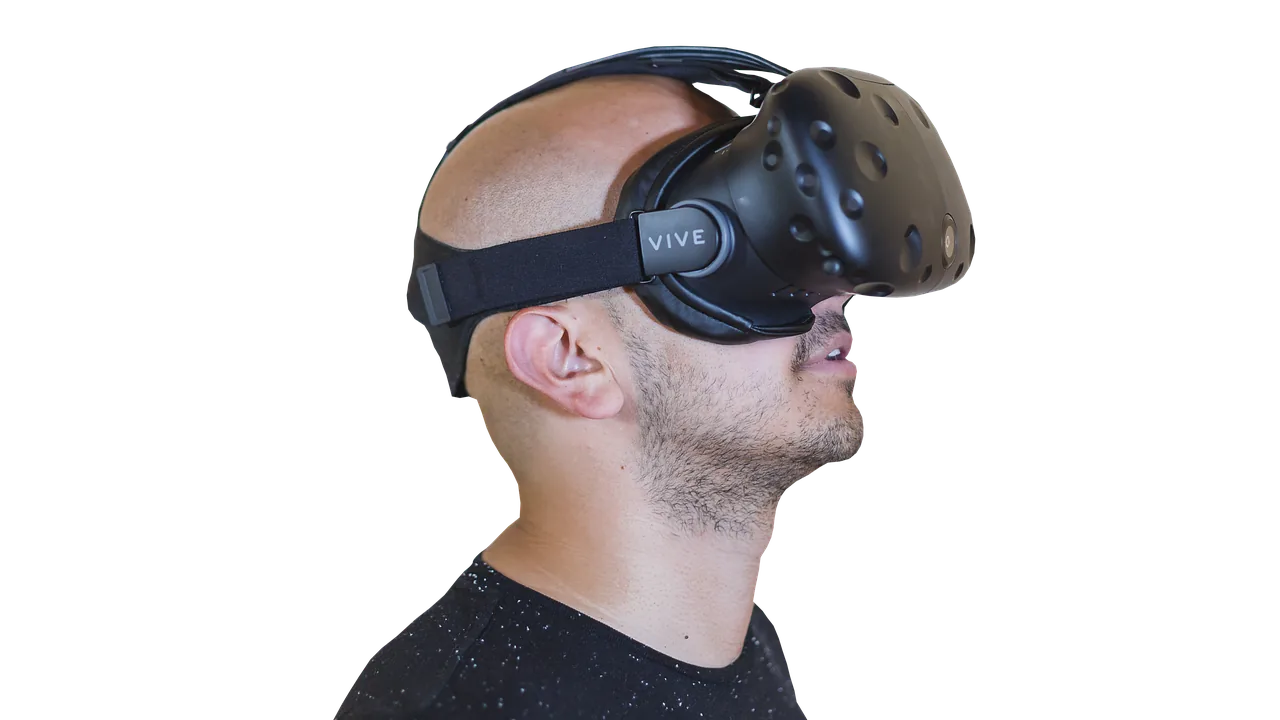
Virtual reality gaming has matured from a novelty into a genuine platform, but it still demands more from a PC than almost any other workload.
Between rendering two independent viewpoints at high frame rates, managing low-latency tracking data, and keeping thermals under control during extended sessions, not every desktop PC is up to the task.
Choosing the wrong machine means stuttering, motion sickness, or headset incompatibility before you even fire up your first title.
This guide cuts through the noise by focusing on prebuilt desktop PCs that combine the GPU horsepower, CPU headroom, and memory bandwidth that modern VR headsets actually require.
REMOVU’s research team analyzed publicly available specifications, aggregated expert review consensus from across the industry, and weighed verified buyer feedback to surface the options most likely to deliver a satisfying, future-proof VR experience across a range of budgets.
Read on for our ranked picks, then dive into the buying guide below to understand exactly what separates a great VR rig from a merely adequate one.
| Award | Product | REMOVU Score About REMOVU ScoreThe REMOVU Score is our own rating from 0 to 10, based on performance, design and build, ease of use, and value. It reflects independent research and is never influenced by manufacturers, retailers, or affiliate commissions. Learn more › | Price | |
|---|---|---|---|---|
| Best Overall |
 MSI Codex Z2 AMD R7-8700F RTX 5070 Gaming Desktop
|
8.9/10 | Buy | |
| Best Premium |
 STORMCRAFT Falcon RTX 5070 Gaming Desktop
|
8.8/10 | Buy | |
| Best Value |
 CyberPowerPC Gamer Xtreme i5-14400F RTX 5060
|
8.3/10 | Buy | |
 CyberPowerPC Gamer Xtreme VR RTX 5050
|
8.3/10 | Buy | ||
 CyberPowerPC Gamer Xtreme VR i5-13400F RTX 5060
|
8.2/10 | Buy | ||
 CyberPowerPC Gamer Xtreme VR i5-13400F RTX 4060
|
7.2/10 | Buy | ||
 CyberpowerPC Gamer Xtreme VR i5-11400F RTX 2060
|
7.8/10 | Buy | ||
|
CyberpowerPC Gamer Xtreme VR i5-10400F GTX 1660 Super
|
6.2/10 | Buy | ||
 NINGMEI Ryzen 5 5600GT Gaming PC 16GB RAM
|
6.4/10 | Buy | ||
 TheHorizonPcs Autherium Dragon RTX 5070 Gaming PC
|
6.3/10 | Buy | ||
| Best Budget |
 Meta Quest 3 512GB VR Headset
|
8.8/10 | Buy |
MSI Codex Z2 AMD R7-8700F RTX 5070 Gaming Desktop
A mid-to-high-end gaming tower built around AMD's 8-core Ryzen 7 8700F and NVIDIA's latest Blackwell-based RTX 5070, designed to handle modern AAA titles and streaming simultaneously. The 32GB DDR5 memory and 2TB NVMe SSD provide solid performance headroom, while the multi-fan cooling setup keeps thermals in check during extended sessions. Best suited for gamers who want current-generation performance without extreme flagship pricing.
Pros
- Ryzen 7 8700F delivers reliable 8-core performance up to 5.0 GHz for gaming and multitasking
- RTX 5070 brings meaningful generational leap in rasterization and ray tracing over prior architectures
- 32GB DDR5 and 2TB NVMe SSD provide ample storage and memory for modern games and applications
- Four-fan cooling design (three front, one rear) with ARGB cooler maintains effective thermal management
- RGB lighting customization via MSI Center software and LED button cycling
Cons
- Windows 11 Home included, though MSI recommends Pro for business workflows, requiring potential upgrade
- No dedicated details on upgrade path or component accessibility for future modifications
- Rating based on 229 reviews suggests mixed user experiences beyond core specifications
STORMCRAFT Falcon RTX 5070 Gaming Desktop
A California-built gaming tower pairing the AMD Ryzen 7 7800X3D with RTX 5070 12GB for competitive 1440p performance and content creation. Comes fully assembled with 32GB DDR5, 360mm liquid cooling, and Wi-Fi 6E, plus includes keyboard and mouse. Best suited for esports enthusiasts and streamers who want a high-performance system ready to use out of the box.
Pros
- Strong CPU-GPU pairing delivers 200+ FPS at 1440p on competitive titles per manufacturer claims
- Comprehensive warranty coverage: 3-year labor, 2-year parts, lifetime technical support
- Hand-built and stress-reviewed in California with U.S.-based customer support
- Includes peripherals (keyboard and mouse) plus Wi-Fi 6E and Bluetooth 5.2
- Adequate power headroom with 850W Gold PSU for future upgrades
Cons
- 1TB SSD storage is modest for modern game libraries and content creation workflows
- Limited USB connectivity on motherboard (only 1 USB-A and 1 USB-C) compared to competitors in the lineup
- Premium pricing tier with only 5 verified reviews available for independent assessment
CyberPowerPC Gamer Xtreme i5-14400F RTX 5060
A mid-range gaming desktop built around Intel's 14th-gen Core i5 and NVIDIA's RTX 5060, designed to handle 1080p and 1440p gaming at high settings. The system pairs fast DDR5 memory and NVMe storage with solid connectivity, making it a straightforward choice for gamers stepping up from console or budget builds. Best suited for players prioritizing smooth performance over cutting-edge ultra-high-res gaming.
Pros
- 14th-gen Intel Core i5-14400F with 10 cores delivers solid multi-threaded performance for gaming and content creation tasks
- RTX 5060 8GB handles modern titles at 1080p ultra and 1440p high settings with good frame rates
- 16GB DDR5 RAM and 1TB PCIe 4.0 SSD provide fast load times and responsive system responsiveness
- WiFi 6, Bluetooth 5.3, and multiple USB ports cover modern connectivity needs
- 1-year parts and labor warranty plus lifetime tech support reduce ownership risk
Cons
- RTX 5060 is entry-level for 4K gaming, limiting future-proofing for ultra-high-res projects
- No user reviews yet available to verify real-world performance and reliability claims
- Pre-built systems typically offer less upgrade flexibility and component choice than custom builds at similar price points
CyberPowerPC Gamer Xtreme VR RTX 5050
A VR-ready gaming desktop built around Intel's latest Core Ultra 7 processor and RTX 5050 graphics, paired with DDR5 RAM and fast PCIe 4.0 storage. Designed for gamers who want smooth performance at high settings without extreme premium pricing. The included peripherals and WiFi 6 connectivity add practical value for immediate setup.
Pros
- Latest Intel Core Ultra 7 265F processor with 20 cores handles demanding games and multitasking efficiently
- RTX 5050 8GB graphics card optimized for 1440p and high-refresh gaming with VR capability
- 16GB DDR5 RAM and 2TB PCIe 4.0 SSD provide responsive system performance and ample storage
- Built-in WiFi 6 and Bluetooth 5.3 eliminate extra connectivity purchases
- Includes keyboard, mouse, and RGB lighting; 1-year warranty plus lifetime tech support
Cons
- No reviews yet, so real-world user feedback on reliability and thermals unavailable
- RTX 5050 is entry-level for the RTX 50 series, limiting ultra-high settings at 4K resolution
- Single graphics card and standard cooling may require upgrades for sustained high-performance streaming or content creation
CyberPowerPC Gamer Xtreme VR i5-13400F RTX 5060
A mid-range gaming desktop built around Intel's 13th-gen Core i5 and NVIDIA's RTX 5060, designed for 1080p to 1440p gaming and VR content. The system pairs solid CPU performance with DDR5 RAM and fast NVMe storage, making it suitable for casual gamers and streamers who want a plug-and-play setup without heavy customization.
Pros
- 13th-gen Intel Core i5-13400F offers strong multi-core performance for gaming and streaming workloads
- RTX 5060 8GB handles modern games at high settings across mainstream resolutions
- 16GB DDR5 RAM and 1TB PCIe 4.0 SSD provide fast system responsiveness
- WiFi 6 and Bluetooth 5.3 connectivity included
- Includes RGB keyboard, mouse, and gaming case lighting out of box
- Lifetime free tech support and one-year warranty
Cons
- RTX 5060 is entry-level for 4K gaming or ultra-high refresh rate performance
- No reviews available yet to verify real-world reliability and customer satisfaction
- Limited upgrade path with B760 chipset compared to higher-tier platforms
CyberPowerPC Gamer Xtreme VR i5-13400F RTX 4060
A mid-range VR-ready gaming desktop built around Intel's 13th-gen Core i5 and RTX 4060 graphics. Delivers solid 1080p and 1440p gaming performance with DDR5 RAM and fast NVMe storage, making it a practical choice for gamers stepping into VR or upgrading from older systems. Strong warranty support and user satisfaction (4.6 stars) back its reliability.
Pros
- 13th-gen Intel Core i5-13400F with 10 cores handles gaming and streaming workloads efficiently
- RTX 4060 8GB provides smooth gameplay at high settings in most modern titles
- 16GB DDR5 RAM and 1TB PCIe Gen4 SSD offer fast system responsiveness
- Built-in WiFi 5 and Bluetooth 4.2 eliminate cable clutter
- 1-year warranty plus lifetime tech support from CyberPowerPC
- 4.6-star rating from 734 verified buyers indicates consistent quality
Cons
- RTX 4060 is entry-level for high-refresh competitive gaming at 1440p or 4K
- Single 1TB SSD limits storage for large game libraries without expansion
- No discrete CPU cooler mentioned, stock cooling may limit overclocking headroom
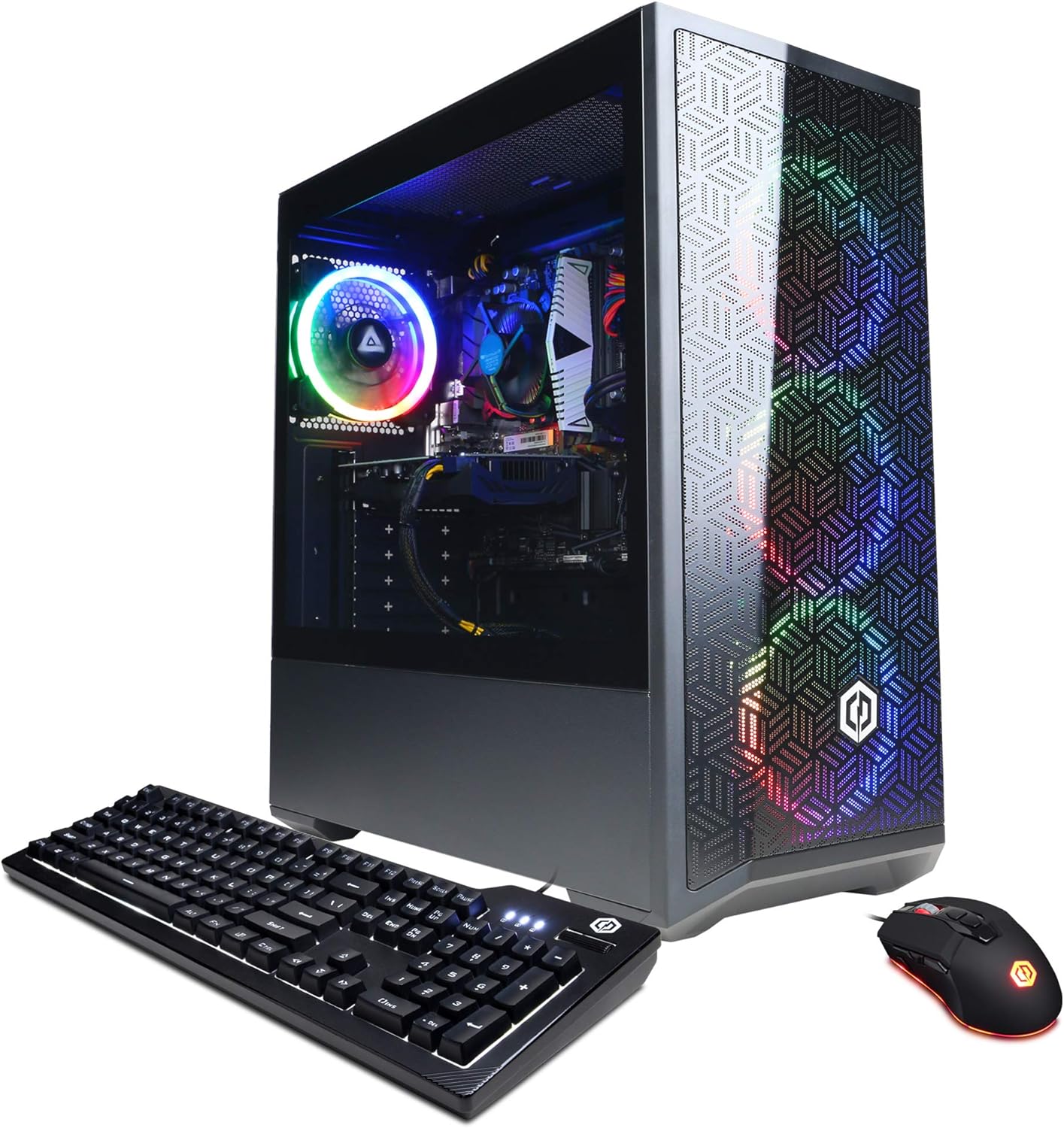
CyberpowerPC Gamer Xtreme VR i5-11400F RTX 2060
Entry-level VR-ready gaming tower built around an Intel 11th-gen i5 and RTX 2060, paired with 8GB DDR4 and a 500GB NVMe SSD. Comes bundled with gaming peripherals and tempered glass case lighting. Best suited for 1080p gaming and VR experiences on a budget.
Pros
- VR-ready performance with RTX 2060 and 6-core i5-11400F processor
- Includes gaming keyboard and RGB mouse, plus tempered glass side panel
- Wireless 802.11AC Wi-Fi and Windows 11 Home included
- Lifetime free tech support and one-year parts/labor warranty
- Strong user rating of 4.6 stars across 2,586 reviews
Cons
- 8GB DDR4 RAM is minimal for multitasking; most modern gaming setups recommend 16GB
- 500GB SSD storage fills quickly with modern game titles, requiring external storage expansion
- RTX 2060 is a previous-generation card; newer alternatives offer better performance-per-dollar
CyberpowerPC Gamer Xtreme VR i5-10400F GTX 1660 Super
A mid-range VR-ready gaming desktop built around Intel's 10th-gen i5-10400F and NVIDIA GTX 1660 Super, designed to handle 1080p gaming at high settings and support for HTC Vive or Oculus Rift headsets. The 8GB DDR4 RAM and 500GB NVMe SSD provide solid baseline performance, while the tempered glass case and RGB lighting appeal to gamers wanting visual flair without breaking the bank.
Pros
- VR-ready certified for HTC Vive and Oculus Rift compatibility
- 6-core Intel i5-10400F pairs well with GTX 1660 Super for 1080p gaming at high settings
- Built-in 802.11AC Wi-Fi and 6x USB 3.1 ports reduce cable clutter
- Tempered glass side panel and RGB lighting for gaming aesthetics
- Lifetime free tech support and 1-year parts/labor warranty provide peace of mind
Cons
- 8GB RAM is minimal for modern multitasking; most gamers upgrade to 16GB
- 500GB SSD fills quickly with AAA titles; secondary storage upgrade likely needed
- GTX 1660 Super struggles with 1440p gaming and newer demanding titles at max settings
NINGMEI Ryzen 5 5600GT Gaming PC 16GB RAM
A budget-friendly prebuilt tower built around AMD's Ryzen 5 5600GT processor with integrated graphics, 16GB RAM, and 1TB NVMe storage. Designed for home office work, light gaming, and student use, it arrives ready to use with Windows 11 and includes RGB cooling fans for thermal management. The ATX 3.0 power design supports future upgrades, though integrated graphics limit demanding gaming performance.
Pros
- Integrated Radeon graphics eliminate need for discrete GPU for everyday tasks and light gaming
- Fast NVMe SSD and 16GB DDR4 RAM provide snappy multitasking and quick boot times
- Six RGB cooling fans with removable magnetic dust filter keep temperatures stable during extended use
- ATX 3.0 architecture allows future expansion with PCIe 5.0 graphics cards
- Includes Windows 11 Home, 1-year warranty, lifetime technical support, and gaming mouse pad out of box
Cons
- Integrated graphics insufficient for demanding AAA games or high-refresh competitive gaming
- 550W power supply limits room for high-end discrete GPU upgrades without replacement
- 16GB RAM adequate for current needs but not future-proofed compared to 32GB alternatives at higher price points
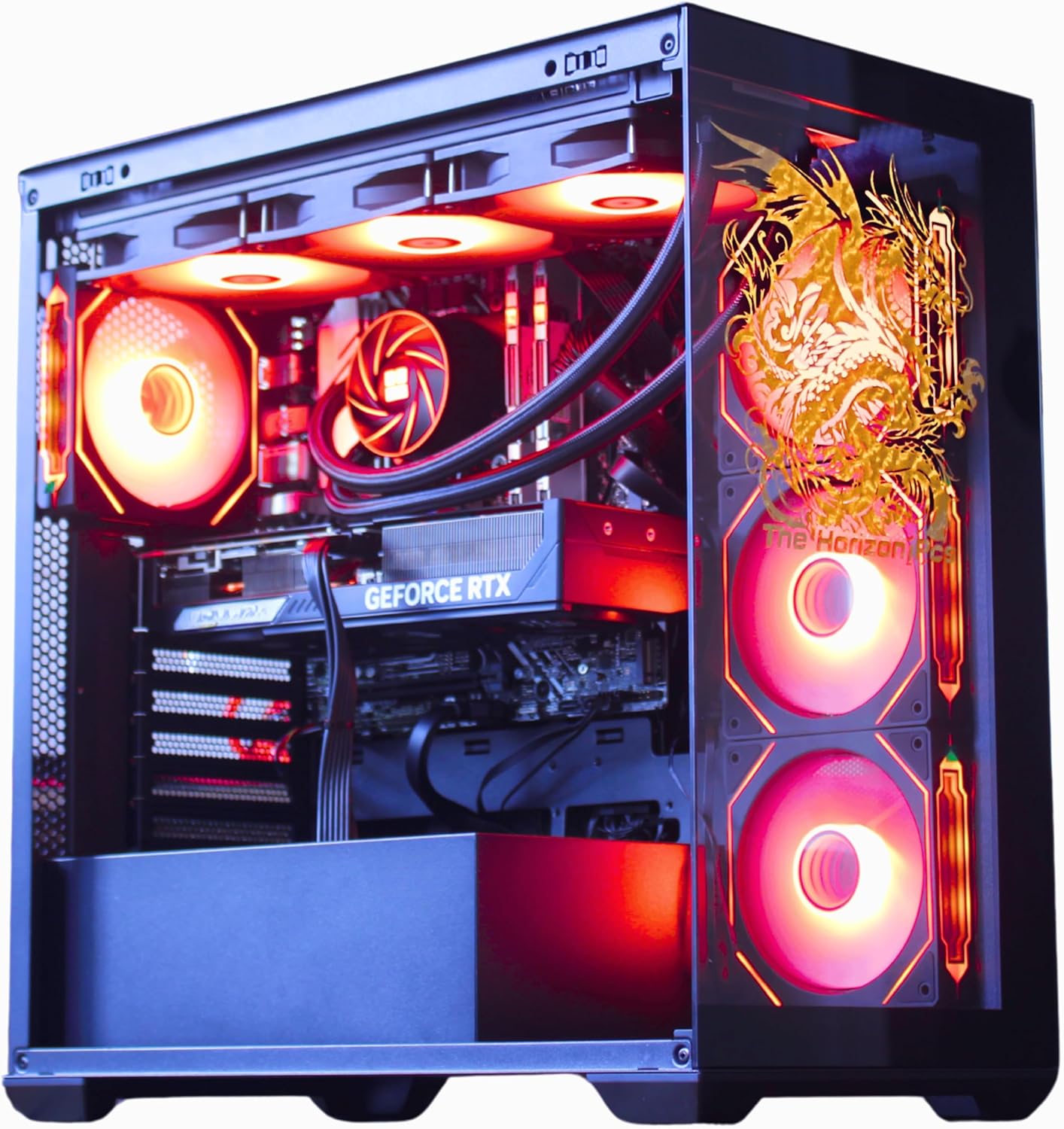
TheHorizonPcs Autherium Dragon RTX 5070 Gaming PC
A high-end gaming desktop built around the RTX 5070 and Core i9 processor, paired with 64GB RAM and 5TB storage for serious gamers and content creators. The signature dragon-etched glass panel and AI-controlled cooling system deliver both aesthetic appeal and thermal management, though the premium positioning and large footprint limit accessibility for casual users.
Pros
- Exceptional storage capacity at 5TB total with hybrid SSD/HDD setup supports large game libraries and media projects
- 64GB RAM substantially exceeds standard gaming builds, enabling smooth multitasking and future-proofing
- Comprehensive cooling solution with 360mm AIO and 11 total fans maintains quiet operation during intensive sessions
- Strong warranty coverage at 3-year parts and 5-year labor, backed by specialist support team
- Factory-overclocked RTX 5070 with DLSS 4.0 support delivers consistent frame rates at high resolutions
Cons
- Premium pricing reflects high-end components, making it less accessible for budget-conscious builders
- Extensive cooling system and large case footprint require significant desk or tower space
- Heavy specification focus on gaming and VR may include features unnecessary for general computing use
Meta Quest 3 512GB VR Headset
Meta's flagship standalone VR headset delivers sharp 4K visuals and wireless freedom with twice the processing power of its predecessor. The Gorilla Tag bundle and 3-month Horizon+ trial make it accessible for newcomers, though battery life tops out around 2 hours and the 512GB storage fills quickly with demanding titles.
Pros
- Sharp 4K+ resolution with nearly 30% leap in visual clarity over Quest 2
- Wireless, untethered gameplay powered by Snapdragon XR2 Gen 2 processor
- Dual RGB color cameras enable convincing mixed reality experiences
- 8GB RAM and 512GB storage handle demanding games with fast load times
- Inclusive bundle with 100+ games via 3-month Horizon+ trial plus exclusive Gorilla Tag items
Cons
- Battery life limited to 2+ hours, requiring frequent charging during extended sessions
- 512GB storage can fill quickly with AAA VR titles, limiting offline library
- Premium positioning means higher entry cost compared to budget VR alternatives
Gaming PCs for VR Buying Guide
Picking the right PC for VR is more nuanced than simply buying the most expensive tower on the shelf.
The sections below walk through the criteria that matter most, from GPU architecture to connectivity, so you can match a machine to the headset and game library you actually own or plan to buy.
GPU Performance and VRAM Capacity

The graphics card is the single most important component in any VR-capable PC. Unlike a flat monitor where one frame is rendered per refresh, a VR headset requires two slightly offset frames simultaneously, effectively doubling the rendering load.
For mainstream VR titles at standard resolutions, a card from the RTX 4060 tier or newer is now considered the entry point for a smooth experience, while mixed-reality passthrough and high-fidelity titles benefit significantly from RTX 5070-class hardware.
VRAM capacity matters just as much as raw shader throughput. Texture-heavy VR environments can saturate 6 GB of VRAM quickly, causing noticeable pop-in or frame drops.
Cards with 8 GB or more provide meaningful headroom, particularly as game developers continue to push higher-resolution assets.
All of the strongest picks in this roundup carry at least 8 GB of VRAM, which is why they score meaningfully higher than older configurations in our evaluations.
If you already own a capable gaming laptop and are considering whether a dedicated tower is worth it, the answer for VR is almost always yes.
Desktop GPUs run at their full TDP without throttling, which translates directly to more consistent frame pacing during demanding scenes.
CPU Core Count and Latency
VR runtimes such as SteamVR and the Meta PC app add a software layer on top of your game engine, introducing additional CPU overhead for pose prediction, reprojection, and USB or wireless link management.
A processor that feels adequate for flat-screen gaming may show its limits when those background processes compete for cores.
Six-core CPUs with strong single-thread performance represent the practical minimum today; eight or more cores provide noticeably smoother reprojection fallback when a scene spikes in complexity.
AMD’s 3D V-Cache architecture, as found in chips like the Ryzen 7 7800X3D, offers a measurable advantage in latency-sensitive workloads by keeping more game data closer to the compute units.
This is why configurations pairing a 3D V-Cache CPU with a high-end GPU tend to score well even when clock speeds appear modest on paper.
RAM Speed and Capacity
System memory is frequently the bottleneck that buyers overlook. VR titles, their companion apps, and Windows itself collectively consume RAM far faster than a typical non-VR gaming session.
A minimum of 16 GB is now standard for any serious VR setup, and configurations shipping with DDR5 at reasonably fast speeds benefit from higher memory bandwidth that feeds both the CPU and, in the case of integrated or tightly coupled graphics, the GPU as well.
Buyers who intend to run content creation software, streaming tools, or simulation apps alongside VR should prioritize 32 GB configurations.
Memory is one of the easier components to upgrade on a tower, but paying for the right spec at purchase avoids the hassle and additional cost later.
Storage Speed and Capacity

NVMe SSDs have become standard on every credible prebuilt, but not all NVMe drives are equal. PCIe Gen 4 drives offer read speeds that load VR environments significantly faster than Gen 3 alternatives, reducing the long loading screens that break immersion.
For a primary VR machine, 1 TB should be considered a minimum, since high-fidelity titles frequently exceed 50 GB each and the VR runtime itself adds overhead.
Configurations shipping with 2 TB PCIe Gen 4 storage provide genuine long-term usability without forcing early library management decisions. If a build you are considering ships with only 500 GB, factor in the cost and effort of an upgrade before committing.
Connectivity: USB, Wi-Fi, and Headset Compatibility
Tethered VR headsets such as the Valve Index and HP Reverb G2 require USB 3.0 or DisplayPort connections, while wireless PC VR via Meta Air Link or Virtual Desktop demands a capable Wi-Fi 6 or Wi-Fi 6E router and a PC adapter that can sustain high throughput without packet loss.
All of the top picks in this roundup are explicitly marketed as WiFi Ready, but confirming the specific Wi-Fi standard on the installed adapter before purchase is worthwhile if you plan to go wireless.
USB port availability matters more than it might seem. Between the headset link cable, charging cables for controllers, and a keyboard or mouse, a tower with only two rear USB ports creates immediate frustration.
Prioritize builds with USB-A 3.0 ports on both the front panel and rear I/O. USB Type-C front-panel connectors are a growing convenience for newer accessories.
Thermal Design and Noise Under Load

VR sessions often run longer and at higher sustained loads than flat-screen gaming, making thermal design a practical concern rather than a spec-sheet footnote.
Slim cases with restricted airflow may keep temperatures acceptable during a 20-minute gaming session but struggle during two-hour VR workouts or room-scale exploration.
Towers with large radiators, 360 mm AIO coolers, or multiple case fans maintain more consistent performance across extended play.
Noise is a secondary concern but worth noting: a headset partially occludes ambient sound, so fan noise that would be distracting at a desk becomes less perceptible during play.
Even so, builds with high-quality bearing fans or liquid cooling are preferable for home theater VR setups where other people may be in the room.
Verified buyer feedback consistently rewards builds that remain quiet at idle while still ramping up aggressively under VR workloads.
Why You Should Trust Us
REMOVU is an independent review platform with no manufacturer partnerships that influence coverage decisions.
Every product in this roundup was assessed using the REMOVU Score system, a consistent 0 to 10 scale applied across specifications, published benchmark data, expert review consensus from the broader hardware community, and verified buyer feedback from confirmed purchasers.
We do not conduct our own product trials; our evaluations are grounded in research, published data, expert review consensus, and verified buyer feedback.
This methodology means our scores reflect real-world patterns across a large body of evidence rather than the experience of a single reviewer on a single unit.
When expert reviewers and verified buyers converge on the same strengths or weaknesses, that consensus carries significant weight in how a product is scored.
Scores are revisited when new firmware updates, price changes, or a meaningful volume of new buyer feedback shifts the picture.
REMOVU may earn a commission if you purchase through links on this page. That affiliate relationship has no effect on scores, rankings, or which products are included.
Our picks are determined entirely by the quality of the research, not by commission rates. We cover a broad range of tech categories, including computers, audio, and imaging gear, and the same editorial standards apply across all of them.
Final Thoughts
The gaming PC market for VR spans a wide range of price tiers and capability levels, from entry-level configurations that meet the minimum spec to high-end towers that will remain relevant for years of headset generations.
Based on our research, here are the standout picks from this roundup and the roles they fill best.
- Best Overall: MSI Codex Z2 (AMD R7-8700F, RTX 5070, 32 GB DDR5) earns the top position with the highest REMOVU Score in this roundup, combining an RTX 5070 GPU, a generous 32 GB of DDR5 memory, and a 2 TB NVMe SSD in a compact, VR-ready chassis. It is the most capable all-around configuration we evaluated and the most future-proof option for buyers who do not want to compromise.
- Best Runner-Up: STORMCRAFT Falcon (RTX 5070, Ryzen 7 7800X3D, 32 GB DDR5 6000 MHz) pairs AMD’s acclaimed 3D V-Cache CPU with an RTX 5070 and a 360 mm AIO cooler, making it the strongest choice for buyers who want a purpose-built VR and esports machine with premium cooling at a competitive price tier.
- Best for Budget-Conscious VR: CyberPowerPC Gamer Xtreme (i5-14400F, RTX 5060, 16 GB DDR5) delivers RTX 5060 performance and PCIe 4.0 storage at a mid-range price, making it the most accessible entry point into current-generation VR without sacrificing the features that matter most for headset compatibility.
- Best for Upgraders Stepping Into VR: CyberPowerPC Gamer Xtreme (Intel Core Ultra 7 265F, RTX 5050, 16 GB DDR5, 2 TB SSD) offers a modern CPU platform, generous storage, and an RTX 5050 GPU that comfortably meets the demands of popular VR titles for buyers transitioning from older hardware.
- Best Mid-Range Value: CyberpowerPC Gamer Xtreme (i5-11400F, RTX 2060, 8 GB DDR4) remains a practical choice for buyers entering VR on a tighter budget, with an RTX 2060 that still meets minimum VR requirements for most SteamVR titles at a significantly lower outlay than current-generation builds.
Whichever tier fits your budget, pairing your new PC with a quality audio setup will elevate the immersion considerably.
A well-chosen pair of gaming headsets for streaming can double as a capable VR audio solution, and if you plan to stream or record your VR sessions, a dedicated microphone for vocals makes a meaningful difference in commentary quality.
Frequently Asked Questions
What GPU Do I Need for a Good VR Experience?
For entry-level VR at standard resolutions, an NVIDIA RTX 2060 or AMD equivalent is the practical minimum, and it will handle most SteamVR and Meta PC titles at default quality settings.
For high-fidelity titles, mixed-reality passthrough, or higher supersampling, RTX 4060 or RTX 5060 class hardware provides significantly smoother performance.
If you want to be as future-proof as possible, an RTX 5070 or better is the tier that handles whatever the next generation of headsets demands without compromise.
Is 8 GB of RAM Enough for VR Gaming?
Technically, 8 GB meets the stated minimum requirement for most VR headsets and their companion apps, but in practice it leaves very little headroom once Windows, SteamVR or the Meta PC software, and the game itself are all loaded simultaneously.
Most buyers find that 16 GB is the comfortable working minimum, and 32 GB is preferable for anyone who also uses their PC for content creation, video editing, or streaming alongside VR play.
Can I Use a Gaming PC with Both Tethered and Wireless VR Headsets?
Yes. Most of the prebuilts in this roundup are compatible with both connection methods. Tethered headsets connect via USB 3.0 and DisplayPort or HDMI, while wireless options like Meta Air Link or Virtual Desktop stream over your home Wi-Fi network.
The key requirement for wireless VR is a Wi-Fi 6 or Wi-Fi 6E router and a compatible wireless adapter in the PC.
All of the picks listed here include WiFi adapters, though confirming the specific standard before purchase is worthwhile if low-latency wireless streaming is your priority.
Do I Need a Separate PC If I Already Own a Meta Quest 3?
The Meta Quest 3 functions as a standalone headset and does not require a PC for its native library of games.
However, connecting it to a capable PC via Meta Air Link or a USB-C cable unlocks the full SteamVR and PC VR catalog, which includes many titles that are significantly more graphically demanding and immersive than standalone versions.
If you want access to PC-exclusive VR experiences or higher visual fidelity versions of cross-platform games, a PC from this list makes the Quest 3 considerably more versatile.
How Important Is the PSU in a Prebuilt VR Gaming PC?
The power supply unit is more important in VR builds than in typical gaming systems because VR workloads tend to sustain high GPU and CPU utilization simultaneously for extended periods.
A PSU that is adequately rated for a system at idle or during a brief GPU spike may run close to its limits during prolonged VR sessions, potentially causing instability.
Builds rated at 650 W or above with an 80 Plus Gold or better efficiency rating are preferable, and configurations with 850 W PSUs like the STORMCRAFT Falcon provide meaningful headroom for the highest-end GPU configurations.
Are Prebuilt VR PCs Worth It Compared to Building Your Own?
Prebuilt VR gaming PCs have narrowed the value gap with self-builds considerably in recent years, particularly as component availability has stabilized and brands like CyberpowerPC and STORMCRAFT have become more competitive on pricing.
The main advantages of a prebuilt are the warranty on the complete system, Windows pre-installed, and the time saved assembling and troubleshooting.
For buyers who want to start playing immediately and prefer a single point of support, a well-chosen prebuilt from this list is a genuinely sound option.
If you enjoy the build process and want to push every dollar into components, a custom build may still edge ahead at the highest tiers, but the difference is smaller than it was a few years ago.
You can browse our full desktop PCs category for additional comparison options across a wider range of use cases.
About the author
Irene reviews desktop PCs for REMOVU, balancing performance, upgradability, and value for home and office use. She helps readers choose a tower that delivers more per dollar than a laptop and lasts through easy upgrades.