Wi Fi Router Power During a Blackout What Buyers Need to Know
What it really takes to keep your router, fridge and devices running when the grid fails.
 By Armando Washington
Updated October 13, 2026
By Armando Washington
Updated October 13, 2026

What Happens to Your Internet When the Power Goes Out
A power outage forces households to quickly recalculate what actually matters. The television can wait. The refrigerator, Wi-Fi router, phone, lights and medical equipment become the priority. Understanding which devices you can afford to lose, and for how long, is the first step toward choosing the right backup power solution.
Battery backup systems vary dramatically in their ability to support different appliances. The critical distinction lies in understanding two separate measurements: battery capacity, measured in watt-hours, tells you how much total energy is stored. Power output, measured in watts, reveals how much electrical load the system can deliver at once. A system can hold plenty of stored energy yet fail to run demanding appliances if its inverter cannot deliver sufficient power in real time. These two numbers often confuse shoppers, but they answer completely different questions about what a battery backup can actually accomplish during an outage.
Start With Your Priority Devices

Rather than asking whether a portable power station can run your entire house, ask instead what you cannot afford to lose. Make a physical list of devices that matter most: perhaps your Wi-Fi router, refrigerator, phone chargers, lights and laptop. According to food safety guidelines, food in an unopened refrigerator stays safe for roughly four hours without power. Someone working from home might prioritize internet access above all else. Another household might prioritize medical equipment. The key is identifying your specific priorities rather than trying to power everything simultaneously.
Once you know which devices matter, verify their power requirements. Phones, routers, LED lights and laptops draw relatively modest amounts of power. Microwaves, kettles, heaters and cooling equipment demand far more. Understanding these differences is essential because a system rated for 200 watts cannot run a 1,500-watt microwave, no matter how much total capacity it stores.
How Long Does Backup Power Actually Last
The relationship between capacity and runtime is straightforward in theory but variable in practice. A system with 3,600 watt-hours of capacity theoretically runs a 3,600-watt load for one hour. Reduce the load to 1,200 watts and the same battery lasts roughly three hours. However, actual runtime varies because of conversion losses, appliances that cycle on and off, and changing demand throughout the outage.
This is why planning should center on managing load rather than simply purchasing the largest available battery. During a multi-hour outage, you probably do not need every outlet functioning normally. You need the important things functioning deliberately. This reframes the entire purchase decision: a properly sized battery serving a carefully chosen group of devices proves more practical than a larger system purchased without a clear plan.
Solar Charging Extends But Does Not Replace Storage
A large battery eventually becomes an empty battery. For short outages, charging your system from a wall outlet before the outage occurs may suffice. Longer disruptions introduce a follow up question: how will you recharge the battery once power runs out? Depending on the model, options include AC charging, vehicle charging or compatible solar panels.
Solar charging deserves realistic expectations. Available sunlight, panel size, weather conditions, temperature and the battery’s input limits all affect charging speed. A solar panel does not transform a battery into an unlimited energy source. Instead, it helps stretch available capacity. On a campsite, for example, daytime solar charging might replace some energy used overnight for lighting, phones and a laptop. Think of it as a cycle: use energy carefully during emergencies, recharge when conditions allow, and preserve sufficient capacity for the next priority.
Battery Backup Versus Fuel Generators
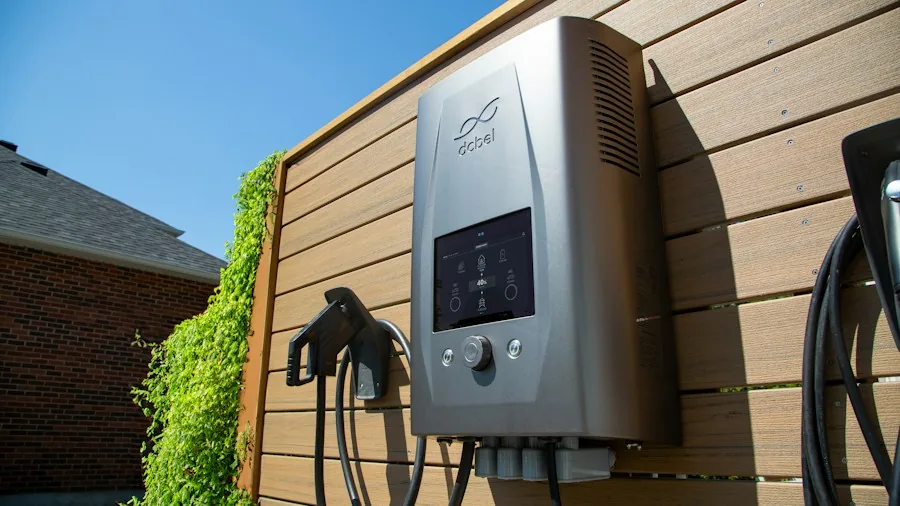
These technologies solve different problems rather than serving as direct replacements. Fuel generators excel when large loads need to run for extended periods and fuel is available. Battery stations offer different advantages: quiet operation, portability, simple startup and no combustion exhaust during use. This matters significantly around the home. Federal emergency management guidance recommends keeping portable fuel generators at least 20 feet from your home because of carbon monoxide risk.
Battery-powered backup systems produce no combustion exhaust, making some models suitable for indoor use when the manufacturer explicitly permits it and all operating instructions are followed. A multi-day outage with heavy loads might call for fuel-powered solutions. Keeping phones, Wi-Fi routers, lights and selected devices operating quietly represents a different load profile entirely. Neither option needs to solve every problem to prove useful.
The Right Backup Starts With Priority Planning
Battery backup systems help households manage outages when used for defined priority devices rather than as a complete grid replacement. Start by identifying devices you cannot afford to lose. Then calculate three numbers: the continuous wattage they require, the largest startup surge you need to handle, and the watt-hours needed for your desired runtime.
Buying the biggest available system does not automatically mean a household is prepared. A properly sized battery serving a carefully chosen group of devices creates a more practical emergency plan than a larger system purchased without clear direction. Planning which devices receive priority power is equally important as selecting the battery itself.
About the author
Armando covers Wi-Fi routers for REMOVU, balancing speed, range, and features for homes of every size. He helps readers match a router to their space and their devices.