New Chromebook Alternatives Launch with Android Integration: What Shoppers Should Know
Five manufacturers debut premium Android laptops with AI and smartphone integration. Here's what sets them apart.
 By Dustin Ford
Updated October 21, 2026
By Dustin Ford
Updated October 21, 2026
Google has officially entered the premium laptop market with a new line of Android-powered notebooks designed to seamlessly integrate with your smartphone ecosystem. Five major manufacturers, Acer, Asus, Dell, HP, and Lenovo, are now offering these new devices starting at $899, marking a significant shift in how consumers can think about portable computing.
What Are These New Android Laptops?
These latest laptops run a specialized operating system that brings Android’s mobile functionality to the desktop for the first time. The core pitch is straightforward: just as Apple users enjoy seamless connection between their iPhones and Mac computers, Android phone owners finally have a laptop designed from the ground up to work with their mobile device.
Unlike traditional Windows or Chromebook approaches, this new platform lets you access your phone’s apps, files, photos, and documents directly from your laptop screen. The Play Store integration means you can download and run more than 20,000 apps optimized for a larger display, and many will work offline. The interface features a desktop environment with colorful widgets and a redesigned file explorer, all built specifically for users who live primarily in the Android ecosystem.
For Android users deep in Google’s productivity tools, Gmail, Google Drive, Google Docs, and other workspace applications, these devices offer an integrated experience comparable to what MacBook users already enjoy. If you depend on these tools and use an Android phone, this new category represents a natural upgrade path.
Hardware Standards and Options

Google established baseline specifications that all launch models must meet. Every device includes a premium aluminum-magnesium chassis, a touchscreen, at least 16GB of memory, and distinctive design elements including a special RGB glow bar and a dedicated shortcut key for AI features. Batteries are rated for up to 45 hours of video playback and 16 hours of web browsing.
The five launch models cater to different needs and budgets. Acer’s offering is the only convertible 2-in-1 device and starts at $899 with a bright OLED screen. Asus focuses on portability at just 2.1 pounds and costs $1,299. Dell’s entry delivers an affordable option at $999 with a compact 13-inch display. HP’s model combines mid-range pricing at $1,299 with a larger screen and Snapdragon processing power. Lenovo’s 15-inch model targets users who need extra screen real estate at $1,099.
Like traditional Chromebooks, these devices rely on cloud connectivity and lean hardware profiles to deliver fast performance. However, they occupy a significantly more premium market position, with superior materials, larger memory allocations, and advanced processors, either Intel Core Ultra or Qualcomm Snapdragon X Elite chips.
Artificial Intelligence Integration
These new laptops come with a full year of Google’s AI Pro subscription included. A dedicated shortcut key gives you instant access to AI capabilities from anywhere in the system. One feature, called Magic Pointer, summons an AI text prompt wherever your cursor is, letting you ask questions, request help with tasks, or get web searches without opening a separate browser.
Additional AI features include automatic event scheduling from images, email analysis for spam detection, and a voice-based command tool that understands rambling requests and converts them into structured results. For example, you can dictate a long-winded voice memo mixing meeting notes with action items and corrections, and the AI will format it into a clean summary. Desktop widgets can even be created by simply asking the AI to design one for you, though performance for complex widget creation may depend on internet speed.
How They Compare to Existing Chromebook Options
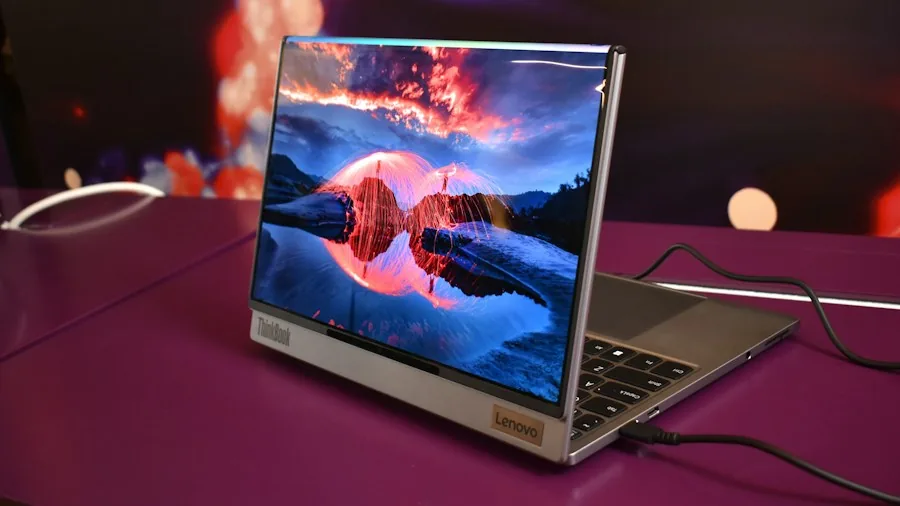
These new devices will coexist with traditional Chromebooks for now, as Google has committed to 10 years of Chrome OS updates through 2034. However, the introduction of this premium Android-based alternative has fueled speculation about the long-term future of the Chromebook platform itself. Chromebook updates have slowed considerably in recent years, and these new devices represent a more ambitious computing experience.
The key difference is that traditional Chromebooks rely primarily on web-based applications through a browser, whereas these new devices bring a full Android desktop environment with offline app capabilities, deeper phone integration, and built-in AI tools. For budget-conscious buyers and students, affordable Chromebooks remain the practical choice, but these new systems target professionals and enthusiasts expecting more power and seamless cross-device workflows.
What This Means for Your Purchase Decision
If you own an Android phone and regularly use Google’s productivity suite, these devices warrant serious consideration as your next laptop. The phone integration, premium build quality, and included AI services create a cohesive ecosystem that simply doesn’t exist elsewhere in the Android laptop market.
However, if you’re an iPhone or iPad user, Apple’s ecosystem still delivers superior integration. Similarly, if your work requires Windows-specific software or you need maximum app compatibility, these devices have limitations. Google’s commitment to 10 years of platform updates should provide confidence in long-term support, but the platform is still in its early stages.
The real question for shoppers is whether the combination of Android app access, smartphone connectivity, and AI features justifies the premium pricing, particularly when more affordable Chromebook alternatives exist. For power users and those already invested in Android and Google services, the answer appears to be yes.
About the author
Dustin covers Chromebooks for REMOVU, weighing speed, battery life, and build quality for students and cloud-first users. He points readers to affordable machines that stay snappy for everyday browsing and schoolwork.