The 12 Best Game Controllers for PC
Hall Effect sticks, 1000 Hz polling, and remappable buttons are now table stakes. Here are the PC game controllers that actually deliver on those promises.
 By Hannah Mitchell
Updated July 26, 2026
By Hannah Mitchell
Updated July 26, 2026
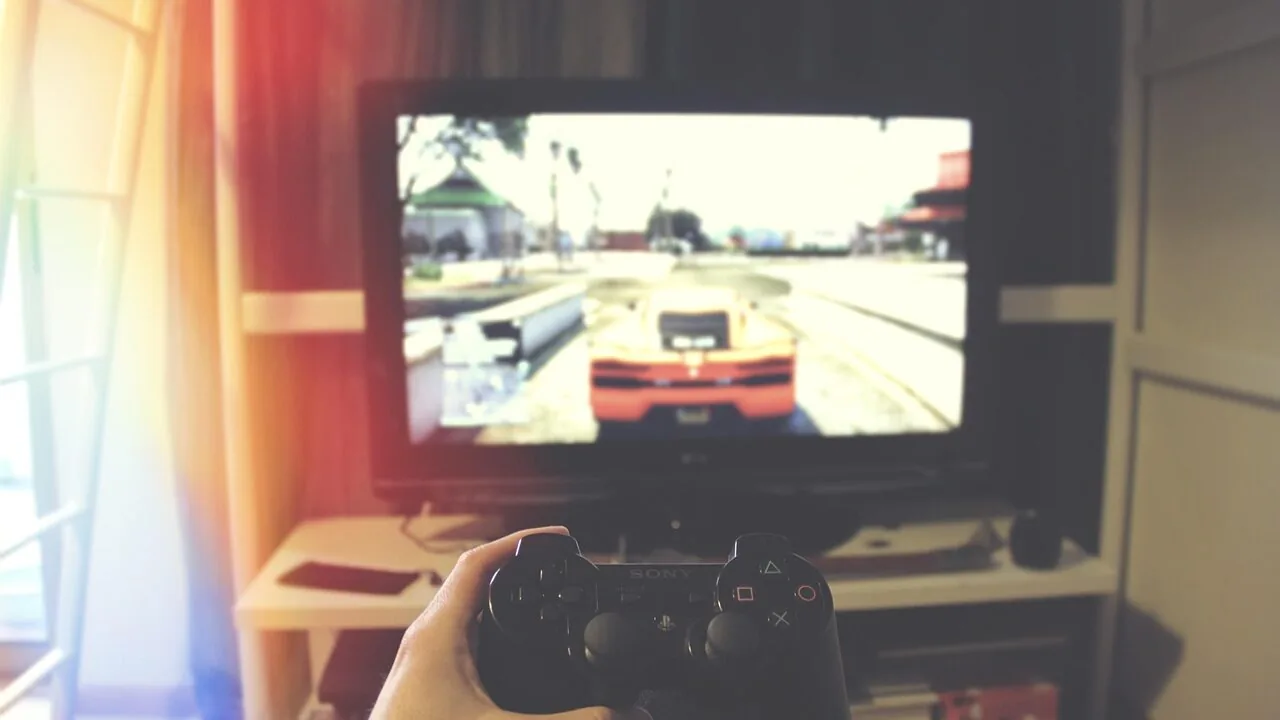
Picking the right game controller for PC is harder than it looks.
Unlike consoles, where one official pad rules the roost, PC gamers face a sprawling market of wireless pads, wired pro-grade gamepads, and budget-friendly alternatives, each with wildly different feature sets.
Hall Effect joysticks, high polling rates, remappable buttons, and multi-device compatibility have moved from premium luxuries to near-standard expectations, even at mid-range price points.
Whether you’re playing action RPGs, platformers, fighting games, or racing titles, the controller you choose shapes how comfortable and competitive that experience feels across marathon sessions.
For a complete gaming setup, pairing a great controller with a dedicated gaming keyboard and mouse gives you the flexibility to switch between genres without compromise.
We researched the field thoroughly, analyzing published specifications, synthesizing expert review consensus across the enthusiast community, and weighing verified buyer feedback to arrive at the picks below.
Our selections span a wide range of budgets and use cases, from the best all-around wireless controller to compact budget options that punch above their weight. Every product has been scored on the REMOVU 0 to 10 scale using consistent, repeatable criteria.
Read on to see which PC game controllers earned our top recommendations this year.

Xbox Wireless Controller with USB-C Cable
Microsoft's modernized gamepad pairs wireless versatility with a 9-foot USB-C cable for instant wired play on PC and console, eliminating setup hassles. The textured grip and hybrid D-pad deliver comfort and precision across 40 hours of battery life, though stick drift has emerged as an occasional issue after extended use.
Pros
- Rock-solid Bluetooth connectivity paired with zero-setup wired USB-C option makes it genuinely versatile across PC, console, and mobile
- Ergonomic design with textured surfaces prevents hand fatigue during long sessions, backed by multiple verified reviews praising durability
- Included 9-foot USB-C cable eliminates the need for separate purchases or wireless adapters
- Hybrid D-pad offers responsive precision for fighting games without sacrificing comfort for standard gaming
Cons
- Stick drift reported after 6 months of regular use, indicating potential longevity issues despite overall durability praise
- Requires AA batteries for wireless play rather than built-in rechargeable battery, though USB-C cable can power it while low on charge
- No Xbox wireless adapter or battery pack included, requiring separate purchases for console wireless use
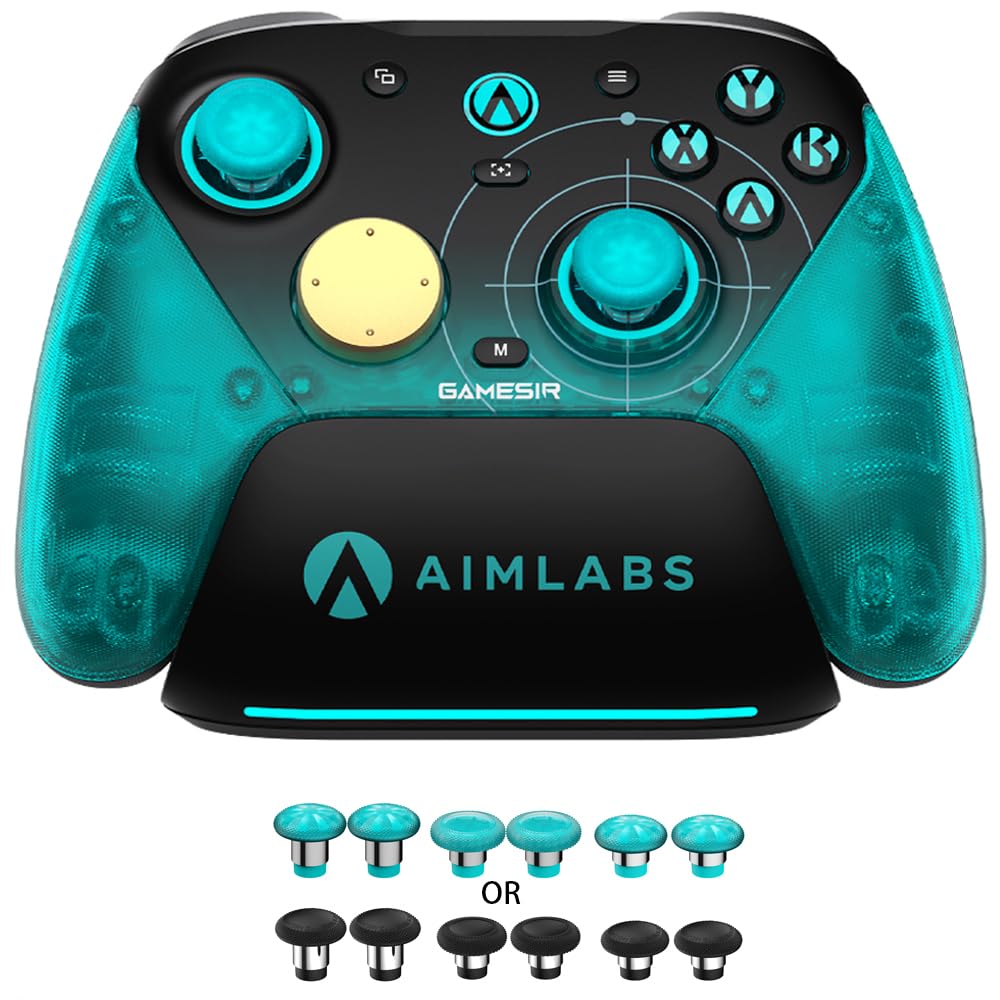
GameSir G7 Pro 8K Aimlabs PC Controller
A competitive PC gamepad built for low-latency gaming with 8000Hz polling, magnetic TMR joysticks that resist drift, and dual-mode triggers supporting both analog and digital input. Reviewers praise the refined D-pad and gyro performance over the standard G7 Pro, making it solid for FPS, fighting, and racing games.
Pros
- 8000Hz polling rate over USB and 2.4G wireless delivers measurable latency reduction in competitive play
- Magnetic TMR joysticks Gen-2 eliminate physical contact, providing durable anti-stick drift with smooth linear response
- Dual-mode Hall Effect plus mechanical triggers let you switch between analog precision and instant digital actuation
- Mechanical D-pad and optical ABXY buttons are significantly tighter than the standard G7 Pro, reducing input bleed
- Gyro aiming implementation works smoothly as mouse input on PC, a major step above the original G7 Pro
Cons
- Battery life is moderate at roughly 8 hours per gaming session at 1K polling, worse at 8K mode
- Macro button customization limited to R, L, and the back buttons; practical macro count is lower than feature count suggests
- Options button placement is awkward for larger hands without remapping to another button

8BitDo Ultimate 2 Wireless Controller with TMR Joysticks
A premium multi-platform gamepad built for competitive gaming, featuring 8BitDo's proprietary 8Speed wireless technology with sub-1ms latency and switchable trigger modes. Best suited for players who value low-lag performance across Windows, Steam, Apple, and Android.
Pros
- Sub-1ms latency and strong anti-interference on 2.4G connection make it reliable for competitive gaming
- Trigger mode switch lets you adapt between linear Hall Effect and tactile feedback for different game types
- TMR Joysticks deliver higher sensitivity and precision with extended durability compared to standard sticks
- Back paddle buttons and extra bumpers provide ergonomic options for faster response times
- High 4.5-star rating from nearly 5,000 verified reviews indicates consistent user satisfaction
Cons
- Switchable trigger modes add complexity that casual players may not need
- Premium positioning means higher cost compared to standard controller options
- Customization features require 8BitDo's software, creating a learning curve for setup

GameSir G7 Pro Wireless Controller for Xbox/PC/Android
A multi-platform gamepad with Hall Effect triggers, TMR sticks, and 1000Hz polling on PC that balances premium features at a mid-range price. Best suited for PC and competitive players seeking extensive customization without elite controller costs.
Pros
- TMR sticks with Hall Effect analog triggers eliminate drift and deliver smooth, responsive input
- Triple connectivity (wired Xbox, 2.4G wireless PC, Bluetooth Android) with physical mode switch for seamless switching
- 1000Hz polling rate on PC via wired or 2.4G wireless ensures minimal input lag
- GameSir Nexus app offers deep customization including gyro settings, stick curves, button mapping, and profile saving
- Includes charging dock with USB pass-through and 1200mAh battery for extended wireless play
- Four extra programmable buttons (L5/R5 bumpers plus lockable back buttons) for macros and quick actions
Cons
- D-pad feels squishy and loose compared to older G7 models, with potential for accidental directional inputs
- All buttons use microswitch construction, creating a uniformly clicky feel that some users find less natural than traditional buttons
- Controller size runs smaller than OEM Xbox controllers, potentially causing hand fatigue during extended sessions
- Some reports of trigger stop durability concerns with prolonged heavy use, though not yet widespread

8BitDo Ultimate 2C Wireless Controller, Hall Effect Joysticks
A budget wireless gamepad for Windows and Android that delivers Hall Effect joysticks, Hall triggers, and a 1000 Hz polling rate over 2.4G without the price tag of premium controllers. Reviewers consistently praise its build quality, responsiveness, and long battery life despite its lightweight plastic construction.
Pros
- Hall Effect joysticks and triggers provide durability and precision without stick drift
- 1000 Hz polling rate on 2.4G wireless eliminates noticeable input lag
- Excellent build quality and ergonomic grip despite budget pricing
- Long battery life on wireless mode, reported to last a month between charges
- Works instantly on Windows without drivers; supports Bluetooth and 2.4G dongle
Cons
- Bluetooth connection shows noticeable delay compared to 2.4G dongle or wired mode
- Power button occasionally requires multiple presses to turn on, per some users
- Included USB-C charging cable is short, not suitable for wired gameplay from a couch

EasySMX D10 Wireless Controller with TMR Joysticks
A multi-platform wireless gamepad with TMR anti-drift joysticks, mechanical buttons, and dual-mode triggers that works across PC, Switch, and mobile. Reviewers praise its responsive inputs and included charging dock, though the D-pad and bumpers require some adjustment and it lacks gyro support in 2.4G mode.
Pros
- Exceptional value for features offered, comparable to controllers costing more according to verified owners
- Mechanical buttons deliver satisfying tactile feedback and responsive inputs for all game genres
- Included charging dock is genuinely convenient and syncs LED lighting with the controller
- TMR joysticks show zero drift even after 1000+ hours of use according to long-term user reports
- Flush USB-C charging port and improved button layout eliminate frustrations from earlier EasySMX models
Cons
- D-pad has left input bias (SOCD issue) that disqualifies it for tournament fighting game play, and requires slightly heavier presses for rapid inputs
- Bumpers sit too high and require deliberate, committed presses rather than easy roll-over activation
- Lacks gyro support when using 2.4G wireless dongle mode, available only on Switch via Bluetooth
- Not compatible with Xbox, PlayStation, Amazon Luna, or GeForce Now platforms
GameSir G7 Pro 8K Aimlabs PC Controller
A competitive PC gamepad built for low-latency gaming with 8000Hz polling, magnetic TMR joysticks that resist drift, and dual-mode triggers supporting both analog and digital input. Reviewers praise the refined D-pad and gyro performance over the standard G7 Pro, making it solid for FPS, fighting, and racing games.
Pros
- 8000Hz polling rate over USB and 2.4G wireless delivers measurable latency reduction in competitive play
- Magnetic TMR joysticks Gen-2 eliminate physical contact, providing durable anti-stick drift with smooth linear response
- Dual-mode Hall Effect plus mechanical triggers let you switch between analog precision and instant digital actuation
- Mechanical D-pad and optical ABXY buttons are significantly tighter than the standard G7 Pro, reducing input bleed
- Gyro aiming implementation works smoothly as mouse input on PC, a major step above the original G7 Pro
Cons
- Battery life is moderate at roughly 8 hours per gaming session at 1K polling, worse at 8K mode
- Macro button customization limited to R, L, and the back buttons; practical macro count is lower than feature count suggests
- Options button placement is awkward for larger hands without remapping to another button

GameSir G7 Pro Wireless Xbox Controller with TMR Sticks
An officially licensed Xbox controller featuring Hall Effect triggers, TMR joysticks with anti-drift technology, and four remappable buttons including top-mounted mini bumpers. Delivers responsive 1000Hz polling on PC and includes a smart charging dock, making it a strong alternative to the Xbox Elite Series 2 at a lower price point.
Pros
- Exceptional build quality and premium feel compared to standard Xbox controllers, with micro switch ABXY buttons delivering tactile, mouse-like clicks
- TMR stick technology and adjustable triggers significantly reduce the stick drift and durability issues common in Xbox Elite Series 2 controllers
- Well-placed remappable buttons (especially top-mounted mini bumpers) offer competitive advantage without the accidental activation issues of back paddles
- Comprehensive customization via GameSir Nexus app including gyro settings, stick curves, and button mapping
- Generous accessories included: charging dock, carrying case, USB cable, wireless dongle, and six stick variants
Cons
- Slightly smaller form factor than Xbox Elite controllers may feel cramped for larger hands, requiring adjustment to bumper and trigger reach
- Battery life around 8-10 hours requires regular charging after extended play sessions, shorter than some competing premium controllers
- Firmware updates require direct wired connection to PC rather than wireless or console-based updates, adding friction to maintenance

Manba One Controller with Interactive Screen for PC/Switch/iOS/Android
A multi-platform wireless controller featuring a built-in 2-inch display for on-device customization, Hall-effect joysticks and triggers, and 4 programmable back buttons. Best suited for PC and Nintendo Switch gamers seeking extensive button mapping and profile switching without software installation, though it doesn't support PlayStation or Xbox consoles.
Pros
- Interactive 2-inch display eliminates need for app or software to adjust vibration, button mapping, joystick sensitivity, LED colors, and save 4 configuration profiles
- Hall-effect joysticks and linear Hall-effect triggers claim anti-stick-drift durability with 800hz+ polling rate for responsive gameplay
- Four programmable back buttons with macro recording capabilities allow complex action sequences (useful for fighting games and action titles)
- Supports multiple connection methods: wired, Bluetooth, and wireless 2.4GHz dongle with reliable switching between PC, Switch, iOS, and Android
- Includes premium charging dock with storage for wireless receiver and smart wake-up function; 1800mAh battery supports extended play sessions
Cons
- Does not work with PlayStation 5, PS4, Xbox, or GeForce Now, limiting its use for console-exclusive gamers
- Built-in non-replaceable 1800mAh battery sets a device lifespan; battery degradation over time will eventually require controller replacement
- Only 4 configuration profiles available, which may feel limiting for players with large game libraries requiring frequent profile switching

EasySMX X05Pro Wireless Gaming Controller
Multi-platform gamepad with Hall Effect joysticks, ultra-quiet buttons, and 1000Hz polling for competitive gaming on PC, Switch, and mobile. Strong connectivity and ergonomic design, though some users report button mapping issues on mobile platforms.
Pros
- Hall Effect joysticks eliminate drift with 11-bit precision and 1000Hz response time in wired/2.4G modes
- Exceptionally quiet operation praised by users gaming in shared spaces
- Fast 2.4G wireless connection (1000Hz) performs better than Bluetooth (125Hz) for competitive play
- Well-constructed ergonomic design feels natural and supports extended gaming sessions
- Versatile multi-platform support works seamlessly on PC, Switch, and Steam Deck
Cons
- Button mapping conflicts reported on mobile devices, where some buttons register as unintended inputs despite reprogramming attempts
- 2.4G dongle connection shows inconsistency according to competitive gaming users, though USB and Bluetooth offer better reliability
- Not compatible with Xbox, PlayStation, Luna, or GeForce platforms, significantly limiting use cases

GameSir Nova Lite 2 Wireless Controller Hall Effect
Budget-friendly gamepad with Hall Effect joysticks, programmable back buttons, and 1000Hz polling rate across PC, Switch, and Android. Strong value for casual to mid-core players, though battery life and wireless stability have trade-offs.
Pros
- Hall Effect joysticks deliver smooth, drift-resistant performance with anti-friction rings
- 1000Hz wired and 2.4G polling rate ensures minimal input lag for competitive games
- Two programmable back buttons support macro recording and custom button mapping
- Comfortable ergonomic design with solid build quality at budget price point
- 2-way trigger system toggles between short and long pull positions
Cons
- 600mAh battery delivers roughly 6 hours of actual use, not the claimed 10 hours
- Back buttons cannot be remapped in Steam or as standalone inputs; only duplicate existing buttons due to hardware limitation
- Wireless connectivity occasionally drops and requires manual reconnection; wired connection more stable

AceGamer Aurora II Wireless Controller for PC/Switch/Steam Deck
A multi-platform gamepad with Hall Effect joysticks, programmable back buttons, and 2.4G wireless connectivity that works across PC, Switch, iOS, and Android. Reviewers praise its responsive controls and robust customization options, though pairing can occasionally require multiple attempts and some features have non-intuitive button combinations.
Pros
- Hall Effect joysticks deliver smooth, responsive gameplay with minimal drift across multiple titles
- Extensive in-controller customization without requiring third-party software: adjust trigger depth, cycle RGB colors, set turbo speeds, disable dead zones
- Dual wireless modes (2.4G dongle and Bluetooth) provide stable connections across different devices and platforms
- Comfortable grip with quality button feel that reviewers compare favorably to Xbox controllers
- Strong battery life and LED low-battery indicator to prevent mid-session dropouts
Cons
- Button combinations for pairing and customization are not intuitive; losing the manual makes reconfiguring difficult
- Single rumble motor limits immersion in games that use multi-motor haptic feedback
- Occasional pairing instability with the wireless dongle requiring reinsertion or multiple connection attempts

AOC GC310 Multi-Platform Controller with Interactive Screen
A versatile gamepad built for PC, Switch, Steam Deck, and mobile with Hall Effect joysticks, a built-in 1.5-inch display for on-controller settings, and triple-mode connectivity. Best suited for players who value cross-platform compatibility and drift-free precision without software overhead.
Pros
- Hall Effect sticks and triggers eliminate drift at hardware level, critical for competitive play
- On-controller screen removes the driver/app setup cycle common with gaming controllers
- Genuine multi-platform support across PC, Nintendo Switch family, PS4, and mobile without repurchasing
- Programmable back paddles with macro recording suit both casual and hardcore gamers
- Strong battery endurance handles extended sessions across tethered and portable setups
Cons
- Not compatible with Xbox Series or PS5, limiting its appeal for those ecosystems
- No independent user reviews available yet to validate real-world reliability and build quality
- Battery life variance depends on RGB and vibration settings, so actual runtime may fall short of 18-hour claim during heavy use
Game Controllers for PC Buying Guide
The controller market has matured rapidly. Features that once defined pro-tier pads have trickled down to affordable options, so understanding what each specification actually means for everyday gameplay is crucial before spending your money.
Below are the six criteria that matter most when evaluating a PC game controller.
Joystick Technology: Hall Effect vs. Standard Potentiometers

Joystick drift is the single most common long-term failure point in any gamepad. Traditional potentiometer-based sticks use physical contact points that wear down with use, leading to the unwanted cursor creep that has plagued countless controllers.
Hall Effect joysticks solve this at the hardware level by using magnetic sensors with no direct contact, which eliminates mechanical wear almost entirely.
Nearly every serious contender in this roundup, from 8BitDo and GameSir to EasySMX and MANBA, now ships with Hall Effect or TMR (Tunnel Magneto Resistance) sticks.
TMR is an evolution of the Hall Effect principle that delivers even tighter tolerances and lower dead zones, making it particularly attractive for competitive or precision-focused play.
When evaluating a controller, confirm whether the marketing copy specifies Hall Effect or TMR for both the thumbsticks and the triggers separately. Some budget pads use Hall Effect sticks but retain traditional trigger potentiometers, which can still drift over time.
For the most drift-free experience across the entire controller, look for models that apply magnetic sensing to both axes.
Polling Rate and Input Latency

Polling rate refers to how many times per second the controller reports its position to your PC. The standard for most consumer pads has historically been 125 Hz to 250 Hz, which is perfectly adequate for casual gaming.
However, enthusiast-grade controllers in this roundup, including several from GameSir, now advertise polling rates of 1000 Hz over 2.4 GHz wireless and even 8000 Hz over wired USB. At 1000 Hz, input is reported every single millisecond; at 8000 Hz, every 0.125 milliseconds.
Whether the human hand can meaningfully exploit the jump from 1000 Hz to 8000 Hz is debated among competitive players, but for fighting games, fast-paced action titles, and competitive multiplayer, even the step from 250 Hz to 1000 Hz is a measurable improvement in responsiveness.
In practice, 1000 Hz wired or 2.4 GHz wireless will satisfy the vast majority of PC gamers, including those playing at a competitive level.
Reserve the premium 8000 Hz options for scenarios where you are specifically optimizing every possible latency advantage, such as high-level esports.
For most people, input quality from the sticks and buttons will have a far greater impact on performance than shaving fractions of a millisecond off polling rate.
Wireless Connectivity Options
PC controllers typically connect via one of three methods: USB-C wired, 2.4 GHz proprietary dongle, or Bluetooth.
Each has meaningful trade-offs. Wired USB-C offers the lowest latency and zero battery concerns, making it the preferred choice for competitive gaming.
Dedicated 2.4 GHz dongles provide near-wired latency wirelessly (usually 1 ms or below in practice) and are far more stable than Bluetooth in RF-dense environments like apartment buildings.
Bluetooth is the most flexible option for multi-device pairing, covering PCs, Android devices, iOS, Nintendo Switch, and even Switch 2, but adds a few milliseconds of latency and can experience dropout in congested wireless environments.
Most premium options in this roundup support at least two connectivity modes.
If you plan to use your controller across multiple platforms, a model that handles 2.4 GHz for PC and Bluetooth for mobile or Switch gives you the best of both worlds without carrying separate hardware.
For a pure PC competitive setup, a controller with a dedicated 2.4 GHz receiver is the most reliable daily driver.
Remappable Buttons and Rear Paddles
Rear paddles and remappable face buttons have become a defining differentiator between standard and pro-tier controllers.
The ability to map actions like jump, crouch, or reload to a paddle you can activate without lifting your thumb from the right stick is genuinely transformative for shooter and action game players.
Controllers like the 8BitDo Ultimate 2, GameSir G7 Pro, and EasySMX D10 include remappable buttons or paddles; several allow remapping directly on the controller without companion software, which is valuable for LAN events or multi-system setups where you cannot install apps.
Consider how many remappable buttons you realistically need. Two rear paddles cover the most common use cases comfortably. Four paddles offer more flexibility but can feel crowded until you develop muscle memory.
Also check whether remapping requires a companion app on the platform you intend to use, since some controllers limit full programmability to Windows only while others allow hardware-level remapping across all connected devices.
Ergonomics, Build Quality, and Button Feel

Ergonomics are deeply personal, but some patterns emerge from expert consensus and verified buyer feedback.
Controllers that follow the offset thumbstick layout (left stick positioned above the d-pad, as on Xbox and GameSir designs) tend to feel more natural for most PC gaming genres, since the left thumb rests in a more neutral posture during long sessions.
Symmetrical layouts (both sticks at the bottom, PlayStation style) appeal strongly to fighting game and platformer players who use the d-pad frequently. Neither is objectively better, so factor in your primary game genres.
Build quality details worth scrutinizing include the texture and material of the grip panels, the actuation feel of face buttons (standard rubber dome versus mechanical), the resistance and travel of the triggers, and the grittiness or smoothness of the thumbstick tops.
Mechanical face buttons, offered on the EasySMX D10, deliver a tactile, clicky response that reduces input ambiguity in fast-paced play. Premium texture grips on models like the Xbox Wireless Controller help maintain secure hold during extended sessions without causing fatigue.
These are details that spec sheets rarely highlight but that dominate long-term satisfaction.
Battery Life, Charging, and Cross-Platform Compatibility
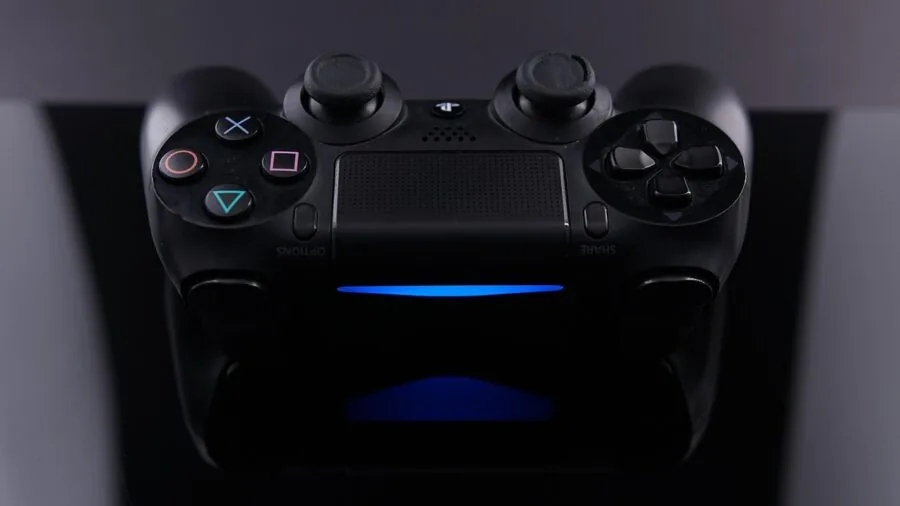
Battery life for wireless PC controllers ranges from around 12 hours on smaller-battery budget options to 18 hours or more on higher-capacity packs. Models like the AOC PC Controller and EasySMX X05Pro advertise extended playtime; the former claims up to 18 hours.
Controllers that ship with a charging dock, like those from MANBA and EasySMX, make overnight top-ups effortless and keep your desk tidy.
USB-C charging has become near-universal at this price tier, which means you can charge your controller with the same cable as your phone or laptop.
Avoid any controller still relying on micro-USB or replaceable AA batteries unless you have a specific reason for preferring that setup.
Cross-platform compatibility adds real-world value if you own a Nintendo Switch, Switch 2, Android device, or iOS device alongside your PC. Controllers in this roundup from GameSir, MANBA, EasySMX, and AceGamer explicitly support multiple platforms via Bluetooth or dedicated mode switching.
Confirm compatibility with your actual target platforms before buying, since Switch support in particular sometimes requires a specific connection mode or firmware update.
If you are building out a broader gaming space, pairing a versatile controller with a comfortable gaming chair and desk setup rounds out long-session ergonomics considerably.
Why You Should Trust Us
REMOVU is an independent review publication. We have no ownership or financial relationship with any controller manufacturer, retailer, or platform.
Every product in this roundup was selected because it surfaced consistently in expert review consensus, earned strong verified buyer feedback, and met our baseline specification thresholds for the category.
We do not conduct our own product trials; our evaluations are grounded in research, published data, expert review consensus, and verified buyer feedback.
Each product is scored using the REMOVU Score, a 0 to 10 composite rating built from a consistent set of weighted criteria applied uniformly across the category.
For PC game controllers, those criteria include joystick technology and drift resistance, input latency and polling rate, wireless stability, ergonomics and build quality, remappability, battery life, and value relative to the competitive field.
A REMOVU Score reflects our research synthesis, not a paid placement. Higher scores mean a product performed better across more of the criteria that matter to real PC gamers.
We are transparent about how we fund this work: REMOVU may receive an affiliate commission if you purchase through a link on this page. That relationship does not influence rankings, scores, or product selection in any way.
A product earns a higher REMOVU Score by being better on the merits, not by generating more revenue for us. Products we consider overpriced or outclassed by alternatives receive lower scores regardless of their affiliate potential.
Final Thoughts
The game controllers for PC in this roundup cover a broad spectrum of needs, from no-compromise wireless performance to capable entry-level options that bring Hall Effect sticks to budget-conscious buyers. Here is how we assign our top honors:
- Best Overall: XBOX Wireless Gaming Controller with USB-C Cable. Microsoft’s latest Xbox pad earned the highest REMOVU Score in this roundup. It combines a proven, universally ergonomic layout with seamless plug-and-play compatibility across Windows PCs, Xbox cloud gaming, and Bluetooth devices, backed by textured grip panels and USB-C connectivity. For most PC gamers, it remains the benchmark everything else is measured against.
- Best Wireless Upgrade: 8BitDo Ultimate 2 Wireless Controller. The 8BitDo Ultimate 2 earns one of the top REMOVU Scores in this field with its TMR joysticks, Hall Effect triggers, 1000 Hz polling rate, motion controls, and wide platform support. It is the controller to buy when you want near-pro feature density at a mid-range price.
- Best Budget Pick: 8BitDo Ultimate 2C Wireless Controller. A more affordable sibling to the Ultimate 2, this compact wireless pad brings Hall Effect joysticks and triggers, 1000 Hz polling, and remappable L4/R4 bumpers to buyers who want quality fundamentals without premium pricing.
- Best for Competitive and Esports Play: GameSir G7 Pro 8K PC Wireless Controller. GameSir’s Aimlabs Edition is built around its headline 8000 Hz polling rate over wired connection and 2.4 GHz wireless mode, TMR joysticks, and Hall Effect analog triggers. It targets players who want every measurable latency advantage on PC.
- Best Value Under Budget: GameSir Nova Lite 2 Wireless PC Controller. For buyers who want Hall Effect sticks, dual 2.4 GHz and wired 1000 Hz connectivity, and cross-platform support without stretching their budget, the Nova Lite 2 is a compelling entry point that competes well above its price tier.
Whichever controller you choose from this list, your PC gaming experience will improve meaningfully over a worn-out or drift-prone older pad.
Complement your setup with a quality compact mechanical keyboard for games that benefit from both input methods, and consider a purpose-built gaming desk and chair to keep your posture and comfort dialed in during long sessions.
Frequently Asked Questions
Do All These Controllers Work on Windows Without Extra Drivers?
Most controllers in this roundup use XInput (the Xbox controller protocol), which Windows recognizes natively.
The Xbox Wireless Controller, GameSir G7 Pro, and 8BitDo Ultimate 2 all connect over USB-C or a 2.4 GHz dongle and appear immediately in Windows as game controllers without any driver installation.
Some controllers, particularly from EasySMX and MANBA, may require a companion app to unlock full remapping functionality, though basic gameplay works plug-and-play. Always check the manufacturer’s Windows compatibility page for your specific operating system version before buying.
Is a Wired Controller Better Than Wireless for PC Gaming?
For competitive gaming, wired USB-C remains the gold standard because it eliminates wireless latency entirely and removes battery management from your considerations.
However, controllers with dedicated 2.4 GHz dongles, like the 8BitDo Ultimate 2 and GameSir Nova Lite 2, achieve 1 ms or sub-1 ms wireless latency in real-world conditions, which is effectively indistinguishable from wired for all but the most elite-level competitive play.
Bluetooth introduces more variable latency and is best suited for casual gaming or cross-device convenience rather than competitive scenarios. The GameSir G7 Pro 8K pushes wired polling to 8000 Hz for players who want the absolute minimum latency ceiling.
What Is the Difference Between Hall Effect Sticks and TMR Sticks?
Both Hall Effect and TMR (Tunnel Magneto Resistance) joysticks use magnetic fields instead of physical contact to detect stick position, which is why both resist drift far better than traditional potentiometers.
TMR is a newer magnetic sensing technology that offers improved sensitivity, lower dead zones, and finer angular resolution compared to first-generation Hall Effect designs. In practice, both eliminate drift under normal use conditions.
TMR provides a measurable edge in precision-demanding scenarios. GameSir refers to its implementation as TMR sticks; 8BitDo labels its implementation as Hall Effect sticks with similar principles applied.
Can I Use These Controllers on Nintendo Switch or Android?
Many controllers in this roundup support platforms beyond Windows PC. The MANBA One Interactive Screen Controller, EasySMX D10, and EasySMX X05Pro explicitly support Nintendo Switch, Switch 2, Android, and iOS in addition to PC.
The 8BitDo Ultimate 2 covers Windows, Apple devices, Steam, and Android. GameSir’s Nova Lite 2 supports PC, Switch, Steam Deck, and Android. Cross-platform support is typically achieved through Bluetooth or a dedicated mode-switching button.
Always verify the specific Switch connection mode required, as some controllers need to be set to a specific protocol to register correctly on Nintendo hardware.
If you are exploring handheld options, check out our coverage of handheld gaming consoles for context on how controllers compare to built-in controls.
Are Controllers With Interactive Screens Worth the Premium?
Interactive-screen controllers, represented here by the AOC PC Controller and MANBA One, embed a small display on the controller body that shows connection status, battery level, or customization menus.
They are genuinely useful for quick visual feedback without alt-tabbing out of a game, but the screens add cost and complexity.
Both models in this roundup received lower REMOVU Scores relative to their price points, largely because the screen feature adds bulk, cost, and potential failure points without improving core gameplay performance.
Unless the visual feedback screen is a specific must-have for your workflow, the majority of buyers will get better value from a controller without it.
What Should I Look for in a PC Controller If I Also Play on Steam Deck?
Steam Deck compatibility hinges on Bluetooth or USB-C wired connection, since the Deck does not have a dedicated 2.4 GHz dongle port in handheld mode (though docked mode via a USB hub works).
Controllers with broad Bluetooth compatibility, like the 8BitDo Ultimate 2 and GameSir Nova Lite 2, transition smoothly between desktop PC and Steam Deck. Steam’s own controller configuration layer means even non-native gamepads can be remapped via Steam Input, giving you significant flexibility.
For a deeper look at how gaming peripherals fit into a broader PC setup, our roundup of prebuilt gaming PCs covers the hardware side of building a capable gaming station.
You might also find it useful to browse our gaming hub for coverage across controllers, VR headsets, and more.
About the author
Hannah writes about video doorbells for REMOVU, comparing video quality, smart alerts, and subscription value. She helps readers keep an eye on the porch without overpaying for storage.