Comcast Adds Motion Detection to Wi-Fi Routers: What Buyers Should Know
Xfinity Gateway routers can now detect motion for free. Here's everything Comcast customers should know about enabling this feature.
 By Armando Washington
Updated September 5, 2026
By Armando Washington
Updated September 5, 2026

Comcast has rolled out a significant update to its Xfinity Gateway routers, introducing a built-in motion detection feature called WiFi Motion. This capability transforms millions of existing home routers into motion-sensing devices without requiring any additional hardware or installation, marking an important shift in how consumers can approach home awareness and security.
How WiFi Motion Works
The WiFi Motion feature uses changes in Wi-Fi signals to detect movement within your home. During setup, you connect up to five Wi-Fi-enabled devices, such as smart speakers, thermostats, or televisions. The Xfinity Gateway then monitors signal disruptions between itself and these connected devices to identify when motion occurs. The system analyzes the extent of these signal changes to differentiate between large movements (like a person walking) and smaller ones (like a pet moving around).
This approach to motion sensing is not entirely new. Companies including Philips, Linksys, and others have offered similar technologies in the past, though earlier versions were less refined. Comcast’s implementation benefits from significant improvements in accuracy and sensitivity adjustments.
Customizing Your Motion Detection
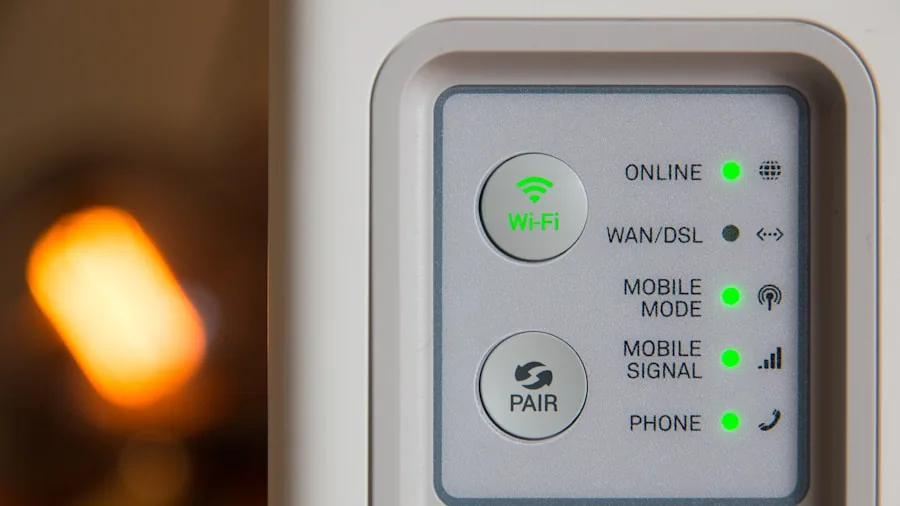
Once enabled, WiFi Motion offers several personalization options. You can adjust motion sensitivity with three settings: Low, Medium, and High. Low mode detects only larger movements, while High captures even subtle motion. A pet detection feature allows you to filter out movements caused by animals, preventing unnecessary notifications when your cat or dog moves through your home.
The system also includes built-in monitoring modes that let you customize when you receive push notifications. All setup and management happens through the Xfinity app on your smartphone, making the process straightforward for most users.
Compatible Routers and Availability
WiFi Motion is available to all Xfinity customers with a compatible Xfinity Gateway. Compatible models include the Technicolor TXB7, XB8, XB9, XB10, MXB1, and XER10. Since the feature is part of the WiFi Shield suite available to existing Xfinity internet subscribers, you may already have access. Comcast is offering WiFi Motion completely free, with no additional equipment or subscription costs.
Important Setup Considerations
The placement and selection of your connected devices significantly affects how well WiFi Motion performs. The system works best when Wi-Fi-connected devices are positioned close enough to your gateway for strong signal reception, yet strategically placed throughout your home to cover the areas you want to monitor. Optimal device placement and selection remain your responsibility as a user, which is worth keeping in mind during initial setup.
When exploring Wi-Fi routers and their capabilities, understanding how smart home integration affects performance is increasingly important. Similarly, if you’re shopping for wi-Fi routers under $200, knowing about value-added features like motion detection helps you make informed comparisons.
Privacy and Security Limitations
Before enabling WiFi Motion, you should understand the privacy implications. Comcast has stated that it may disclose motion detection data in response to valid subpoenas, court orders, search warrants, or other lawful legal processes. The company itself does not actively monitor the data or notifications you receive, and the information remains stored on Comcast’s servers for seven days before being cleared.
Because of these privacy considerations, the feature is disabled by default. You must manually enable it through the Xfinity app. If you have concerns about your home’s motion detection data potentially being shared with outside parties, you should carefully weigh whether enabling this feature aligns with your privacy preferences.
What WiFi Motion Cannot Do

While WiFi Motion adds a useful layer to your home awareness toolkit, it is not a replacement for a dedicated home security system. The technology detects that motion has occurred but cannot tell you what happened, who was present, or provide visual confirmation of events. If you need to know who entered your home or what activity took place, dedicated security cameras or a comprehensive security system would be more appropriate.
For users seeking added security without visual recording, or for those already using wi-Fi routers under $100 from other brands, WiFi Motion demonstrates how routers are becoming multifunctional devices beyond basic internet connectivity.
Is WiFi Motion Right for You
For existing Xfinity customers who don’t have concerns about the privacy trade-offs, WiFi Motion represents genuine value. The feature is free, requires no additional equipment, and the setup process is relatively simple through the Xfinity app. It works best for users who want basic motion notifications for their homes without investing in cameras or professional security systems.
However, if you prioritize maximum privacy or need visual documentation of events, you should consider whether enabling this feature fits your household needs. The choice remains entirely in your hands, as the feature starts in a disabled state.
As router technology continues to evolve, manufacturers are adding features that go well beyond wireless connectivity. Understanding what each feature offers and what trade-offs it involves helps you make smart decisions about your home network and the devices you connect to it.
About the author
Armando covers Wi-Fi routers for REMOVU, balancing speed, range, and features for homes of every size. He helps readers match a router to their space and their devices.