The 7 Best Kids Tablets Under $100
Not all budget kids tablets are built the same. We researched specs, parental control depth, battery endurance, and durability to find the picks families can actually rely on.
 By Nevaeh Ross
Updated July 26, 2026
By Nevaeh Ross
Updated July 26, 2026
Finding a capable tablet for your child without overspending has never been easier, yet the sheer number of options can make the search genuinely overwhelming.
The under-$99.99 kids tablet market spans well-known brands like Amazon alongside a growing roster of budget-friendly Android manufacturers, each promising impressive specs and child-safe features at a fraction of what premium devices cost.
Knowing which claims hold up and which are marketing noise is exactly where careful research pays off.
At REMOVU, we cut through the noise by analyzing published specifications, synthesizing expert review consensus, and weighing verified buyer feedback to surface the picks that deliver genuine value for families.
Whether you need a rugged first tablet for a toddler, a learning-focused device for a grade-schooler, or a flexible Android slate for older kids, our ranked list below covers the strongest contenders across every sub-niche, all priced within a responsible family budget.
Read on for our top picks.
| Award | Product | REMOVU Score About REMOVU ScoreThe REMOVU Score is our own rating from 0 to 10, based on performance, design and build, ease of use, and value. It reflects independent research and is never influenced by manufacturers, retailers, or affiliate commissions. Learn more › | Price | |
|---|---|---|---|---|
| Best Overall |
 Amazon Fire 7 Kids Tablet 16GB
|
8.6/10 | Buy | |
| Best Value |
 URAO KB1016 10-Inch Kids Tablet 24GB RAM
|
8.2/10 | Buy | |
| Best Budget |
 AiProTablet 10-Inch Kids Tablet, 24GB RAM, Android 16
|
7.3/10 | Buy | |
 SVITOO Tab 10 Android 16 Kids Tablet with Parental Controls
|
7.1/10 | Buy | ||
 EDUAITABLET K1061C 10-Inch Kids Tablet Android 16
|
7.0/10 | Buy | ||
 COLORROOM K10 10.1-inch Kids Tablet Android 15
|
6.8/10 | Buy | ||
 HAOVM G12 10.1 inch Android 14 Tablet with 4G SIM
|
6.5/10 | Buy |
Amazon Fire 7 Kids Tablet 16GB
A durable 7-inch tablet designed for ages 3-7, bundled with a protective case and 6 months of ad-free Amazon Kids+ content. Strong parental controls and 10-hour battery life make it practical for travel and daily use, though performance can lag and the tablet requires ongoing subscription fees after the trial period ends.
Pros
- Sturdy kid-proof case included and built to withstand drops without damage
- Comprehensive parental controls allow filtering by age, setting time limits, and managing content access
- 10-hour battery life supports extended use without frequent charging
- 2-year worry-free guarantee covers accidental damage with free replacement
- 6 months of ad-free Amazon Kids+ included with trusted content from Disney, Nickelodeon, and PBS Kids
Cons
- Performance can lag when switching between apps or loading content, limiting use for faster-paced activities
- Requires Amazon Kids+ subscription at $5.99/month after the free 6-month period, adding ongoing costs
- Content blocking is tedious and requires blocking videos individually rather than channels as a whole
URAO KB1016 10-Inch Kids Tablet 24GB RAM
A 10-inch Android tablet designed for children ages 6-12, featuring robust parental controls, a protective case, and 24GB RAM for smooth performance with educational apps and media. Reviewers consistently praise its bright display, sturdy build, and value for the feature set.
Pros
- Protective case included and lightweight design make it practical for young users to handle
- Parental control features allow screen time limits and safe app browsing without constant supervision
- Strong verified buyer consensus on smooth performance for videos, games, and educational content
- Large storage capacity with microSD expansion provides flexibility for app and media libraries
- 2-year manufacturer warranty with lifetime technical support
Cons
- Camera specifications are vague, dual cameras lack detail on resolution or quality beyond 720p video capture
- No information on long-term durability or repair costs if damage occurs outside warranty period
- Troubleshooting documentation in product data suggests occasional charging and power-on issues requiring factory reset
AiProTablet 10-Inch Kids Tablet, 24GB RAM, Android 16
A kid-focused 10-inch tablet with robust parental controls, expandable storage up to 1TB, and built-in protective case. Best for ages 2-12 seeking screen time management and age-appropriate learning apps, though performance can vary with internet quality.
Pros
- Effective parental controls allow easy app management and age-appropriate content filtering
- Included protective case and screen protector add real value out of box
- Strong battery life reported by multiple reviewers lasting several days
- Clear display quality and lightweight design suitable for toddlers and young children
- Expandable storage up to 1TB accommodates large app and media libraries
Cons
- Performance and charging issues reported by some users, including slow startup and battery drain even when powered off
- Occasional lag noted, sometimes attributable to internet connection rather than hardware
- Not ideal for streaming high-demand video apps like Disney+ according to verified feedback
SVITOO Tab 10 Android 16 Kids Tablet with Parental Controls
A 10-inch Android 16 tablet designed for children aged 3+, featuring robust parental controls, a durable unicorn-printed protective case, and 20GB RAM for smooth multitasking. Buyers consistently praise its kid-friendly design, reliable performance for educational apps and streaming, and strong protective case.
Pros
- Strong build quality with drop-proof protective case that parents find genuinely durable
- Easy setup and intuitive parental controls praised by reviewers for managing screen time and content access
- Smooth performance for educational apps, videos, and casual gaming with 20GB RAM
- Solid battery life supporting extended use for typical kids' activities
- Expandable storage provides practical flexibility for games and educational content
Cons
- No built-in GPS, limiting in-car navigation capabilities
- No split-screen multitasking functionality
- Penta-core processor at 1.8 GHz may show limitations with demanding applications
EDUAITABLET K1061C 10-Inch Kids Tablet Android 16
A 10-inch tablet built specifically for children, running Android 16 with Google Kids Space parental controls and a protective EVA case included. Strong battery life, smooth performance, and eye-friendly display make it a solid choice for young learners, though the display resolution and camera specs are modest.
Pros
- Built-in parental controls with Google Kids Space for content filtering and screen time management
- Generous 20GB RAM and expandable storage up to 1TB via microSD card
- 6000mAh battery supports up to 12 hours of continuous use
- Lightweight design with protective Teal EVA case and foldable stand included
- Blue light reduction mode and IPS display reduce eye strain during extended use
Cons
- Display resolution capped at 1280x800, which is standard but not sharp for modern tablets
- Cameras are basic (8MP rear, 2MP front) with limited practical use for kids
- ARM processor running at 1.8GHz may show limitations for demanding apps or future software updates
COLORROOM K10 10.1-inch Kids Tablet Android 15
Budget-friendly 10.1-inch tablet built for kids with Android 15, Octa-core processor, and Google Kids Space parental controls. Strong value for families seeking an affordable alternative to premium brands, though durability concerns exist based on user reports.
Pros
- Solid performance for streaming, apps, and learning activities at an accessible price point
- Robust parental control suite allows content filtering, age-appropriate activity targeting, and time restrictions
- Large 10.1-inch screen with eye-friendly anti-blue light design
- Long battery life supports extended use without frequent charging
- Generous storage with expansion option for photos, videos, and apps
Cons
- Display resolution maxes at 1280x800 pixels, below modern tablet standards
- RAM configuration (4GB base plus 6GB virtual) reported as slow by some users; responsiveness inconsistent
- Durability issues reported by several owners, including unexplained screen failure within days despite case protection
HAOVM G12 10.1 inch Android 14 Tablet with 4G SIM
A budget 10-inch tablet built for families and kids, featuring 4G cellular connectivity, dual-band WiFi, GPS, and a protective case included. Performance handles everyday apps and streaming smoothly, though the SIM functionality has reliability issues for some users.
Pros
- Strong battery life with minimal standby drain, lasting multiple days between charges
- Responsive 10.1 inch display with bright picture quality suitable for video streaming and browsing
- Comes fully equipped with protective case, pre-installed screen protector, and charger at budget price point
- Fast enough performance for kid-friendly apps, games, and video content without noticeable lag
- Built-in GPS and dual-band WiFi offer flexible connectivity options for indoor and outdoor use
Cons
- 4G SIM card tray has documented connector issues that prevent cellular functionality for some users despite software support
- 1280x800 resolution and MediaTek MT8766 processor are entry-level for demanding apps or multitasking
- 3GB RAM and 32GB storage require microSD expansion for media-heavy users
Kids Tablets Under $100 Buying Guide
Buying a kids tablet is not as simple as grabbing the cheapest screen on the shelf.
The right choice depends on your child’s age, how you plan to supervise usage, what content ecosystem you already rely on, and how much punishment the device is likely to survive.
The subsections below walk through the criteria that matter most, informed by the same framework we use when scoring every device in this roundup.
If you want a broader look at the full market beyond the budget tier, our guide to kids tablets for every age and budget covers premium and mid-range options as well.
Parental Controls and Content Ecosystem

Parental controls are arguably the single most important feature on a kids tablet, and the quality gap between platforms is significant.
Amazon’s Fire OS ships with Amazon Kids (formerly FreeTime), a polished system that lets parents set daily time limits, filter content by age, approve apps individually, and view weekly activity reports from a companion app.
That end-to-end integration is a meaningful advantage over generic Android tablets, which typically rely on Google Family Link or third-party apps that require more setup and occasional troubleshooting.
Generic Android 14 and Android 16 devices in this price range usually include a dedicated “Kids Space” or “Kids Mode” launcher, but the depth of those controls varies by manufacturer.
Look for options that allow scheduled screen time, app whitelisting, and content age-gating rather than just a simple PIN-locked launcher.
If your household already uses Google’s ecosystem or subscribes to a specific learning platform, verify compatibility before purchasing, since some budget devices ship with stripped-down Android builds that block the Google Play Store.
For families who want an even more structured learning environment paired with strong controls, it is worth reading about tablets designed specifically for educational use, which prioritize curriculum-aligned apps over entertainment content.
Display Size, Resolution, and Eye Comfort

Seven-inch tablets suit younger children (roughly ages three to seven) because the form factor is lighter and easier for small hands to hold.
Ten-inch tablets are more versatile for older kids who use the device for reading, video calls, or creative apps. Most devices in this roundup land in the ten-inch category, which reflects where manufacturers concentrate at this price tier.
Resolution matters more than raw screen size. An IPS panel at 1280×800 is acceptable for a seven-inch display but looks noticeably soft on a ten-inch screen.
Look for HD-resolution IPS displays with wide viewing angles, since children rarely hold devices at an optimal angle.
Eye-comfort features such as blue-light reduction modes and automatic brightness adjustment are worth prioritizing, particularly for younger users who may not self-regulate screen time well.
Budget tablets frequently advertise “HD” without specifying pixel density; PPI (pixels per inch) below roughly 160 on a ten-inch panel will look visibly pixelated during close-up use. When a listing omits the resolution entirely, treat that as a red flag.
Processor Performance and RAM
At this price point, chipset performance is the most common area where manufacturers cut corners. Quad-core processors clocked below 1.8 GHz will struggle with modern apps and produce noticeable lag during multitasking, which frustrates children and parents alike.
Octa-core processors are more capable and increasingly common even in budget devices, so prioritize them when comparing options.
RAM figures on budget Android tablets require careful interpretation. Several listings in this category advertise figures like “20GB RAM” or “24GB RAM” that combine physical RAM with virtual RAM (RAM expansion using flash storage).
Physical RAM for devices in this tier typically ranges from two to four gigabytes; the expanded figure involves slower storage-based memory that does not perform identically to true RAM.
That does not make the feature worthless, but it does mean the headline number is not a direct apples-to-apples comparison with a device that advertises a smaller but fully physical RAM allocation.
Storage is a related consideration. Sixty-four gigabytes of internal storage is the sweet spot for kids who download apps, games, and videos. Devices with only 32 GB fill up quickly, especially when the operating system itself consumes eight to twelve gigabytes.
MicroSD expansion up to 1 TB is advertised across most options here and provides a practical workaround, but ensure the slot is accessible and that the OS supports storing apps (not just media) on external storage.
Battery Life and Charging

A kids tablet that needs charging mid-afternoon is a source of household friction. Aim for devices with at least a 5000 mAh battery, which typically translates to eight to twelve hours of mixed use.
Most ten-inch tablets in this roundup ship with 6000 mAh cells, and several verified buyers confirm all-day battery performance under normal kid-usage patterns (streaming, light gaming, e-book reading).
Charging speed is frequently overlooked. Budget tablets often ship with five-watt chargers, which can take three to four hours to fully recharge a large battery.
If a child drains the device overnight and needs it charged before school, slow charging is a real inconvenience. Check whether the device supports ten-watt or higher charging, and whether a sufficiently fast charger is included in the box.
Durability and Case Design
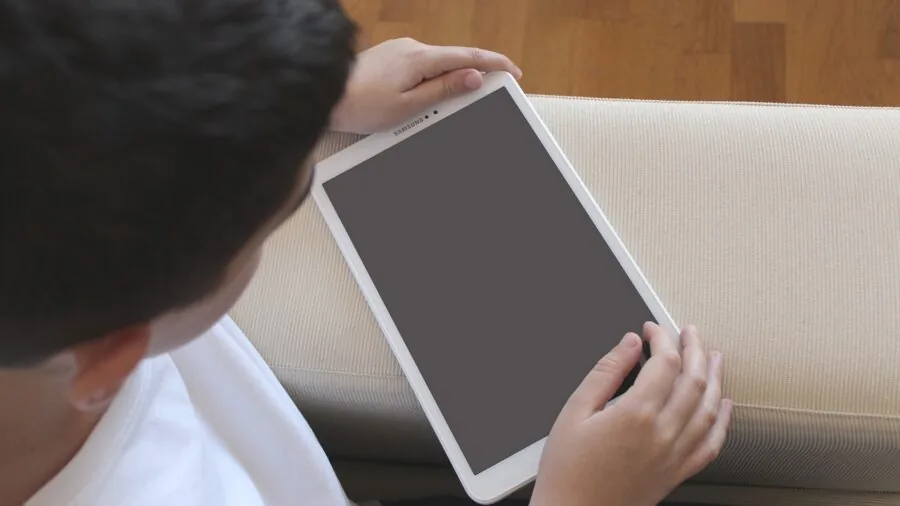
Kids drop things.
A ruggedized EVA foam or silicone case included in the box is a meaningful value-add at this price tier, since a quality third-party case for a ten-inch tablet can cost a significant fraction of the device’s total price.
Evaluate whether the case covers the corners (the most vulnerable impact points), whether it has a built-in stand for hands-free viewing, and whether the case material is easy to clean.
Amazon’s Fire 7 Kids line takes durability particularly seriously, offering a dedicated kids edition with a thick bumper case and a two-year worry-free guarantee that covers accidental damage.
Generic Android tablets in this roundup typically include a basic case but do not offer comparable accident replacement programs. Factor in the total cost of ownership including case and any extended warranty when comparing prices across different brands.
If your child is approaching an age where they might benefit from a keyboard and a more productivity-oriented device, a Chromebook designed for kids may be worth considering as an alternative or complement to a tablet.
Connectivity and Camera Quality

Wi-Fi standards matter more than they used to. Wi-Fi 6 support, appearing on several devices in this roundup, provides faster throughput and better performance in congested home networks (relevant in households with multiple streaming devices).
Dual-band 2.4 GHz / 5 GHz support is the baseline to look for.
A few devices in this list also offer 4G LTE with a SIM card slot, which adds flexibility for families who want connectivity outside the home without relying on a phone hotspot.
Camera quality on budget kids tablets is modest across the board. Rear cameras in the five to eight megapixel range are typical and adequate for video calls and light photography.
Front cameras matter more for video chat with grandparents and remote learning; prioritize devices where the front camera is at least two megapixels and positioned for comfortable landscape-mode framing.
Do not expect these cameras to rival a mid-range smartphone regardless of the advertised megapixel count, as sensor size and image processing are where budget devices compromise most.
Bluetooth 5.0 or higher is useful for pairing child-friendly wireless headphones, which is a practical purchase for households where kids and adults share common spaces. You can browse phones, tablets, and wearables for complementary accessories that pair well with these devices.
Why You Should Trust Us
REMOVU is an independent review publication. We do not manufacture, sell, or receive products from the brands we cover.
Every device in this roundup was assessed using our standardized evaluation framework: we analyze published technical specifications, synthesize expert review consensus from credible sources, aggregate verified buyer feedback from confirmed purchasers, and cross-reference publicly available performance data.
Each product is then scored on our REMOVU Score scale of 0 to 10, which reflects overall value, feature completeness, build quality signals, and category-specific criteria applied consistently across every pick.
We do not conduct our own product trials; our evaluations are grounded in research, published data, expert review consensus, and verified buyer feedback.
This methodology allows us to assess a broad range of products rigorously and update our recommendations as new data becomes available, rather than limiting our coverage to the few units we might physically handle in a given period.
REMOVU participates in affiliate programs, which means we may earn a commission when you purchase through links on this page. That commercial relationship has no bearing on our rankings, scores, or editorial selections.
Products are ranked on merit as determined by our scoring framework, not on commission rates or brand relationships. We disclose this clearly because we believe transparency is fundamental to the trust readers place in independent review journalism.
Final Thoughts
The kids tablet market under $99.99 has matured considerably, and several picks in this roundup punch well above their price class. Here is how we break down the standout options by use case and audience, each tied to its REMOVU Score ranking.
- Best Overall: Amazon Fire 7 Kids (newest model) earns the top spot with the highest REMOVU Score in this roundup, thanks to its polished parental controls, Amazon Kids content subscription, multi-year warranty coverage, and proven ecosystem reliability that no-name Android brands cannot yet match.
- Best Large-Screen Pick for Older Kids: Urao Kids Tablet 10 Inch scores second-highest in the group and offers a roomy ten-inch display, Android 16, and solid expandable storage, making it a strong choice for grade-schoolers who want a bigger canvas for reading, creativity, and learning apps.
- Best Budget-Friendly Android: aiprotablet 10 Inch Kids Tablet delivers a competitive feature set at the lowest asking price in this roundup, with an octa-core processor, generous onboard and expandable storage, and a 6000 mAh battery, giving cost-conscious families genuine value without sacrificing the essentials.
- Best for Young Kids Who Want a Fun Design: SVITOO Kids Tablet 10 Inch (Unicorn Edition) pairs a child-friendly printed case with Wi-Fi 6 and a large battery, making it a natural fit for younger children who respond well to personalized aesthetics alongside capable hardware.
- Best for Families Wanting Mobile Connectivity: HAOVM 10 Inch 4G Tablet stands out as the only option in this roundup with a SIM card slot and built-in GPS, offering flexibility for families who need a connected device beyond the reach of home Wi-Fi.
Whichever device you choose, pairing it with thoughtful parental controls and a clear usage routine will matter more than any single spec.
If your child is ready to move beyond a tablet into a more keyboard-focused learning tool, explore Chromebooks suited to every kind of user as a natural next step.
Frequently Asked Questions
What is a realistic age range for kids tablets under $99.99?
Most devices in this price range are marketed to children ages three through twelve, but the ideal fit depends on the specific model.
Smaller seven-inch tablets with thick bumper cases and locked-down content platforms work best for toddlers and early readers.
Ten-inch Android tablets with more open app ecosystems are better suited to children ages six and up who can navigate a less restricted interface. Always verify that the parental control system matches your child’s developmental stage before purchasing.
Are the RAM specs advertised on budget Android tablets accurate?
Partially. Many budget Android tablets in this category advertise headline RAM figures that combine physical RAM with virtual RAM expanded via flash storage. The resulting number looks impressive but does not reflect the same performance characteristics as equivalent physical RAM.
For day-to-day kids’ apps and streaming, two to four gigabytes of physical RAM is generally sufficient. Treat inflated combined-RAM figures as a rough indicator of headroom rather than a direct hardware specification.
Do kids tablets under $99.99 hold up to everyday drops and spills?
Durability varies significantly by model. Devices that ship with EVA foam or silicone bumper cases offer meaningful drop protection and are worth prioritizing.
Amazon’s Fire Kids line goes further with an official two-year worry-free guarantee covering accidental damage, which no generic Android brand at this price tier currently matches.
For any device that ships with only a thin case or no case at all, budgeting for a third-party protective case separately is a sensible precaution. Screen protectors add another layer of defense against scratches during daily use.
Should I choose a kids tablet or a kids Chromebook for school use?
Tablets excel at media consumption, creative apps, and touchscreen-first learning platforms, making them the better fit for children under ten. Chromebooks become more practical as children reach middle-school age and face writing-heavy assignments, Google Classroom requirements, and multitasking needs.
Many families find that a budget kids tablet carries a child through the early years, and a Chromebook becomes the natural upgrade when schoolwork demands increase. Both categories have strong options at accessible price points.
How important is brand reputation when buying a no-name kids tablet?
Brand reputation matters most in two areas: software update support and after-sale customer service. Established brands like Amazon maintain their devices with regular OS and security updates and offer clear warranty pathways.
Newer or generic Android brands may ship capable hardware but offer limited software support beyond the initial purchase, meaning the device may stop receiving security patches within one to two years.
If longevity and software reliability matter to your family, established brands justify the slight premium even within this budget tier.
For cost-first buyers who plan to replace the device in two to three years regardless, generic Android options can represent strong short-term value.
What accessories are worth buying alongside a kids tablet?
A screen protector is the highest-priority accessory if the tablet does not ship with a rugged case. Volume-limiting wired or wireless headphones protect children’s hearing during extended listening sessions.
A short and flexible charging cable positioned near a family charging station encourages consistent overnight charging. If your child tends to use a tablet at a desk or dining table, a simple adjustable stand reduces neck strain.
You can find a range of compatible wearable and connectivity accessories by browsing our phones, tablets, and wearables category, and kids smartwatches pair naturally with a tablet for families building out a connected child-safety setup.
About the author
Nevaeh is REMOVU's over-ear headphone writer, judging sound, comfort, and value across wireless and wired models. She helps readers find a spacious, long-wear pair for home or travel.