Apple M6 iMac Arrives With Wi-Fi 7: What Shoppers Need to Know About the Latest Desktop Upgrade
Apple's latest all-in-one desktop arrives with faster Wi-Fi 7 and M6 chip upgrades. Here's what buyers should know.
 By Armando Washington
Updated October 27, 2026
By Armando Washington
Updated October 27, 2026

Apple has unveiled its first iMac update in two years, introducing the M6 chip to its popular all-in-one desktop computer. The new model brings a meaningful performance boost and a standout connectivity feature: Wi-Fi 7 support. For shoppers considering a desktop upgrade, this announcement marks an important moment to understand what these changes mean for your productivity and streaming needs.
M6 iMac Specs and Release Timeline
The M6 iMac features a 24-inch 4.5K Retina display paired with up to a 12-core CPU and 12-core GPU configuration. Apple is offering two price points: $1,499 for the base 10-core model with two Thunderbolt/USB 4 ports, and $1,699 for the higher-end 12-core model with four Thunderbolt 4 ports. Both configurations come standard with 16GB of unified memory and 256GB of storage, eliminating the entry-level storage limitations that have frustrated budget-conscious buyers in the past.
Pre-orders became available on Wednesday, October 28, starting at 10:10 a.m. Pacific Time through Apple.com and the Apple Store app. Availability begins Friday, November 6. The updated desktop is available in seven color options: blue, green, pink, yellow, purple, orange, and silver, maintaining the same vibrant aesthetic of its predecessor.
Wi-Fi 7: Why It Matters for Your Home Network

The inclusion of Wi-Fi 7 is the standout feature of this generation. Wi-Fi 7 represents the latest wireless standard, offering significantly faster data transfer speeds and more stable connections than Wi-Fi 6, which powered the previous iMac generation. For shoppers streaming 4K video, attending video calls, or managing large file uploads simultaneously, this upgraded connectivity translates to smoother performance and fewer interruptions.
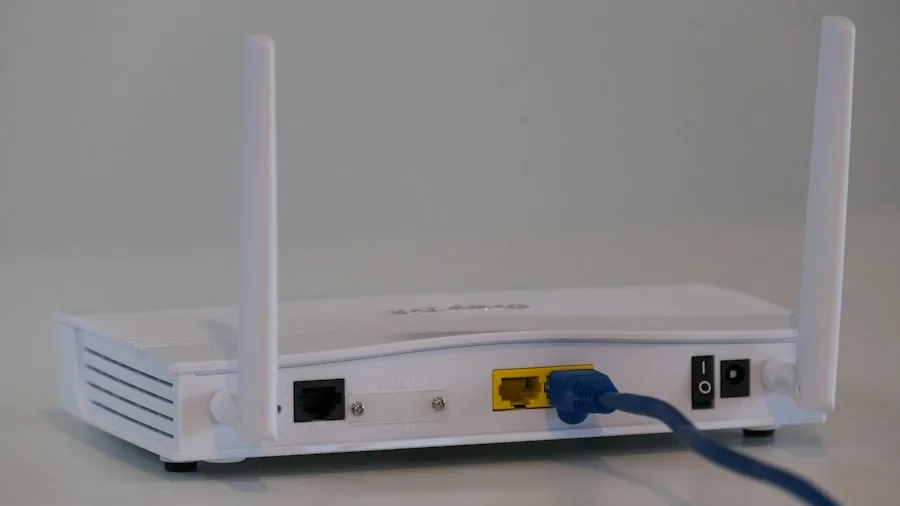
Wi-Fi 7 is particularly valuable if you’re considering upgrading your home network infrastructure. While older Wi-Fi routers will continue to work with the M6 iMac, you’ll only experience the full performance benefits if you pair it with a compatible Wi-Fi 7 router or mesh system. For homes with multiple devices competing for bandwidth, mesh Wi-Fi systems worth buying for every home size can help distribute the signal evenly and reduce dead zones. This is particularly important if you’re setting up a workspace that demands consistent, high-speed connectivity.
Performance Improvements and Real-World Impact
The M6 chip represents an evolution in Apple’s desktop performance. The 12-core CPU and GPU options provide noticeable improvements for creative professionals editing video, working with 3D models, or running design software. Even the base 10-core model should handle everyday computing tasks, web browsing, and office applications with ease. The unified memory architecture means less reliance on traditional storage, resulting in faster app launches and smoother multitasking.
For buyers currently using an older iMac or Windows desktop, the performance jump will feel substantial. The combination of improved processing power and Wi-Fi 7 makes this model suitable for professionals who previously needed to invest in external upgrades to maintain productivity standards.
Should You Upgrade? Pricing and Value Considerations
At $1,499 for the entry model, the M6 iMac sits at Apple’s traditional price point for this product line. The decision to include 16GB of memory and 256GB of storage as standard is a meaningful value add for buyers who don’t want to spend extra on configuration upgrades. Previous generations required more substantial custom build investments to reach similar specifications.
If you’re working from home or need a reliable desktop for demanding applications, the 12-core model at $1,699 justifies the $200 premium through increased performance and additional Thunderbolt ports. The extra ports enable you to connect more external displays, storage devices, and peripherals without daisy-chaining or purchasing adapters. For the best mesh Wi-Fi systems for large homes, having additional ports becomes valuable when you need to connect ethernet adapters or other networking equipment directly to your desktop.
Color Options and Design
Apple continues its approach of offering bold color choices that distinguish the iMac from competitors offering only gray or silver options. The seven available colors mean you can select a model that matches your workspace aesthetic or personal preference. While design hasn’t fundamentally changed from the M4 generation, the proven all-in-one form factor remains space-efficient and visually appealing for home offices or creative studios.
What This Means for Shoppers
The M6 iMac launch signals that Apple remains committed to updating its desktop line with current technology standards. The Wi-Fi 7 inclusion means your investment won’t feel outdated as wireless technology continues advancing. The improved performance metrics and standard configuration improvements address feedback from previous buyers who felt nickel-and-dimed by storage and memory limitations.
For shoppers deciding between this model and other desktop alternatives, the November 6 availability date gives you a concrete window to make your purchase decision. The combination of processing power, display quality, connectivity features, and flexible color options positions the M6 iMac as a competitive choice for buyers prioritizing seamless performance and long-term value in their desktop investment.
About the author
Armando covers Wi-Fi routers for REMOVU, balancing speed, range, and features for homes of every size. He helps readers match a router to their space and their devices.