The 11 Best NVMe SSDs
Fast storage starts with the right NVMe SSD. From budget Gen 3 drives to flagship PCIe Gen 4 options, these picks cover gaming, creative work, and everyday builds.
 By Carmen Kuhn
Updated July 26, 2026
By Carmen Kuhn
Updated July 26, 2026

Upgrading to an NVMe SSD is one of the most impactful changes you can make to any PC, laptop, or gaming console.
Whether you are rebuilding a desktop around a modern processor or breathing new life into an aging laptop, the right NVMe drive cuts boot times, slashes load screens, and makes everyday computing feel genuinely faster.
With PCIe Gen 4 now mainstream and Gen 5 drives on the horizon, the market spans budget-friendly options and flagship performers from brands such as Samsung, Western Digital, Crucial, Seagate, and Acer.
REMOVU researched the NVMe SSD landscape by synthesising published specifications, expert review consensus across specialist storage outlets, and verified buyer feedback from thousands of confirmed purchases.
The result is a shortlist that covers every meaningful use case, from everyday productivity to high-end gaming and creative workloads. Read on for our top picks, ranked below.
| Award | Product | REMOVU Score About REMOVU ScoreThe REMOVU Score is our own rating from 0 to 10, based on performance, design and build, ease of use, and value. It reflects independent research and is never influenced by manufacturers, retailers, or affiliate commissions. Learn more › | Price | |
|---|---|---|---|---|
| Best Overall |
 Samsung 980 PRO 1TB NVMe SSD PCIe 4.0
|
8.9/10 | Buy | |
| Best Premium |
 Samsung 990 PRO 2TB PCIe 4.0 NVMe SSD
|
8.6/10 | Buy | |
| Best Budget |
 Crucial P310 1TB PCIe Gen4 NVMe SSD
|
7.6/10 | Buy | |
| Best Value |
 WD_Black SN7100 1TB NVMe SSD
|
8.1/10 | Buy | |
 Acer Predator GM7 1TB PCIe 4.0 NVMe SSD
|
7.8/10 | Buy | ||
 Seagate FireCuda 520 1TB PCIe Gen4 NVMe SSD
|
7.8/10 | Buy | ||
 Samsung 990 EVO Plus 1TB PCIe 4.0 NVMe SSD
|
7.5/10 | Buy | ||
 SanDisk Optimus 5100 500GB NVMe SSD
|
6.2/10 | Buy | ||
 Samsung 970 EVO 1TB M.2 NVMe SSD
|
7.2/10 | Buy | ||
 Patriot P300 512GB PCIe Gen 3 NVMe SSD
|
6.4/10 | Buy | ||
 Silicon Power 256GB PCIe Gen3 NVMe SSD
|
6.2/10 | Buy |
Samsung 980 PRO 1TB NVMe SSD PCIe 4.0
Samsung's flagship NVMe drive brings PCIe 4.0 speeds to gaming and content creation workloads, delivering up to 3500MB/s read performance in a compact M.2 form factor. Built for users who demand high-bandwidth storage without compromise, it combines raw speed with active thermal management to handle sustained heavy loads. The 4.8-star rating from 28,000+ reviews reflects strong real-world reliability, though you'll need a compatible motherboard to unlock its full potential.
Pros
- Exceptional sequential speeds up to 3500MB/s reads and 3400MB/s writes on 500GB+ models
- Backward compatible with PCIe 3.0 systems, offering flexibility across platforms
- Effective thermal control with nickel coating and heat spreader for sustained performance
- High random IOPS (690K reads, 620K writes) ideal for gaming and heavy multitasking
- Compact M.2 2280 form factor optimizes space and power efficiency
Cons
- Requires PCIe 4.0 motherboard support to achieve advertised maximum speeds; performance drops significantly on older PCIe 3.0 systems
- Premium positioning means higher cost compared to PCIe 3.0 alternatives with minimal real-world gaming benefit for most users
- Sequential write speeds vary by capacity, with 250GB model capped at 500MB/s after TurboWrite exhaustion
Samsung 990 PRO 2TB PCIe 4.0 NVMe SSD
Samsung's flagship Gen4 drive delivers near-maximum PCIe 4.0 speeds at 7,450 MB/s read, making it a solid choice for gamers and creative professionals who need sustained high performance. The improved power efficiency and optional heatsink add practical value, though it comes at a premium price point in a competitive market.
Pros
- Exceptional sequential read/write speeds up to 7,450/6,900 MB/s, leveraging full PCIe 4.0 bandwidth
- 55% faster random performance than predecessor 980 PRO, beneficial for workstation and gaming workloads
- Superior power efficiency, delivering up to 50% better performance-per-watt compared to 980 PRO
- Available with optional heatsink for thermal management in demanding builds
- Highly rated by buyers (4.8/5 stars across 13,320 reviews), indicating real-world reliability
Cons
- Requires PCIe 4.0 motherboard support to realize advertised speeds; performance varies by system configuration
- Heatsink is non-removable, which may complicate installation in some compact form-factor systems
- Premium positioning means higher cost than entry-level Gen4 alternatives with similar capacity
Crucial P310 1TB PCIe Gen4 NVMe SSD
A solid mid-range Gen4 drive that balances speed and value for gamers and everyday users. The P310 reaches 7,100 MB/s read speeds, making it roughly twice as fast as older Gen3 drives, with solid compatibility across laptops, desktops, and gaming handhelds like the ROG Ally X. The 1TB capacity suits most users, though heavier gamers may want to consider larger capacities available.
Pros
- Strong read/write performance (7,100 MB/s read, 6,000 MB/s write) for game loading and system responsiveness
- Wide device compatibility including ROG Ally X, Lenovo Legion Go, AYANEO Kun, plus backward compatibility with Gen3 systems
- Includes Acronis True Image software for data cloning and backup
- Excellent user rating of 4.8 stars across 10,572 reviews, indicating reliable real-world performance
- Power-efficient G8 NAND design balances speed with battery life on portable devices
Cons
- No PS5 compatibility without a heatsink variant, limiting use for console gamers
- 1TB capacity fills quickly with multiple AAA titles, requiring external storage for larger game libraries
- Performance trails newer Gen4 drives like the P510 (11,000 MB/s) and T710 (14,900 MB/s) at similar price points
WD_Black SN7100 1TB NVMe SSD
A gaming-focused NVMe drive that delivers strong sequential speeds up to 7,250MB/s read and 6,900MB/s write, making it well-suited for reducing load times on laptops and handheld gaming devices. The drive offers 35% faster performance than its predecessor with notably improved power efficiency, available in capacities up to 4TB. Best for gamers and content creators who prioritize speed and endurance for intensive workloads.
Pros
- Fast sequential speeds (7,250MB/s read, 6,900MB/s write on 1-2TB models) reduce gaming load times noticeably
- Designed specifically for laptops and handheld gaming devices with optimized power efficiency
- Up to 2,400TBW endurance rating supports demanding tasks like gameplay streaming and video capture
- Available in multiple capacities up to 4TB for flexible storage needs
- High user rating (4.8/5 from 6,157 reviews) indicates strong real-world reliability
Cons
- Performance specs (7,250MB/s read, 6,900MB/s write) only apply to 1-2TB models; larger capacities may perform differently
- WD_Black Dashboard optimization tool requires Windows, limiting utility for Mac users
- No mention of warranty length or data recovery services in provided specifications
Acer Predator GM7 1TB PCIe 4.0 NVMe SSD
High-speed M.2 NVMe drive built for gaming and content creation, delivering up to 7400 MB/s read speeds with PCIe 4.0 support. The combination of HMB cache, efficient thermal management, and Biwin management software makes it a solid choice for users upgrading their storage. Rated 4.8 stars across 536 reviews, reflecting strong real-world performance.
Pros
- Fast PCIe 4.0 speeds (7400 MB/s read, 6500 MB/s write) suitable for gaming and large file transfers
- HMB and SLC cache technology reduces load times and improves sustained performance
- Effective thermal throttling and power management keep temperatures in check during heavy workloads
- Includes Biwin Intelligence software for drive management, cloning, and performance monitoring
- High user satisfaction with 4.8-star rating from verified buyers
Cons
- No heatspreader included, which may require separate thermal solution in compact PS5 or laptop installations
- Biwin software is proprietary to Acer and may have limited compatibility with other storage brands
- Write speeds (6500 MB/s) lag noticeably behind read speeds, which could impact sustained sequential workloads
Seagate FireCuda 520 1TB PCIe Gen4 NVMe SSD
A PCIe Gen4 NVMe drive built for gaming and creative workloads, delivering sequential read speeds up to 5000MB/s and write speeds of 4400MB/s. The FireCuda 520 offers backward compatibility with PCIe 3.0 systems while providing nearly 45% faster performance than Gen3 alternatives. Best suited for users upgrading to modern AMD Ryzen or PCIe 4.0 motherboards who prioritize speed for gaming and content creation.
Pros
- Fast PCIe Gen4 performance with 5000MB/s read and 4400MB/s write speeds
- Backward compatible with PCIe 3.0 platforms for flexibility
- Strong endurance rating of 1.8M hours MTBF and up to 3600TB TBW
- Includes free SeaTools drive health monitoring software
- Highly rated by verified buyers at 4.8 stars across 1,188 reviews
Cons
- Requires PCIe Gen4 motherboard to achieve advertised speeds; Gen3 systems see reduced performance
- Premium pricing typical of Gen4 drives compared to Gen3 alternatives
- Limited capacity options at the high end compared to some competitors
Samsung 990 EVO Plus 1TB PCIe 4.0 NVMe SSD
Samsung's 990 EVO Plus delivers fast sequential speeds up to 7,150 MB/s and dual PCIe compatibility (4.0 x4 and 5.0 x2), making it a solid choice for content creators and gamers upgrading storage. The nickel-coated controller keeps power consumption low without sacrificing performance, while Intelligent TurboWrite 2.0 handles large file transfers efficiently. Samsung's Magician Software adds firmware updates and drive health monitoring for peace of mind.
Pros
- Exceptional read/write speeds (7,150/6,300 MB/s) for fast file transfers and creative workflows
- Power-efficient design with 73% better MB/s per Watt thanks to nickel-coated controller
- Backward and forward compatible with both PCIe 4.0 x4 and PCIe 5.0 x2 interfaces
- Intelligent TurboWrite 2.0 optimizes performance for large file operations
- Includes Magician Software for firmware updates, encryption, and drive health monitoring
Cons
- Performance gains require PCIe 4.0 or 5.0 support; older systems may not fully utilize the drive's capabilities
- Intelligent TurboWrite performance varies based on firmware, system hardware, and specific transfer sizes
- No heatspreader included, which may be a consideration for systems with thermal constraints
SanDisk Optimus 5100 500GB NVMe SSD
A PCIe 4.0 NVMe drive built for content creators seeking solid performance without premium pricing. The Optimus 5100 delivers up to 7,100MB/s read speeds and supports capacities up to 4TB on a compact M.2 2280 form factor, making it suitable for 4K video work and large file transfers. Includes free Acronis migration software and a 5-year warranty for peace of mind.
Pros
- Fast PCIe 4.0 speeds (up to 7,100MB/s read) for creative workflows and multitasking
- Flexible capacity range from 500GB to 4TB on slim M.2 2280 form factor
- Power-efficient design supports extended mobile productivity
- Solid endurance rating up to 1,200TBW for video editing and content creation
- Free Acronis True Image migration software and SanDisk Dashboard monitoring tool included
Cons
- Limited to 3 verified customer reviews, so long-term reliability feedback is minimal
- SanDisk Dashboard application available for Windows only, excluding Mac users
- QLC NAND technology may show slower performance degradation over extended use compared to higher-tier TLC alternatives
Samsung 970 EVO 1TB M.2 NVMe SSD
This PCIe Gen 3 NVMe drive delivers flagship speeds up to 3,500 MB/s read and 2,500 MB/s write, making it well-suited for high-end gaming and 4K content creation. Samsung's V-NAND technology and Dynamic Thermal Guard ensure reliable sustained performance, while the included 2-month Adobe Creative Cloud Photography membership adds value. The 1TB model strikes a balance between capacity and cost for users seeking a significant storage upgrade.
Pros
- Exceptional sequential speeds (3,500/2,500 MB/s) deliver 32% faster writes than previous generation
- Robust endurance rating of 600 TBW with 5-year limited warranty provides long-term reliability
- Advanced thermal management with nickel-coated controller and Dynamic Thermal Guard minimizes throttling
- Samsung Magician software offers comprehensive drive monitoring, firmware updates, and performance optimization
- Compact M.2 2280 form factor saves motherboard space while supporting up to 2TB capacity
Cons
- Write speeds drop significantly outside TurboWrite buffer region (1,200 MB/s sustained for 1TB model), affecting large file transfers
- Premium pricing compared to budget NVMe alternatives with similar real-world gaming performance
- Requires compatible M.2 NVMe slot; not suitable for older systems with only SATA connections
Patriot P300 512GB PCIe Gen 3 NVMe SSD
A budget-friendly NVMe drive that delivers solid performance for everyday computing and light content creation. The P300 pairs sequential read speeds up to 1,700MB/s with efficient power consumption, making it a practical choice for users upgrading from SATA or building entry-level systems without breaking the bank.
Pros
- Strong sequential read performance (1,700MB/s) for the Gen 3 segment
- Low-power design reduces thermal output and system energy draw
- Comprehensive error correction with LDPC and NANDXtend ECC technology
- 5-year warranty provides solid long-term coverage
- 4.7-star rating from over 5,400 verified buyers signals reliable real-world performance
Cons
- PCIe Gen 3 is now a generation behind; Gen 4 drives offer faster speeds at similar price points
- Write performance (1,100MB/s) lags behind read speeds, which may slow large file transfers
- 512GB capacity fills quickly for video editing or gaming libraries
Silicon Power 256GB PCIe Gen3 NVMe SSD
A budget-friendly NVMe drive delivering solid sequential speeds of up to 2,200MB/s read, making it suitable for everyday computing and light content creation. With a 4.7-star rating from over 3,300 users, it offers reliable performance for the price, though the 150TB write endurance is modest for heavy workloads.
Pros
- Fast PCIe Gen3x4 read speeds up to 2,200MB/s for quick boot and file transfers
- Strong user confidence with 4.7-star rating across thousands of verified reviews
- M.2 2280 form factor fits standard laptop and desktop slots
- U.S.-based technical support available for troubleshooting
Cons
- Limited 150TB write endurance means warranty expires quickly under heavy daily use
- Write speeds of 1,600MB/s lag behind competing mid-range drives
- M-key only design requires compatible M.2 slot, not backward compatible with B-key connectors
NVMe SSDs Buying Guide
Choosing an NVMe SSD involves more than picking the highest advertised megabyte-per-second figure. Interface generation, NAND type, thermal behaviour, and the workload you actually run all determine whether a drive delivers on its promise.
The subsections below walk through every criterion that separates a great pick from a disappointing one.
PCIe Generation: Gen 3, Gen 4, or Gen 5

PCIe generation is the single biggest factor in peak sequential throughput. Gen 3 drives top out around 3,500 MB/s read, Gen 4 drives reach roughly 7,000 MB/s, and Gen 5 pushes beyond 12,000 MB/s.
For most users, Gen 4 hits the sweet spot: it is widely supported by current motherboards and AMD or Intel platforms from 2020 onward, and real-world gains over Gen 3 are measurable in game load times and large file transfers.
Before buying, confirm your motherboard or laptop actually exposes a Gen 4 slot. A Gen 4 drive installed in a Gen 3 slot runs at Gen 3 speeds, so you pay a premium for no benefit.
Gen 5 drives currently carry a significant price premium and generate substantially more heat, making them niche choices for content creators and enthusiasts rather than mainstream recommendations.
If you are also weighing other upgrades such as a new graphics card, budget accordingly.
For handheld gaming consoles and the PlayStation 5, any M.2 2280 Gen 4 drive with sufficient read speed qualifies. Drives such as the WD_Black SN7100 and Acer Predator GM7 are explicitly marketed for console compatibility, which simplifies the decision.
NAND Type and Endurance Ratings

The type of NAND flash inside a drive determines its speed consistency, longevity, and price. TLC (triple-level cell) NAND is the dominant choice in consumer SSDs and offers a strong balance of performance and endurance.
MLC (multi-level cell) NAND delivers higher endurance but is rare and expensive in consumer products. QLC (quad-level cell) NAND reduces cost per gigabyte further but typically shows slower sustained write speeds once the SLC write cache is exhausted.
Endurance is expressed as TBW (terabytes written). A 1 TB drive rated at 600 TBW is well-suited for a primary OS and gaming drive used daily for several years.
Drives rated below 300 TBW on a 1 TB model are acceptable for read-heavy workloads such as a media library or secondary storage, but less ideal as a primary boot drive for power users.
Always check the manufacturer warranty period alongside TBW, as most brands offer three to five years.
DRAM Cache vs. HMB vs. DRAM-Less
High-performance NVMe drives include a dedicated DRAM cache chip that stores the drive’s logical-to-physical address mapping table, enabling fast random access at all times.
Drives without DRAM use either Host Memory Buffer (HMB), which borrows a slice of system RAM over the PCIe bus, or no cache at all.
Samsung’s 990 EVO Plus uses HMB alongside its Intelligent Turbowrite 2.0 technology, which provides a practical middle ground for budget-conscious builds.
For a primary drive in a gaming PC or productivity workstation, a DRAM-equipped drive maintains more consistent random read and write speeds under sustained load.
For a secondary storage drive, game library expansion, or installation in a laptop that benefits from lower power draw, HMB drives represent compelling value.
Pure DRAM-less options such as the Silicon Power A60 are best reserved for light-duty or archival use cases where cost per gigabyte is the primary concern.
This distinction is especially relevant if you are pairing the drive with high-speed RAM in a performance build.
Thermal Performance and Throttling

NVMe SSDs generate meaningful heat during sustained transfers, and drives that throttle aggressively can drop to speeds comparable to SATA when pushed hard. Samsung addresses this directly in the 980 PRO with a nickel-coated controller and copper heat spreader label.
Seagate’s FireCuda 520 similarly ships with a heatsink version for builds where airflow is limited.
In a well-ventilated desktop with a dedicated M.2 heatsink on the motherboard, thermal throttling is rarely a concern for any drive on this list.
In an ultrabook or compact laptop with limited airflow, it is worth checking whether reviews report throttling under prolonged sequential writes.
Pairing a high-performance NVMe drive with an adequate CPU cooler and good case airflow is the most effective way to keep thermals in check across the entire platform.
If you are building into a small form factor chassis, also review our guide to PC cases to confirm M.2 slot accessibility.
Capacity: Matching Storage to Your Workload

A 1 TB NVMe SSD is the practical minimum for anyone running a modern operating system alongside a library of AAA games, creative project files, or a virtual machine.
A single modern game can exceed 100 GB installed, and keeping a drive above 80 percent capacity preserves write performance and endurance.
If you anticipate a large Steam or Epic library, a 2 TB drive such as the Samsung 990 PRO makes more sense as a single-drive solution than buying two smaller drives later.
For a secondary drive dedicated to mass storage, archival footage, or a game library that does not need peak random performance, a higher-capacity QLC or budget TLC drive can be a sensible complement.
Budget picks like the Patriot P300 and Silicon Power A60 are worth considering in a 512 GB configuration for this role, keeping your primary drive lean and fast.
You can also complement NVMe storage with larger hard drives for archival data that does not need SSD speeds.
Form Factor and Compatibility
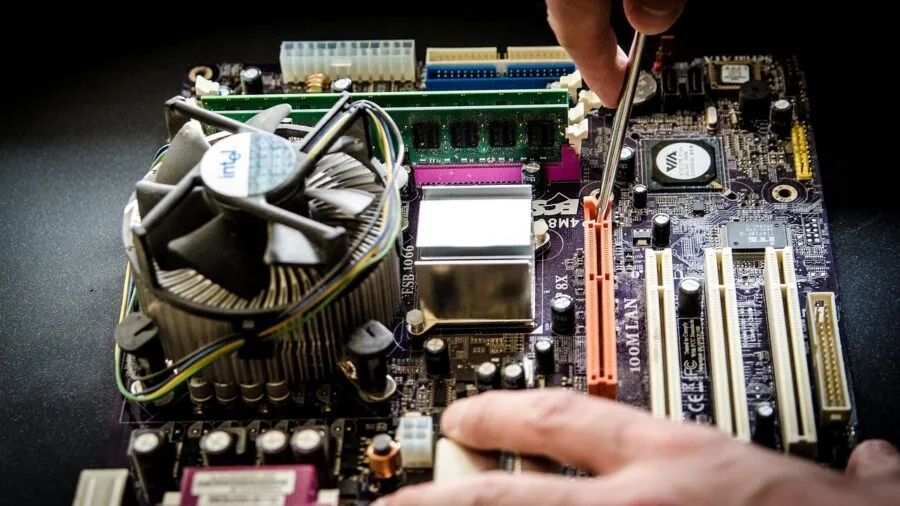
All drives in this roundup use the M.2 2280 form factor, which is the universal standard for consumer NVMe storage.
Before purchasing, verify that your system has an available M.2 slot and confirm the key type (M-key or M+B-key) matches your motherboard or laptop.
Most modern motherboards expose two or more M.2 slots, but bandwidth sharing with SATA ports or other PCIe lanes is worth checking in the manual.
If you are upgrading a laptop, confirm whether the existing M.2 slot is PCIe Gen 3 or Gen 4, as many mid-range laptops from 2026 still ship with Gen 3 slots even if the CPU supports Gen 4.
Laptop upgrades also benefit from reviewing the full system platform, including whether a work-focused laptop or a 2-in-1 device exposes a user-replaceable M.2 slot at all before committing to a purchase.
Why You Should Trust Us
REMOVU is an independent review publication.
Every NVMe SSD in this roundup was assessed using our structured research methodology: we evaluate each model against a consistent set of criteria spanning sequential and random performance specifications, NAND quality, thermal design, endurance ratings, firmware reliability, and value relative to the competitive landscape.
Each product is then assigned a REMOVU Score on a 0 to 10 scale reflecting its overall merit within the category.
We do not conduct our own product trials; our evaluations are grounded in research, published data, expert review consensus, and verified buyer feedback.
Our sources include manufacturer specification sheets, independent storage benchmarks from specialist publications, and aggregated buyer feedback from verified purchasers across major retail platforms. No score or ranking is influenced by advertising relationships.
REMOVU may earn a commission when you purchase through links in this article. That affiliate relationship has no bearing on which products are included, how they are ranked, or the scores they receive.
Our recommendations reflect our honest assessment of which drives offer the most value for real users in 2026.
Final Thoughts
The NVMe SSD market in 2026 is exceptionally competitive, and every drive on this list earns its place by excelling in at least one meaningful dimension of performance, value, or reliability.
Whether you are building a high-end workstation, upgrading a gaming laptop, or adding fast storage to a handheld console, there is a clear recommendation here. Below are the standout picks from our research.
- Best Overall: Samsung 980 PRO 1TB earns the top position with the highest REMOVU Score in this roundup, combining flagship Gen 4 sequential throughput, Samsung’s proven V-NAND reliability, and robust thermal management that keeps sustained performance high under demanding workloads.
- Best High-Capacity Pick: Samsung 990 PRO 2TB is the go-to recommendation when a single large-capacity drive matters more than price per gigabyte, delivering near-flagship performance in a 2 TB configuration suited to content creators and large game libraries.
- Best for Gaming PCs and Consoles: WD_Black SN7100 1TB pairs strong Gen 4 read and write speeds with next-generation TLC 3D NAND and broad compatibility across laptops, desktops, and handheld gaming devices, earning a high REMOVU Score for its blend of speed and versatility.
- Best Budget Gen 4: Crucial P310 1TB brings PCIe Gen 4 performance to a more accessible price bracket, with bundled data recovery software adding practical value for users upgrading from an older drive.
- Best Value Gen 3 Pick: Seagate FireCuda 520 1TB remains a strong performer for systems capped at Gen 3 bandwidth, with Seagate’s endurance pedigree and a competitive REMOVU Score making it a reliable choice for gaming and creative workstation builds.
For a broader view of storage and platform upgrades, browse our full PC components coverage, where you will also find guidance on complementary upgrades including power supplies to support a new build.
Frequently Asked Questions
What is the difference between NVMe and SATA SSDs?
NVMe (Non-Volatile Memory Express) SSDs connect via the PCIe bus and use a protocol designed for flash storage, delivering sequential read speeds typically three to seven times faster than SATA SSDs.
SATA SSDs are limited to around 550 MB/s due to the SATA interface ceiling.
For a primary boot or game drive in any system built in the last five years, NVMe is the better choice wherever a compatible M.2 slot is available.
Do NVMe SSDs work in the PlayStation 5?
Yes. The PlayStation 5 accepts M.2 2280 NVMe SSDs with a minimum sequential read speed of 5,500 MB/s. Any Gen 4 drive in this roundup meets or exceeds that threshold.
Sony recommends using a drive with a heatsink or adding an aftermarket heatsink to avoid thermal throttling inside the console’s enclosed bay. Always power down the console completely and follow Sony’s official installation guide before swapping storage.
How much NVMe storage capacity do I actually need?
For a primary drive running Windows or macOS alongside a moderate game or creative project library, 1 TB is the practical minimum in 2026. Power users with large game libraries, video editing projects, or virtual machine environments will benefit from 2 TB.
A secondary NVMe or a complementary hard drive for archival storage is a cost-effective way to extend total capacity without overspending on a single premium NVMe drive.
Is a heatsink necessary for an NVMe SSD?
Most modern motherboards include a built-in M.2 heatsink or thermal pad that is sufficient for all but the most sustained write workloads. In a well-ventilated desktop case, additional cooling is rarely needed.
In a compact ITX build or a laptop, passive airflow through the chassis generally keeps temperatures acceptable.
Where sustained large transfers are routine, such as video ingest or frequent large backups, a drive with a factory thermal solution or a slim aftermarket heatsink helps maintain peak throughput for longer periods.
Can I use a PCIe Gen 4 NVMe SSD in a Gen 3 slot?
Yes, NVMe SSDs are backward compatible. A Gen 4 drive installed in a Gen 3 M.2 slot will operate at Gen 3 speeds, capped at roughly 3,500 MB/s sequential read.
The drive will function correctly and reliably; you simply will not access its full Gen 4 bandwidth.
If your current platform is Gen 3 only, a Gen 3 drive like the Samsung 970 EVO or a budget Gen 3 option will deliver equivalent real-world performance at a lower cost, which is worth weighing before spending more on a Gen 4 model.
How do NVMe SSDs affect gaming performance specifically?
NVMe SSDs reduce initial game load times and, in titles using DirectStorage (on Windows with a compatible GPU), can also accelerate in-game asset streaming.
In practice, the most dramatic improvements come from upgrading from a mechanical hard drive to any modern SSD. The difference between a fast Gen 3 and a Gen 4 NVMe in typical game load times is measurable but modest for most titles.
Frame rates are determined by your graphics card and CPU rather than storage speed, so pairing a mid-range NVMe with a capable GPU remains the most balanced approach for gaming builds.
About the author
Carmen writes about cable modems for REMOVU, matching DOCSIS support and speed tiers to real internet plans so readers can drop monthly rental fees. She flags which models are worth buying and which quietly bottleneck a connection.