Apple Shifts iOS 27 Into Spotlight: What Buyers Should Know About the New Update Push
Apple is pushing iOS 27 harder with a major interface change. Here is what it means for you.
 By Eleanor Garcia
Updated October 8, 2026
By Eleanor Garcia
Updated October 8, 2026
Apple has made a significant move in how it presents software choices to iPhone users. Starting in early October, the company began prominently displaying iOS 27 in the Settings app’s Software Update section, moving it from a less visible “Also Available” area to the main update recommendation. This shift signals Apple’s increased effort to encourage owners of older iPhones to upgrade to the newest operating system.
Why Apple Changed How Updates Appear
Previously, iPhones running iOS 26 would see iOS 26.7.1 as the primary update option, with iOS 27 tucked away in a secondary section. By reversing this order, Apple is now directing more attention toward getting people to move to iOS 27, which launched on September 14. The company is not forcing anyone to upgrade, but this interface change makes the newer operating system much harder to ignore.
This presentation strategy reflects a common practice in the tech industry: when manufacturers want broader adoption of a major software release, they adjust how the update appears to end users. The move suggests Apple believes iOS 27 has reached a stage where it wants the majority of its user base to transition away from iOS 26.
Security and Feature Improvements Matter
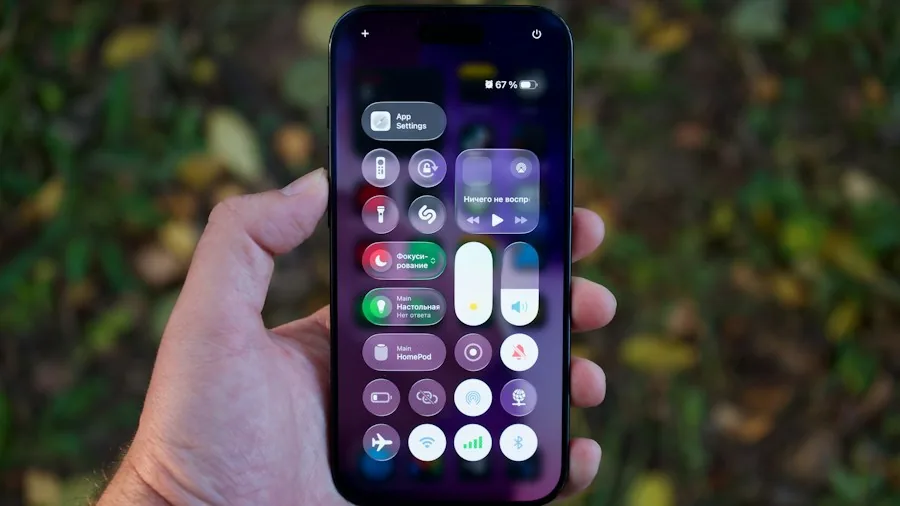
While iOS 27 brings notable new features like enhanced artificial intelligence capabilities for Siri, the security element is equally important for shoppers to understand. Apple continues to provide security patches for iOS 26, with iOS 26.7.1 containing the latest fixes. However, staying on an older operating system means receiving updates at a slower pace than iOS 27 users who get patches more frequently.
If you own an iPhone and care about protecting your personal data and financial information, understanding the difference between critical security updates and staying on the latest major release matters. iOS 27 represents months of development since its announcement at Apple’s September event, meaning it includes fixes for vulnerabilities discovered after iOS 26 reached its stable stage.
What This Means for Your Decision
The timing of Apple’s push matters for consumer planning. The company is clearly moving away from heavy support of iOS 26, which suggests that feature development and optimization efforts are now focused on iOS 27. When evaluating technology purchases alongside software decisions, you should consider whether staying on an older operating system might limit your access to new features or improved performance on newer hardware.
For those hesitant about upgrading, the good news is that Apple is not forcing iOS 27 onto anyone. You retain control over whether and when to make the jump. However, the company’s actions suggest that waiting indefinitely to upgrade comes with real tradeoffs in security update frequency and new functionality.
Adoption and Rollout Patterns
Apple has not yet released adoption statistics showing how many iPhone users have moved to iOS 27 since its September release. These numbers typically matter because they indicate whether a major update is solving problems effectively or encountering significant issues that make users reluctant to upgrade.
The prominence change indicates Apple believes iOS 27 is stable enough to encourage broader adoption. Major operating system releases sometimes experience bugs that manufacturers need to address through point releases, which is why some users prefer to wait a few weeks after launch. iOS 27.0.1, the version now being prominently shown, represents Apple’s first refinement of the base iOS 27 release.
Practical Steps for Shoppers
If you are running iOS 26 and use your iPhone for sensitive tasks like banking or shopping, prioritizing the move to iOS 27 ensures you receive the most current security protections. The update process requires connecting to Wi-Fi and having sufficient battery life, but the installation itself is straightforward through the Settings app.
Those who prefer to delay major updates can still choose iOS 26.7.1 from the “Also Available” section, which maintains security support. This approach trades access to iOS 27’s new features for the comfort of a familiar, stable operating system. However, understand that this advantage diminishes over time as Apple’s development focus shifts away from iOS 26.
For anyone considering a new iPhone purchase, researching device compatibility with the latest software ensures you make an informed choice about long-term support. Newer iPhone models will continue receiving iOS updates for many years, while older hardware may eventually fall outside Apple’s compatibility window.
The shift Apple made in October represents a natural part of the software update cycle. Companies typically encourage users to adopt major releases as they stabilize and prove their reliability. This move gives you the information you need to make an intentional choice about your iPhone’s software rather than defaulting to outdated versions.
About the author
Eleanor covers smartphones for REMOVU, balancing cameras, battery life, and software support against price. She helps readers find the best value as the field shifts with every release.