How to Choose the Right Amazon Fire TV Device for Your Streaming Needs
From budget sticks to premium Cube boxes, discover which Amazon streamer matches your setup.
 By Maxine Hansen
Updated October 3, 2026
By Maxine Hansen
Updated October 3, 2026
Amazon’s streaming device lineup offers multiple options, but understanding which one fits your setup can feel overwhelming. From budget-friendly sticks to premium hybrid boxes, each model targets different viewing habits and home theater requirements. This guide breaks down every Fire TV option so you can make an informed purchase decision based on your actual needs.
Understanding the Fire TV Stick HD for Basic Streaming
If you’re outfitting a bedroom, kitchen, or guest space, or upgrading an older 1080p television, the Fire TV Stick HD serves as the most economical entry point. This plug-and-play device connects directly to any HDMI port and delivers standard Full HD resolution. You get immediate access to all major streaming platforms, including Prime Video, Netflix, and Disney+, plus cloud gaming through Amazon Luna and Xbox Game Pass. The included Alexa Voice Remote provides straightforward control, letting you adjust volume and search for content by voice. For viewers who don’t need 4K resolution and want the absolute lowest price, this stick eliminates unnecessary spending while covering all essential streaming functions.
Mid-Range Performance with the Fire TV Stick 4K

Amazon’s updated 4K stick represents the sweet spot for most households. This 2026 model introduces Vega OS, a lighter and faster operating system that replaces the older Android-based interface, delivering 20 to 40 percent better performance than previous budget streamers. The redesigned Fire TV Remote features an asymmetrical grip, indented tactile buttons you can navigate by touch in complete darkness, a metallic Home key, and a customizable Star button for launching your favorite apps instantly. A meaningful upgrade involves direct USB power compatibility, allowing you to power the device straight from your television without needing a separate outlet. This 4K stick balances price and capability perfectly for everyday viewers who own modern televisions and want responsive performance without premium pricing.
Premium Audio-Visual Features with the 4K Plus
The Fire TV Stick 4K Plus adds cinematic enhancements for viewers with advanced home theater setups. Beyond standard 4K HDR10 support, it unlocks Dolby Vision technology, which automatically adjusts brightness and color on a scene-by-scene basis for enhanced picture quality, and native Dolby Atmos spatial audio for immersive sound. Amazon is phasing out this model to streamline its product range, so availability is limited while existing inventory remains. If you maintain a modern 4K television paired with a Dolby Atmos sound system and want premium features at a discount, purchasing now before stock depletes makes sense. The manufacturer guarantees software updates through 2030, ensuring longevity.
Maximum Power for Heavy Users and Gamers
The Fire TV Stick 4K Max serves power users who constantly download apps and games. This top-tier stick doubles internal storage to 16GB, providing roughly 11GB of usable space after system software occupies its allocation. Wi-Fi 6E support reduces buffering on congested home networks, while native Xbox Game Pass cloud gaming compatibility eliminates the need for separate gaming hardware. The Fire TV Ambient Experience transforms your idle television screen into a smart display showcasing curated artwork and helpful widgets. If your household runs multiple connected devices simultaneously, streaming demands exceed typical usage, or you frequently reach storage limits, this stick’s enhanced specifications justify the investment. For cloud gamers specifically, wireless game controllers pair well with this device’s cloud gaming capabilities.
The Premium All-in-One Cube Solution
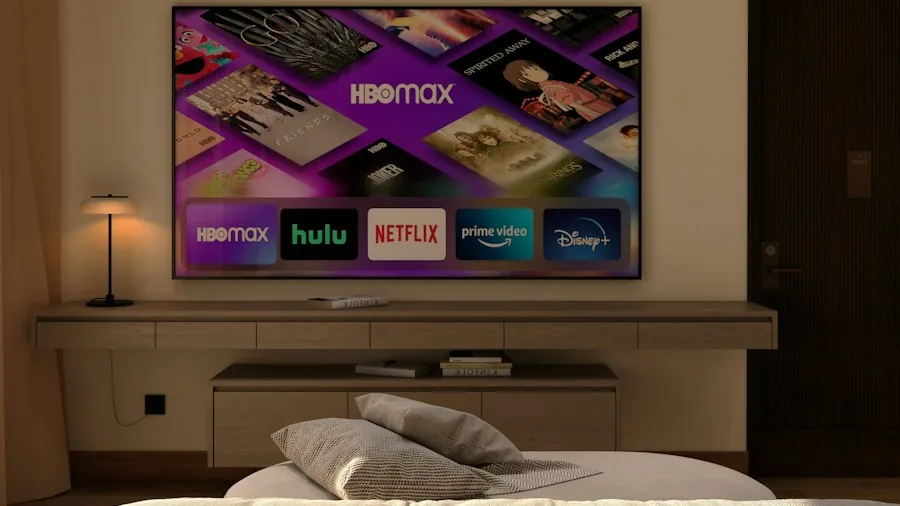
Amazon’s Fire TV Cube represents the flagship offering, combining a premium 4K streaming box with integrated smart speaker functionality. Unlike sticks that mount behind your television, the Cube sits on your media console as a standalone unit. It matches the 4K Max specifications (4K resolution, Dolby Vision support, Atmos audio, 16GB storage, and Wi-Fi 6E) while adding built-in speakers and far-field microphones for hands-free Alexa voice commands. You can control inputs, launch movies, and adjust smart home devices across your room without touching anything. An HDMI pass-through port lets you route cable boxes or gaming consoles through the Fire TV interface, while dedicated Ethernet connectivity provides rock-solid wired internet stability instead of relying solely on wireless. For home theater enthusiasts wanting maximum processing capability and complete voice control throughout their entertainment space, the Cube delivers comprehensive features. If you’re building a robust network setup, pairing your streaming device with quality WiFi routers under $200 ensures optimal performance across your household.
Making Your Selection Decision
Choosing your Fire TV device requires evaluating three key factors: your television’s resolution capabilities, your typical usage patterns, and your budget constraints. Basic viewers with 1080p televisions benefit from the affordable Stick HD. Most households with 4K sets should consider the standard 4K Stick for its balanced performance and new remote design. Enthusiasts with premium audio systems and theater rooms gravitate toward the 4K Plus while available, though it’s being discontinued. Heavy users managing multiple apps and cloud gaming prefer the 4K Max’s expanded storage and networking features. Finally, those wanting voice control integration and physical Ethernet stability should evaluate the Cube as their ultimate home entertainment hub. Each device receives software updates and supports the full ecosystem of Amazon streaming services, so your decision ultimately hinges on matching features to your specific viewing setup and habits.
About the author
Maxine is REMOVU's TV writer, comparing OLED, QLED, and LED sets on picture quality, gaming features, and value. She helps readers cut through a crowded field to the right screen.